導入
The Plantronics M25 Bluetooth headset is designed for convenient wireless communication and audio playback. It features an extended battery life with DeepSleep mode, ensuring readiness when needed. The headset provides whispered alerts for battery status and connection information, and allows for listening to music, internet radio, or navigation directions while managing calls.
パッケージ内容
パッケージにすべてのアイテムが含まれていることを確認します。
- Plantronics M25 Bluetooth ヘッドセット
- AC Charger (100-240v)
- Clip-on Earloop
設定
1. ヘッドセットの充電
Before first use, fully charge the headset. Connect the AC charger to the headset's charging port. The indicator light will change to show charging status and turn off or change color when fully charged. A full charge can provide up to 5 months of readiness in DeepSleep mode.
2. デバイスとのペアリング
To pair your Plantronics M25 headset with a Bluetooth-enabled device (e.g., smartphone, tablet):
- ヘッドセットが充電され、電源がオフになっていることを確認します。
- Press and hold the Call button on the headset until the indicator light flashes red and blue, indicating pairing mode.
- デバイスで Bluetooth を有効にし、新しいデバイスを検索します。
- Select "Plantronics M25" from the list of available devices.
- パスコードの入力を求められた場合は、「0000」(ゼロ 4 つ)を入力します。
- Once paired, the headset's indicator light will stop flashing and a voice prompt will confirm the connection.
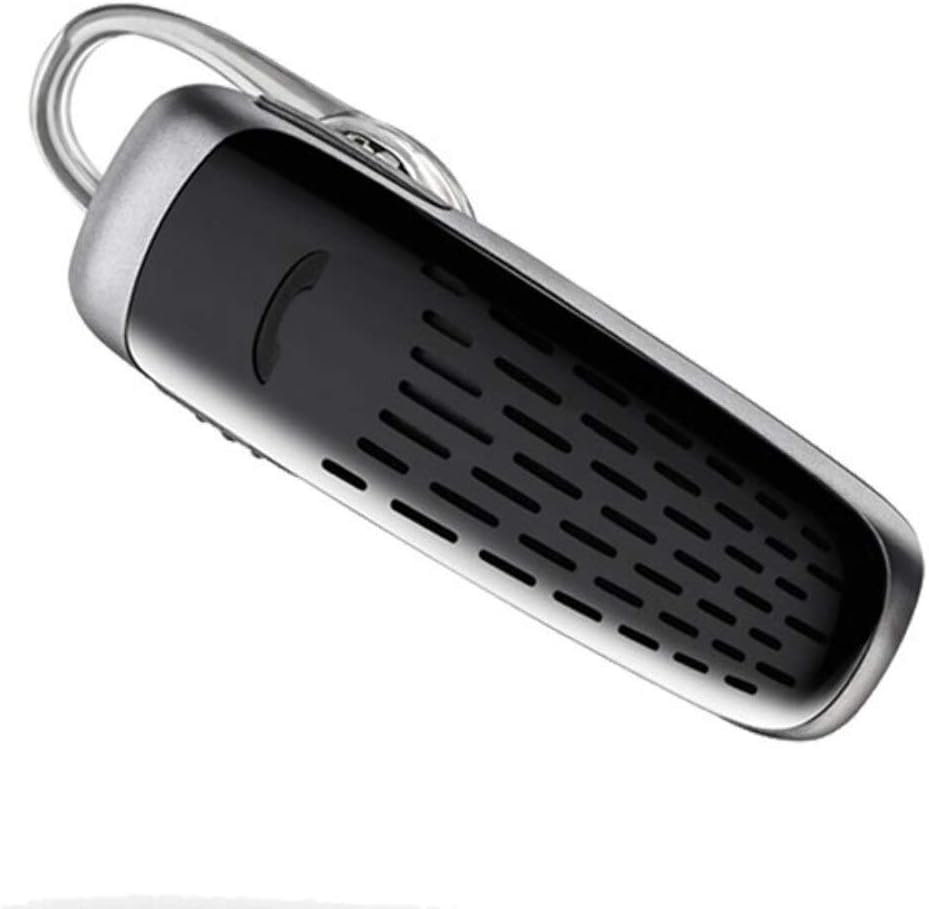
Image: The Plantronics M25 Bluetooth Headset, a compact black and silver device with an earloop, shown from an angled perspective. The call button is visible on the side.
操作手順
電源オン/オフ
- 電源オン: Press and hold the Power button until the indicator light flashes blue.
- 電源を切る: Press and hold the Power button until the indicator light flashes red.
通話の発信と受信
- 通話に応答: 通話ボタンを押してください。
- 通話終了: 通話ボタンを押してください。
- 通話を拒否: 通話ボタンを2秒間押し続けます。
- 最後の番号にリダイヤル: 通話ボタンを2回押します。
オーディオ再生
The headset supports streaming audio from your device, including music, podcasts, and GPS directions.
- 再生/一時停止: Press the Call button during audio playback.
DeepSleepモード
The headset enters DeepSleep power-saving mode if it is disconnected from your phone for over 90 minutes. To wake it up when it's back in range (within 33 feet), simply tap the Call button.
メンテナンス
- クリーニング: ヘッドセットのクリーニングには、柔らかく乾いた布をご使用ください。液体クリーナーやエアゾールは使用しないでください。
- ストレージ: ヘッドセットは、極端な温度を避け、涼しく乾燥した場所に保管してください。
- バッテリーのケア: To preserve battery life, avoid fully discharging the battery frequently. Charge the headset regularly, even if not in use.
- 耐水性: このデバイスは 耐水性はありません水や過度の湿気にさらさないでください。
トラブルシューティング
| 問題 | 解決 |
|---|---|
| ヘッドセットの電源が入りません。 | Ensure the headset is charged. Connect it to the AC charger and allow it to charge for at least 30 minutes before attempting to power on. |
| ヘッドセットをデバイスとペアリングできません。 |
|
| No audio or low audio volume. |
|
| Headset frequently disconnects. |
|
仕様
| 特徴 | 詳細 |
|---|---|
| モデル名 | プラントロニクス M25 |
| 接続技術 | ブルートゥース |
| 無線通信技術 | ブルートゥース |
| 対応デバイス | Smartphones, Laptops, Desktops, Tablets, Smart Speakers, Televisions |
| コントロールタイプ | 通話制御 |
| アイテム重量 | 0.3オンス(約8.5グラム) |
| 耐水性レベル | 耐水性はありません |
| 周波数範囲 | 20Hz~20,000Hz |
| Battery Life (DeepSleep) | 最長150日間 |
| Bluetooth範囲 | 最大10メートル(33フィート) |
| 耳の位置 | 耳に装着 |
| フォームファクター | One Ear |
| 騒音制御 | アクティブノイズキャンセリング |
| 製品寸法 | 1.85 x 0.59 x 0.35インチ |
| 色 | 黒 |
| メーカー | プラントロニクス |
保証とサポート
保証情報: Please note that this product is sold with No Warranty or Return as per the provided information. Users are advised to verify product condition upon receipt.
For further assistance or inquiries, please refer to the official POLY support channels or visit their website. Contact information may be available on the product packaging or the manufacturer's official webサイト。
Disclaimer: Product specifications and features are subject to change without notice. Always refer to the latest information provided by the manufacturer.


