1. はじめに
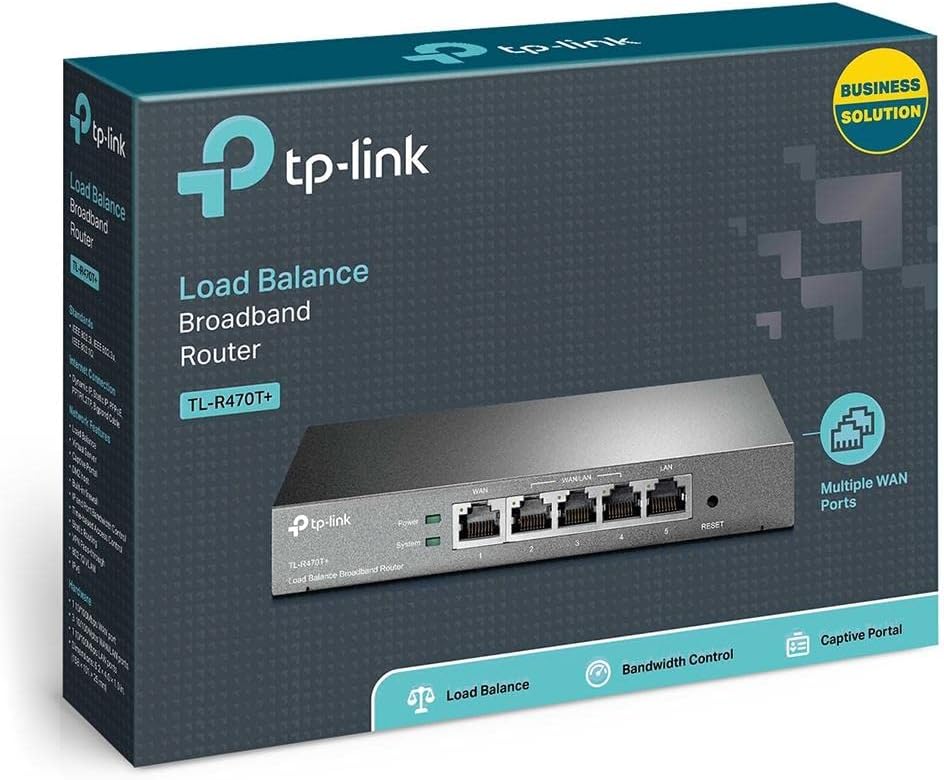
The TP-Link TL-R470T+ Load Balance Broadband Router is designed for small businesses requiring robust and flexible network connectivity. This device offers advanced features to ensure consistent network uptime and reliable Ethernet connectivity, optimizing internet access through multiple WAN connections.
2 製品の特徴
- Multi-WAN Ports: Features three changeable WAN/LAN ports, allowing configuration for up to four WAN ports to meet diverse internet access requirements.
- Smart Load Balancing: Automatically distributes network traffic across multiple WAN connections based on load and bandwidth, ensuring optimal performance and reliability.
- 高度なセキュリティ: Includes Denial of Service (DoS) attack detection and blocking (TCP/UDP/ICMP flooding, Ping of Death), along with IP/MAC/URL/Web filtering functions to protect against intruders and viruses.
- Efficient Access Management: Supports PPPoE server functionality for user authentication and IP-based bandwidth control to manage bandwidth usage. The e-bulletin feature allows for periodic web-page notifications to user groups.
- 雷保護: Incorporates professional lightning protection technology designed to prevent electrical surges up to 4KV, safeguarding networking infrastructure.
- DDNS Support: Facilitates easy remote management using a domain name.
- IP and MAC Binding: Prevents ARP virus attacks by binding IP addresses to MAC addresses.
3. パッケージ内容
パッケージに次のアイテムが含まれていることを確認してください。
- TP-Link TL-R470T+ ロード バランス ブロードバンド ルーター
- 電源コード
- RJ-45イーサネットケーブル
- クイックインストールガイド
4. セットアップ
Follow these steps to set up your TL-R470T+ router:
- 物理接続:
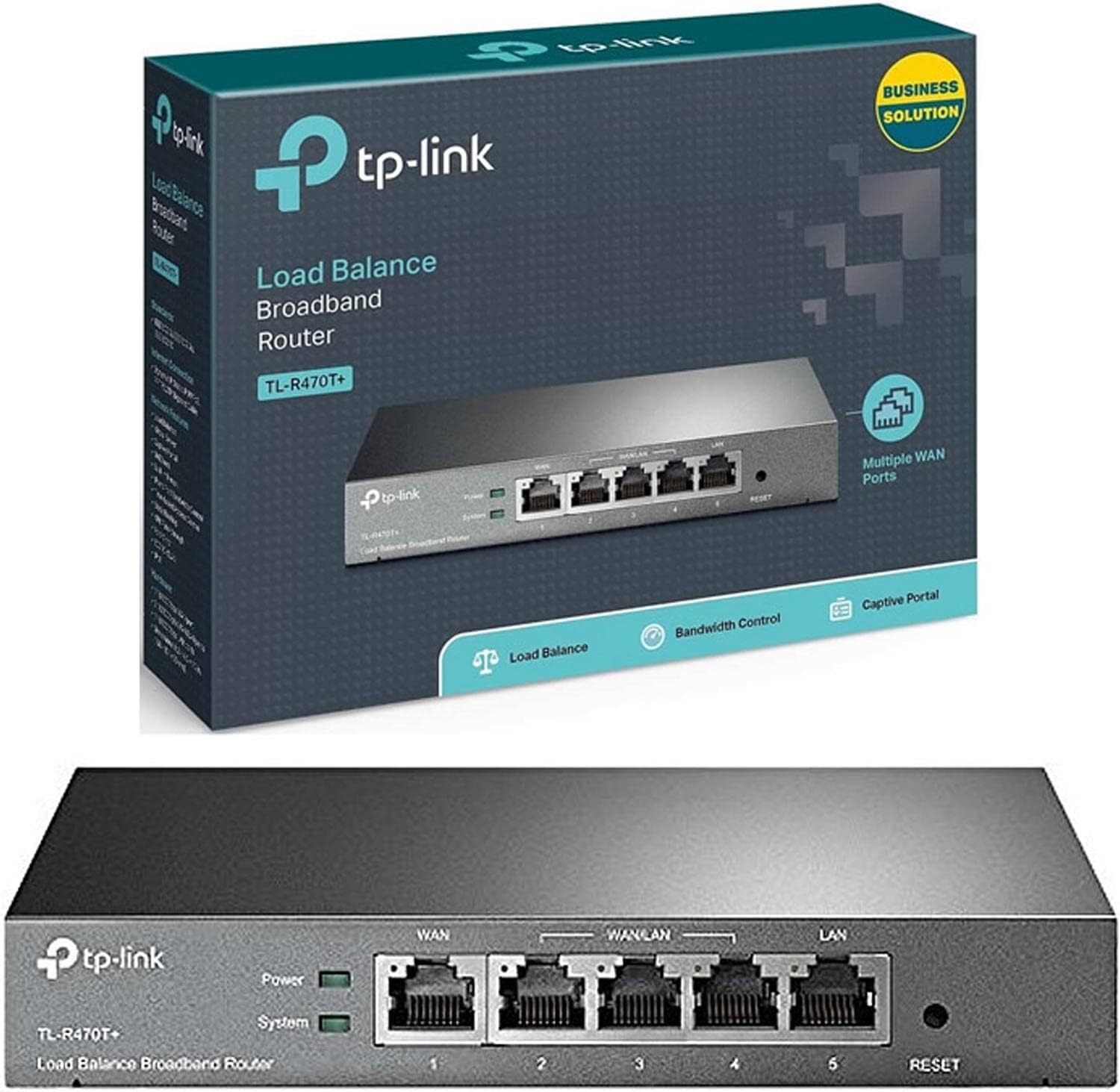
画像: 正面 view of the TL-R470T+ router, displaying the WAN port, three configurable WAN/LAN ports, and one dedicated LAN port, along with power and system LED indicators.
- Connect your modem's Ethernet cable to the router's dedicated WAN port (Port 1).
- If using additional WAN connections, connect them to the configurable WAN/LAN ports (Ports 2-4).
- Connect your local network devices (computers, switches) to the LAN port (Port 5) or other configurable ports set as LAN.
- 電源アダプタをルーターの電源入力に接続し、電源コンセントに差し込みます。
画像: 裏面 view of the TL-R470T+ router, highlighting the power input (9V=0.6A) and a Kensington lock slot for physical security.
- 初期設定:
- 開く web browser on a computer connected to the router's LAN port.
- デフォルトのIPアドレスを入力します(通常は 192.168.0.1) をアドレスバーに入力します。
- デフォルトのユーザー名とパスワードを使用してログインします (詳細については、クイック インストール ガイドを参照してください)。
- Follow the on-screen wizard to configure your WAN connections and basic network settings.
5. 操作手順
Once set up, the TL-R470T+ operates to manage your network traffic efficiently.
- 負荷分散: The router intelligently distributes internet traffic across active WAN connections. You can configure load balancing policies via the web interface to prioritize certain connections or applications.
- Firewall and Filtering: Access the security settings in the web interface to configure IP/MAC/URL filtering rules and enable DoS attack protection. This helps secure your network from external threats.
- 帯域幅制御: Utilize the IP-based bandwidth control feature to allocate specific bandwidth limits to different users or devices on your network, ensuring fair usage and preventing congestion.
- Port Forwarding (Virtual Servers): For applications requiring external access to internal network resources (e.g., FTP servers, gaming servers), configure Virtual Servers (Port Forwarding) in the router's settings.
- ダイナミックDNS(DDNS): If you have a dynamic public IP address, configure DDNS to associate a fixed domain name with your router, enabling consistent remote access.
6. メンテナンス
定期的なメンテナンスにより、ルーターの最適なパフォーマンスと寿命が確保されます。
- ファームウェアの更新: TP-Linkの公式ウェブサイトを定期的にチェックしてください webファームウェアのアップデートについては、こちらのサイトをご覧ください。ファームウェアをアップデートすると、パフォーマンスの向上、新機能の追加、セキュリティ上の脆弱性の修正などの効果が得られます。
- 構成のバックアップ: ルーターの設定を定期的にバックアップしてください。 web interface. This allows for quick restoration in case of accidental changes or a factory reset.
- 物理的環境: Ensure the router is placed in a well-ventilated area, away from direct sunlight, heat sources, and moisture. Keep the device clean and free from dust accumulation.
- 雷保護: While the device has built-in lightning protection, ensure proper grounding of your electrical system to maximize its effectiveness.
7。 トラブルシューティング
このセクションでは、発生する可能性のある一般的な問題について説明します。
- インターネットアクセスなし:
- Verify that your modem is working correctly and providing an internet connection.
- Check the WAN port LED indicators on the router; they should be lit.
- Ensure WAN settings (IP address, DNS) are correctly configured in the router's web インタフェース。
- モデムとルーターの両方を再起動します。
- インターネット速度が遅い:
- インターネット サービス プロバイダーの速度を確認してください。
- Review load balancing settings to ensure optimal distribution across WANs.
- Check for any active bandwidth control rules that might be limiting speed for your device.
- アクセスできません Web 管理ページ:
- コンピュータがルーターの LAN ポートに接続されていることを確認します。
- コンピュータの IP アドレスがルータと同じサブネット内にあることを確認します (例: 192.168.0.x)。
- ブラウザのキャッシュをクリアするか、別のブラウザを使用してみてください。
- If the issue persists, perform a factory reset by pressing and holding the reset button for approximately 5-10 seconds while the router is powered on. Note: This will erase all custom configurations.
8. 仕様
| 商品型番 | TL-R470T+ |
| ブランド | TPリンク |
| インターフェースタイプ | 1 Fixed Ethernet WAN Port, 1 Fixed Ethernet LAN Port, 3 Changeable Ethernet WAN/LAN Ports |
| ポート数 | 5 |
| データ転送速度 | 100メガビット/秒 |
| 巻tage | 240ボルト |
| アイテム重量 | 0.46 キログラム (1.02 ポンド) |
| 製品寸法 | 8.3 x 1.1 x 5インチ |
| オペレーティングシステムの互換性 | Microsoft Windows 8、7、Vista、XP、MAC OS、NetWare、UNIX、Linux |
| ワイヤレスタイプ | 802.11ac (Note: This device is a wired router, 802.11ac refers to internal component compatibility, not wireless functionality) |
| フラッシュメモリサイズ | 4MB |
9. 保証とサポート
保証情報、技術サポート、その他のサポートについては、TP-Linkの公式ウェブサイトをご覧ください。 website or contact TP-Link customer service directly. The Quick Installation Guide included with your product may also contain specific warranty details for your region.