1. はじめに
This manual provides instructions for the installation, operation, and maintenance of your StarTech.com 8 Outlet Horizontal 1U Rack Mount PDU Power Strip (Model RKPW081915). This Power Distribution Unit (PDU) is designed to provide reliable power distribution and surge protection for equipment within network server racks and cabinets.
2. 安全情報
警告: これらの安全指示に従わなかった場合、火災、感電、またはその他の傷害や損傷が発生する可能性があります。
- 製品を操作する前に、すべての指示をお読みください。
- この製品は屋内使用のみを目的としています。
- Ensure the PDU is properly grounded. Do not use with ungrounded outlets.
- Do not exceed the maximum electrical rating of 120V/15A. Overloading the PDU can cause damage and fire hazards.
- Do not disassemble or modify the PDU. Refer all servicing to qualified personnel.
- Keep away from water or excessive humidity.
- Do not plug one PDU into another.
3. パッケージ内容
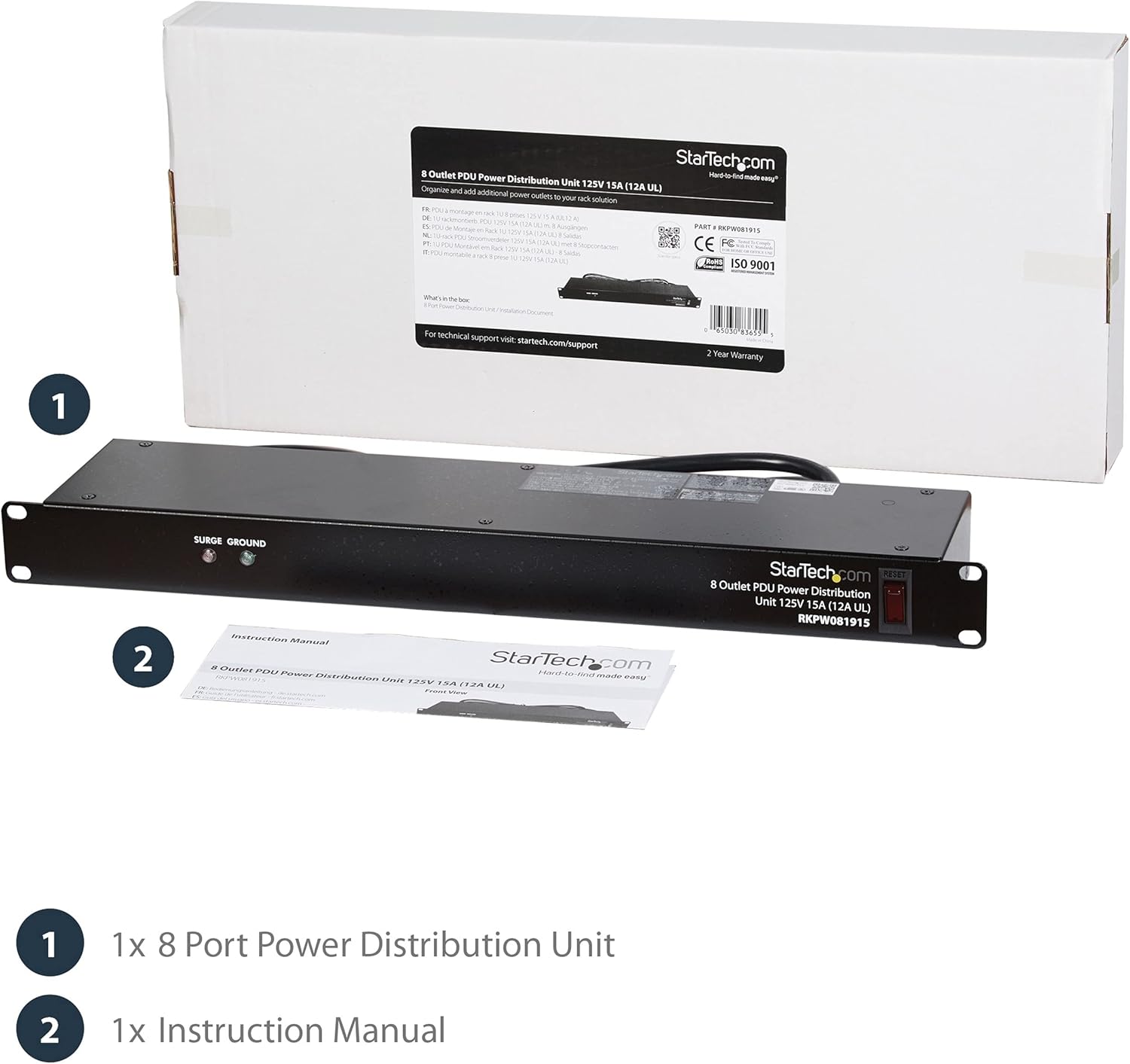
Image: The StarTech.com PDU and its instruction manual, as typically found in the product packaging.
- 1x 8 Outlet Horizontal 1U Rack Mount PDU Power Strip (RKPW081915)
- 取扱説明書 x 1
4.製品オーバーview
The StarTech.com RKPW081915 is a 1U horizontal rack-mountable PDU designed for efficient power distribution in server environments. It features 8 NEMA 5-15R outlets, a 6-foot power cord, and built-in surge protection.
フロントパネルの機能

画像: 詳細 view of the PDU's front and back, highlighting the LED indicators, power switch, and outlets.
- LED Surge Indicator: Illuminates when surge protection is active.
- LED Ground Indicator: Illuminates when the PDU is properly grounded.
- Power/Reset Switch: Controls power to all outlets and acts as a circuit breaker reset.
背面パネルの機能
- 8 x NEMA 5-15R Outlets: Provides power connections for your equipment.
- Integrated 6ft Power Cord: Connects the PDU to a power source.

Image: Close-up of the rear of the PDU, displaying the eight power outlets and the attached power cord.
5. セットアップ
5.1 開梱
Carefully remove the PDU and all components from the packaging. Inspect for any damage during shipping. If any damage is found, contact your vendor immediately.
5.2ラックへの取り付け
The RKPW081915 PDU is designed for horizontal mounting in any standard 19-inch server rack that is 4 inches (10.16 cm) deep or greater. It occupies 1U of rack space.
- Align the mounting ears of the PDU with the desired rack unit (U) on your server rack.
- Secure the PDU to the rack using appropriate rack screws (not included). Ensure both sides are firmly attached.

Image: The PDU mounted horizontally within a server rack, demonstrating its 1U form factor and integration with other equipment.

Image: A visual representation of the PDU's height (1U) and cable length (6ft), confirming its compatibility with standard 19-inch racks.
5.3 デバイスの接続
- Ensure the PDU's power/reset switch is in the OFF position.
- Plug the power cords of your network and server equipment into the 8 NEMA 5-15R outlets on the rear of the PDU.
- Connect the integrated 6-foot power cord of the PDU to a grounded 120V/15A power source.
Video: Demonstrates the installation of a rack-mounted power strip, showing how it integrates into a server rack and connects to devices.
Video: An official product video from StarTech.com showcasing the 8 Outlet Horizontal 1U Rack Mount PDU Power Strip for network server racks, highlighting its surge protection features.
Video: A demonstration of the StarTech 8 Outlet Horizontal 1U Rack Mount PDU, showing its physical attributes and how it fits into a rack setup.
ビデオ: オーバーview of an 8 Outlet Rack-Mount PDU, detailing its features and benefits for organizing power in a rack system.
Video: A demonstration of a PDU Outlet Horizontal, highlighting its design and functionality for power distribution.
6. 操作手順
6.1 電源のオン/オフ
To power on the connected equipment, press the Power/Reset switch on the front panel to the ON position. To power off, press the switch to the OFF position.
6.2 LEDインジケーター
- Surge LED (Green): When illuminated, it indicates that the surge protection feature is active and functioning. If this LED is off, the surge protection has been compromised, and the unit should be replaced.
- Ground LED (Green): When illuminated, it indicates that the PDU is properly grounded. If this LED is off, there may be a grounding issue with your power source or the PDU itself.
6.3サーキットブレーカー
The Power/Reset switch also functions as a circuit breaker. If an overload occurs, the switch will trip to the OFF position, cutting power to all connected devices to prevent damage. To reset the circuit breaker, reduce the load on the PDU and then press the switch back to the ON position.
7. メンテナンス
7.1 クリーニング
To clean the PDU, ensure it is powered off and disconnected from the main power source. Use a soft, dry cloth to wipe the exterior. Do not use liquid cleaners or aerosols.
7.2 定期点検
- Periodically check the Surge and Ground LEDs to ensure they are illuminated, indicating proper function and grounding.
- Inspect the power cord and connected device cords for any signs of damage or wear.
- すべての接続が安全であることを確認します。
8。 トラブルシューティング
| 問題 | 考えられる原因 | 解決 |
|---|---|---|
| 接続されたデバイスに電源が供給されません。 | PDU is off or circuit breaker tripped. | Ensure the Power/Reset switch is ON. If it tripped, reduce the load and reset the switch. |
| Ground LED is off. | 不適切な接地。 | Ensure the PDU is plugged into a properly grounded outlet. Check the building's electrical wiring. |
| Surge LED is off. | Surge protection has been compromised. | The PDU's surge protection may no longer be active. Replace the unit to ensure continued protection. |
| Devices are not receiving enough power. | PDU is overloaded. | Reduce the total power draw of connected devices to stay within the 15A limit. |
9. 仕様
| 特徴 | 詳細 |
|---|---|
| モデル番号 | RKPW081915 |
| ブランド | StarTech.com |
| 総電源コンセント | 8 x NEMA 5-15R |
| 入力ボリュームtage | 120ボルトAC |
| 現在の評価 | 15 Amps |
| 電源コードの長さ | 6フィート(1.8メートル) |
| Rack Unit (RU) | 1U |
| 取り付け | Horizontal 19-inch Rack Mount |
| 寸法(長さx幅x高さ) | 19 x 3.76 x 1.68 インチ (48.26 x 9.55 x 4.27 cm) |
| アイテム重量 | 4.85ポンド(2.2kg) |
| 特集 | Mountable, On/Off Switch, Surge Protection, Built-in Circuit Breaker |
| Casing 素材 | Rugged Steel |
10. 保証とサポート
This StarTech.com product is backed by a lifetime warranty, ensuring long-term reliability and peace of mind. In addition, free lifetime 24/5 multi-lingual technical assistance is available to help you with any questions or issues you may encounter.
For technical support or warranty claims, please visit the official StarTech.com web公式サイトをご覧いただくか、カスタマーサービスに直接お問い合わせください。保証の有効性を確認するため、購入時のレシートを保管してください。


