1. はじめに
ゲエマーク Amplipower60 is an ultra-amplified corded telephone designed to provide clear and loud communication, especially beneficial for individuals with hearing impairments. This manual provides detailed instructions for setting up, operating, and maintaining your telephone to ensure optimal performance.

Figure 1: Geemarc Amplipower60 ウルトラ Amp限定コード付き電話
この画像はメイン view of the Geemarc Amplipower60 telephone, highlighting its large keypad and ergonomic design.
2 製品の特徴
の Amplipower60 telephone is equipped with several features to enhance usability and accessibility:
- Amplified Landline Phone: Specifically designed to help hard of hearing individuals make and hear phone calls easier, and prevent missing incoming calls.
- Loud Ringer & Strobe Notification: Features a loud ringer and an extra bright flashing incoming call strobe for visual alerts.
- Extra-Large Keypad: Equipped with easy-to-read numbers for convenient dialing.
- Quick Dialing: Includes 3 color-coded buttons for quick access to emergency services or family members, and 9 quick dial keys for frequently used contacts.
- Extra Loud & Hearing Aid Compatible: Provides up to 65dB of extra clear TrueSound, up to 15dB for the speakerphone, and up to 95dB for the ringer. It is also hearing aid compatible.
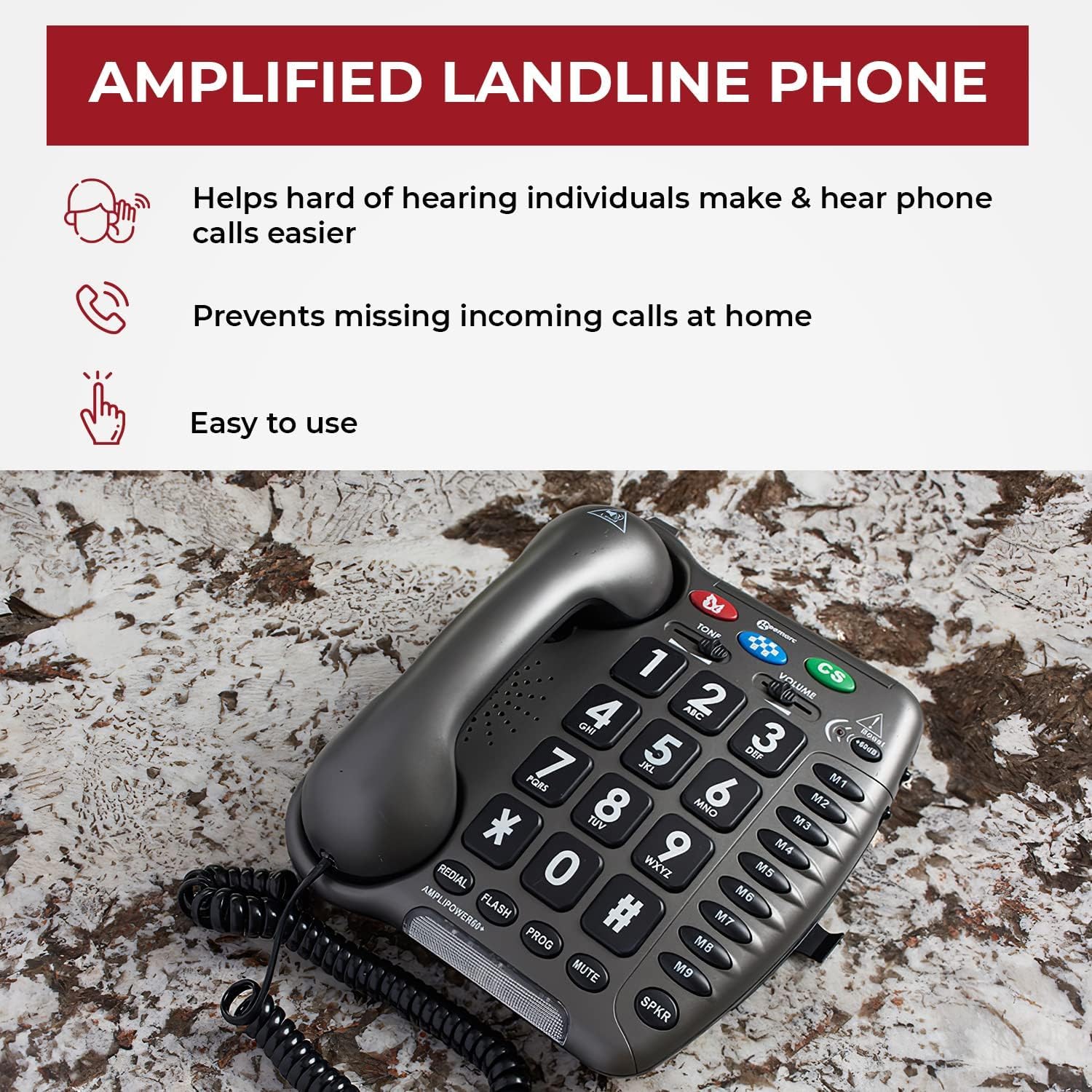
Figure 2: Key Benefits of the Amp固定電話
This image illustrates the primary advantagの Amplipower60, including ease of use, assistance for the hard of hearing, and preventing missed calls.

Figure 3: Sound Amplification and Compatibility
This image details the sound amplification capabilities of the phone, including up to 65dB TrueSound, 15dB speakerphone, and 95dB ringer, along with its hearing aid compatibility.

Figure 4: Dialing Convenience
This image highlights the large numbers and quick dial buttons (M1-M9) that make dialing easy and convenient for users.
3.セットアップガイド
Geemarcを設定するには、次の手順に従ってください。 Amplipower60 telephone:
- 開梱内容: Carefully remove all components from the packaging. Ensure you have the telephone base, handset, coiled handset cord, line cord, and power adapter.
- バッテリーの取り付け: The phone requires 4 AAA batteries (not included) for certain functions like memory retention during power outages. Locate the battery compartment on the underside of the phone, insert the batteries according to the polarity markings, and close the compartment.
- ハンドセットを接続: Plug one end of the coiled handset cord into the handset and the other end into the jack labeled 'HANDSET' on the side or back of the telephone base.
- ラインコードを接続します: Plug one end of the line cord into the jack labeled 'LINE' on the telephone base and the other end into your telephone wall jack.
- 電源アダプタを接続: Plug the small end of the power adapter into the 'DC IN' jack on the telephone base and the other end into a standard electrical outlet.
- 初期テスト: Lift the handset. You should hear a dial tone. If not, recheck all connections.
4. 操作手順
4.1電話をかける
- 受話器を持ち上げるか、 スポルト スピーカーフォンを起動するボタンです。
- ダイヤルトーンを聞きます。
- Dial the desired telephone number using the large keypad.
- 通話を終了するには、受話器を置くか、 スポルト button again if on speakerphone.
4.2 電話を受ける
When the phone rings and the strobe light flashes:
- 受話器を持ち上げて電話に出ます。
- または、 スポルト button to answer on speakerphone.
4.3使用 Amp化
の Amplipower60 is designed to provide significant sound amp化。 の amplification is typically active by default or can be adjusted:
- ハンドセットの音量: 使用 音量 slider on the side of the phone to adjust the incoming call volume through the handset. This can provide up to 65dB of clear TrueSound.
- スピーカーフォンの音量: When using the speakerphone, the volume can be adjusted to provide up to 15dB of sound.
- 着信音量: The ringer can be set to provide up to 95dB of sound. Adjust the ringer volume switch on the side or back of the phone.
- トーンコントロール: 使用 トーン button to adjust the frequency response for clearer sound, especially for certain types of hearing loss.
4.4 Speed Dial / Memory Buttons
The phone features 3 color-coded emergency buttons (M, CS) and 9 quick dial memory buttons (M1-M9).
- Programming Memory Buttons: Refer to the detailed programming instructions in the full manual for setting up emergency and quick dial numbers. Typically, this involves pressing a プログラム button, then the memory button, dialing the number, and pressing プログラム また。
- Using Memory Buttons: 受話器を持ち上げるか、を押します スポルト, then press the desired memory button (M, CS, M1-M9) to dial the stored number.
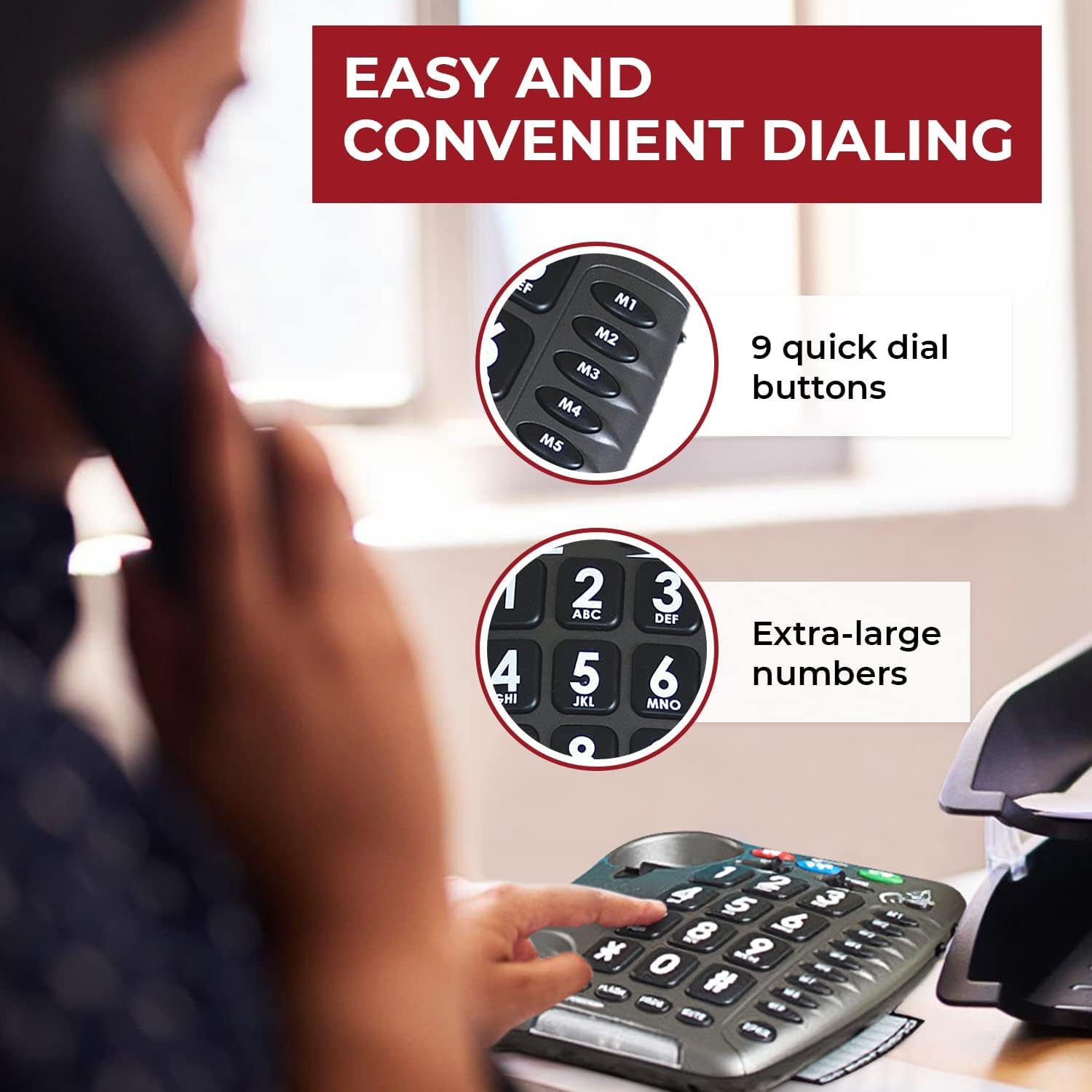
Figure 5: User Experience with Ampリファイドサウンド
This image depicts a woman comfortably using the Amplipower60, illustrating the clarity and ease of communication provided by its amplified features.
5. メンテナンス
To ensure the longevity and optimal performance of your Geemarc Amplipower60 telephone, follow these maintenance guidelines:
- クリーニング: 柔らかくてamp cloth to clean the telephone's surface. Do not use abrasive cleaners, waxes, or solvents.
- 液体を避ける: Keep the telephone away from water and other liquids. If liquid spills on the phone, immediately unplug it and allow it to dry completely before reconnecting.
- 温度と湿度: 極端な温度や高湿度を避け、乾燥した環境で携帯電話を保管および操作してください。
- バッテリー交換: Replace the AAA batteries periodically (e.g., once a year) to ensure memory retention functions properly during power outages。
- コードのケア: Avoid tangling or stretching the handset and line cords excessively, as this can damage the internal wiring.
6。 トラブルシューティング
問題が発生した場合は、 Amplipower60 telephone, refer to the following common problems and solutions:
| 問題 | 考えられる原因 | 解決 |
|---|---|---|
| 発信音なし | Line cord or power adapter not connected properly. | Ensure all cords are securely plugged into the phone and wall jacks. Check power outlet. |
| Cannot hear caller / Low volume | Volume setting is too low; amplification not active. | 調整する 音量 slider. Ensure the tone control is set appropriately. |
| Caller cannot hear me / Muffled sound | Handset or speakerphone microphone issue; speaking too far from microphone. | Ensure handset cord is fully inserted. Speak directly into the microphone. Test with another phone if possible. |
| Static or Hissing sound | Line interference; high amplification setting. | Check phone line for damage. Try adjusting the volume or tone control. If persistent, contact your telephone service provider. |
| Ringer not working or too quiet | Ringer volume set too low or off. | Adjust the ringer volume switch on the phone. |
If the problem persists after trying these solutions, please contact Geemarc customer support or your retailer for further assistance.
7. 仕様
| 特徴 | 詳細 |
|---|---|
| メーカー | ジーマーク |
| ブランド | ジーマーク |
| モデル番号 | Amplipower60 |
| アイテム重量 | 2.5ポンド |
| 製品寸法 | 8.75 x 7.5 x 1.5インチ |
| 電池が必要 | 4 AAA batteries (for memory retention) |
| 色 | 黒 |
| 材質タイプ | その他の材料 |
| 電話の種類 | 有線 |
| 電源 | コード式電気 |
| ダイヤラの種類 | シングルキーパッド |
| 留守番電話システムの種類 | デジタル |
| Amplification (Handset) | Up to 65dB TrueSound |
| Amplification (Speakerphone) | 最大15dB |
| 着信音量 | 最大95dB |
8. 保証とサポート
For warranty information and customer support, please refer to the documentation included with your purchase or contact the manufacturer, Geemarc, directly. You may also reach out to the seller, Sonic Alert MI, for assistance.
保証請求の際に購入証明として購入レシートを保管してください。


