導入
This manual provides essential instructions for the safe and effective operation of your Microlife WS100 Digital Body Fat Analyzer Weight Scale. Please read this manual thoroughly before using the device and retain it for future reference. The Microlife WS100 is designed to measure body weight, body fat percentage、および筋肉量。
安全情報
- Do not use this device if you have a pacemaker or other electronic medical implant.
- 妊娠中の女性はこのデバイスを使用する前に医師に相談してください。
- Ensure the scale is placed on a hard, flat surface for accurate measurements. Avoid carpets or uneven floors.
- 転倒を防ぐため、濡れた表面や滑りやすい表面では体重計を使用しないでください。
- デバイスを子供の手の届かない場所に保管してください。
- ご自身でデバイスを分解したり修理したりしないでください。問題が発生した場合は、カスタマーサポートにお問い合わせください。
設定
1. 開梱と初期検査
Carefully remove the Microlife WS100 scale from its packaging. Inspect the device for any signs of damage. If any damage is observed, do not use the scale and contact your retailer.
2. バッテリーの取り付け
The Microlife WS100 scale comes with batteries included. Locate the battery compartment on the underside of the scale. Open the compartment cover and ensure the batteries are correctly inserted according to the polarity indicators (+/-). Close the battery compartment securely.
3. 初期キャリブレーション
Before first use or after moving the scale, it is recommended to perform an initial calibration. Place the scale on a hard, flat surface. Briefly step onto the scale, then step off. The display will show "0.0" or a similar indication, confirming calibration.
4. ユーザープロfile Setup (for Body Fat Analysis)
To utilize the body fat and muscle mass analysis features, you must set up a user profile. Refer to the detailed instructions in the "Operating Instructions" section for setting up user profiles, including age, gender, and height.
操作手順
1. 基本的な体重測定
- スケールを堅くて平らな面に置いてください。
- 裸足で体重計に足を踏み入れ、じっと立ってください。
- Your weight will be displayed on the screen. The scale will automatically turn off after a few seconds.
2. Body Fat and Muscle Mass Measurement
For body composition analysis, ensure your user profile が設定されています。
- Press the "SET" button to enter user selection mode.
- Use the arrow buttons to select your user number (P1, P2, etc.).
- Step onto the scale barefoot, ensuring your feet are positioned on the metal electrodes.
- Stand still until the measurements (weight, body fat percentage、骨格筋の割合tage) are displayed sequentially.
- The scale will automatically store the data and turn off.
3. 測定単位の切り替え
The unit switch button (usually located on the underside of the scale) allows you to toggle between kilograms (kg) and pounds (lb). Press this button to select your preferred unit before taking a measurement.
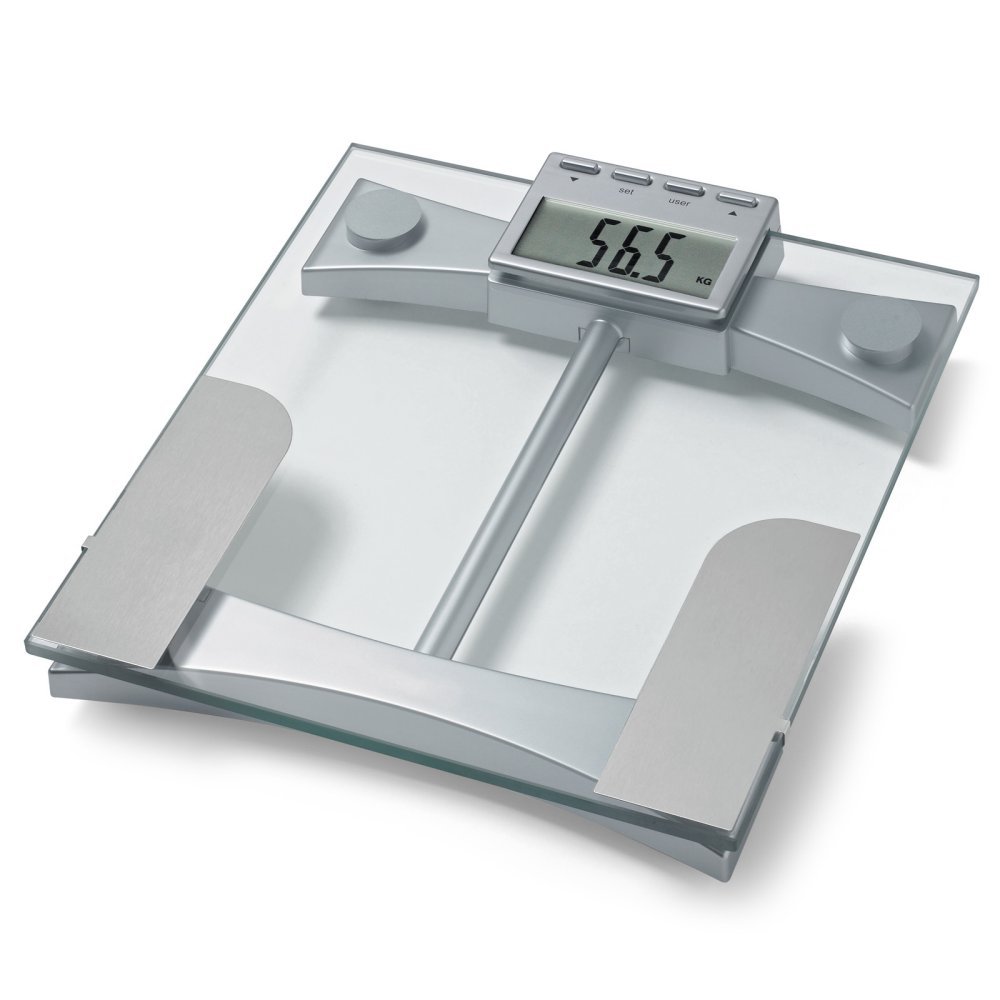
図1: トップ view of the Microlife WS100 scale. Note the display area and the metallic electrodes for body composition analysis. Ensure feet are placed correctly on these electrodes for accurate readings.
メンテナンス
1. スケールの清掃
スケールの表面を柔らかくて乾いた布で拭きます。amp cloth. Do not use abrasive cleaners or immerse the scale in water. Avoid harsh chemicals that may damage the surface or electronic components.
2. ストレージ
体重計は直射日光や極端な温度を避け、涼しく乾燥した場所に保管してください。使用していないときは、体重計の上に重い物を置かないでください。
3. バッテリーの交換
When the display shows a "Lo" indicator, it is time to replace the batteries. Open the battery compartment on the underside of the scale, remove the old batteries, and insert new ones of the same type, observing correct polarity. Dispose of old batteries responsibly.
トラブルシューティング
| 問題 | 考えられる原因 | 解決 |
|---|---|---|
| 「Lo」と表示 | バッテリー残量が少なくなっています。 | 電池を新しいものと交換してください。 |
| 「Err」が表示される | 過負荷または測定エラー。 | Ensure the scale is not overloaded. Step off and then back on the scale. Ensure stable footing. |
| 不正確な測定値 | Scale on uneven surface, not calibrated, or user profile 正しくない。 | Place scale on a hard, flat surface. Perform initial calibration. Verify user profile settings (age, height, gender). |
| 表示なし | Batteries incorrectly installed or completely drained. | 電池の極性を確認してください。必要に応じて電池を交換してください。 |
仕様
- モデル: WS100
- ブランド: マイクロライフ
- 表示タイプ: デジタル
- 特別な機能: Body Fat, Bodyweight, Muscle Mass
- 材料: プラスチック
- 色: 黒
- 電源: 電池(付属)
- 製品寸法: 31.75 x 7.62 x 37.47 cm(12.5 x 3 x 14.75インチ)
- 商品の重量: 2.99 kg (6.59 ポンド)
- GTIN/UPC: 642632841233
保証とサポート
For warranty information or technical support, please refer to the warranty card included with your product or visit the official Microlife webサイトで確認してください。ご自身でデバイスの修理を試みないでください。保証が無効になる可能性があります。


