1. はじめに
The Idatalink Blade-TB (ADS Blade-TB) is a universal data immobilizer bypass integration cartridge designed for seamless integration with Blade-compatible remote start products. This module is web programmable, supporting over 1800 vehicle models from 1997 to date, including exclusive KLON firmware applications. It simplifies the process of bypassing a vehicle's immobilizer system for remote start or security installations.
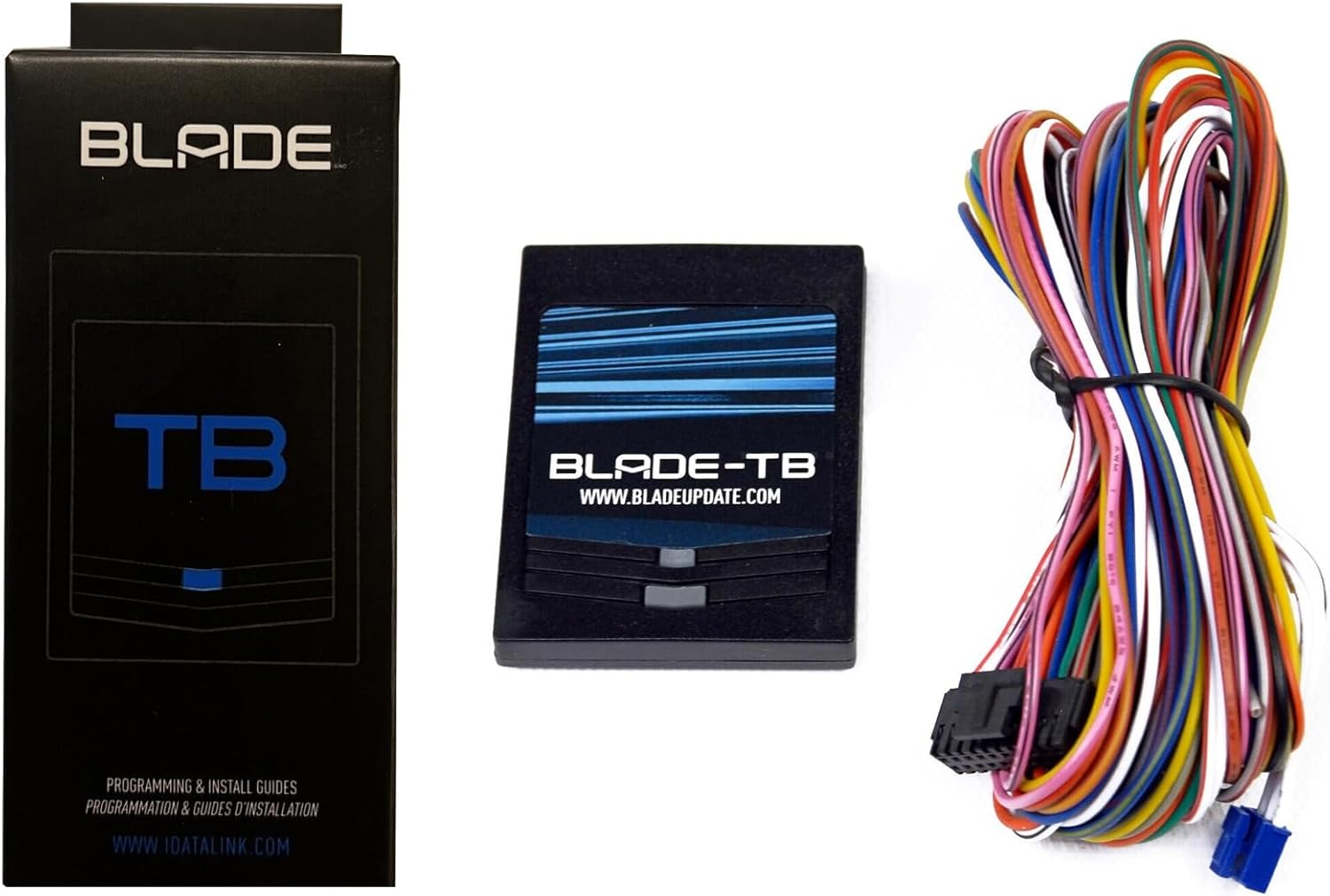
Figure 1: The Idatalink Blade-TB module, its retail packaging, and the accompanying wiring harness.
2. セットアップとプログラミング
Before installation, the Blade-TB module requires programming with the correct firmware for your specific vehicle. This process is performed using a computer and the Weblink Updater Cable (ADS-USB).
2.1. 必要なコンポーネント
- Idatalink Blade-TB module
- Compatible Blade-enabled remote starter (e.g., Compustar controller)
- Computer with Internet Explorer (recommended for Active X compatibility)
- Weblink Updater Cable (ADS-USB)
2.2. アカウント登録
公式番組にアカウントを作成する webサイト: compustar.idatalink.com. Ensure your browser (Internet Explorer is suggested) allows Active X to be enabled if prompted, as this is necessary for the programming interface.
2.3. Connecting the Module for Programming
- Dock the Blade Module: Carefully insert your Blade-TB module into the dedicated dock on your Blade-enabled remote starter controller.
- Connect ADS-USB to PC: Plug the ADS-USB Weblink Updater Cable into an available USB port on your computer.
- Connect Module to ADS-USB: Use the cable labeled "Idatalink module" (typically a black RS-232 data port cable) to connect the ADS-USB to the corresponding port on your remote starter controller.

Figure 2: The Blade-TB module being inserted into the compatible remote starter controller.

Figure 3: The ADS-USB cable connected to a laptop, ready for module connection.
2.4. Flashing the Firmware
- アクセス Weblink Updater: Internet Explorerを起動し、 compustar.idatalink.com.
- Select "Flash Your Module": 上の website, locate and click the "Flash Your Module" option. The system will then detect the connected hardware.
- 車両の選択: Once detected, you will be on the programming home screen. Select the correct year, make, and model of the vehicle you intend to install the module in.
- フラッシュファームウェア: After selecting the vehicle, you can either configure specific features for the Blade module or select "Flash" to load the default settings. The site will confirm "Flashing Completed!" upon success.
- Download Installation Guide: の website will provide a link to download the appropriate installation guide for your specific vehicle and firmware. It is crucial to download and follow this guide for proper in-vehicle installation.
Video 1: A detailed guide on how to flash and update your Idatalink Blade module and Compustar controller using the Webリンクアップデータ。
3. 操作手順
The Idatalink Blade-TB module operates in conjunction with a compatible remote start system. Once properly installed and programmed for your vehicle, it facilitates the bypass of the vehicle's immobilizer system, allowing the remote start system to function correctly.
Specific operational details, such as remote start sequence, door lock/unlock behavior, and trunk release, are primarily controlled by the features configured during the flashing process and the capabilities of your remote start system. Refer to the downloaded installation guide and your remote start system's manual for detailed operational procedures.
4. メンテナンス
The Idatalink Blade-TB is a solid-state electronic component and requires minimal maintenance. Keep the module and its connections free from moisture, dust, and extreme temperatures. Do not attempt to open or repair the module, as this will void the warranty.
Periodically check the connections to ensure they remain secure. Firmware updates may be released by Idatalink to improve performance or add compatibility for new vehicles. You can check for and apply these updates using the Weblink Updater as described in the Setup section.
5。 トラブルシューティング
If you encounter issues with your Idatalink Blade-TB module, consider the following troubleshooting steps:
- Module Not Detected During Flashing:
- Ensure the ADS-USB cable is securely connected to both your PC and the remote starter controller.
- Verify the Blade-TB module is correctly docked into the remote starter.
- インターネット接続を確認してください。
- Ensure Active X is enabled in Internet Explorer, or try a different compatible browser if issues persist.
- Remote Start System Not Functioning:
- Confirm the Blade-TB module was flashed with the correct firmware for your vehicle's year, make, and model. Re-flash if necessary.
- Verify all wiring connections in the vehicle are secure and correct according to the specific installation guide downloaded from the Idatalink webサイト。
- Check the power supply to the remote start system and the Blade-TB module.
- Ensure the vehicle's dome lights are on during programming for certain vehicle types (e.g., Ford), as mentioned in user reviews.
- Module Flashes Red (Programming Error):
- This often indicates incorrect wiring or an issue with the programming process. Double-check your installation type and wiring connections.
- Ensure the programming button is pressed and held until flashing begins, as per the installation instructions.
- "Cable required to program!" / Missing Cable:
- The ADS-USB Weblink Updater Cable is required for programming. It is not always included with the module and may need to be purchased separately.
For persistent issues, refer to the detailed installation guide specific to your vehicle or contact Idatalink technical support.
6. 仕様
| 特徴 | 詳細 |
|---|---|
| 製品名 | Idatalink Blade-TB Integration: Blade Multi-Platform Transponder Immobilizer Bypass Cartridge |
| モデル番号 | BLADETB |
| ブランド | アイデータリンク |
| 製品寸法 | 1 x 6.8 x 4.4インチ |
| アイテム重量 | 2.4オンス |
| 接続性 | Wireless (for in-vehicle operation), Wired (for programming via ADS-USB) |
| 互換性 | Over 1800 vehicle models from 1997 to date; Blade-compatible remote start products |
| 特集 | Transponder Bypass Cartridge, Web Programmable, KLON firmware applications |
7. 保証とサポート
For warranty information and technical support regarding your Idatalink Blade-TB module, please refer to the official Idatalink website or contact their customer service directly. The product is designed and manufactured by iDataLink.
テクニカルサポート: 1.888.820.3499 ext. 203 (as indicated on the Weblink Updater interface).
メーカー: iDataLink
透明性: 各商品には固有のコードが付いており、出荷前に検証されるため、商品の真正性が保証されます。


