1. はじめに
Thank you for choosing the Hunter 44760 Multi-Stage Heat Pump Thermostat. This device is designed to provide efficient and precise control over your home's heating and cooling system. It is compatible with single and multi-stage heat pump systems, controlling one stage of cooling and two stag熱のes。
Key features of your Hunter 44760 thermostat include:
- Auto Season Changeover: 暖房と冷房のモードを自動的に切り替えます。
- INDIGLO Backlit Display: さまざまな照明条件でクリアな視認性を実現します。
- Pre-Programmed Temperature & Vacation Overrides: Allows temporary adjustments or extended holds.
- エネルギーモニター: Tracks system usage time to help manage energy consumption.
- フィルター交換インジケーター: Reminds you when to replace your system's air filter.
- 自動回復: Helps maintain comfort while optimizing energy use.
- 低バッテリー警告: 電池の交換が必要になると警告します。
- バッテリーバックアップ: 電源オフ時に設定を保持tages (単4電池2本が必要ですが、付属していません)。
2. インストール
The Hunter 44760 thermostat is designed for easy do-it-yourself installation. Please follow these instructions carefully to ensure proper setup and operation.
2.1 始める前に
- 電源を切る to your heating and cooling system at the main circuit breaker or fuse box before beginning installation.
- Ensure you have the necessary tools: screwdriver, wire stripper/cutter, and electrical tape.
- Confirm your system is compatible with a multi-stagヒートポンプサーモスタット。
2.2 Removing Your Old Thermostat and Wiring
- 既存のサーモスタットのカバーを慎重に取り外します。
- Before disconnecting any wires, label each wire with the corresponding terminal letter from your old thermostat. This is crucial for correct wiring of the new thermostat.
- 配線を外し、古いサーモスタットの壁プレートを取り外します。
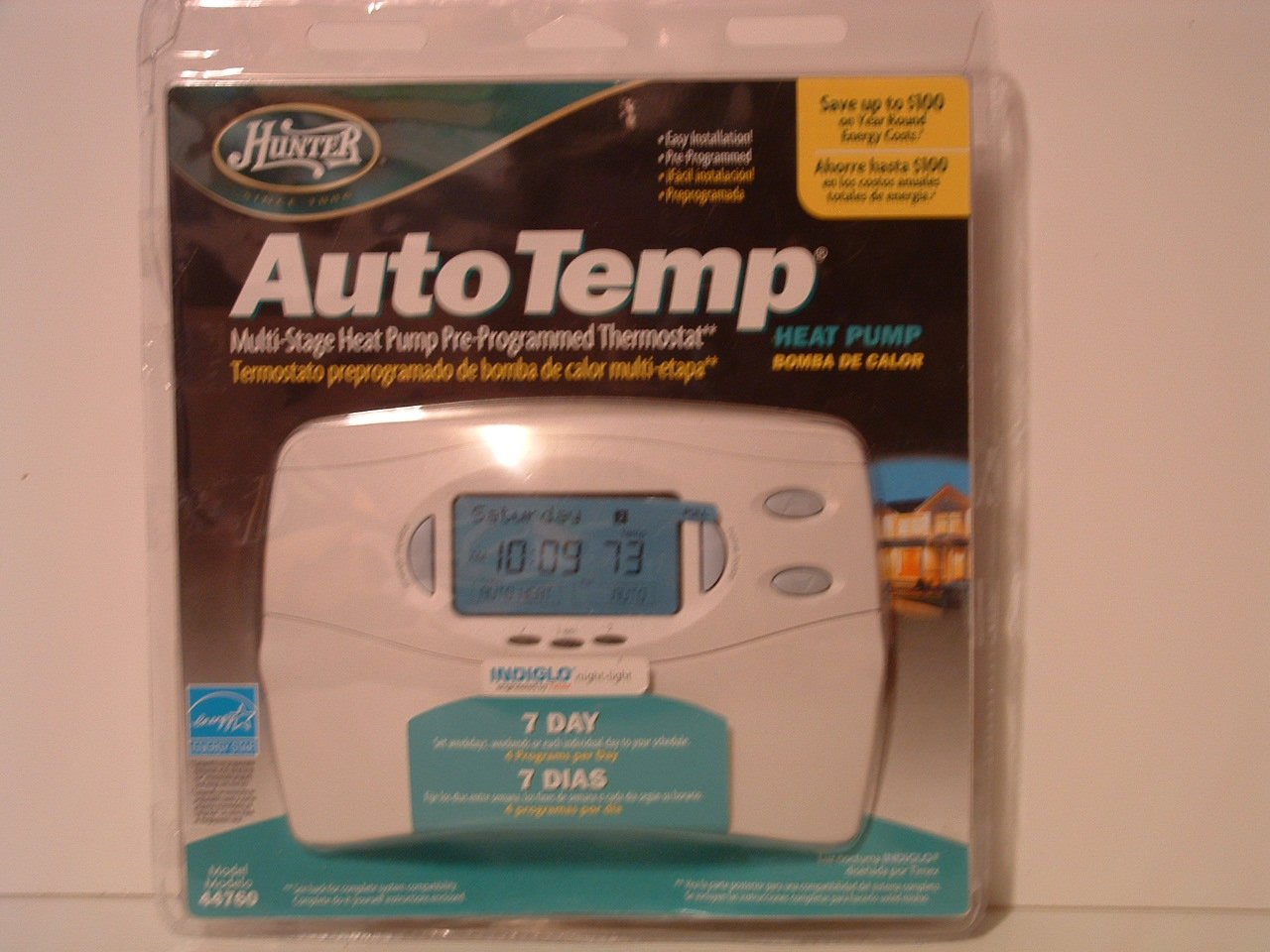
Image: Hunter 44760 Thermostat packaging illustrating key features and simplified installation steps. The top right corner shows a visual guide for removing the existing thermostat, labeling wires, installing the new wall plate, and attaching the cover.
2.3 新しいサーモスタットの取り付け
- Install the new wall plate provided with your Hunter 44760 thermostat. Secure it to the wall using the included screws.
- Connect the labeled wires to the corresponding terminals on the new wall plate. Refer to the wiring diagram in the full manual for specific connections.
- Insert 2 AAA batteries (not included) into the battery compartment.
- Attach the thermostat cover to the wall plate, ensuring it clicks securely into place.
- 回路ブレーカーで暖房および冷房システムへの電力を復元します。
3. 操作
This section details how to operate your Hunter 44760 thermostat, including basic controls and programming features.
3.1ディスプレイオーバーview
The thermostat features an INDIGLO backlit display that shows the current temperature, set temperature, time, and system status. The display is designed for clear readability.
Image: Hunter 44760 Thermostat packaging showing the thermostat's front panel with its digital display (showing 10:09 and 73 degrees) and various control buttons below it.
3.2 基本的な制御
- Temperature UP/DOWN Buttons: これらのボタンを使用して、希望の温度設定を調整します。
- ファンスイッチ:
- 自動: The fan runs only when the heating or cooling system is operating.
- に: 暖房システムまたは冷房システムがアクティブであるかどうかに関係なく、ファンは継続的に動作します。
- システムスイッチ:
- 熱: サーモスタットは暖房システムを制御します。
- 涼しい: サーモスタットは冷却システムを制御します。
- OFF: 暖房および冷房システムはオフになっています。
3.3 プログラミング機能
The Hunter 44760 offers advanced programming options for energy efficiency and comfort.
- Auto Season Changeover: This feature automatically switches between heating and cooling modes as needed, eliminating the need for manual adjustment.
- Home Today & Vacation Overrides: Use these functions for temporary temperature adjustments or to set an extended hold for vacation periods.
- エネルギーモニター: この機能にアクセスするには view the run time of your heating and cooling system, helping you understand and manage energy usage.
- フィルター交換インジケーター: A reminder will appear on the display when it's time to check or replace your system's air filter.
- 自動回復: This intelligent feature ensures your home reaches the desired temperature by the start of a programmed period, optimizing system operation.
- Permanent and Vacation Hold: These settings allow you to maintain a specific temperature indefinitely or for a set vacation duration, overriding the regular program.
- Returns to Programmed Settings: The thermostat can easily revert to your pre-programmed schedule.
4. メンテナンス
適切なメンテナンスを行うことで、サーモスタットの寿命が長くなり、最適なパフォーマンスが確保されます。
4.1 電池の交換
The thermostat requires two AAA batteries (not included) for operation and to maintain settings during power outages. A low battery warning will appear on the display when replacement is needed.
- Gently pull the thermostat body away from the wall plate to access the battery compartment.
- Remove the old batteries and insert two new AAA alkaline batteries, ensuring correct polarity (+/-).
- Reattach the thermostat body to the wall plate.
4.2 クリーニング
サーモスタットの外側を柔らかくて柔らかい布で拭いてください。amp 布で拭いてください。研磨剤入りの洗剤や溶剤は、表面や内部部品を傷める恐れがあるため、使用しないでください。
5。 トラブルシューティング
If you encounter issues with your thermostat, refer to the following common problems and solutions.
- サーモスタットのディスプレイが空白です:
- Check if the power to your HVAC system is on at the circuit breaker.
- Replace the AAA batteries in the thermostat.
- システムが応答しません(暖房/冷房なし):
- Ensure the system switch is set to HEAT or COOL, not OFF.
- Verify the fan switch is set to AUTO or ON.
- Check if the set temperature is above (for heat) or below (for cool) the current room temperature.
- すべての配線接続が安全であることを確認します。
- 温度の読み取りが不正確:
- サーモスタットが直射日光、風、熱源にさらされていないことを確認してください。
- Allow time for the thermostat to acclimate to the room temperature after installation.
- フィルター交換インジケーターが点灯したまま:
- Replace your system's air filter.
- Reset the filter change indicator through the thermostat's settings menu (refer to the full manual for specific steps).
6. 仕様
Below are the technical specifications for the Hunter 44760 Multi-Stage Heat Pump Thermostat.
| 特徴 | 仕様 |
|---|---|
| ブランド | ハンター |
| モデル番号 | 44760 |
| 巻tage | 24ボルト |
| 色 | 白 |
| 特集 | Low Battery Indicator, INDIGLO Backlight, Energy Star Compliant |
| 製品寸法 | 2 x 7 x 5インチ |
| アイテム重量 | 1.1ポンド |
| 電池が必要 | 単2電池XNUMX本(別売) |
| コントロールタイプ | ボタンコントロール |
7. 保証情報
The Hunter 44760 Multi-Stage Heat Pump Thermostat comes with a 1年間の限定保証 from the date of purchase. This warranty covers defects in materials and workmanship under normal use. Please retain your proof of purchase for warranty claims. For full details regarding warranty terms and conditions, refer to the documentation included with your product or contact Hunter Fan Company customer support.
8. カスタマーサポート
If you have any questions, require technical assistance, or need further support regarding your Hunter 44760 thermostat, please contact the Hunter Fan Company customer service. Contact information can typically be found on the manufacturer's webサイトまたは元の製品パッケージで返品してください。


