
導入
The Leadjoy R20 2.4GHz Wireless USB Adapter is designed to enhance your gaming experience on Xbox Series S/X consoles by providing a robust and reliable wireless connection for compatible controllers. This manual will guide you through the installation, operation, and maintenance of your R20 adapter.
パッケージ内容
以下にリストされているすべてのアイテムがパッケージに含まれていることを確認してください。
- Leadjoy R20 Wireless USB Adapter
- 取扱説明書(本書)
The image below illustrates the R20 Wireless USB Adapter and its key features.
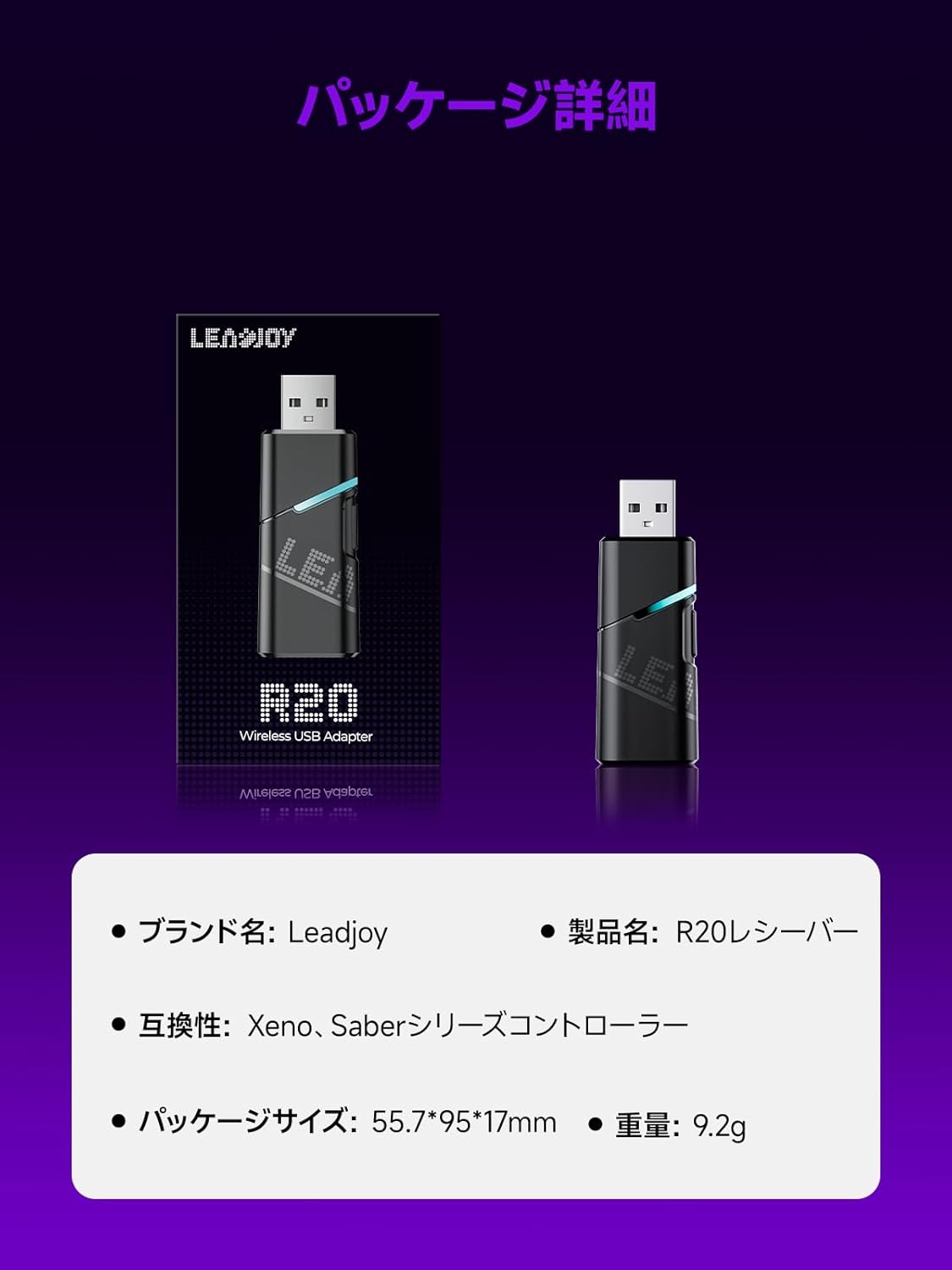
Image: Leadjoy R20 Wireless USB Adapter. This image displays the R20 adapter in its packaging, highlighting its compact design. Text overlays indicate the brand name 'Leadjoy', product name 'R20 Receiver', compatibility with 'Xeno, Saber series controllers', package size '55.7*95*17mm', and weight '9.2g'.
セットアップとインストール
Follow these steps to connect your Leadjoy R20 Wireless USB Adapter to your Xbox console:
- ステップ1: Insert the R20 receiver into an available USB port on your Xbox console. Ensure the console is powered on.
- ステップ2: Connect your original Xbox controller to the R20's USB port using a USB cable.
- ステップ3: Once the controller's indicator light remains steadily lit, the connection is successful. You can now pair your Leadjoy controller with the R20 receiver.
The diagram below visually explains the connection process.

Image: Connection Method. This diagram illustrates the three steps for connecting the R20 adapter. Step 1 shows inserting the R20 into the Xbox console. Step 2 shows connecting an original Xbox controller to the R20 via a cable. Step 3 shows pairing a Leadjoy controller with the R20 receiver after successful connection.
注記: Do not disconnect the original controller from the R20 receiver during use to maintain a stable connection.
操作手順
The R20 receiver provides a stronger signal compared to the original R10 receiver, offering improved performance. If you find the functions of the original Xbox controller insufficient or the operation feel unsatisfactory, and wish to enjoy games on your Xbox console using Xeno Plus, this R20 receiver makes it possible.
After successful setup, your compatible Leadjoy controller will connect wirelessly to the Xbox console via the R20 adapter, allowing for seamless gameplay.
仕様
| ブランド | リードジョイ |
| モデル番号 | LJR2001-1 (R20) |
| 色 | 黒 |
| 接続性 | 2.4GHzワイヤレス |
| 互換性 | Xbox Series S/X, Xeno, Saber series controllers |
| アイテム重量 | 9.2グラム |
| パッケージ寸法 | 55.7 x 95 x 17 ミリメートル |
| 原産国 | 中国 |
メンテナンス
To ensure the longevity and optimal performance of your Leadjoy R20 Wireless USB Adapter, please observe the following maintenance guidelines:
- アダプターは清潔に保ち、ほこりが付かないようにしてください。清掃には柔らかく乾いた布をご使用ください。
- アダプタを極端な温度、湿度、または直射日光にさらさないでください。
- Do not attempt to disassemble or repair the adapter yourself. This may void your warranty.
- 物理的な損傷を防ぐため、使用していないときはアダプタを安全な場所に保管してください。
トラブルシューティング
If you encounter issues with your Leadjoy R20 Wireless USB Adapter, please try the following steps:
- 接続なし: Ensure the R20 adapter is fully inserted into the Xbox console's USB port and the original Xbox controller is securely connected to the R20. Check if the controller's indicator light is steadily lit.
- 断続的な接続: Ensure there are no obstructions between your Leadjoy controller and the R20 adapter. Avoid placing the adapter near other wireless devices that may cause interference.
- コントローラーが応答しない: Try disconnecting and reconnecting both the R20 adapter from the console and the original controller from the R20. Restart your Xbox console if necessary.
- ファームウェアアップデート: Check the official Leadjoy website for any available firmware updates for the R20 adapter, which may resolve performance issues.
これらの手順を試しても問題が解決しない場合は、カスタマー サポートにお問い合わせください。
保証とサポート
The Leadjoy R20 Wireless USB Adapter comes with a standard manufacturer's warranty. Please refer to the warranty card included in your product packaging for specific terms and conditions, including the warranty period and coverage details.
For technical support, troubleshooting assistance, or warranty claims, please contact Leadjoy customer service through their official webサイトまたは製品ドキュメントに記載されている連絡先情報を参照してください。
保証のために購入証明書を保管してください。