
1.製品オーバーview
The Soundcore Liberty 5 Pro Max are advanced wireless earbuds designed for superior audio experiences, crystal-clear communication, and smart productivity features. They integrate cutting-edge AI technology for noise cancellation, voice recording, and personalized sound.
主な特徴:
- Guinness World Records Certified Call Quality: The Liberty 5 Pro Max offers exceptional call performance, certified by Guinness World Records for its speech quality.
- AI Voice Recorder & Transcription: The smart charging case features an integrated microphone to record in-person meetings and interviews, providing AI-generated transcriptions and summaries. (Note: Does not record online meetings or calls.)
- Intuitive AMOLED Smart Case: A 1.78" AMOLED display on the charging case allows direct control over AI recording, ANC settings, and earbud configurations, with customizable wallpapers.
- 非常にクリアな通話: Equipped with 10 sensors and a Thus AI Chip, ensuring your voice is heard clearly in any environment, even in noisy conditions exceeding 100 dB.
- Instant Absolute Silence (ANC): Features 100% more effective Active Noise Cancellation than previous models, utilizing 8 sensors and a Thus AI Chip to process over 384K noise signals per second for immediate quiet.
- Personalized Audio with HearID 5.0: Tailor your sound experience with custom EQ and an AI audio optimizer, ensuring optimal sound quality.
- Lag-Free Voice Control: Access 20 integrated commands for music playback and volume adjustment with zero delay, thanks to offline processing.
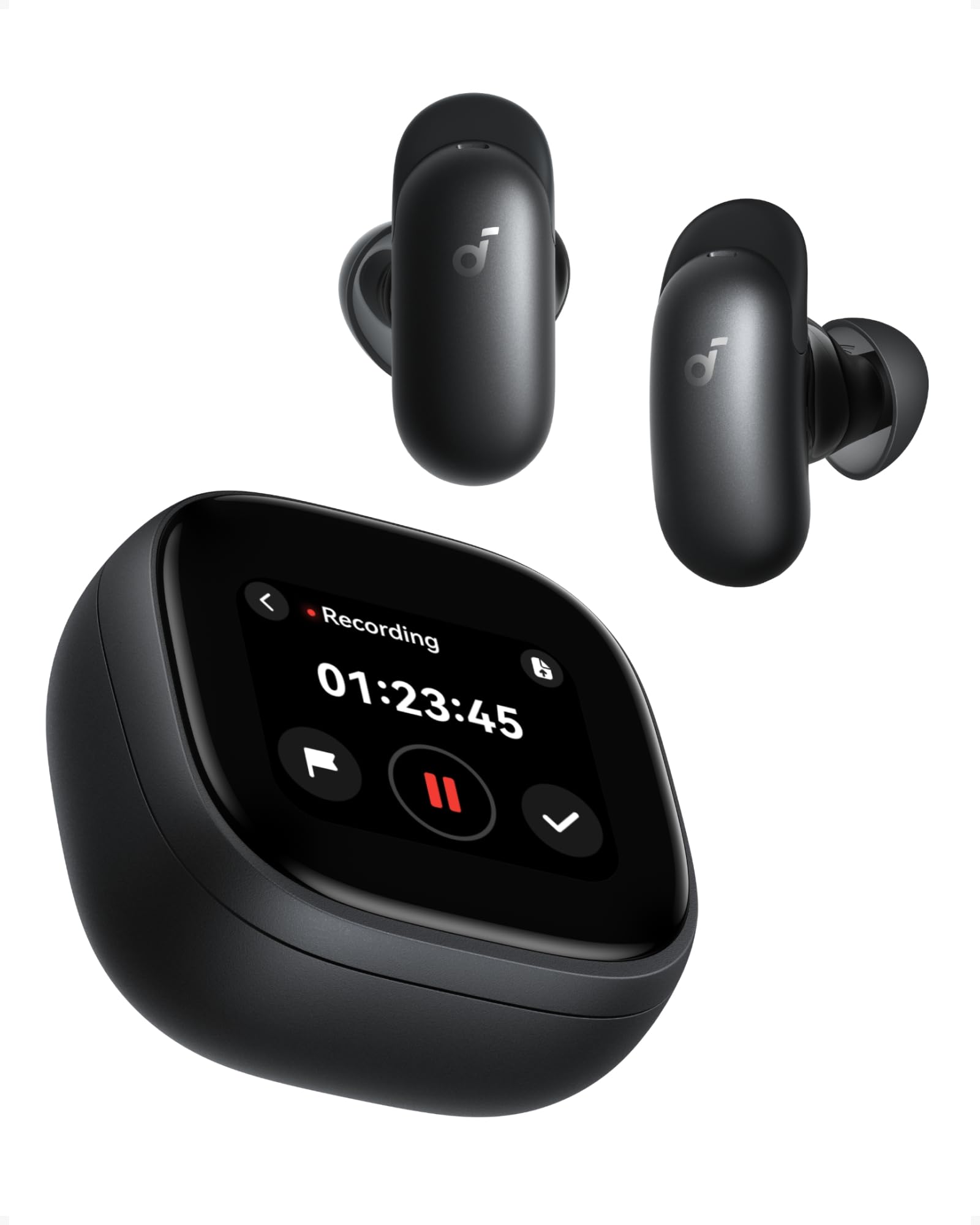
Image: Soundcore Liberty 5 Pro Max earbuds in their smart charging case.
2. パッケージ内容
箱の中にすべてのアイテムが揃っていることを確認します。
- Soundcore Liberty 5 Pro Max Earbuds
- スマート充電ケース
- Ear Tips: XXS, XS, S, M, L (Medium pre-installed)
- Ear Wings: 0, 1, 2 (Size 1 pre-installed)
- USB-C充電ケーブル

Image: All components included in the Soundcore Liberty 5 Pro Max package.
3. セットアップと初回使用
3.1 イヤホンとケースの充電
- イヤホンを充電ケースに入れます。
- Connect the charging case to a power source using the provided USB-C cable. The LED indicators on the case will show charging status.
- ワイヤレス充電を行う場合は、ケースを対応するワイヤレス充電パッドの上に置きます。
- A full charge for the earbuds takes approximately 50 minutes. The case provides multiple charges for extended use.
3.2 イヤホンの装着
For optimal sound quality and noise cancellation, it is crucial to choose the correct ear tips and ear wings that provide a secure and comfortable seal.
- Experiment with different sizes of ear tips (XXS, XS, S, M, L) and ear wings (0, 1, 2).
- Insert the earbuds into your ears and rotate them until they fit snugly and comfortably.
- Use the Soundcore app's "Tip Fit Test" feature to verify the seal.
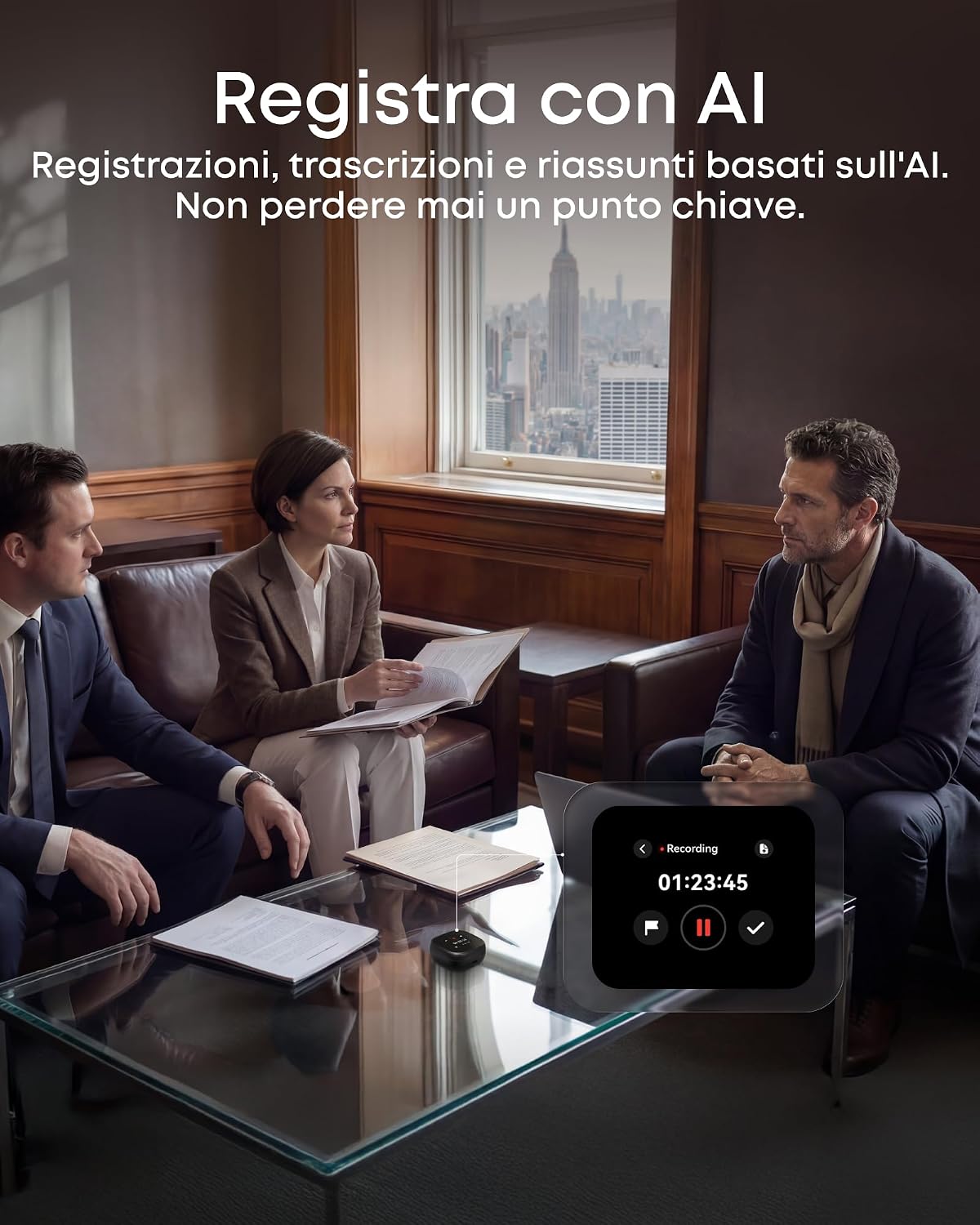
Image: Earbud correctly positioned in the ear for a secure fit.
3.3 デバイスとのペアリング
- Open the charging case. The earbuds will automatically enter Bluetooth pairing mode (LEDs will flash).
- On your device (smartphone, tablet, PC), go to Bluetooth settings and select "Soundcore Liberty 5 Pro Max" from the list of available devices.
- Once connected, the earbuds will automatically connect to the last paired device when removed from the case.
- The Liberty 5 Pro Max supports simultaneous connection to up to 3 devices. Manage connections via the Soundcore app or the smart case display.

Image: Illustration of connecting the earbuds to multiple devices simultaneously.
3.4 Soundcore App Installation
Download the Soundcore app from the App Store (iOS) or Google Play Store (Android) to unlock full features, customize settings, and manage your earbuds.
4. 操作手順
4.1 Earbud Controls (Touch/Slide)
The earbuds feature touch and slide controls. Customize these controls via the Soundcore app.
- 再生/一時停止: どちらかのイヤホンを 1 回タップします。
- 次のトラック: 右のイヤホンをダブルタップします。
- 前のトラック: 左のイヤホンをダブルタップします。
- ボリュームアップ: Slide up on right earbud.
- ボリュームダウン: Slide down on left earbud.
- 通話の応答/終了: どちらかのイヤホンを 1 回タップします。
- 通話を拒否: どちらかのイヤフォンを2秒間押し続けます。
- ANC モードを切り替える: Press and hold left earbud for 2 seconds (cycles through ANC, Transparency, Normal).
4.2 Smart Charging Case Display
The 1.78" AMOLED display on the charging case provides direct access to various functions:
- AIボイスレコーダー: Start, pause, and stop recordings. View 録音時間。
- ANC コントロール: Adjust Active Noise Cancellation modes (ANC, Transparency, Normal).
- Earbud Settings: Manage equalizer presets, customize controls, and perform firmware updates.
- バッテリーの状態: View battery levels for both earbuds and the charging case.
- Custom Wallpapers: Personalize the display background.

Image: Hand interacting with the smart charging case display, showing various control options.
4.3 アクティブノイズキャンセリング(ANC)と透過モード
The Liberty 5 Pro Max offers advanced noise control:
- ANCモード: 周囲のノイズを低減し、没入感のあるリスニング体験を実現します。旅行や騒がしい環境に最適です。
- 透明モード: Allows you to hear your surroundings while listening to audio. Useful for awareness in urban areas or conversations.
- 通常モード: アクティブノイズコントロールなしの標準オーディオ再生。

Image: A man on a boat, illustrating the effectiveness of instant absolute silence with ANC.
4.4 AIボイスレコーダー
Utilize the AI Voice Recorder for in-person meetings and interviews:
- Access the recorder via the smart case display or the Soundcore app.
- Start recording. The integrated microphone in the case will capture audio.
- After recording, the system will transcribe and generate AI summaries.
- Manage recordings, transcriptions, and summaries through the Soundcore app or the "Ask Anka" web ポータル。

Image: Individuals in a meeting, demonstrating the use of the AI voice recorder.
4.5 Personalized Audio Settings
The Soundcore app allows you to customize your audio experience:
- ヒアID 5.0: Perform a hearing test to create a personalized EQ profile あなたの聴覚に合わせてカスタマイズします。
- カスタムEQ: Manually adjust equalizer settings to your preference.
- AI Audio Optimizer: Enhances sound quality based on AI analysis.

Image: A woman relaxing, enjoying personalized audio settings.
5. メンテナンス
- クリーニング: Regularly clean the earbuds, ear tips, and charging case with a soft, dry, lint-free cloth. Avoid using harsh chemicals.
- 耐水性: The earbuds have an IPX4 water resistance rating, meaning they are resistant to splashes and sweat. Do not submerge them in water. Ensure earbuds are dry before placing them back in the charging case.
- ストレージ: 使用していないときは、イヤホンを保護し、充電を保つために充電ケースに保管してください。
6。 トラブルシューティング
| 問題 | 解決 |
|---|---|
| イヤホンがペアリングされない |
|
| 音が出ない、または音量が小さい |
|
| ANCは効果がない |
|
| 充電の問題 |
|
7. 仕様
| 特徴 | 詳細 |
|---|---|
| ブランド | サウンドコア |
| モデル名 | Liberty 5 Pro Max |
| モデル番号 | D1204 |
| 色 | 黒 |
| フォームファクター | インイヤー |
| 騒音制御 | アクティブノイズキャンセル(ANC) |
| インピーダンス | 17オーム |
| 周波数応答 | 20 kHz |
| 感度 | 123デシベル |
| 接続技術 | 無線 |
| ワイヤレステクノロジー | ブルートゥース |
| Bluetoothバージョン | 6.1 |
| コントロールタイプ | Touch and Slide Control |
| 制御方法 | アプリ、音声 |
| Casing 素材 | プラスチック |
| 耐水性レベル | IPX4(防滴・防汗) |
| 平均バッテリー寿命(イヤホン) | 12時間 |
| バッテリー充電時間 | 50分 |
| 特集 | AI Note-Taker, AI Noise Cancellation, AMOLED Smart Case |
| 対応デバイス | iPhone, Android, PC, Mac |
| GTIN(UPC) | 194644331047 |
8. 保証とサポート
The Soundcore Liberty 5 Pro Max comes with a 24ヶ月保証 ご購入日より1年間有効です。保証請求の際は購入証明書を保管してください。
For technical support, troubleshooting assistance, or warranty inquiries, please visit the official Soundcore support web公式サイトをご覧いただくか、カスタマーサービスにお問い合わせください。詳細については、 AmazonのSoundcoreストア or the Soundcore app.
9. 重要な安全情報
- 極端な温度にさらさないでください。
- 落としたり、強い衝撃を与えないでください。
- お子様やペットの手の届かない場所に保管してください。
- 自分でデバイスを分解したり修理しようとしないでください。
- 純正または認定された充電ケーブルとアダプターのみを使用してください。
- 聴覚障害を防ぐため、イヤホンを長時間大音量で使用しないでください。
10. ビデオリソース
公式製品ビデオなし URLs were provided in the product data. Please refer to the official Soundcore website or YouTube channel for video tutorials and demonstrations.