
1. はじめに
ご購入ありがとうございますasing the TOPPING E50II Compact Desktop DAC. This device is designed to provide high-fidelity audio decoding for various digital sources. It features an AK4497S DAC chip, supports high-resolution audio formats up to PCM768kHz and DSD512, and offers versatile connectivity options including USB, optical, coaxial, RCA, and TRS balanced outputs. This manual provides essential information for proper setup, operation, and maintenance of your E50II.
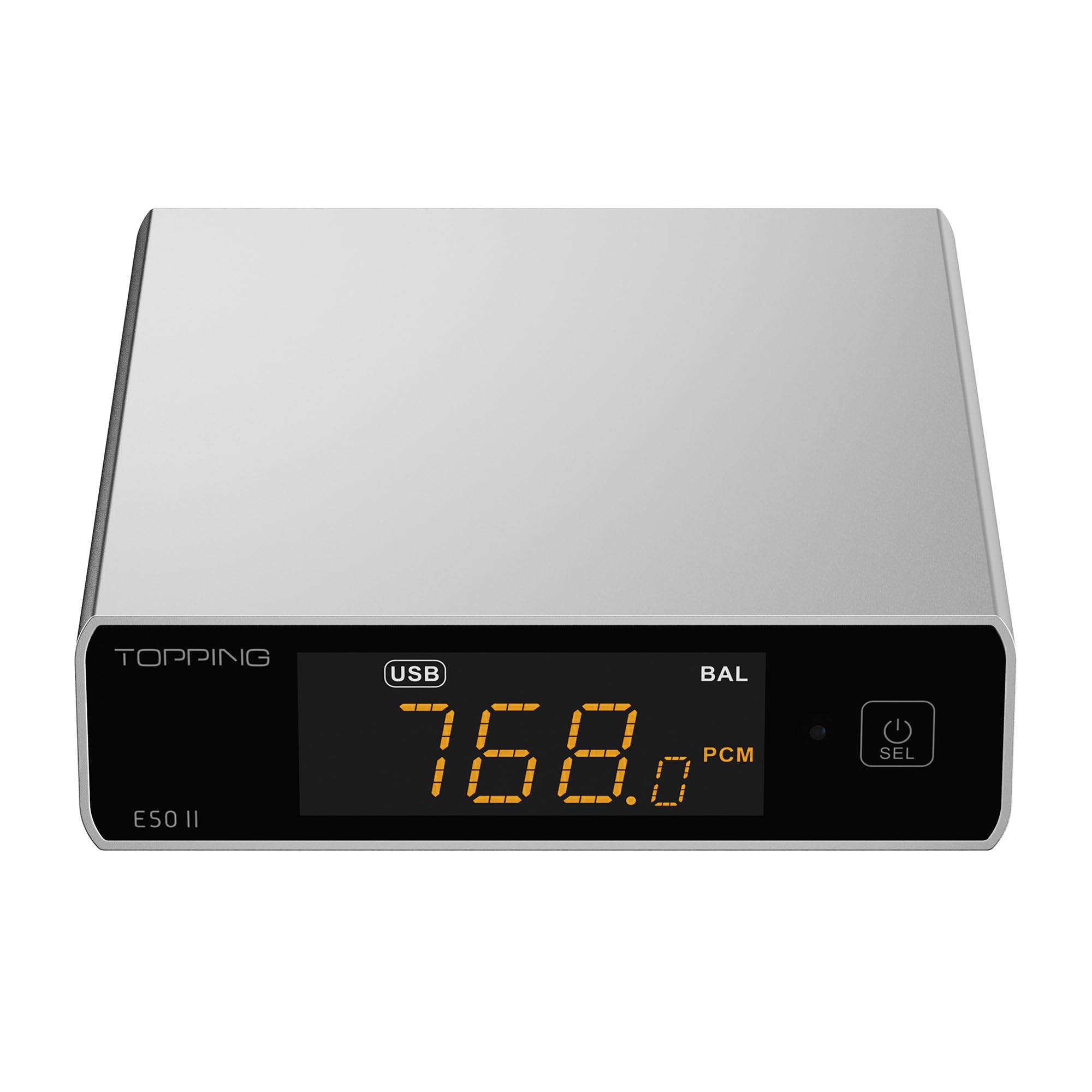
Image 1.1: The TOPPING E50II Compact Desktop DAC in silver finish.
2. 安全情報
- 本製品を分解または改造しないでください。許可されていない改造は保証の対象外となり、安全上のリスクが生じる可能性があります。
- デバイスを水、湿気、高温から遠ざけてください。
- Use only the provided power adapter or a compatible 5V power supply.
- 過熱を防ぐために、デバイスの周囲に適切な換気を確保してください。
- 装置の上に重いものを置かないでください。
- 雷雨のときや長期間使用しない場合は、電源ケーブルを抜いてください。
3. パッケージ内容
パッケージにすべてのアイテムが揃っていることを確認してください:
- TOPPING E50II Unit
- リモートコントロール
- USBケーブル(タイプAからタイプC)
- USB Power Cable (Type-A to Type-C)
- Bluetoothアンテナ
- ユーザーマニュアル(このドキュメント)
- 保証書

Image 3.1: Included accessories: remote control, USB cables, and Bluetooth antenna.
4.製品オーバーview
4.1フロントパネル

Image 4.1: Front panel of the E50II, showing the display and control button.
- 表示画面: 現在の入力を表示します。ample rate, volume, and other status information.
- 多機能ボタン: Press to power on/off, select input, or adjust settings.
4.2 背面パネル

Image 4.2: Rear panel of the E50II, illustrating various input and output ports.
- RCA出力(L/R): アンバランスアナログオーディオ出力。
- TRS Balanced Outputs (L/R): バランスアナログオーディオ出力。
- 同軸入力: デジタルオーディオ入力。
- 光入力: デジタルオーディオ入力。
- USB-C入力: For connecting to a computer or other digital source.
- USB-C電源入力: For connecting to a 5V power supply.
- Bluetoothアンテナコネクタ: Bluetoothアンテナを取り付けます。
5. セットアップ
5.1電源接続
Connect the provided USB power cable to the E50II's "POWER" USB-C port and then to a 5V power adapter (not included) or a USB port on your computer. The E50II requires a stable 5V power supply for optimal performance.
5.2オーディオ接続
Choose the appropriate input and output connections based on your audio system:
- USB入力: Connect the E50II's "USB" port to your computer or other USB audio source using the provided USB data cable.
- 光/同軸入力: Connect your digital audio source (e.g., CD player, TV) to the E50II's "OPTICAL" or "COAXIAL" input.
- RCA出力: Connect the E50II's "SE" RCA outputs to your ampRCA ケーブルを使用して、スピーカーまたはアクティブ スピーカーに接続します。
- TRSバランス出力: Connect the E50II's "BAL" TRS outputs to your balanced amplifier or active speakers using 6.35mm TRS cables. The E50II supports simultaneous output from both RCA and TRS ports.

Image 5.1: Close-up of the balanced TRS and unbalanced RCA output connections.
5.3 Bluetoothアンテナの取り付け
Screw the provided Bluetooth antenna onto the antenna connector on the rear panel of the E50II.
5.4 Driver Installation (for Windows)
For Windows operating systems, a dedicated driver is required for USB audio playback up to PCM768kHz and DSD512. The driver can be downloaded from the official TOPPING website. Follow the on-screen instructions for installation. macOS and Linux typically do not require a separate driver.
6. 操作手順
6.1 基本操作

Image 6.1: A hand interacting with the multi-function button on the E50II's front panel.
- 電源オン/オフ: 多機能ボタンを 3 秒間押し続けると、電源がオンまたはオフになります。
- 入力選択: Briefly press the multi-function button to cycle through available inputs (USB, Optical, Coaxial, Bluetooth).
- 音量コントロール: Rotate the multi-function button to adjust the volume.
6.2 リモコンの使用
付属のリモコンを使用すると、さまざまな機能に簡単にアクセスできます。
- 電源ボタン: ユニットのオン/オフを切り替えます。
- 入力選択ボタン: Dedicated buttons for USB, Optical, Coaxial, and Bluetooth inputs.
- 音量を上げる/下げる: 出力音量を調整します。
- ミュート: Mutes/unmutes the audio output.
- EQボタン: Cycles through PEQ presets.
- フィルターボタン: デジタル フィルター モードを切り替えます。
- Gain Button: Switches between Low and High gain modes.
6.3 TOPPING Home App Control
The E50II is compatible with the "TOPPING Home" app, allowing control from your smartphone or tablet via Bluetooth. This app enables input switching, EQ settings, and volume adjustment remotely.

Image 6.2: Smartphone displaying the TOPPING Home app interface for controlling the E50II.
6.4Bluetoothの操作
Bluetooth経由で接続するには:
- Switch the E50II input to Bluetooth mode. The display will show "BT".
- On your mobile device, search for "TOPPING E50II" in the Bluetooth settings and pair.
- Once connected, audio from your device will be streamed to the E50II. The E50II supports LDAC, aptX-Adaptive, aptX HD, aptX, AAC, and SBC codecs.
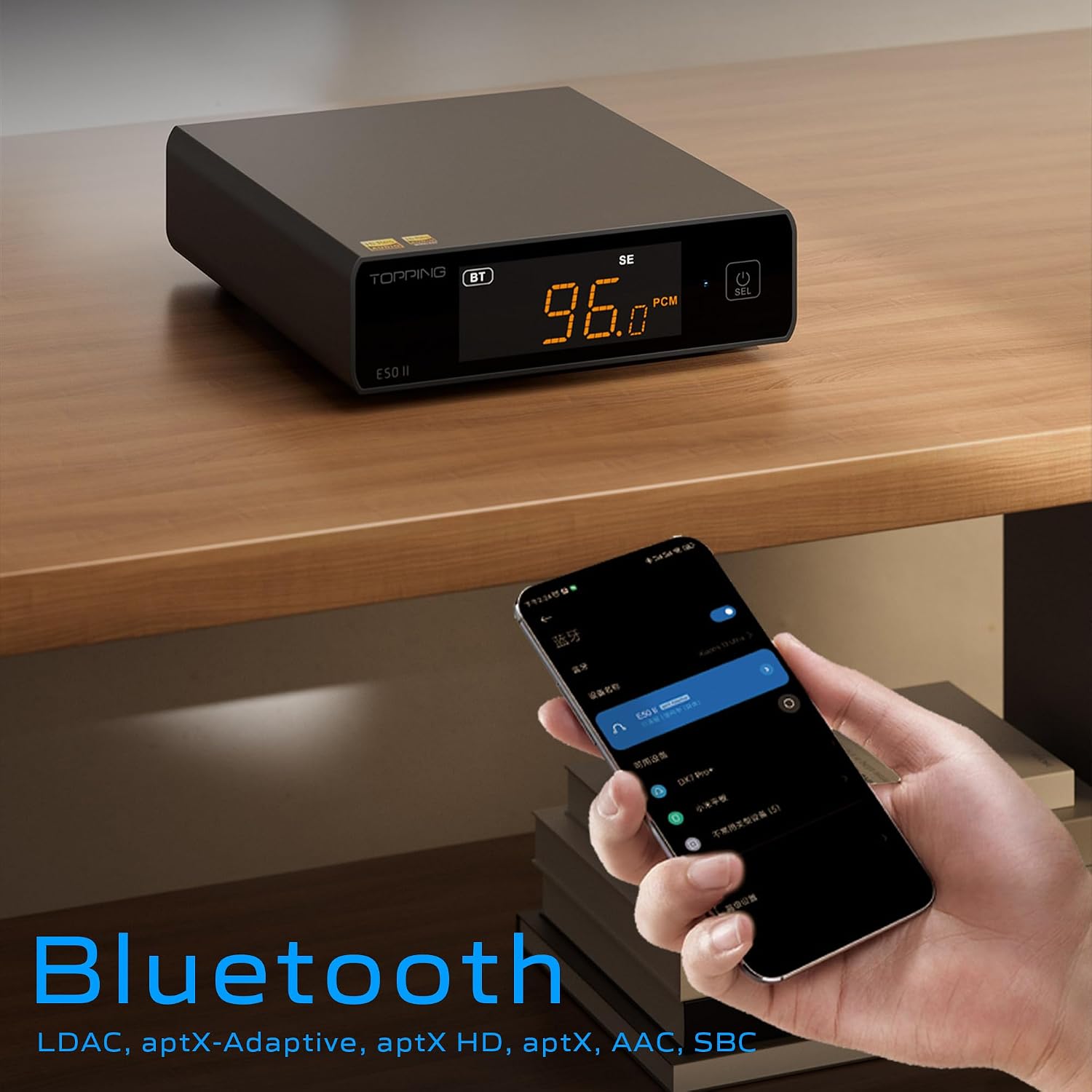
Image 6.3: A black E50II unit with a smartphone showing Bluetooth connection status.
6.5 PEQ (Parametric Equalizer) Function
The E50II features a 10-band Parametric Equalizer (PEQ) for precise sound customization. You can adjust frequency, gain, and bandwidth for each band. This function is accessible via the TOPPING Home app or dedicated PC software.

Image 6.4: Screenshot of the TOPPING TUNE FOR PC software interface, showing the 10-band PEQ settings.
6.6年以前amp 関数
The E50II can function as a preamplifier, allowing direct connection to a power amplifier or active speakers. In this mode, the volume can be controlled via the remote or the TOPPING Home app, providing precise output level control to prevent overload or under-driving of connected equipment.
7. メンテナンス
- 柔らかく乾いた布でデバイスを拭いてください。液体クリーナーやエアゾールは使用しないでください。
- 通気口にほこりやごみが入らないようにしてください。
- デバイスを使用しないときは、涼しく乾燥した場所に保管してください。
8。 トラブルシューティング
| 問題 | 考えられる原因 | 解決 |
|---|---|---|
| 音声出力なし | Incorrect input/output selection, loose cables, muted volume. | Check input source, ensure cables are securely connected, unmute or increase volume. |
| デバイスの電源が入らない | Power cable not connected, faulty power adapter. | Ensure power cable is connected to a working 5V source. Try a different power adapter. |
| Bluetooth接続の問題 | E50II not in Bluetooth mode, device not paired, interference. | Switch E50II to Bluetooth input. Re-pair the device. Ensure no strong interference sources nearby. |
| 歪んだオーディオ | Input signal too high, incorrect gain setting, faulty cables. | Reduce source volume. Adjust E50II gain setting. Try different audio cables. |
| Windows USB driver not working | Incorrect driver installation, driver conflict. | Reinstall the latest driver from the TOPPING website. Check for other conflicting audio drivers. |
9. 仕様
- ブランド: トッピング
- モデル: E50II
- DACチップ: AK4497S
- USBインターフェース: XMOS XU316
- Max USB Decoding: PCM 768kHz / DSD512
- Optical/Coaxial Decoding: 最大192kHz
- Bluetooth コーデック: LDAC, aptX-Adaptive, aptX HD, aptX, AAC, SBC
- オーディオ出力モード: ステレオ
- 出力インターフェース: RCA (unbalanced), 6.35mm TRS (balanced)
- 入力インターフェース: USB、光、同軸、Bluetooth
- 特徴: 10-band PEQ, Preamp function, TOPPING Home App control, Top Sync circuit for low jitter.
10. 保証とサポート
The TOPPING E50II is covered by the manufacturer's or authorized agent's warranty regulations. Please refer to the warranty card included in your package for specific terms and conditions. For technical support, driver downloads, or service inquiries, please visit the official TOPPING webサイトをご覧いただくか、お近くの正規販売店にお問い合わせください。
Official TOPPING Webサイト: www.toppingaudio.com