
1. はじめに
This manual provides essential information for setting up, operating, maintaining, and troubleshooting your FIREBAT U6B 16-inch QHD Laptop. Please read this guide thoroughly to ensure optimal performance and longevity of your device.
2.製品オーバーview
The FIREBAT U6B is a high-performance 16-inch laptop designed for various computing needs. It features a lightweight metal chassis and a vibrant QHD display.

図2.1: 前面 view FIREBAT U6B ラップトップの。

図2.2:以上view of the FIREBAT U6B Ultrabook's main features.
2.1. ポートとコネクタ
The laptop is equipped with a variety of ports for connectivity:
- 左側: USB-A 3.2 Gen2 (10Gbps) x 1, USB-C 3.2 Gen2 (10Gbps) x 1 (with DP1.4 video output and 100W PD), HDMI 2.1 TMDS x 1
- 右側: Kensington Security Lock x 1, 3.5mm 2-in-1 Combo Audio Jack x 1, USB-A 2.0 x 1, TF Card Slot x 1, USB-A 3.2 Gen1 (5Gbps) x 1, USB-C 3.2 Gen1 (5Gbps) x 1 (with DP1.4 video output and 100W PD)
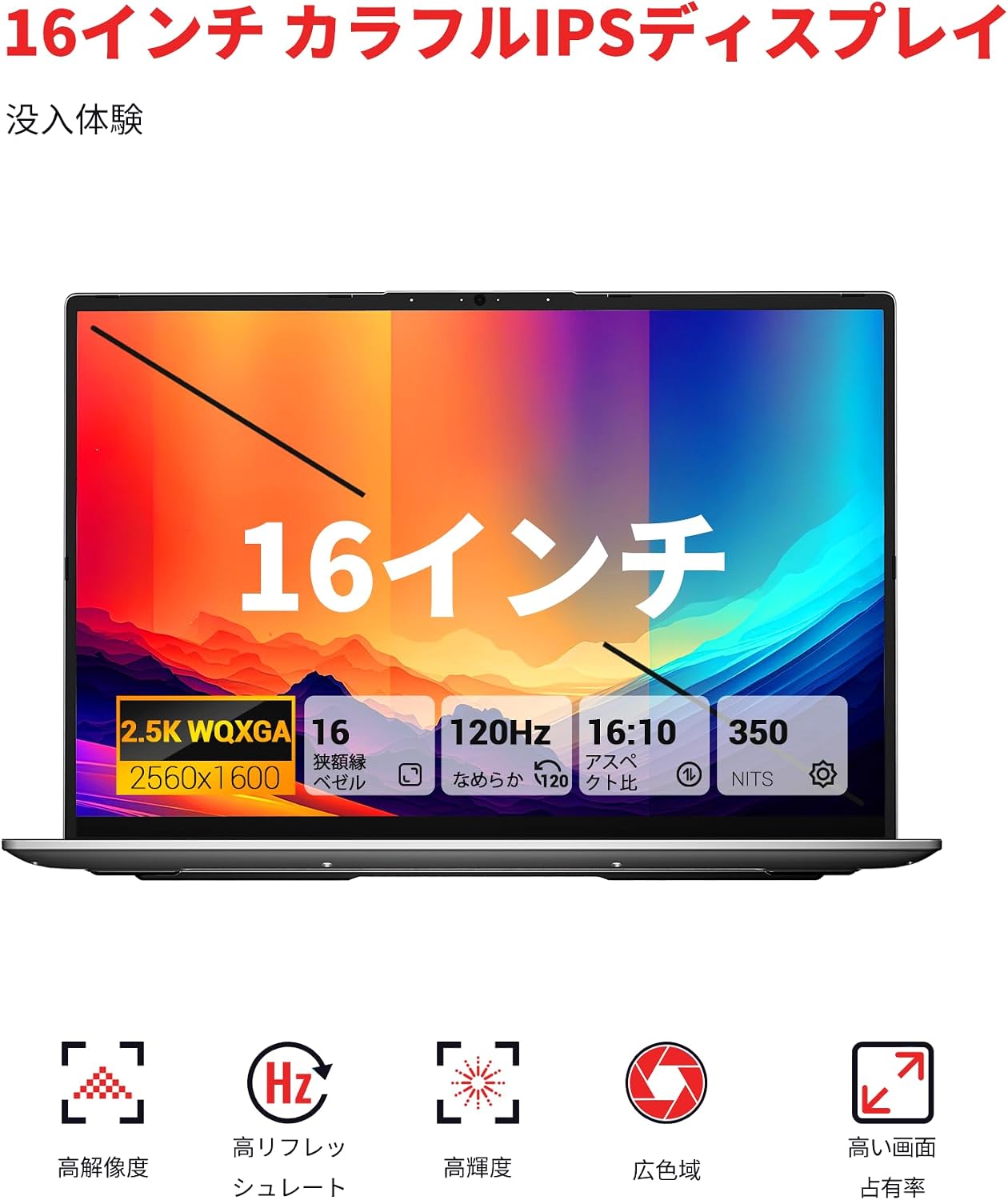
図2.3:詳細 view of the laptop's ports and their functions.
3. セットアップ
3.1. 開梱と初期検査
- ノートパソコンと付属品をパッケージから慎重に取り出します。
- ノートパソコンに物理的な損傷がないか検査します。
- Ensure all included accessories (power adapter, manual) are present.
3.2. 電源アダプタの接続
Connect the provided 100W GaN power adapter to the USB-C port on the laptop and then to a power outlet. It is recommended to fully charge the battery before first use.
3.3. 最初の起動とオペレーティングシステムのセットアップ
Press the dedicated power button to turn on the laptop. Follow the on-screen instructions to complete the Windows 11 initial setup, including language, network connection, and user account creation.
4. 操作手順
4.1. 電源のオン/オフ
- 電源オン: Press the dedicated power button located on the keyboard.
- 電源を切る: Windows のスタート ボタンをクリックし、[電源] > [シャットダウン] を選択します。
- スリープモード: Close the laptop lid or click the Windows Start button, then select Power > Sleep.
4.2. キーボードとタッチパッド
The laptop features a full-size backlit keyboard and a high-precision touchpad.
- バックライト付きキーボード: Use the dedicated function key (usually Fn + a specific F-key) to adjust the backlight brightness or turn it on/off.
- タッチパッド: Supports multi-touch gestures for navigation and control. Refer to Windows settings for customization.

Figure 4.1: The backlit keyboard and touchpad.
4.3. パフォーマンスモード
You can switch between different performance modes by pressing Fn + Q to optimize for battery life or performance:
- エコモード: Maximizes battery life by reducing power consumption. Ideal for light tasks and extended use.
- バランスモード: Offers a balance between performance and power efficiency. Suitable for everyday tasks.
- 高パフォーマンスモード: Provides maximum power for demanding applications and gaming.

Figure 4.2: Switching between performance modes using Fn+Q.
5. パフォーマンス機能
5.1. プロセッサ
The FIREBAT U6B is powered by a robust AMD Ryzen 5 6600H processor, featuring 6 cores and 12 threads, with a maximum boost clock of 4.5GHz. This ZEN 3+ architecture-based CPU delivers strong performance for multitasking, productivity, and entertainment.

Figure 5.1: AMD Ryzen 5 6600H processor specifications.
5.2. グラフィックス
統合された AMD Radeon 660M グラフィックス with 1900MHz clock speed handle visual tasks, supporting complex design software, UHD video editing, and casual gaming.
5.3. ディスプレイ
Experience superior visuals on the 16-inch QHD+ (2560x1600) IPS display. It offers a smooth 120Hz refresh rate and 100% sRGB color accuracy for vivid and detailed images.

Figure 5.2: Key display features for an immersive visual experience.

Figure 5.3: The 16:10 aspect ratio and 2560x1600 high resolution.
5.4. 冷却システム
The laptop incorporates an efficient cooling system with dual fans and dual heat pipes. This design maintains stable temperatures and minimizes noise, ensuring quiet operation even under load.
6. ストレージとメモリ
The FIREBAT U6B is equipped with high-speed memory and expandable storage:
- ラム: 16GB LPDDR5 6400MHz RAM provides instant responsiveness for applications.
- ストレージ: A 512GB PCIe 3.0 SSD is pre-installed. The laptop features dual M.2 2280 NVMe PCIe 4.0 slots, allowing for easy storage upgrades.

Figure 6.1: High-speed memory and expandable storage options.
7. 接続性
次の機能を使用して接続を維持します。
- 無線: Wi-Fi 6 (802.11ax) for fast and stable internet, and Bluetooth 5.2 for connecting peripherals.
- 有線ポート: As detailed in Section 2.1, including HDMI 2.1 and dual USB-C ports with DisplayPort and Power Delivery capabilities.
- マルチモニターのサポート: The laptop supports connecting up to three external monitors simultaneously via HDMI 2.1 and the two USB-C (DP) ports.

Figure 7.1: Connecting up to three external monitors for expanded workspace.
8.電力管理
The FIREBAT U6B is designed for portability and efficient power usage:
- バッテリー: Equipped with a 58Wh (5050mAh) lithium-ion battery.
- 充電: Comes with a compact 100W GaN fast charger for quick power replenishment.
- 電源モード: Utilize the Eco, Balance, and High Performance modes (Fn+Q) to manage power consumption according to your needs.

Figure 8.1: Battery capacity information.
9. メンテナンス
定期的なメンテナンスは、ノートパソコンの寿命とパフォーマンスを延ばすのに役立ちます。
- クリーニング: Gently wipe the screen with a microfiber cloth. Use a soft brush or compressed air to clean the keyboard and ventilation grilles. Avoid harsh chemicals.
- ソフトウェアアップデート: Keep your Windows operating system and device drivers updated to ensure security and optimal performance.
- ストレージ管理: 定期的に不要なものを削除する files and empty the recycle bin to free up storage space.
- バッテリーのケア: バッテリーを頻繁に完全に放電することは避けてください。長期保管する場合は、バッテリーを50~60%程度まで充電してください。
10。 トラブルシューティング
このセクションでは、発生する可能性のある一般的な問題について説明します。
| 問題 | 考えられる解決策 |
|---|---|
| ノートパソコンの電源が入りません。 | 電源アダプターがしっかりと接続され、バッテリーが充電されていることを確認してください。別のコンセントをお試しください。 |
| ディスプレイが空白またはちらつきます。 | Check display settings in Windows. If using an external monitor, ensure cables are connected correctly. Try updating graphics drivers. |
| システムのパフォーマンスが遅いです。 | Close unnecessary applications. Check for background processes. Ensure the cooling vents are not obstructed. Switch to High Performance mode (Fn+Q). |
| Wi-Fi または Bluetooth が機能しません。 | Toggle Wi-Fi/Bluetooth on/off in Windows settings. Restart the laptop. Update wireless drivers. |
| キーボードのバックライトが機能しません。 | Press the dedicated function key (e.g., Fn + F-key) to activate or adjust the backlight. |
11. 仕様
| 特徴 | 詳細 |
|---|---|
| ブランド | ファイアバット |
| モデル名 | U6B |
| 画面サイズ | 16インチ |
| 色 | グレー |
| ハードディスク容量 | 512ギガバイト |
| CPUモデル | Ryzen 5 (6600H) |
| インストールされているRAMサイズ | 16 GB LPDDR5 6400MHz |
| オペレーティング·システム | ウィンドウズ11 |
| 特集 | HD Audio, Backlit Keyboard, Lightweight |
| グラフィックカードの説明 | Integrated (AMD Radeon 660M) |
| 製品重量 | 1.7キログラム |
| 製品寸法(長さx幅x高さ) | 36 x 25 x 1.9 cm |
| ディスプレイ最大解像度 | 2560x1600ピクセル |
| リフレッシュレート | 120Hz |
| 色域 | 100% sRGB |
| 無線通信 | Bluetooth 5.2、Wi-Fi 6(802.11ax) |
| USBポート | 5 (including USB-C with DP/PD) |
| HDMIポート | 1(HDMI 2.1) |
| M.2 スロット | 2 (NVMe PCIe 4.0) |
| 電池のタイプ | Lithium Metal (58.33 Wh) |
| 含まれるコンポーネント | Laptop x1, Power Adapter x1 |
12. 保証とサポート
Your FIREBAT U6B laptop comes with a 12ヶ月保証 購入日より。
技術サポート、保証請求、その他のお問い合わせについては、下記までご連絡ください。
Please have your product model (U6B) and purchase information ready when contacting support.