
1. はじめに
The IMILAB EC6 Dual 2K+2K is a plug-in outdoor security camera designed for comprehensive home surveillance. It features a unique dual-lens system, offering wide-angle coverage and intelligent tracking capabilities. This manual provides detailed instructions for setting up, operating, and maintaining your camera to ensure optimal performance and security.

Figure 1: IMILAB EC6 Dual 2K+2K Camera highlighting its dual-lens design for extensive coverage.
2. 箱の中身
パッケージにすべてのコンポーネントが含まれていることを確認します。
- IMILAB EC6 Dual 2K+2K Plug-in Camera x 1
- Mounting Kit x 1 (includes screws and expansion nuts)
- Power Cable 10ft & Adapter x 1
- User Manual & Card x 1

Figure 2: Contents of the IMILAB EC6 Dual 2K+2K camera package.
3. セットアップ
3.1物理的な設置
The EC6 Dual camera can be mounted on walls, ceilings, or columns. Ensure the installation location provides a clear view 安定したWi-Fi信号。
- 取り付け面を準備します。 Use the provided positioning sticker to mark the drill holes on your chosen surface.
- ドリル穴: Drill holes approximately 30mm deep at the marked positions.
- Insert Expansion Nuts: Gently tap the four expansion nuts into the drilled holes.
- ケーブルの配線: Embed the power cable and Ethernet cable (if using wired connection) into the bracket slot for a neat installation.
- カメラを取り付ける: Align the camera's mounting bracket with the holes and secure it using the screws. Tighten the nuts to ensure stability.
- 角度の調整: Adjust the camera to your desired surveillance angle. The bullet camera (upper lens) can be tilted by hand up to 10 degrees. The turret camera (lower lens) can be panned and tilted using the app.

Figure 3: Versatile installation options for the EC6 Dual camera.
Video 1: EC6 Dual Setup Guide. This video demonstrates the unboxing, physical setup, app connection, and installation process for the IMILAB EC6 Dual camera.
3.2 アプリ接続
To connect your camera to the app:
- アプリをダウンロード: Download the Xiaomi Home/Mi Home app from your smartphone's app store.
- 電源オン: Connect the power cable to the camera and plug it into a power outlet. Wait for a voice prompt indicating initial activation.
- デバイスを追加: Open the app, click the '+' icon in the upper right corner, and select 'Scan'.
- QRコードをスキャンします: Scan the QR code located on the label of the power cord.
- 接続タイプを選択: Choose between 'Wired Network Connection' or 'Wireless Connection (Wi-Fi)'.
3.2.1 有線ネットワーク接続
- ルータからのイーサネット ケーブルをカメラのイーサネット ポートに接続します。
- アプリの画面上の指示に従って接続を完了します。

Figure 4: Power and Ethernet ports for wired connection.
3.2.2 Wi-Fi接続
- Select your Wi-Fi network from the list, enter the password, and click 'Next Step'.
- The app will automatically complete the Wi-Fi connection.
4. 操作手順
4.1 Dual Angle Surveillance
The EC6 Dual camera features two independent lenses for simultaneous monitoring of two angles. The lower lens can pan 360° and tilt 135° via the app, while the upper lens maintains a fixed view. This allows for comprehensive coverage and intelligent tracking of moving objects.

Figure 5: Dual angle surveillance providing two live feeds simultaneously.
4.2 2K+2K Day/Night Full-Color Vision
Both camera lenses support 2K resolution, delivering clear and detailed footage. Equipped with four LED lights and four infrared lights, the camera provides vivid full-color vision during the day and at night.

Figure 6: Clear 2K+2K live view with two-way audio and smart color night vision.
4.3 Smart Deterrence
The camera features subscription-free smart deterrence. Upon motion detection, it can automatically trigger a siren, spotlight, or a custom voice alert to deter potential threats.
- サイレン: 可聴アラームを発動します。
- スポットライト: Turns on bright LED lights.
- Custom Voice Alert: Plays a pre-recorded message.

Figure 7: Smart deterrence features in action.
Video 2: 'Catching Santa' - Demonstrates the camera's ability to detect and record activity, highlighting its dual-lens surveillance and deterrence features.
Video 3: 'You almost got me!' - Illustrates the camera's detection and two-way audio capabilities in a simulated scenario.
4.4 双方向オーディオ
Communicate with visitors or deter intruders in real-time using the built-in two-way audio feature accessible through the app.

Figure 8: Two-way audio functionality via the app.
4.5 モーション検出と通知
Set up to two customizable motion zones within the Xiaomi Home/Mi Home app. The camera will continuously monitor these areas and send immediate push notifications to your phone when motion is detected, ensuring you stay connected and informed.

Figure 9: App interface for motion zones and notifications.
4.6 柔軟なストレージオプション
The camera offers versatile storage solutions for your footage:
- MicroSDカード: Supports local storage on a MicroSD card up to 256GB (not included) for continuous 24/7 recording and enhanced privacy.
- クラウドストレージ: A 3-month free trial is available for new users, providing cloud storage for motion-triggered clips.
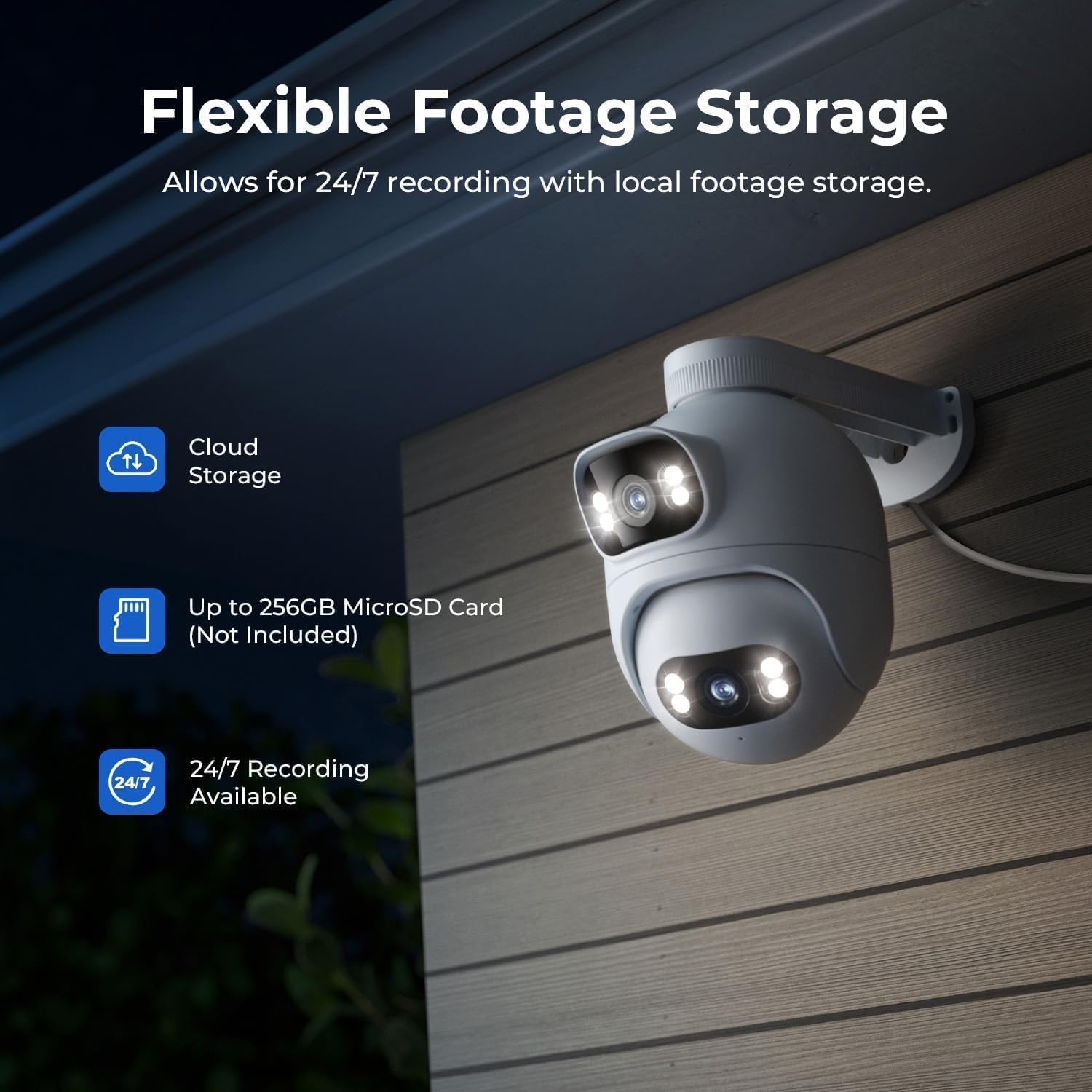
Figure 10: Flexible storage options for recorded footage.

Figure 11: Location of the MicroSD card slot.
Video 4: 'EC6 Dual 2K+2K Outdoor Camera, 24/7 Surveillance' - Highlights the camera's continuous recording and surveillance capabilities.
4.7 リモートパンとチルト
Control the lower lens's pan (360°) and tilt (135°) movements remotely through the app. You can also set preset angles for quick access to specific viewingエリア。

Figure 12: 360-degree pan functionality.
4.8 ナイトビジョン設定
Adjust night vision settings in the app's 'Camera Settings' menu. Options include:
- 黒/白のナイトビジョン: Displays a black and white image.
- カラーナイトビジョン: Displays a color image with spotlights on at night or in low light.
- スマートカラーナイトビジョン: When a person is detected, the spotlights turn on automatically, providing a color image at night or in low light, while conserving power when no motion is detected.
5. メンテナンス
- クリーニング: カメラのレンズは定期的に柔らかくてきれいな布で拭いてください。amp 鮮明な画像を保つために布で拭いてください。研磨剤入りの洗剤は使用しないでください。
- ファームウェアの更新: Check the Xiaomi Home/Mi Home app periodically for firmware updates to ensure your camera has the latest features and security enhancements.
- 電源: カメラが安定した電源に接続されていることを確認してください。頻繁な電源遮断を避けてください。
- ケーブル検査: Periodically inspect the power and Ethernet cables for any signs of wear or damage.
6。 トラブルシューティング
| 問題 | 考えられる原因 | 解決 |
|---|---|---|
| カメラの電源が入らない | 電源アダプターが接続されていないか故障しています。 | 電源の接続を確認してください。別の電源コンセントを試してください。 |
| Wi-Fiに接続できません | Wi-Fi パスワードが間違っている、カメラがルーターから離れすぎている、Wi-Fi 信号が干渉している。 | Verify Wi-Fi password. Move camera closer to router. Reduce interference from other devices. Ensure 2.4GHz Wi-Fi is used. |
| 画質が悪い | レンズが汚れています。ネットワーク帯域幅が低いです。 | Clean the camera lens. Check your internet speed and network stability. |
| モーション検出が機能しない | Motion detection disabled; incorrect motion zone settings. | Enable motion detection in the app. Adjust motion zone sensitivity and areas. |
| 双方向オーディオの問題 | Microphone/speaker muted; network issues. | アプリの設定で音声ミュートが有効になっているか確認してください。安定したネットワーク接続を確保してください。 |
7. 仕様
| 特徴 | 仕様 |
|---|---|
| モデル名 | EC6 Dual 2K+2K |
| モデル番号 | CMSXJ68A |
| ビデオキャプチャ解像度 | 2K + 2K |
| 接続技術 | 有線、無線(Wi-Fi) |
| 特集 | Dual Lens, 24/7 Recording, 800LM Adjustable Lights, 360° PTZ, 3X Zoom, Local Storage, No Monthly Fee |
| 屋内/屋外での使用 | 屋外 |
| コントローラータイプ | Amazon Alexa, Google Assistant, Xiaomi Home/Mi Home App |
| マウントタイプ | Wall/Ceiling/Pole Mount |
| 耐水性レベル | 防水(IP65) |
| ナイトビジョン | Starlight, Color Night Vision |
| フラッシュメモリタイプ | マイクロSD(最大256GB) |
| 電源 | コード式電気 |
| 動作温度 | -30°C ~ 60°C |
8. 保証とサポート
Your IMILAB EC6 Dual 2K+2K Outdoor Security Camera comes with a 2年間のメーカー保証さらに、 30日間の無料返品ポリシー is available. For technical support, troubleshooting assistance, or warranty claims, please refer to the contact information provided in the 'User Manual & Card' included in your package or visit the official IMILAB webサイト。


