
導入
Welcome to the iRobot Roomba 115 Combo user manual. This guide provides essential information for setting up, operating, maintaining, and troubleshooting your new robot vacuum and mop. For optimal performance and longevity of your device, please read these instructions carefully before use.
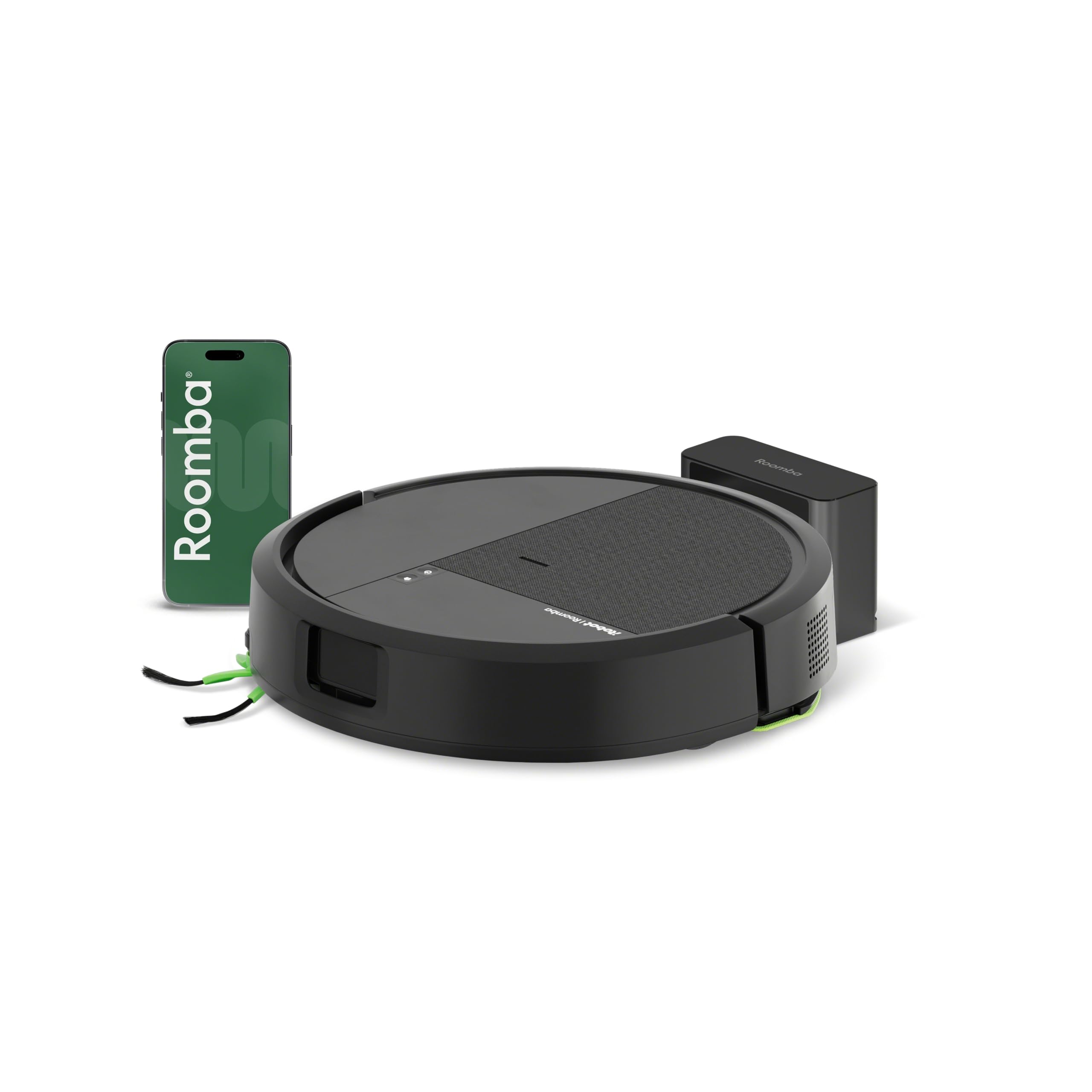
The iRobot Roomba 115 Combo robot vacuum and mop.
箱の中身
セットアップを続行する前に、すべてのコンポーネントが揃っていることを確認してください。
- iRobot Roomba 115 コンボロボット
- 充電アダプター
- バッテリー(プリインストールまたは別売)
- サイドブラシ
- ドッキングステーション
- フィルター(プリインストールまたは別売)
- Washable Microfiber Mopping Pad

Image showing the robot, charging base, microfiber mop, and corner brush.
設定
- ロボットを開梱する: Remove all packaging materials from the robot and its accessories.
- Install Side Brushes and Mopping Pad: Attach the side brushes and the microfiber mopping pad if they are not already installed. Ensure the mopping pad is securely fastened.
- 充電ステーションの配置: Place the docking station against a wall in an open, uncluttered area. Ensure there is at least 0.5 meters (1.5 feet) of clear space on either side and 1.2 meters (4 feet) in front of the station. Plug the charging adapter into the station and a power outlet.
- ロボットを充電する: Place the robot onto the charging station. The robot will emit a tone to confirm it is charging. Allow the robot to fully charge before its first use (approximately 3-4 hours).
- Roomba Homeアプリをダウンロードしてください: For full functionality, download the iRobot Roomba Home app from your device's app store. Follow the in-app instructions to connect your robot to your home's 2.4 GHz Wi-Fi network. This enables smart mapping, scheduling, and advanced cleaning options.

The Roomba Home app allows you to configure cleaning schedules, suction power, and mopping levels.
操作手順
クリーニングサイクルの開始
- 手動スタート: ロボットのCLEANボタンを押して掃除サイクルを開始します。
- アプリコントロール: Use the Roomba Home app to start, pause, or stop cleaning. You can also schedule cleanings and customize settings.
- 音声コントロール: Connect your robot to compatible voice assistants like Amazon Alexa, Google Assistant, or Siri for hands-free control.
クリーニングモードと機能
- 掃除機とモップ: The robot performs both vacuuming (15,000 Pa suction) and mopping simultaneously. It covers up to 83 m² per charge.
- クリアView LiDARナビゲーション: The robot maps your rooms and cleans in neat, efficient rows, even in low-light conditions.
- エッジとコーナーのクリーニング: An extended mopping pad and a side brush are designed to clean along baseboards and into corners.
- SmartScrub Mopping: This feature provides 2 times deeper mopping for stubborn dirt and stains.
- カスタマイズ可能なクリーニング: Through the app, select between 1 or 2 cleaning passes, 4 levels of suction power, and 3 levels of mopping water.
- モップ禁止区域: Define specific areas in the app where the robot should not mop, protecting carpets and rugs.
- スポットクリーニング: Direct the robot to clean specific small areas, such as spills or mud tracks, without a full cleaning cycle.

The robot vacuums and mops simultaneously for comprehensive floor cleaning.

The extended mop and side brush ensure thorough cleaning of edges and corners.
自動充電と再開
When the cleaning cycle is complete or the battery runs low, the robot will automatically return to its charging station. If a cleaning job is interrupted due to low battery, the robot will recharge and then resume cleaning from where it left off.

The robot automatically returns to its base for recharging and resumes cleaning.
メンテナンス
Regular maintenance ensures your iRobot Roomba 115 Combo operates at peak performance. Follow these guidelines:
- ゴミ箱を空にする: Empty the dust bin after each cleaning cycle or as needed.
- フィルターを掃除する: Tap the filter to remove debris. Replace the filter every 3-6 months, or more frequently if you have pets.
- Wash the Mopping Pad: Remove the microfiber mopping pad after each use and wash it. Allow it to air dry completely before reattaching.
- ブラシを掃除する: Regularly remove hair and debris from the anti-tangle brushes and side brush. Replace brushes every 3-6 months.
- センサーを清掃する: Wipe the robot's sensors with a clean, dry cloth to ensure proper navigation and anti-fall functionality.

The washable microfiber mopping pad effectively removes stains and footprints.
トラブルシューティング
If your iRobot Roomba 115 Combo encounters an issue, refer to the following common solutions:
| 問題 | 考えられる原因 | 解決 |
|---|---|---|
| ロボットが充電されていない | Docking station not powered, poor contact, or dirty charging contacts. | Ensure the charging station is plugged in. Clean the charging contacts on both the robot and the station with a dry cloth. Reposition the robot on the station. |
| ロボットが頻繁に動けなくなる | 障害物、絡まったブラシ、または汚れたセンサー。 | Clear the cleaning area of cables, small objects, and loose rugs. Clean the brushes and sensors. |
| 洗浄性能が悪い | Full dust bin, dirty filter, worn brushes, or dry mopping pad. | Empty the dust bin. Clean or replace the filter. Clean or replace brushes. Ensure the mopping pad is wet and clean. |
| アプリの接続の問題 | Incorrect Wi-Fi password, 5 GHz network, or robot too far from router. | Ensure your phone and robot are connected to a 2.4 GHz Wi-Fi network. Verify the Wi-Fi password. Move the robot closer to the router during setup. Restart the robot and router. |
| Robot not mopping effectively | Dry or dirty mopping pad, insufficient water in reservoir, or incorrect mopping settings. | Ensure the mopping pad is clean and damp. Check the water reservoir is filled. Adjust mopping water levels in the app. |
For further assistance, consult the iRobot Home app or contact iRobot customer support.
仕様
- ブランド: アイロボット
- モデル名: 115コンボ
- モデル番号: Y414040
- 製品寸法: 30.3 cm(L)x 30.3 cm(W)x 8.1 cm(H)
- 色: 黒
- 吸引力: 15,000 パスカル
- 電池のタイプ: リチウムイオン
- 電源: 電気ケーブル
- ナビゲーション: クリアView LiDAR, Smart Mapping
- 制御方法: App Control, Button Control, Voice Control (Alexa, Google Assistant, Siri)
- 特別な機能: Anti-fall, Simultaneous Vacuuming and Mopping, Low Noise, Zone Exclusion, Wet/Dry Cleaning, Selective Room Cleaning, Programmable, Continuous Suction
- フィルタータイプ: カートリッジ
- 電力レベルの数: 4
- 推奨用途: Daily floor cleaning, Edge and corner cleaning, Pet-friendly homes
- 屋内/屋外での使用: 屋内のみ
保証とサポート
iRobot provides award-winning customer support to assist you with any questions or issues. Your privacy is a priority, and iRobot utilizes high data encryption standards to ensure your data is secure and protected.
To protect your investment, iRobot certifies the quality and authenticity of products purchased from authorized distributors. Warranty claims, service, or replacements will only be covered for products acquired through authorized channels.
For support, please refer to the iRobot Home app or visit the official iRobot web連絡先情報のサイト。


