
導入
Thank you for choosing the Cillso Smartwatch. This manual provides detailed instructions on how to set up, operate, and maintain your device. This smartwatch features a 1.95-inch HD display, Bluetooth calling capabilities, IP68 water resistance, comprehensive health monitoring including SpO2 and sleep tracking, over 100 sports modes, and integrated Alexa for voice control. Please read this manual carefully to ensure optimal performance and longevity of your smartwatch.
設定
1. スマートウォッチの充電
Before initial use, fully charge your smartwatch. Connect the provided charging cable to the charging port on the back of the watch and to a standard USB power adapter (not included). A full charge typically takes approximately 2時間. The watch has a 300mAhバッテリー、提供 通常使用で5~7日間 そして最大 30日間のスタンバイ時間.

Image: The smartwatch display indicating a 1.95-inch screen, 2 hours charging time, 5-7 days normal use, 30 days standby time, and a 300mAh battery capacity.
2. アプリのインストールとペアリング
- アプリをダウンロード: Scan the QR code in the quick start guide or search for the companion app (e.g., 'GloryFit' as suggested by watch dial image) in your smartphone's app store (Android or iOS).
- 登録/ログイン: 画面上の指示に従ってアカウントを作成するか、ログインします。
- スマートウォッチをペアリングする: Ensure Bluetooth is enabled on your smartphone. Open the app, navigate to the device section, and select 'Add Device'. Choose your Cillso Smartwatch from the list of available devices. Confirm the pairing request on both your phone and the smartwatch.
操作手順
1. 基本的なナビゲーション
- タッチスクリーン: 上下左右にスワイプしてメニューや通知を移動します。タップして項目を選択します。
- サイドボタン: Press the side button to return to the home screen or to wake up the display.
2. Bluetooth通話
スマートウォッチがサポートしているのは、 Bluetooth 5.3 calling, allowing you to make and receive calls directly from your wrist when connected to your smartphone. It features a マイク内蔵 そしてサポート 通話記録 そして最大 100件の連絡先.
- 電話に出る: When an incoming call notification appears, tap the green phone icon to answer.
- 通話の拒否: 着信を拒否するには、赤い電話アイコンをタップします。
- 電話をかける: 通話を開始するには、スマートウォッチのダイヤル パッドまたは連絡先リストにアクセスします。
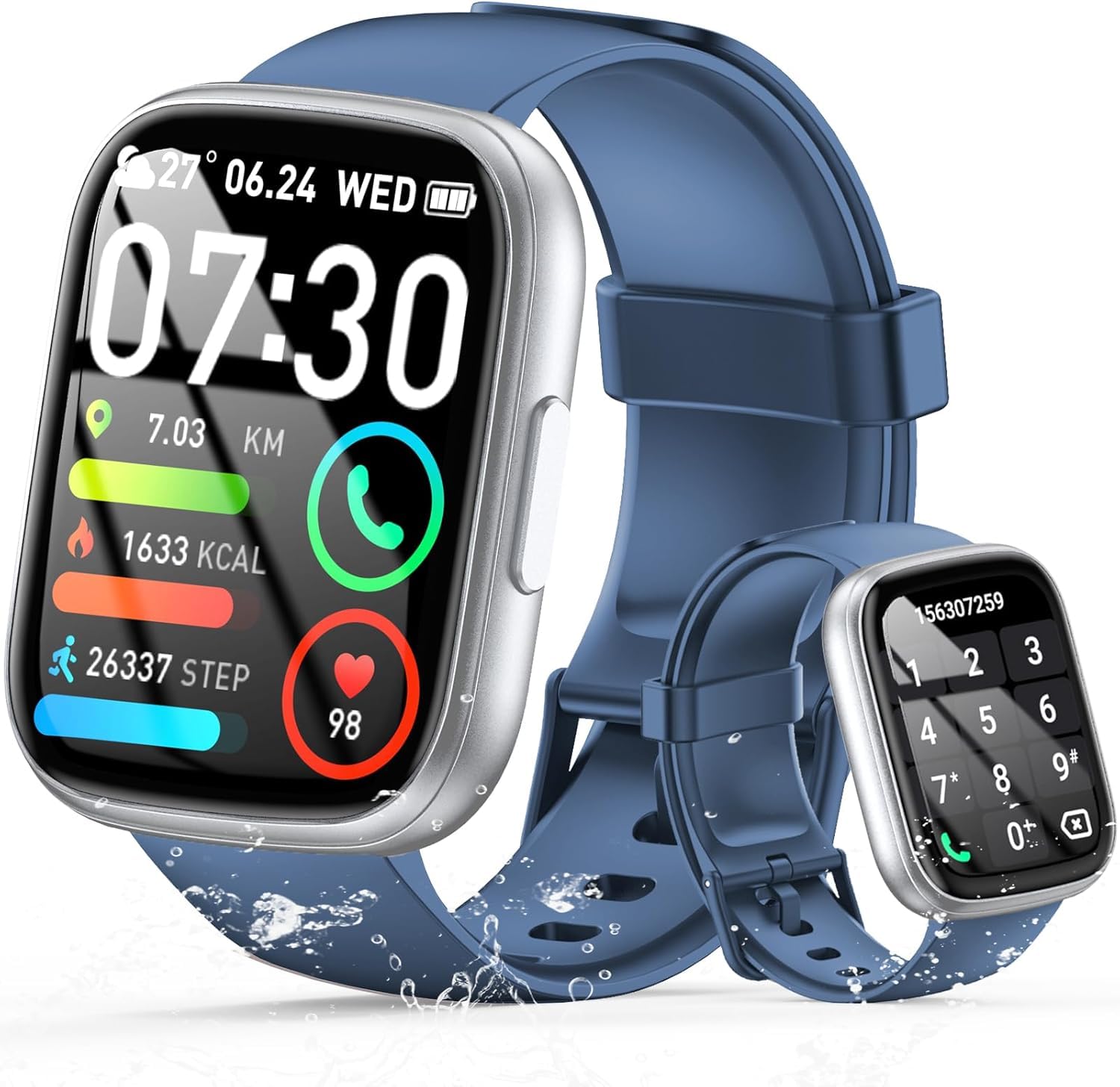
Image: The smartwatch displaying an incoming call, along with icons for built-in mic, Hi-Fi Spectra, call records, and 100 contacts. Examples of dial pad and contact list are also shown.
3. 健康モニタリング
The smartwatch provides continuous health monitoring features to help you track your well-being.
- 心拍数モニタリング: 時計は一日中継続的に心拍数を監視します。 View 時計またはアプリで心拍数データを確認できます。
- 血中酸素濃度(SpO2)モニタリング: 血中酸素飽和度を測定します。
- 睡眠モニタリング: Tracks your sleep patterns, including deep sleep, light sleep, and wake times, to provide insights into your sleep quality.

Image: Visual representation of heart rate, blood oxygen (SpO2), and sleep monitoring graphs and data on the smartwatch and a person sleeping while wearing the watch.
4. スポーツモード
スマートウォッチがサポートしているのは、 over 100 sports modes to accurately track your workouts. Common modes include running, basketball, climbing, skipping, swimming, and badminton. It tracks metrics such as steps, distance, calories burned, and exercise duration.

Image: A person cycling with the smartwatch, illustrating various sports modes like running, basketball, climbing, skipping, swimming, and badminton. Also shows tracking for steps, distance, and calories.
5. Alexaとの統合
と Alexa integrated, you can use voice commands to control music playback, check weather, set alarms, and more directly from your smartwatch.
6. Personalized Watch Dials
Customize your smartwatch with over 200 stylish watch faces available through the companion app. You can also upload your favorite photos to create personalized watch dials. The display features wide color gamut, AM LED technology, and color accuracy.

画像: スマートウォッチショーasing multiple personalized watch dial options, highlighting wide color gamut, AM LED, and color accuracy features.
7. 多機能機能
- 音楽コントロール: 接続したスマートフォンで再生中の音楽の再生、一時停止、トラックのスキップ、音量の調整が行えます。
- カメラコントロール: Remotely control your smartphone's camera to frame, focus, and snap photos or start/stop video recording.
- 目覚まし時計: 目覚めたり、重要なイベントを思い出させるためにアラームを設定します。
- その他の機能: Includes weather forecasts, stopwatch, timer, and more.

Image: The smartwatch displaying interfaces for music control, remote camera control, and alarm clock settings, along with icons for other features like temperature, weather, and microphone.
メンテナンス
1. 清掃
Wipe the smartwatch regularly with a soft, dry cloth. For stubborn dirt, use a slightly damp 布で拭き、完全に乾かしてください。刺激の強い化学薬品や研磨剤の使用は避けてください。
2. 耐水性(IP68)
The Cillso Smartwatch is IP68防水, meaning it is protected against dust ingress and can withstand immersion in water up to 1.5 meters for up to 30 minutes. It is suitable for daily use, hand washing, and light rain. However, it is not recommended for hot showers, saunas, or diving, as steam and high water pressure can compromise the seal.
3. バッテリーのお手入れ
- バッテリー寿命を低下させる可能性のある極端な温度を避けてください。
- 長期間使用しない場合は、デバイスを完全に充電してください。
- 付属の充電ケーブルのみを使用してください。
トラブルシューティング
- 時計がオンにならない: 時計が完全に充電されていることを確認してください。充電器に少なくとも30分間接続してください。
- 携帯電話とペアリングできません: スマートフォンのBluetoothが有効になっていること、そして時計が範囲内にあることを確認してください。両方のデバイスを再起動し、アプリから再度ペアリングをお試しください。
- 不正確な健康データ: 時計が手首にぴったりとフィットしていることを確認してください。締めすぎたり緩すぎたりしないでください。センサーは定期的に清掃してください。
- 通知を受信できませんでした: Check app permissions on your phone to ensure the companion app has access to notifications. Verify that notifications are enabled within the app settings.
- Alexaが応答しない: Ensure the watch is connected to your phone and has an active internet connection. Check Alexa settings within the companion app.
仕様
| モデル番号 | B0GQGYDJS7 |
| ブランド | シルソ |
| 画面サイズ | 1.95インチ |
| 接続技術 | ブルートゥース5.3 |
| 耐水性評価 | IP68 |
| バッテリー容量 | 300 mAh(リチウムポリマー) |
| 充電時間 | 約2時間 |
| 通常使用時のバッテリー寿命 | 7~10日 |
| 待機時間 | 最長30日間 |
| メモリストレージ容量 | 1ギガバイト |
| ヒューマンインターフェイス入力 | マイク、タッチスクリーン |
| 含まれるコンポーネント | 充電ケーブル |
保証とサポート
Warranty information for your Cillso Smartwatch is typically provided with your purchase documentation. Please refer to those materials for details regarding warranty coverage and terms. For technical support, product inquiries, or assistance with troubleshooting beyond this manual, please contact Cillso customer service through the contact information provided with your product or on the official Cillso webサイト。

