
1. はじめに
The Huawei OptiXstar K251a-21 is a sub-FTTR (Fiber to the Room) unit designed to extend the high-speed network provided by the Huawei FTTR OptiXstar F50 Plus main unit. This device supports ultra-Gigabit high-speed access via upstream fiber optic lines and delivers Ultra Gigabit dual-band Wi-Fi and ultra-Gigabit network ports to users. It integrates next-generation Wi-Fi 7 technology for higher speeds and lower latency, ensuring a superior home network experience.
2. 安全情報
Please read and understand all safety instructions before using this device. Failure to follow these instructions may result in injury, damage to the device, or property damage.
- デバイスに付属の電源アダプタのみを使用してください。
- デバイスを水、湿気、または極端な温度にさらさないでください。
- デバイスを熱源の近くや直射日光の当たる場所に置かないでください。
- 過熱を防ぐために適切な換気を確保してください。
- ご自身でデバイスを開けたり修理したりしないでください。資格のあるサービス担当者にご相談ください。
- デバイスを子供やペットの手の届かない場所に保管してください。
3. パッケージ内容
パッケージにすべてのアイテムが含まれていることを確認します。
- Huawei OptiXstar K251a-21 Sub FTTR Device
- 電源ケーブル
- クイックスタートガイド(付属している場合)
4.製品オーバーview
デバイスのコンポーネントとインジケータについて理解しておいてください。
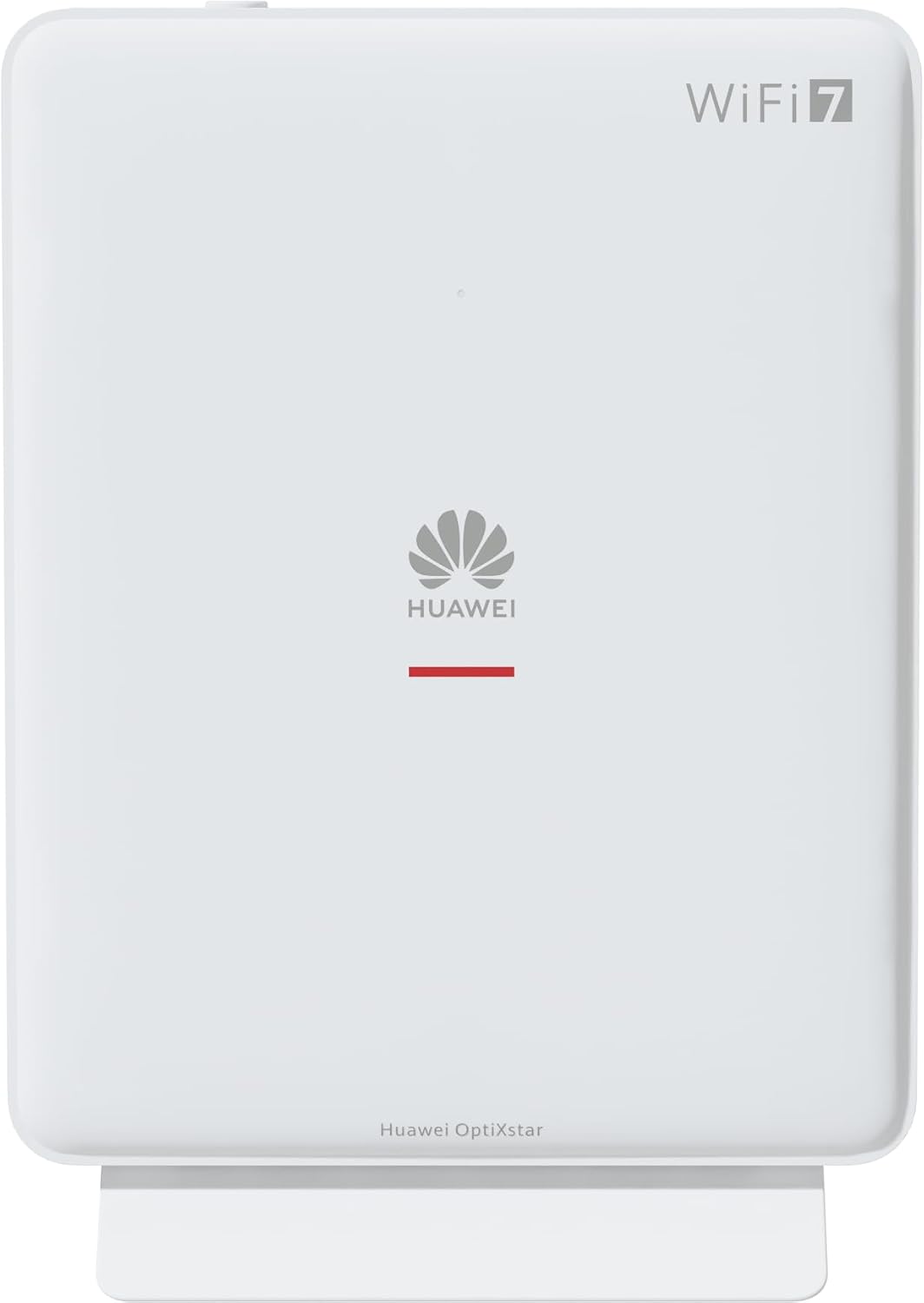
図1: 前面 view of the Huawei OptiXstar K251a-21 Sub FTTR device, showing the Huawei logo and "WiFi 7" branding.

図2: 斜めの前面 view of the Huawei OptiXstar K251a-21 Sub FTTR, highlighting its sleek design and ventilation.

図3:背面 view of the Huawei OptiXstar K251a-21 Sub FTTR, displaying the ports (Reset, 2-GE, 1-2.5GE, Power, FTTR) and mounting options.

図4: サイドプロfile of the Huawei OptiXstar K251a-21 Sub FTTR, showing its slim form factor and ventilation grilles.

図5: 角度付き後部 view of the Huawei OptiXstar K251a-21 Sub FTTR, providing a clear look at the port labels and layout.

図6:上 view of the Huawei OptiXstar K251a-21 Sub FTTR, featuring the WPS/LED button.
ポートとボタン:
- FTTR Port: Connects to the main FTTR unit via a fiber optic cable.
- 1-2.5GE Port: Gigabit Ethernet port for high-speed wired connections.
- 2-GE Port: 有線接続用のギガビット イーサネット ポート。
- 電源ポート: 電源アダプタに接続します。
- リセットボタン: Used to restore factory settings (press and hold for 5-10 seconds).
- WPS/LED Button: Initiates Wi-Fi Protected Setup (WPS) for easy device connection and controls LED indicators.
5. セットアップ
Follow these steps to set up your Huawei OptiXstar K251a-21 Sub FTTR device:
- 配置: Choose a central location in your home for optimal Wi-Fi coverage. The device is suitable for various installation scenarios, including vertical placement on a desk, wall-mounting, plugging into a power strip, or mounting in an 86mm junction box with a bracket.
- 光ファイバーケーブルを接続します。 Connect one end of the fiber optic cable to the FTTR port on the Sub FTTR unit and the other end to the corresponding FTTR port on your Huawei FTTR OptiXstar F50 Plus main unit or wall outlet. Ensure the connection is secure.
- 接続電源: Plug the power adapter into the Power port on the Sub FTTR unit, then plug the other end into a power outlet.
- 電源オン: The device will automatically power on. Wait for the indicator lights to stabilize, typically indicating a successful connection to the main FTTR unit and active Wi-Fi.
- Wired Connections (Optional): For wired devices, connect an Ethernet cable from the 1-2.5GE or 2-GE ports on the Sub FTTR to your computer, gaming console, or other network devices.
6.運用
Once set up, your OptiXstar K251a-21 provides seamless Wi-Fi 7 connectivity.
- Wi-Fi接続: 検索する the Wi-Fi network name (SSID) broadcast by your FTTR system on your devices (smartphones, laptops, etc.). Enter the Wi-Fi password. The system's unique SRCN (Seamless Roaming Coordinate Network) technology ensures seamless roaming throughout your home.
- C-WAN Architecture: The C-WAN architecture centrally controls and coordinates network-wide Wi-Fi resources via the Main FTTR, providing an ultra-Gigabit high-speed experience.
- IoT Casing: The device features an IoT casing designed to protect home network security and privacy.
- WPS機能: Press the WPS/LED button briefly to use Wi-Fi Protected Setup (WPS) for quick connection of compatible devices without entering the password.
- LEDインジケーター: The LED indicators provide status information. Refer to the main FTTR unit's manual or the device's specific documentation for detailed LED status meanings.
7. メンテナンス
定期的なメンテナンスは、デバイスの最適なパフォーマンスと寿命の延長に役立ちます。
- クリーニング: 柔らかく乾いた布で優しく拭いてください。液体クリーナーや研磨剤は使用しないでください。
- ファームウェアの更新: Huawei periodically releases firmware updates to improve performance and security. These updates are typically managed through the main FTTR unit or a dedicated mobile application. Ensure your system is always running the latest firmware.
- 換気: 過熱を防ぐために通気口が塞がれていないことを確認してください。
- ケーブル管理 Keep fiber optic and power cables neatly organized and free from kinks or excessive bending.
8。 トラブルシューティング
問題が発生した場合は、次のトラブルシューティング手順を試してください。
- 電源なし: Check if the power cable is securely connected to both the device and the power outlet. Try a different outlet.
- インターネット接続なし:
- Verify that the fiber optic cable is correctly connected to the FTTR port.
- Check the status indicators on both the Sub FTTR and the main FTTR unit.
- Restart both the Sub FTTR and the main FTTR unit by unplugging them from power for 30 seconds and then plugging them back in.
- Ensure your main FTTR unit has an active internet connection.
- Wi-Fi速度が遅い:
- Ensure the device is placed optimally, away from obstructions and interference sources.
- Check if too many devices are connected to the network.
- Update the firmware of your FTTR system.
- Consider using a wired connection for bandwidth-intensive tasks.
- Wi-Fiに接続できません:
- 正しい Wi-Fi パスワードを入力していることを確認してください。
- Try using the WPS button to connect.
- Restart your device and the Sub FTTR unit.
- 工場出荷時設定へのリセット: If issues persist, you may need to perform a factory reset. With the device powered on, use a pointed object (like a paperclip) to press and hold the Reset button for 5-10 seconds until the indicators change. Note that this will erase all custom settings.
9. 仕様
| 特徴 | 仕様 |
|---|---|
| ブランド | ファーウェイ |
| モデル番号 | K8M251a-21G02 |
| 寸法(パッケージ) | 24.5 x 23.7 x 7.4 cm |
| 重量(パッケージ) | 300グラム |
| 特集 | インターネットセキュリティ |
| 周波数帯域クラス | デュアルバンド |
| 無線通信規格 | 802.11ax (Wi-Fi 7 Generation) |
| 対応デバイス | パソコン |
| 推奨用途 | 家 |
| 含まれるコンポーネント | 電源ケーブル |
| 接続技術 | Ethernet, FTTR, Wi-Fi, Fiberglass |
| 色 | 白 |
| ポート数 | 4 (FTTR, 1-2.5GE, 2-GE, Power) |
| データ転送速度 | 1ギガビット/秒 |
| スマートホームの互換性 | Compatible with smart home systems |
| インターネット接続 | はい |
| 接続プロトコル | Wi-Fi |
10. 保証とサポート
保証情報および技術サポートについては、Huaweiの公式ウェブサイトをご覧ください。 website or contact your local Huawei customer service. Keep your purchase receipt for warranty claims.
オンラインリソース: Huawei公式サポートにアクセスしてください webFAQ、更新されたマニュアル、ソフトウェアのダウンロードのサイト。
顧客サービス: Contact details for customer support can typically be found on the Huawei website or in the documentation provided with your main FTTR unit.


