
導入
This manual provides instructions for the Apple AirPods 3rd Generation Replacement Charging Case, model A2566. This refurbished charging case is designed to replace a missing or damaged original charging case, offering seamless connectivity and reliable performance.
互換性: This charging case is exclusively compatible with Apple AirPods 3rd Generation (left AirPod A2564 and right AirPod A2565). It will not function with other AirPods models.
パッケージ内容:
- 1 x Apple AirPods 3rd Generation Replacement Charging Case (Model A2566)
- ペアリング手順
- 充電ケーブル x 1
設定
Follow these steps to set up and pair your replacement charging case with your existing AirPods 3rd Generation earbuds.
- ケースを充電する: Before initial use, ensure the charging case is adequately charged. Connect the provided charging cable to the charging port at the bottom of the case and to a power source. The indicator light on the front of the case will show the charging status.
- Insert AirPods: Place your left AirPod (A2564) and right AirPod (A2565) into the corresponding slots within the charging case. Close the lid.
- ペアリングを開始する: With the AirPods inside and the lid closed, open the lid. On your iOS device, navigate to the Home screen. Hold the charging case with your AirPods near your iOS device. A setup animation should appear on your device's screen.
- ペアリング完了: Follow the on-screen instructions to connect your AirPods. If the animation does not appear, press and hold the setup button on the back of the charging case for about 5-10 seconds until the status light flashes white. Then, try the pairing steps again.

画像: 背面 view of the AirPods 3rd Generation charging case, highlighting the circular setup button located on the back.

画像: 下 view of the AirPods 3rd Generation charging case, showing the charging port for connecting the charging cable.
充電ケースの操作
The charging case serves to charge and protect your AirPods when not in use.
- AirPods の充電: Simply place your AirPods into the case. They will begin charging automatically. The case holds multiple charges for your AirPods, extending their listening time.
- 充電ステータスの確認:
- Case without AirPods: Open the lid. The status light indicates the case's charge level. Green means fully charged, amber means less than one full charge remains.
- Case with AirPods: Open the lid. The status light indicates the charge status of your AirPods. Green means fully charged, amber means less than one full charge remains.
- ケースの充電: Connect the charging cable to the port at the bottom of the case and to a USB power adapter. The status light will indicate charging.

Image: The AirPods 3rd Generation charging case shown open with both AirPods placed inside, ready for charging or use.
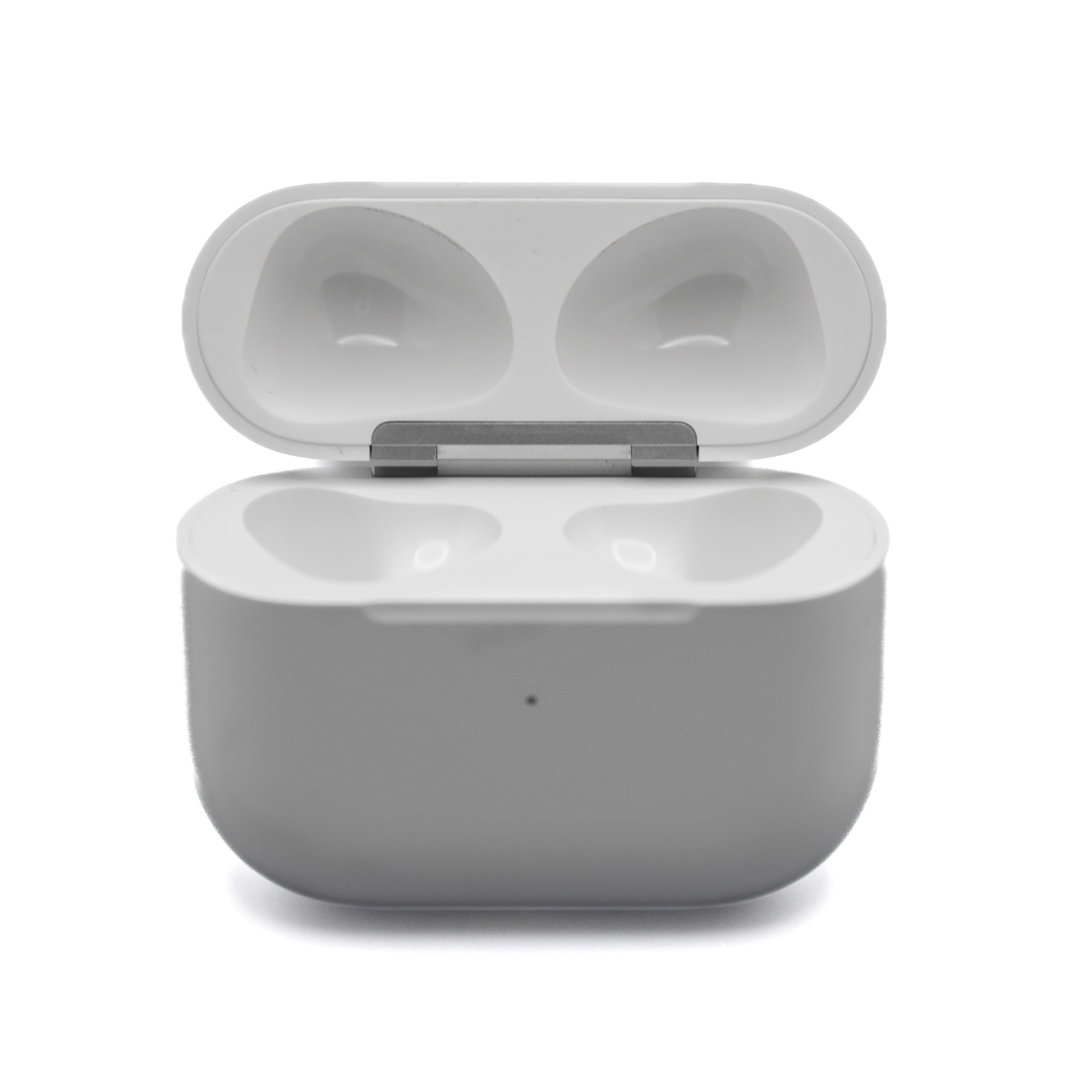
画像: 正面 view of the closed AirPods 3rd Generation charging case, displaying its sleek, white design.
メンテナンス
Proper care ensures the longevity and performance of your charging case.
- クリーニング: Use a soft, dry, lint-free cloth to clean the exterior of the charging case. Avoid using abrasive materials or harsh chemicals.
- 液体への暴露: 充電ケースは 耐水性はありません. Avoid exposure to liquids, moisture, or extreme humidity. If the case comes into contact with liquid, wipe it dry immediately.
- ストレージ: 充電ケースは、直射日光や極端な温度を避け、涼しく乾燥した場所に保管してください。
トラブルシューティング
If you encounter issues with your replacement charging case, try the following solutions:
- AirPodsが充電されない:
- 充電ケース自体が充電されていることを確認してください。
- Verify that the AirPods are correctly seated in their slots within the case.
- Clean the charging contacts on both the AirPods and inside the case with a dry cotton swab.
- Unable to Pair/Sync:
- iOS デバイスの Bluetooth が有効になっていることを確認してください。
- Place the charging case with AirPods close to your iOS device.
- Press and hold the setup button on the back of the case until the status light flashes white, then attempt to pair again.
- If issues persist, try resetting your AirPods: Go to Bluetooth settings on your iOS device, tap the "i" icon next to your AirPods, and select "Forget This Device." Then, repeat the pairing process from step 3 in the "Setup" section.
- インジケーターライトが機能しない:
- ケースが充電されていることを確認してください。
- Try connecting the case to a different power source or charging cable.
For further assistance, refer to the Customer Support section.
仕様
| 特徴 | 詳細 |
|---|---|
| ブランド | りんご |
| モデル番号 | A2566 |
| モデル名 | Apple AirPods 3rd Gen (Charging Case) |
| 互換性 | Apple AirPods 3rd Generation (A2564, A2565) |
| 接続技術 | ワイヤレス、Bluetooth |
| 材料 | プラスチック |
| 耐水性レベル | 耐水性はありません |
| 色 | 白 |
保証情報
This Apple AirPods 3rd Generation Replacement Charging Case (Model A2566) comes with a 90日間の保証保証請求のために購入証明書を保管してください。
カスタマーサポート
If you require further assistance or have questions not covered in this manual, please contact the seller directly through the platform where the purchase was made. For general information about Apple AirPods, you may also visit the official Apple Support webサイト。


