パワーAアドバンtage Wireless Controller for Nintendo Switch 2 - Mario & Yoshi
モデル: NSGP0569-01V
導入
このマニュアルはPowerA Advanの包括的な説明を提供しますtage Wireless Controller, designed for use with the Nintendo Switch family of devices. It covers setup, operation, maintenance, and troubleshooting to ensure optimal performance and longevity of your controller.
主な特徴
Hall Effect Modules: Equipped with contact-free magnetic sensors in the thumbsticks to prevent stick drift, offering smoother control, enhanced precision, and increased longevity.
高度なゲームボタン: Two mappable buttons can be programmed on the fly during gameplay without needing to access system settings.
Intuitive Motion Controls: Experience fluid and responsive motion controls for aiming, steering, flying, and other in-game actions.
C ボタン: Provides quick access to GameChat features.
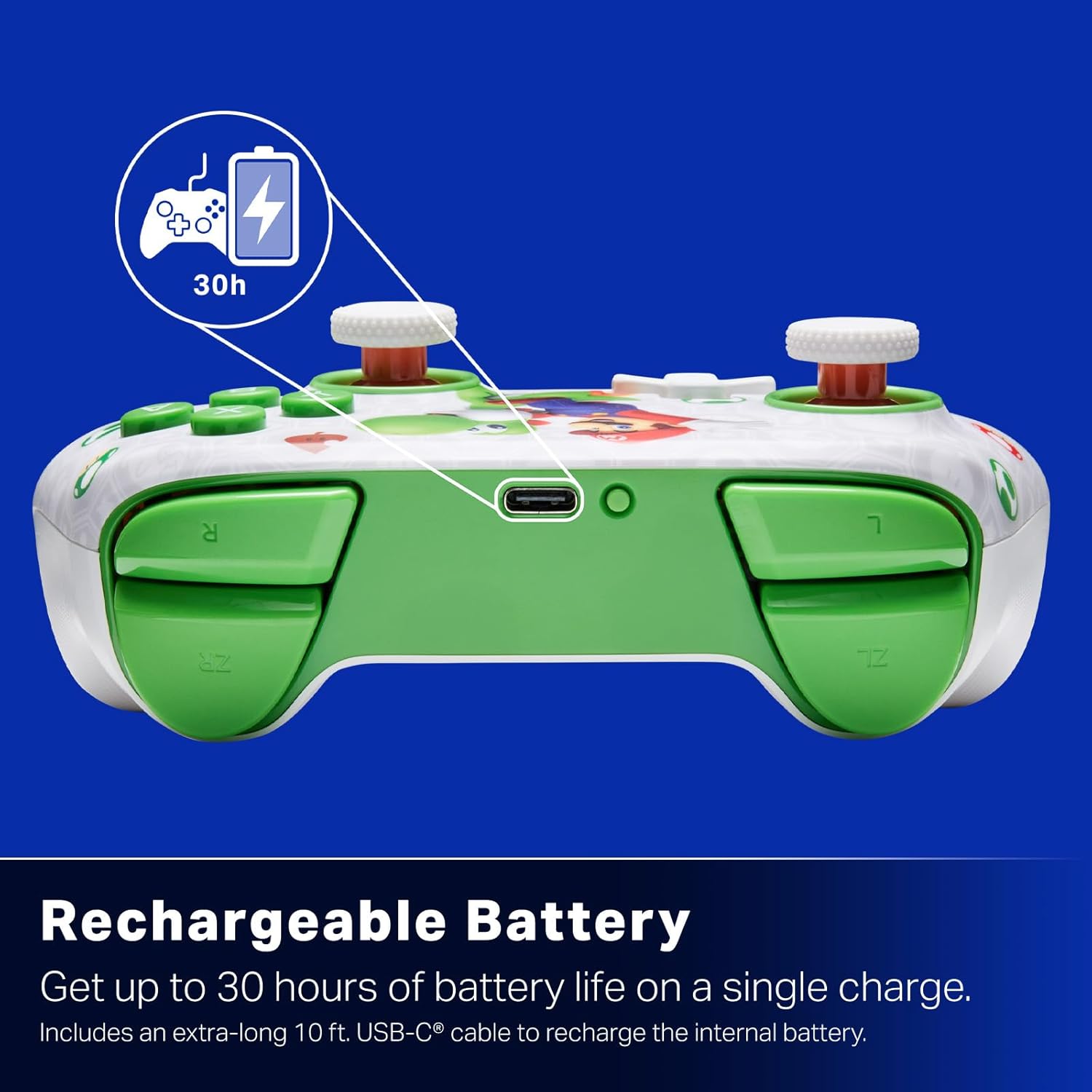
充電式バッテリー: Offers up to 30 hours of gameplay on a single charge. Includes a 10 ft. (3m) USB-C cable for recharging.
人間工学に基づいたデザイン: Crafted for comfort during extended gaming sessions, utilizing cutting-edge ergonomics and high-quality materials.
Nintendo Family Compatibility: Compatible with Nintendo Switch 2, Nintendo Switch, Nintendo Switch – OLED Model, and Nintendo Switch Lite.
正式にライセンスを取得: PowerA products undergo rigorous testing by Nintendo to ensure compatibility and quality.
セットアップ手順
1. 初期充電
Before first use, fully charge your PowerA Advantage Wireless Controller. Connect the included 10 ft. (3m) USB-C cable to the controller's USB-C port and the other end to a powered USB port on your Nintendo Switch dock or a USB wall adapter.
Figure 1: Controller connected via USB-C for charging, highlighting the rechargeable battery feature.
2. Nintendo Switchとのペアリング
Nintendo Switch 本体の電源がオンになっており、最新のシステム ソフトウェアに更新されていることを確認してください。
ホームメニューから、 コントローラー、 それから グリップ/順序の変更.
On the PowerA Advantage Wireless Controller, press and hold the SYNCボタン located on the top edge of the controller for at least three seconds. The player indicator LEDs on the bottom of the controller will begin to flash.
Once the controller successfully pairs, the player indicator LED(s) corresponding to the controller number will remain lit.
を押す ボタン to confirm and exit the pairing screen.
For subsequent uses, simply press the HOME button on the controller to wake it up and automatically reconnect to your Switch console.
操作手順
基本操作
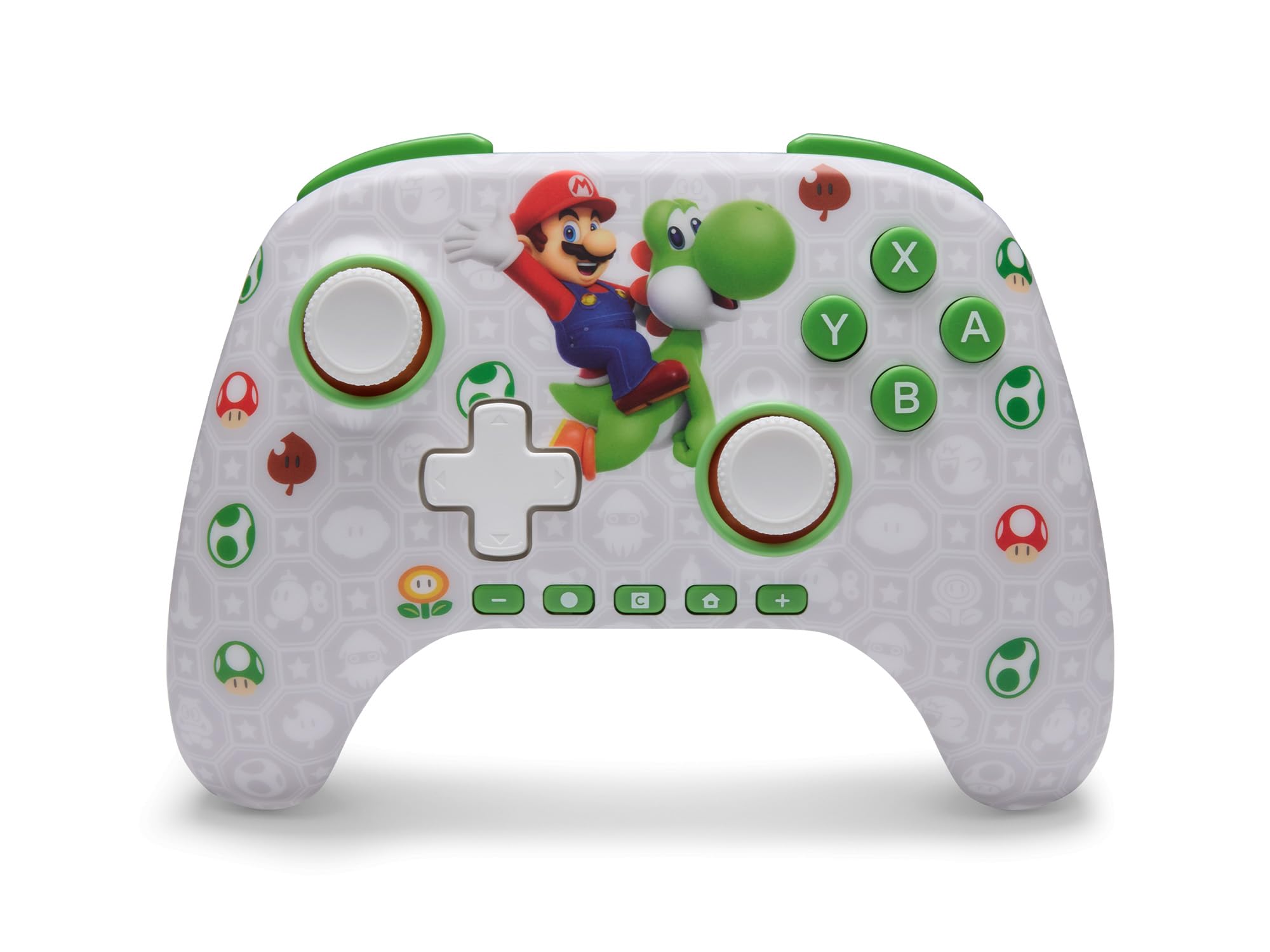
パワーAアドバンtage Wireless Controller features standard Nintendo Switch button layouts, including A, B, X, Y buttons, L/R and ZL/ZR shoulder buttons, a D-pad, and dual analog sticks. Familiarize yourself with these controls for general gameplay.
図2: 前面 view of the PowerA Advantage Wireless Controller, highlighting the Mario and Yoshi design and button layout.
高度なゲームボタン(AGB)
The controller includes two mappable Advanced Gaming Buttons (AGR and AGL) on the back. These buttons can be assigned to replicate any other button on the controller for quick access during gameplay.
を押す Program Button (PRGM) on the back of the controller. The Program LED will flash.
を押す 高度なゲームボタン (AGR or AGL) you wish to map. The Program LED will flash rapidly.
を押す ボタン you want to assign to the Advanced Gaming Button (e.g., A, B, X, Y, L, R, ZL, ZR, D-pad directions). The Program LED will stop flashing, indicating successful mapping.
To clear a mapped button, repeat steps 1-2, then press the プログラムボタン また。
Figure 3: Advanced Gaming Buttons (AGB) on the back of the controller, with an illustration of mappable functions.
モーションコントロール
The controller supports motion controls, allowing for intuitive interaction in compatible games. These controls are automatically enabled when supported by the game.
Figure 4: Controller demonstrating motion control capabilities through tilting.
C Button (GameChat)
The dedicated C Button provides quick access to GameChat features in supported titles, enhancing your multiplayer experience.
Figure 5: The 'C' button, used for GameChat features.
ケーブルのお手入れ: Handle the USB-C charging cable with care. Avoid bending or twisting it excessively.
トラブルシューティング
コントローラーが接続/ペアリングされない
コントローラーが完全に充電されていることを確認してください。
Nintendo Switch 本体が最新のシステム ソフトウェアに更新されていることを確認します。
Repeat the pairing process (see "Pairing with Nintendo Switch" in Setup Instructions).
If issues persist, try restarting both the controller and the Nintendo Switch console.
スティックドリフト
パワーAアドバンtage Controller features Hall Effect modules designed to prevent stick drift. If you experience any unintended input, ensure the controller's firmware is up to date (check PowerA's official web最新情報についてはサイトをご覧ください。
Recalibrate the joysticks through the Nintendo Switch system settings if necessary (System Settings > Controllers and Sensors > Calibrate Control Sticks).
バッテリー寿命が短い
使用する前に、コントローラーが完全に充電されていることを確認してください。
Battery life can vary based on game usage and features enabled.
最適な充電のために付属の USB-C ケーブルを使用してください。
仕様
特徴
詳細
モデル番号
NSGP0569-01V
接続性
ワイヤレス(Bluetooth)、USB-C(充電用)
対応デバイス
Nintendo Switch 2, Nintendo Switch, Nintendo Switch – OLED Model, Nintendo Switch Lite
バッテリー寿命
最大30時間(使用状況により異なります)
ケーブル長さ
10 ft. (3m) USB-C
寸法
5.88 x 4.21 x 2.36インチ
重さ
0.66 ポンド
特集
Hall Effect Thumbsticks, Mappable Advanced Gaming Buttons, Motion Controls, C Button
保証とサポート
パワーAアドバンtage Wireless Controller comes with a XNUMX年間の限定保証. For detailed warranty information, product support, or to register your product, please visit the official PowerA webサイト PowerA.com/サポート.
Figure 6: Official Nintendo Licensed Product badge, ensuring quality and compatibility.
Ask a question about this manual
Ask about setup, troubleshooting, compatibility, parts, safety, or missing instructions. Manuals+ will review the question and use this page’s manual context to help answer it.