
1. はじめに
This manual provides essential instructions for the safe and efficient operation of your TATTMUSE A28U Portable Thermal Printer. Please read this manual thoroughly before using the device and retain it for future reference. The TATTMUSE A28U is a compact, inkless thermal printer designed for portability and convenience, supporting various paper sizes including A4, A5, and B5.
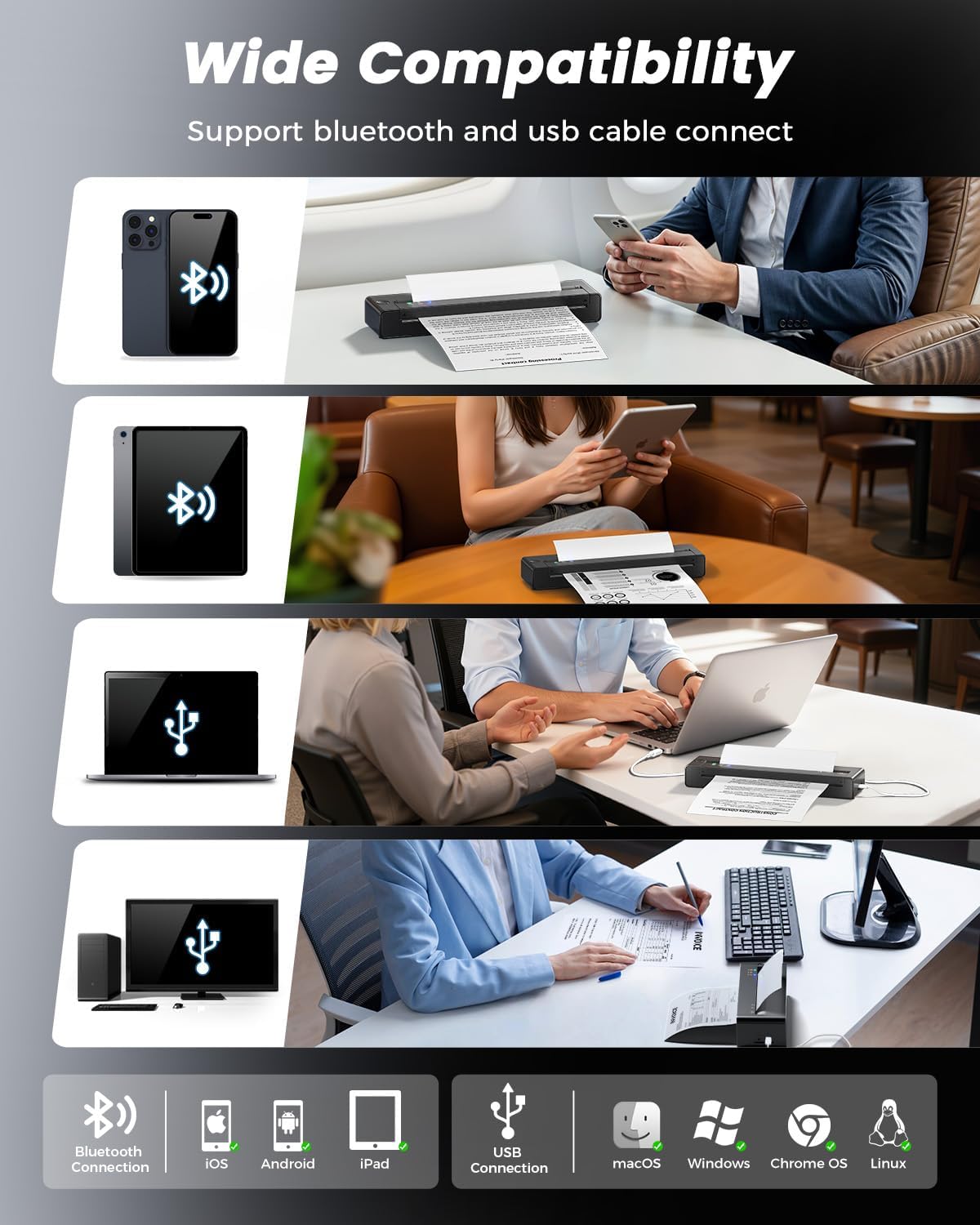
The printer utilizes advanced thermal direct technology, eliminating the need for ink cartridges, toner, or ribbons. It features an upgraded print head with dual-zone heat control for consistent print quality and a jam reversal function for reliable paper handling. Connectivity options include Bluetooth and USB, making it compatible with iOS, Android, tablets, and laptops.
2. 箱の中身
セットアップを続行する前に、パッケージ内にすべてのアイテムが揃っていることを確認してください。
- 1 x TATTMUSE A28U Portable Printer
- 10 x A4 Size Thermal Papers
- ユーザーマニュアル x 1
- USB-Cケーブル x 1

3. セットアップ
3.1 電源のオンと充電
To power on the printer, press and hold the power button until the indicator lights illuminate. For initial use, ensure the printer is fully charged using the provided USB-C cable. The printer features cool charging technology to extend battery lifespan.


3.2 用紙のセット
The TATTMUSE A28U printer supports thermal paper only. It is compatible with single sheets and continuous roll thermal paper in various sizes (A4, A5, B5, Letter). To load paper, gently insert the paper into the paper slot until the printer automatically feeds it into position. Ensure the paper is centered for optimal printing.


Video: Instructions on how to correctly load roll thermal paper into the printer for the first time, including removing the initial adhesive section.
3.3 アプリとドライバーのインストール
For mobile devices (iOS/Android), download the "SoPrint" app from your device's app store. For computers (Windows/macOS/Chrome OS/Linux), drivers can be found on the official TATTMUSE website (refer to the included Quick Start Guide for the specific URL).


3.4 接続性
The printer supports both Bluetooth and USB connectivity.
- Bluetooth接続: After installing the "SoPrint" app, enable Bluetooth on your mobile device. Open the app and follow the on-screen instructions to pair with the A28U printer.
- USB接続: Connect the printer to your computer using the provided USB-C cable. Ensure the appropriate drivers are installed for your operating system. The printer should then appear as an available printing device.

4. 操作手順
4.1 モバイルアプリからの印刷
- プリンターの電源がオンになっており、Bluetooth 経由でモバイル デバイスに接続されていることを確認します。
- Open the "SoPrint" app.
- Select the document or image you wish to print. The app supports various file types including Word, TXT, PDF, Excel, JPG, and PPT.
- Adjust print settings (e.g., paper size, density) within the app if necessary.
- 印刷ボタンをタップして印刷を開始します。

4.2 コンピュータからの印刷
- Ensure the printer is powered on and connected via USB to your computer, or paired via Bluetooth if supported by your computer's operating system.
- ドキュメントを開くか、 file コンピュータで印刷したい場合。
- Go to the print option (usually File > 印刷)。
- Select "TATTMUSE A28U" from the list of available printers.
- 必要に応じて印刷設定(用紙サイズ、印刷の向きなど)を調整します。
- 「印刷」をクリックしてジョブをプリンターに送信します。
Video: A general user operation guide for a portable thermal printer, demonstrating basic printing steps.
5. メンテナンス
5.1 プリントヘッドのクリーニング
To maintain optimal print quality, regularly clean the print head. Turn off the printer and allow it to cool. Gently wipe the print head with a soft, lint-free cloth lightly dampイソプロピルアルコールで拭いてください。研磨剤や刺激の強い化学薬品は使用しないでください。
5.2バッテリーケア
To prolong battery life, avoid fully discharging the printer frequently. Store the printer in a cool, dry place when not in use for extended periods. Charge the printer regularly, even if not in active use, to prevent deep discharge.
6。 トラブルシューティング
6.1 紙詰まり
If a paper jam occurs, the TATTMUSE A28U features an automatic jam reversal function. Double-tap the designated area on the printer (refer to the Quick Start Guide for exact location) to activate this function, which will automatically reverse stuck paper. Avoid manually pulling out jammed paper, as this can damage the printer mechanism.

6.2 印刷品質が悪い
- 使用していることを確認してください 感熱紙. This printer does not support regular copy paper.
- 「メンテナンス」セクションの説明に従ってプリントヘッドをクリーニングします。
- Check the paper for any damage or wrinkles before loading.
- Ensure the paper is loaded correctly and centered.
6.3 接続の問題
- ブルートゥース: Ensure Bluetooth is enabled on your device and the printer is within range. Restart both the printer and your device. Try unpairing and re-pairing the printer in your device's Bluetooth settings.
- USB: Verify the USB-C cable is securely connected to both the printer and the computer. Ensure the correct drivers are installed on your computer. Try a different USB port or cable.
7. 仕様
| 特徴 | 仕様 |
|---|---|
| ブランド | タトゥー |
| モデル名 | A28U |
| 接続技術 | ブルートゥース、USB |
| 印刷技術 | サーマル |
| プリンタ出力 | モノクロ |
| 最大印刷速度 モノクロ | 15ppm |
| アイテム重量 | 841グラム |
| 製品寸法(奥行き×幅×高さ) | 10.6D x 34.8W x 7.9H センチメートル |
| コントローラータイプ | アンドロイド、iOS |
| 印刷メディア | 感熱紙 |
| 解決 | 203 x 203 dpi |
| サポートされる最大用紙サイズ | Letter (8.5 x 11 inches) / A4 / A5 / B5 |
| 最大シート容量 | 50 |
| バッテリー容量 | 1500mAh |
| 両面印刷 | いいえ |
8. 保証とサポート
8.1製品保証
The TATTMUSE A28U Portable Thermal Printer comes with a 1-year product warranty from the date of purchase. This warranty covers manufacturing defects and malfunctions under normal use. It does not cover damage caused by misuse, accidents, unauthorized modifications, or use of non-approved consumables.
8.2 カスタマーサポート
For technical assistance, troubleshooting, or warranty claims, please contact TATTMUSE customer support through the official website or the contact information provided in your purchase documentation. Please have your model number (A28U) and proof of purchase ready when contacting support.


