
1. はじめに
Welcome to the user manual for your new Xiaomi 17 Ultra smartphone. This device combines cutting-edge technology with a sophisticated design, offering an exceptional user experience. Key features include a powerful Leica 200MP telephoto lens, a 1-inch ultra-dynamic camera with LOFIC HDR technology for stunning night photography, and the advanced Snapdragon 8 Elite Gen 5 mobile platform for superior performance. The device is also equipped with a long-lasting 6000 mAh Xiaomi Surge battery and integrates HyperAI for enhanced productivity and smart features.

Figure 1: Xiaomi 17 Ultra smartphone in hand.
2. セットアップ
2.1 開梱とパッケージの内容
Carefully unbox your Xiaomi 17 Ultra. Ensure all components are present. The standard package includes the Xiaomi 17 Ultra smartphone, a USB-C cable, and a SIM ejector tool (SIM-Pin).

Figure 2: Package contents including the Xiaomi 17 Ultra, USB-C cable, and SIM-Pin.
2.2 SIMカードの挿入
- デバイスの側面にある SIM カード トレイを見つけます。
- SIM イジェクタ ツールを SIM トレイの小さな穴に挿入し、トレイが飛び出すまで軽く押します。
- Nano-SIMカードを、金色の接点を下にしてトレイに挿入してください。正しい向きに挿入してください。
- Carefully push the SIM tray back into the slot until it is flush with the device.

図3:側面 view of the Xiaomi 17 Ultra, indicating the SIM card tray.
2.3 初回電源投入と充電
To power on your device, press and hold the power button located on the side until the Xiaomi logo appears. For initial setup, it is recommended to fully charge your device. Connect the USB-C cable to the phone's charging port and the other end to a compatible power adapter (not included) or a computer.
3. Operating Your Xiaomi 17 Ultra
3.1 基本的なナビゲーション
- 電源オン/オフ: Press and hold the power button. Select "Power off" or "Restart" from the menu.
- 画面のロック/ロック解除: Briefly press the power button. Use your fingerprint, face unlock, or PIN/pattern to unlock.
- ホーム画面: 画面の下から上にスワイプしてホーム画面に移動します。
- 最近使用したアプリ: 下から上にスワイプして長押しすると view 最近のアプリケーション。
- 通知とクイック設定: 画面の上から下にスワイプすると、通知とクイック設定の切り替えにアクセスできます。
3.2 カメラの機能
The Xiaomi 17 Ultra features an advanced Leica camera system designed for professional-grade photography.
- Leica 200MP Telephoto Lens: Experience exceptional detail and clarity with the 75–100mm optical zoom, eliminating the need for digital cropping.
- Leica 1-inch Ultra-Dynamic Camera: The large 1-inch sensor, combined with LOFIC HDR technology, captures stunning images even in challenging low-light conditions, preserving intricate details.
- Leica UltraPure Optical Design: An updated optical structure with precision glass elements significantly reduces reflections, ensuring purer image quality.
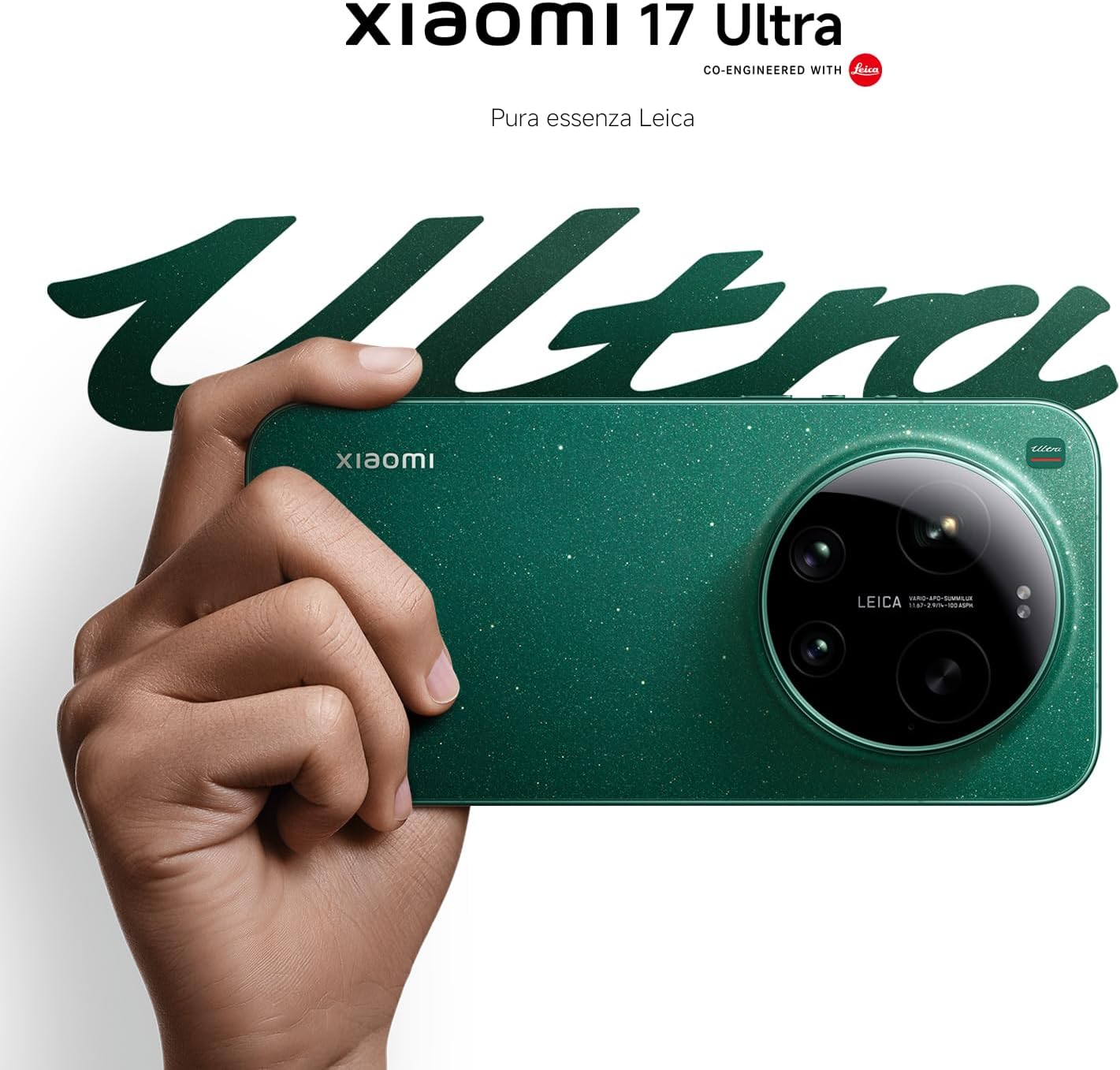
Figure 4: Leica 200MP Telephoto Lens.

Figure 5: Leica 1-inch Ultra-Dynamic Camera Sensor.

Figure 6: Leica UltraPure Optical Design.
Video 1: Demonstration of the Xiaomi 17 Ultra's camera capabilities, capturing fireworks with detail and clarity.
3.3 HyperAI Features
The integrated HyperAI enhances various aspects of your smartphone experience, offering intelligent assistance and improved productivity.
- AIライティング: Assists with text composition and suggestions.
- AI音声認識: Provides accurate voice-to-text conversion and command execution.
- AI検索: Intelligently processes search queries for more relevant results.
- Dynamic AI Wallpapers: Offers personalized and adaptive visual experiences.

図7:以上view of Xiaomi HyperAI functionalities.
4. メンテナンス
4.1バッテリーケア
Your Xiaomi 17 Ultra is equipped with a 6000 mAh Xiaomi Surge battery for extended usage. To maximize battery lifespan:
- 極端な温度(高温または低温)を避けてください。
- Do not let the battery drain completely regularly. Charge it before it reaches very low levels.
- 承認された充電器とケーブルのみを使用してください。
- 長時間の過充電は避けてください。

図8:内部 view of the 6000 mAh Xiaomi Surge battery.
4.2 Screen and Device Cleaning
To clean your device, use a soft, lint-free cloth. Avoid abrasive materials, sprays, or harsh chemicals. For stubborn smudges, slightly damp布を水で濡らしてください。デバイスを水に浸さないでください。
4.3ソフトウェアアップデート
Regularly check for and install software updates to ensure optimal performance, security, and access to new features. You can usually find this option in your device's settings under "About phone" or "System updates."
5。 トラブルシューティング
5.1 一般的な問題と解決策
| 問題 | 考えられる解決策 |
|---|---|
| デバイスの電源が入らない | バッテリーが充電されていることを確認してください。電源ボタンを10~15秒以上押し続けて強制的に再起動してください。 |
| アプリがクラッシュしたりフリーズしたりする | Close the app and reopen it. Clear the app's cache and data in settings. Update the app or the phone's software. |
| バッテリー寿命が短い | Check background app usage. Reduce screen brightness. Disable unnecessary features like GPS or Bluetooth when not in use. Refer to battery care tips. |
| ネットワーク接続の問題 | Restart the device. Check if airplane mode is off. Reinsert the SIM card. Reset network settings. Contact your service provider. |
6. 仕様
| 特徴 | 詳細 |
|---|---|
| モデル | 小米科技17ウルトラ |
| プロセッサ | Snapdragon 8 Elite Gen 5 Mobile Platform |
| ラム | 16ギガバイト |
| 内部ストレージ | 512ギガバイト |
| メインカメラ | Leica 1-inch Ultra-Dynamic Camera with LOFIC HDR |
| 望遠レンズ | Leica 200MP, 75–100mm Optical Zoom |
| バッテリー | 6000 mAh Xiaomi Surge Battery (typical) |
| AI機能 | Xiaomi HyperAI (AI Writing, Voice Recognition, Search, Dynamic Wallpapers) |

Figure 9: Snapdragon 8 Elite Gen 5 Mobile Platform.
7. 保証とサポート
7.1 製造元の保証
Your Xiaomi 17 Ultra comes with a 3年間のメーカー保証. This includes the standard 2-year manufacturer warranty plus an additional 1 year of extended warranty, automatically applied upon purchase.
保証請求のために購入証明書を保管してください。
7.2 カスタマーサポート
For further assistance, technical support, or warranty inquiries, please visit the official Xiaomi support website or contact their customer service. You can find contact information on the Xiaomi official website or within your device's "Settings" under "About phone" > "Legal information" or "Support".