
1. はじめに
This manual provides essential information for the safe and effective operation, maintenance, and troubleshooting of the MYOslim Body Sculpt Machine, Model FSBD001. This device is designed for muscle toning and localized fat reduction across various body areas including the abdomen, buttocks, thighs, and arms.
The MYOslim Body Sculpt Machine utilizes advanced technology to stimulate muscle contractions and assist in body sculpting. It features a user-friendly touchscreen interface and a four-handle design for versatile application.
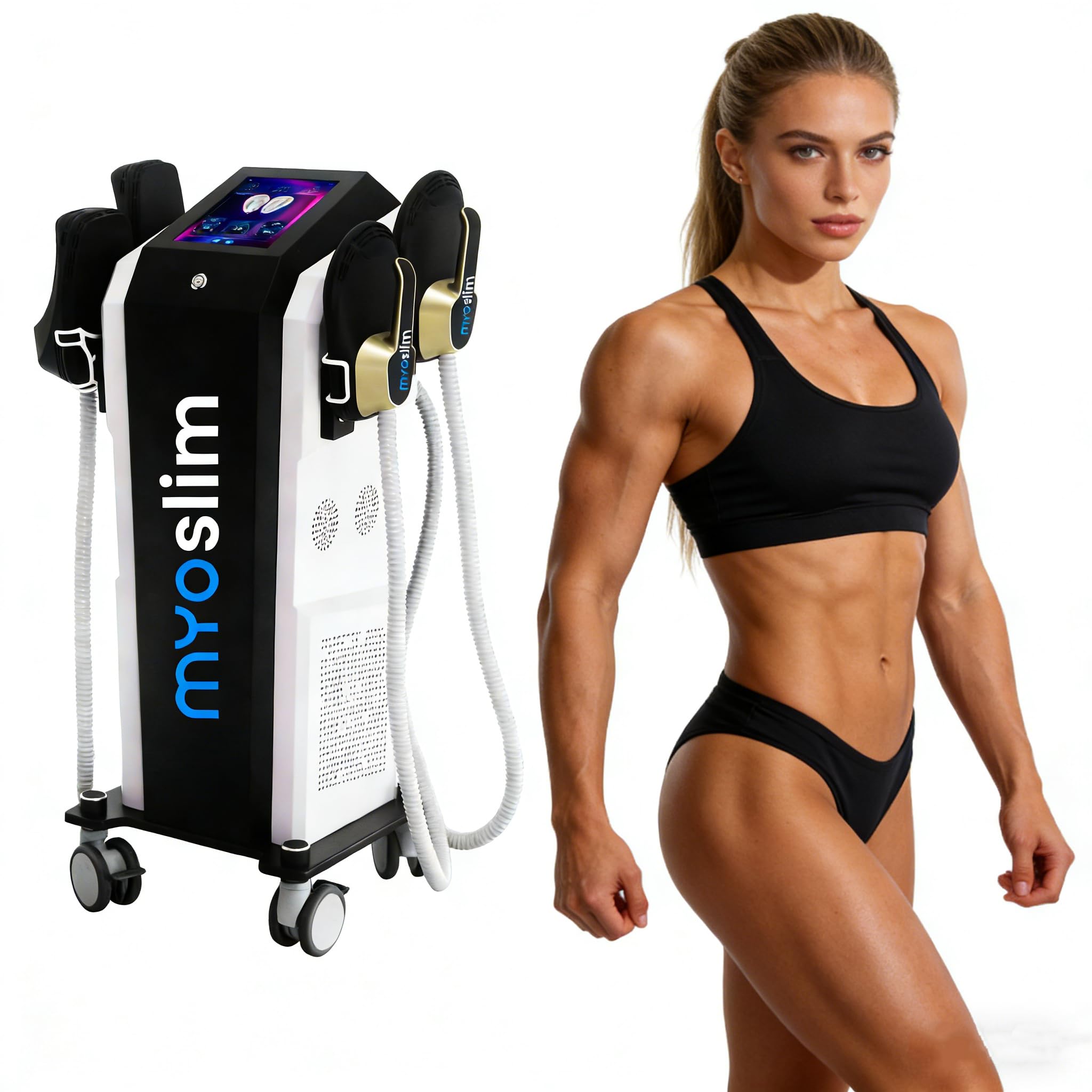
図1.1: 前面 view of the MYOslim Body Sculpt Machine.
2. 安全情報
Important: Read all safety warnings and instructions before operating this device. Failure to follow these instructions may result in injury or damage to the device.
- デバイスが安定した水平な面に置かれていることを確認してください。
- 適切な電圧のアース付き電源コンセントにデバイスを接続します。tage.
- デバイスを水や湿気から遠ざけてください。amp 環境。
- 電源コードやプラグが損傷している場合は、デバイスを操作しないでください。
- This device is intended for professional use or under the guidance of a trained professional.
- Consult a healthcare professional before use, especially if you have pre-existing medical conditions, are pregnant, or have implanted electronic devices.
- Do not use on sensitive skin areas, open wounds, or areas with skin irritation.
- 栄養補助食品に関する記述は FDA によって評価されておらず、いかなる病気や健康状態の診断、治療、治癒、予防を目的としたものではありません。
3.製品オーバーview
3.1 主な特徴
- Fat Reduction & Body Sculpting: Utilizes advanced technology to firm skin and sculpt muscles.
- タッチスクリーンディスプレイ: High-definition interface for intuitive control.
- Dual-Mode Performance System: Offers automatic and manual operating modes with adjustable durations, intensities, and body areas.
- 多言語サポート: User interface supports multiple languages.
- Ergonomic Four-Handle Design: Allows simultaneous or independent operation for efficient treatment of multiple areas.
- モビリティ: Equipped with wheels for easy storage and transport.
3.2 コンポーネント
The MYOslim Body Sculpt Machine consists of the main unit, four treatment handles, and a power cable.

図 3.1: 拡大図 view of the treatment handles.

Figure 3.2: The high-definition touchscreen interface.
4. セットアップ
- 開梱: すべての部品をパッケージから慎重に取り出し、損傷がないか確認してください。
- ポジショニング: Place the main unit on a flat, stable surface in a well-ventilated area. Ensure there is sufficient space around the machine for operation and air circulation. The integrated wheels allow for easy movement.
- ハンドル接続: Connect each of the four treatment handles to their designated ports on the machine. Ensure connections are secure.
- 電源接続: Plug the power cable into the power input port on the back of the machine, then connect it to a suitable grounded electrical outlet.

図4.1:背面 view illustrating power and handle connection points.
5. 操作手順
5.1 電源オン/オフ
- To power on, press the main power switch located on the machine. The touchscreen display will illuminate.
- To power off, press and hold the main power switch until the display shuts down, then unplug the device from the power outlet.
5.2 タッチスクリーンインターフェースナビゲーション
The touchscreen allows for selection of operating modes, intensity, duration, and target body areas.
- 言語の選択: Access the settings menu to select your preferred language.
- モード選択: Choose between 'Automatic' and 'Manual' operating modes. Automatic mode provides pre-set programs, while manual mode allows for custom adjustments.
- パラメータ調整: In manual mode, adjust treatment duration, intensity levels, and select specific body areas (e.g., abdomen, arms, thighs, buttocks).
- 開始/一時停止: Use the on-screen controls to start or pause a treatment session.

Figure 5.1: Touchscreen display during operation, showing parameter settings.
5.3 処理の適用
- Ensure the client is comfortably positioned.
- Apply the treatment handles securely to the target body areas. The four handles can be used simultaneously on different areas or focused on one larger area.
- Select the appropriate program or manually set parameters based on client needs and comfort.
- Initiate the treatment session via the touchscreen. Monitor the client's comfort throughout the session.
- Upon completion, gently remove the handles from the client's skin.
Video 5.1: This video demonstrates the introduction and operation of the Body Sculpt machine, including setting parameters suitable for clients.
6. メンテナンス
- クリーニング: After each use, wipe down the machine's exterior and treatment handles with a soft, damp 布で拭いてください。研磨剤入りの洗剤や溶剤は使用しないでください。清掃する前に、必ずデバイスの電源プラグを抜いてください。
- ストレージ: Store the machine in a cool, dry place away from direct sunlight and extreme temperatures. Ensure all handles are properly stored and cables are not tangled.
- 検査: Periodically inspect the power cord and handles for any signs of wear or damage. If any damage is found, discontinue use and contact customer support.
7。 トラブルシューティング
This section addresses common issues you might encounter with the MYOslim Body Sculpt Machine. For problems not listed here, please contact customer support.
| 問題 | 考えられる原因 | 解決 |
|---|---|---|
| マシンの電源が入らない | Power cable not connected; Power outlet malfunction; Main power switch off | Ensure power cable is securely plugged in; Test outlet with another device; Confirm main power switch is in the 'on' position. |
| Handles not activating | Handles not properly connected; Intensity set too low; Session not started | Check handle connections; Increase intensity setting on the touchscreen; Press 'Start' on the touchscreen. |
| タッチスクリーンが反応しない | Temporary software glitch; Screen calibration issue | Restart the machine; If issue persists, contact customer support. |
8. 仕様
| 仕様 | 詳細 |
|---|---|
| モデル番号 | FSBD001 |
| ブランド名 | Generic (Manufacturer: MYOslim) |
| 製品寸法(長さ x 幅 x 高さ) | 22.83インチ x 23.22インチ x 46.45インチ |
| アイテム重量 | 70キログラム(154.32ポンド) |
| 電源 | コード式電気 |
| 材質タイプ | アクリロニトリルブタジエンスチレン |
| 色 | 黒と白 |
| 特集 | Rechargeable (refers to internal components/system, not user-replaceable battery) |

Figure 8.1: Dimensions of the MYOslim Body Sculpt Machine.
9. 保証とサポート
The manufacturer, MYOslim, provides support for this product. For any concerns or technical assistance, please refer to the following:
- Local Repair Services: The manufacturer supports free local repair services.
- アフターサポート: A professional after-sales team and technical engineers are available to address any concerns.
- ロジスティクス: Stable logistics and transportation lines with US warehouses ensure timely delivery and service.
For specific warranty details or to initiate a support request, please contact the seller or manufacturer directly through your purchase platform.