
導入
The Ultrapods Pro True Wireless Headphones are designed to provide a high-quality audio experience with convenience and freedom of movement. These earbuds feature Hi-Res sound technology, extended battery life, and intuitive touch controls. This manual provides essential information for setting up, operating, and maintaining your Ultrapods Pro headphones.
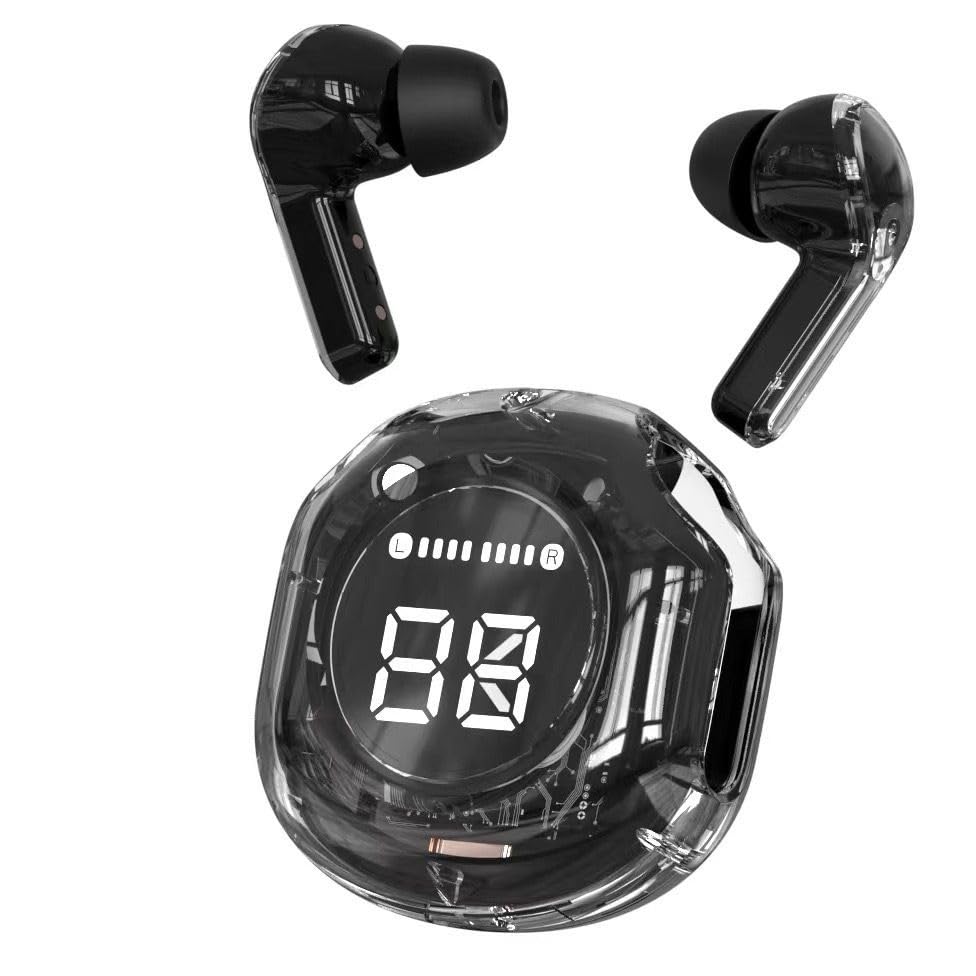
Image: Ultrapods Pro True Wireless Headphones and their charging case.
パッケージ内容
パッケージに以下の項目が含まれているか確認してください。
- Ultrapods Pro Wireless Earbuds (2 units)
- LEDディスプレイ付き充電ケース
- USB Type-C充電ケーブル
- ユーザーマニュアル

Image: Retail packaging box for Ultrapods Pro, showing the earbuds and charging case.
製品終了view
The Ultrapods Pro consist of two true wireless earbuds and a portable charging case. The charging case features a clear design and an LED display to show battery status.
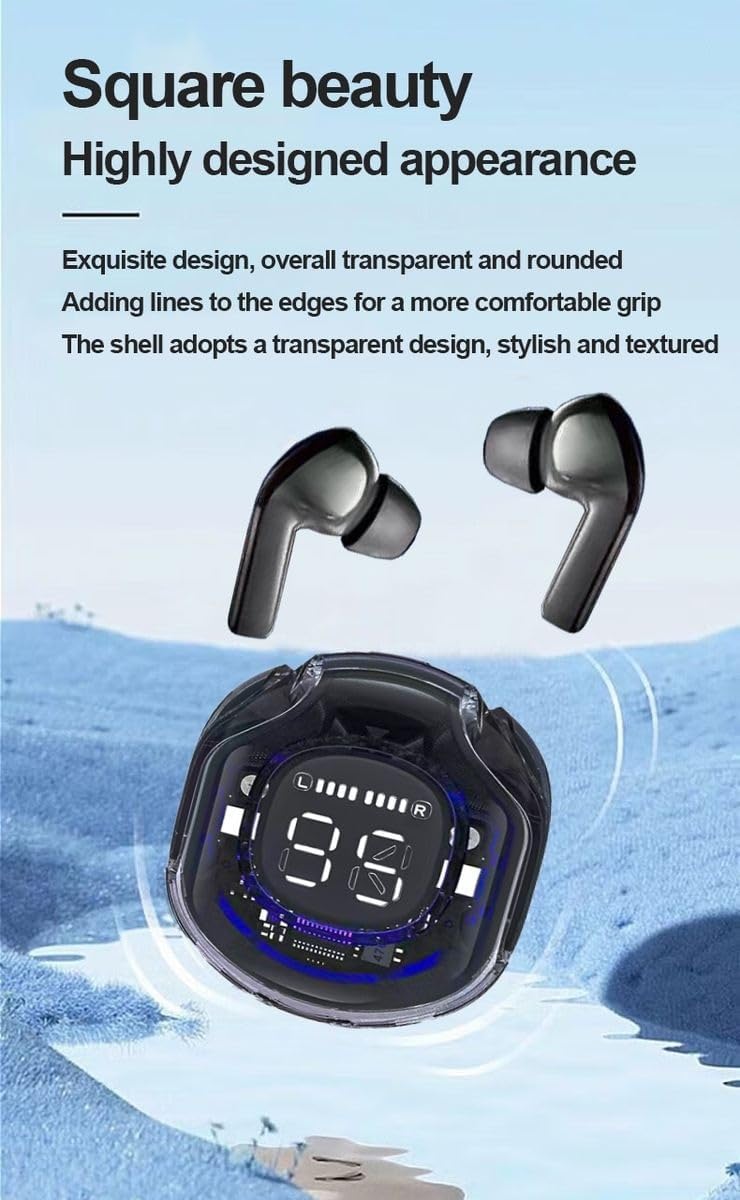
Image: Close-up of Ultrapods Pro earbuds and the charging case, highlighting the digital LED display.
イヤホンのコンポーネント:
- タッチコントロールエリア: 音楽の再生、通話、音声アシスタントを管理します。
- マイクロフォン: 通話と音声コマンド用。
- 充電接点: Located at the bottom of each earbud.
充電ケースのコンポーネント:
- イヤホン充電スロット: イヤホンをしっかりと持ち、充電します。
- LEDデジタルディスプレイ: 充電ケースと個々のイヤホンのバッテリーレベルを表示します。
- USB Type-C充電ポート: ケースを充電するために。
設定
1. イヤホンとケースの充電
Before first use, fully charge the Ultrapods Pro and their charging case.
- イヤホンを充電ケースに入れます。充電端子が揃っていることを確認してください。
- Connect the provided USB Type-C cable to the charging port on the case and to a USB power source (e.g., wall adapter, computer).
- The LED display on the case will indicate the charging status. A full charge typically takes approximately 2 hours.
- Once fully charged, disconnect the charging cable. The case can provide multiple charges to the earbuds on the go.

Image: Ultrapods Pro earbuds securely placed inside their charging case.
2. Bluetoothデバイスとのペアリング
The Ultrapods Pro use Bluetooth 5.3 for a stable and efficient wireless connection.
- 充電ケースを開けると、イヤホンは自動的にペアリングモードになります。
- デバイス(スマートフォン、タブレット、ラップトップ)で Bluetooth を有効にし、利用可能なデバイスを検索します。
- Select "Ultrapods Pro" from the list of found devices.
- 接続されると確認音が聞こえ、イヤホンが使用できるようになります。
- The connection range is approximately 10 meters (33 feet) in an open environment.
操作手順
The Ultrapods Pro feature intuitive touch controls on each earbud.
音楽再生:
- 再生/一時停止: どちらかのイヤホンを 1 回タップします。
- 次のトラック: 右のイヤホンをダブルタップします。
- 前のトラック: 左のイヤホンをダブルタップします。
- ボリュームアップ: 右のイヤホンを3回タップします。
- ボリュームダウン: 左のイヤホンを3回タップします。
通話管理:
- 通話の応答/終了: どちらかのイヤホンを 1 回タップします。
- 通話を拒否: どちらかのイヤフォンを2秒間押し続けます。
音声アシスタント:
- 音声アシスタントを有効にする: どちらかのイヤホンを 3 秒間押し続けます (例: Siri、Google アシスタント)。
メンテナンス
Proper maintenance ensures the longevity and optimal performance of your Ultrapods Pro.
- クリーニング: イヤホンと充電ケースは、柔らかく乾いた糸くずの出ない布で定期的に拭いてください。刺激の強い化学薬品や研磨剤は使用しないでください。
- 充電接点: 適切に充電するために、イヤホンとケースの両方の充電接点が清潔でゴミがないことを確認してください。
- ストレージ: 使用しないときは、イヤホンを充電ケースに入れて、ほこりや損傷から保護してください。涼しく乾燥した場所に保管してください。
- 耐水性: イヤホンは耐水性ですが、防水ではありません。水に浸したり、激しい雨にさらしたりしないでください。濡れた場合は、よく乾かしてください。
トラブルシューティング
If you encounter issues with your Ultrapods Pro, refer to the following common solutions:
| 問題 | 解決 |
|---|---|
| イヤホンがペアリングされない |
|
| 音が出ない、または音量が小さい |
|
| 充電ケースが充電されない |
|
| イヤホンが充電されない場合 |
|
仕様
| 特徴 | 詳細 |
|---|---|
| ブランド | ジェネリック |
| モデル名 | Ultrapods Pro |
| モデル番号 | Up-pro |
| 接続性 | Bluetooth 5.3、ワイヤレス |
| Bluetooth範囲 | 10メートル |
| オーディオドライバータイプ | ダイナミックドライバ |
| オーディオドライバーのサイズ | 13.4ミリメートル |
| 周波数応答 | 20Hz |
| 感度 | 95デシベル |
| インピーダンス | 32オーム |
| 騒音制御 | パッシブノイズキャンセリング |
| バッテリー寿命(ケース付き) | 最大40時間 |
| イヤホンの充電時間 | Approx. 2 Hours (via case) |
| ケース充電時間 | 約2時間(USB-C経由) |
| コントロールタイプ | Touch Control, Digital Display |
| 耳の位置 | In Ear (Half In-ear shape) |
| 色 | Black (Clear carrying case) |
| 材料 | プラスチック、金属、シリコン |
| アイテム重量 | 45グラム(イヤホン+ケース) |
| 耐水性 | 耐水性 |
| 対応デバイス | Computers, Laptops, Smartphones, Tablets |
| 具体的な用途 | Calls, Gaming, Music, Sports, Travel |
保証
The Ultrapods Pro True Wireless Headphones come with a 1ヶ月保証 from the date of purchase. This warranty covers manufacturing defects. Please retain your proof of purchase for any warranty claims. The warranty does not cover damage caused by misuse, accidents, unauthorized modifications, or normal wear and tear.
サポート
For further assistance, technical support, or warranty inquiries, please contact the seller or the manufacturer. Refer to your purchase documentation for contact details.