
導入
The FREEWOLF M104 is a full-size wireless gaming keyboard designed for versatile use across various platforms. It features tri-mode connectivity (2.4GHz wireless, Bluetooth, and USB-C wired), a 104-key layout with a numeric keypad, RGB backlighting, and a 4000mAh rechargeable battery. The keyboard incorporates a membrane switch design with a tactile feel, double-shot injection keycaps, and an ergonomic metal panel for durability and comfortable use.
設定
パッケージ内容
Verify that the package contains the FREEWOLF M104 keyboard, a USB-C cable, and a 2.4GHz USB receiver.
キーボードの充電
Connect the provided USB-C cable to the keyboard's USB-C port and the other end to a power source (e.g., computer USB port, USB wall adapter). The keyboard features a 4000mAh rechargeable battery. A full charge ensures extended wireless operation.

接続モード
The M104 keyboard supports three connection modes: Wired (USB-C), 2.4GHz Wireless, and Bluetooth.
1. 有線モード(USB-C)
Connect the USB-C cable directly from the keyboard to your computer. The keyboard will function immediately without additional drivers.
2. 2.4GHzワイヤレスモード
Locate the 2.4GHz USB receiver, typically stored in a compartment on the keyboard's underside. Plug the receiver into an available USB port on your computer. Switch the keyboard's mode selector to 2.4GHz. The keyboard should connect automatically.
3.Bluetoothモード
Switch the keyboard's mode selector to Bluetooth. On your device (PC, Mac, tablet, smartphone), enable Bluetooth and search for new devices. Select "FREEWOLF M104" (or similar name) from the list to pair. The keyboard can store multiple Bluetooth pairings, allowing for seamless switching between devices.


Video: Connectivity Overview (類似モデル)
Video: This video demonstrates the multi-mode connectivity and a media knob feature on a similar FREEWOLF keyboard model (K100). It illustrates the physical switch for changing between 2.4G, Bluetooth, and wired modes, which is applicable to the M104's setup.
操作手順
基本的なキー機能
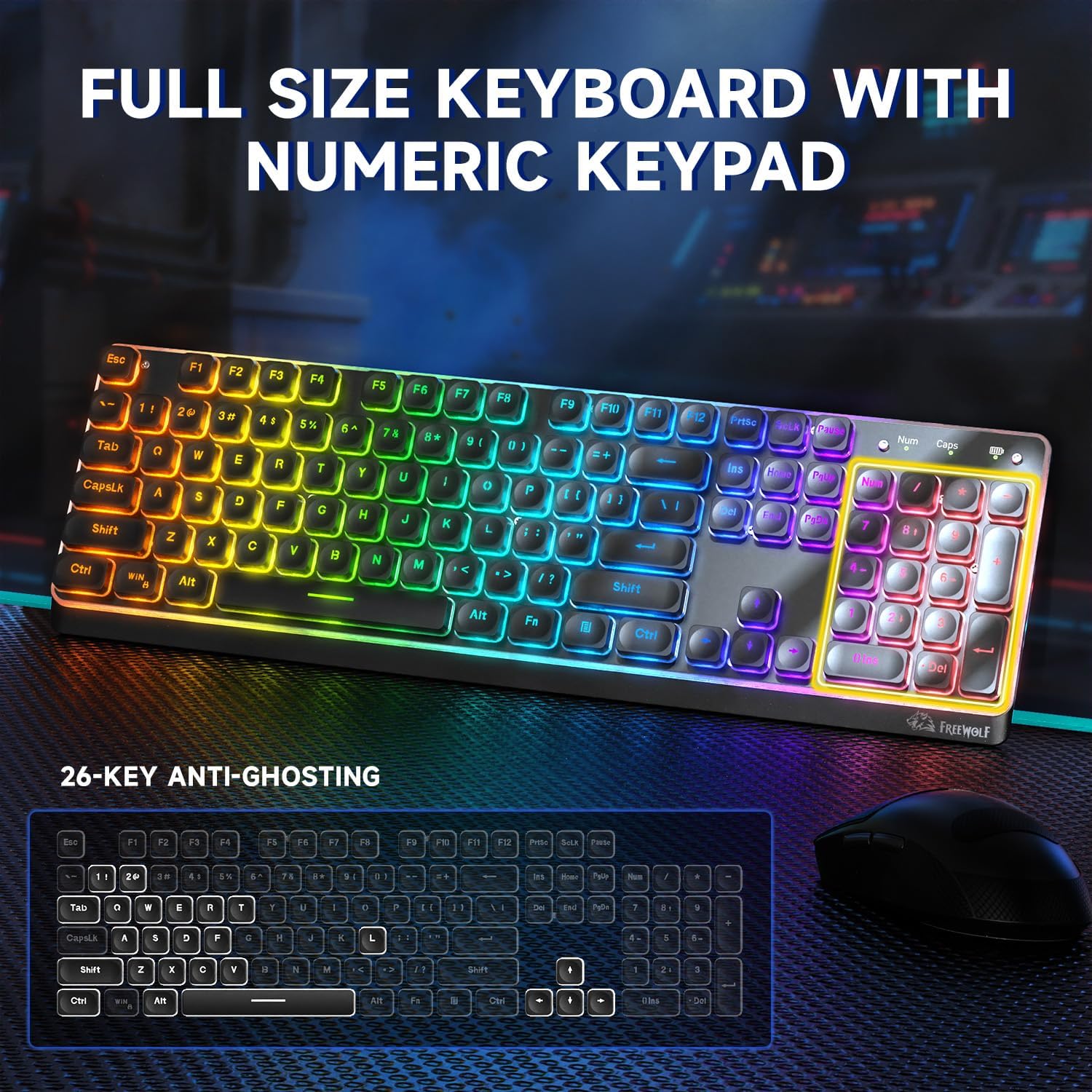
The M104 features a standard 104-key QWERTY layout, including a dedicated numeric keypad for efficient data entry and calculations.
マルチメディアキー
The keyboard includes 12 multimedia keys, accessible via the Function (Fn) key combinations, for quick control over media playback, volume, and other system functions.
RGBバックライトコントロール
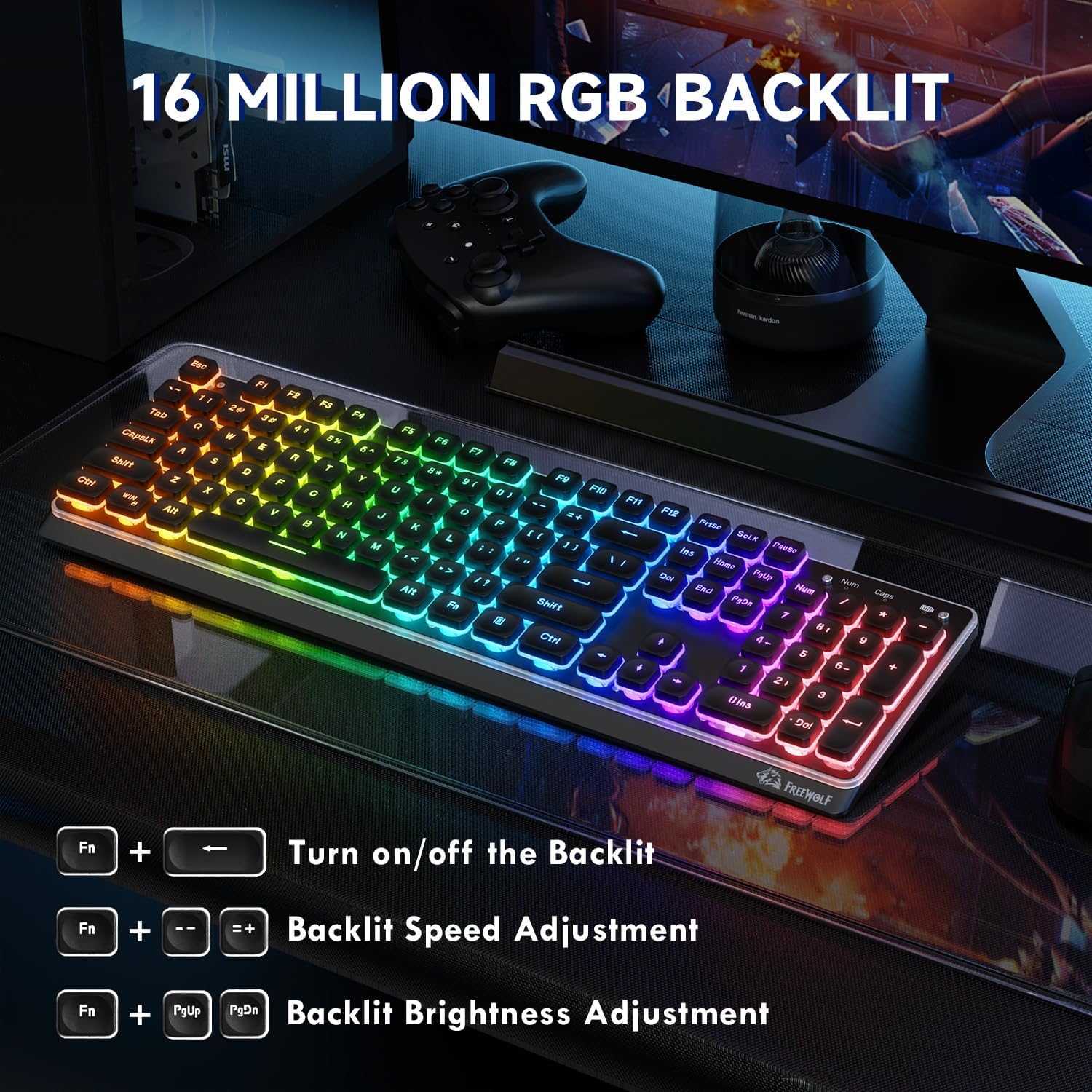
The M104 keyboard features RGB backlighting with 16 million color options. Use the following key combinations to adjust the lighting:
- バックライトのオン/オフ: プレス Fn + PrtSc
- バックライト速度を調整する: プレス Fn + '-' (速度を下げる)または Fn + '+' (速度を上げる)
- バックライトの明るさを調整します: プレス Fn + ページアップ (明るさを上げる)または Fn + PgDn (decrease brightness)
アンチゴースト
The M104 supports 26-key anti-ghosting, ensuring that multiple simultaneous key presses are registered accurately, which is beneficial for gaming and fast typing.
人間工学に基づいたデザイン
The keyboard features an ergonomic design with a tilt angle and height-adjustable feet, promoting a comfortable typing posture and reducing wrist fatigue during extended use. The membrane silicone rebound structure contributes to a quiet and smooth typing experience.

メンテナンス
クリーニング
The M104 features floating keycaps, which facilitate easy cleaning. Use a soft brush or compressed air to remove dust and debris from between the keys. The keyboard is designed to be splash-proof, offering protection against minor liquid spills. For deeper cleaning, gently wipe the keycaps and surface with a damp cloth and mild cleaning solution, ensuring no liquid enters the keyboard's internal components.

バッテリーケア
To maximize the lifespan of the 4000mAh rechargeable battery, avoid fully discharging it frequently. Charge the keyboard when the battery indicator shows low power. Store the keyboard in a cool, dry place when not in use for extended periods.
トラブルシューティング
キーボードが応答しない
- 電力を確認します: キーボードが充電されていること、または USB-C 経由で接続されていることを確認します。
- 検証モード: Confirm the mode switch (2.4GHz, Bluetooth, Wired) is set correctly for your connection type.
- 接続を再確立します: For 2.4GHz, try unplugging and re-inserting the USB receiver. For Bluetooth, unpair and re-pair the keyboard in your device's Bluetooth settings.
- 有線モードをテストします: If wireless modes fail, connect the keyboard via USB-C to determine if the issue is with the wireless connection or the keyboard itself.
Input Delay or Unresponsive Keys
- Bluetooth 遅延: Bluetooth connections may experience slight delays, especially in environments with interference. For critical tasks like gaming, consider using 2.4GHz wireless or wired mode.
- 2.4GHz Interference: Ensure the 2.4GHz receiver is not obstructed and is close to the keyboard. Avoid placing it near other wireless devices that may cause interference.
- バッテリー残量: バッテリー残量が少ないとパフォーマンスに影響する可能性があります。キーボードを完全に充電してください。
RGBバックライトが機能しない
- オンにする: バックライトがオンになっていることを確認する Fn + PrtSc.
- 明るさを調整: 明るさを上げるには Fn + ページアップ.
- 節電: 一定時間操作がないと、バッテリーを節約するためにバックライトが自動的にオフになる場合があります。再度オンにするには、任意のキーを押してください。
仕様
| モデル | M104 |
| ブランド | フリーウルフ |
| キーレイアウト | 104-key Full Size QWERTY with Numeric Keypad |
| キータイプ | メンブレン(機械的な感触) |
| 接続性 | トライモード(2.4GHzワイヤレス、Bluetooth、USB-C有線) |
| バッテリー容量 | 4000mAh充電式 |
| バックライト | RGB(16万色) |
| アンチゴースト | 26キー |
| パネル材質 | 金属 |
| キーキャップ | Double-shot Injection, Floating Design |
| 寸法 | 44.5 x 16 x 4 cm |
| 重さ | 790グラム |

保証とサポート
保証情報、テクニカルサポート、またはサービスに関するお問い合わせは、ご購入時に付属の説明書をご参照いただくか、販売元に直接お問い合わせください。保証請求の際に必要となるため、購入証明書は保管してください。