
1.製品オーバーview
The Hunter ZenTech 52 Inch Smart Ceiling Fan (Model 53638) is designed for both indoor and covered outdoor spaces, offering quiet, efficient performance with advanced smart home integration. This 5-blade fan features a slim DC motor, adjustable LED lighting with TrueLight technology, and Wi-Fi connectivity for control via the HunterSMART app, Amazon Alexa, Google Assistant, and Apple HomeKit. It is ENERGY STAR certified and damp-rated for versatile use.
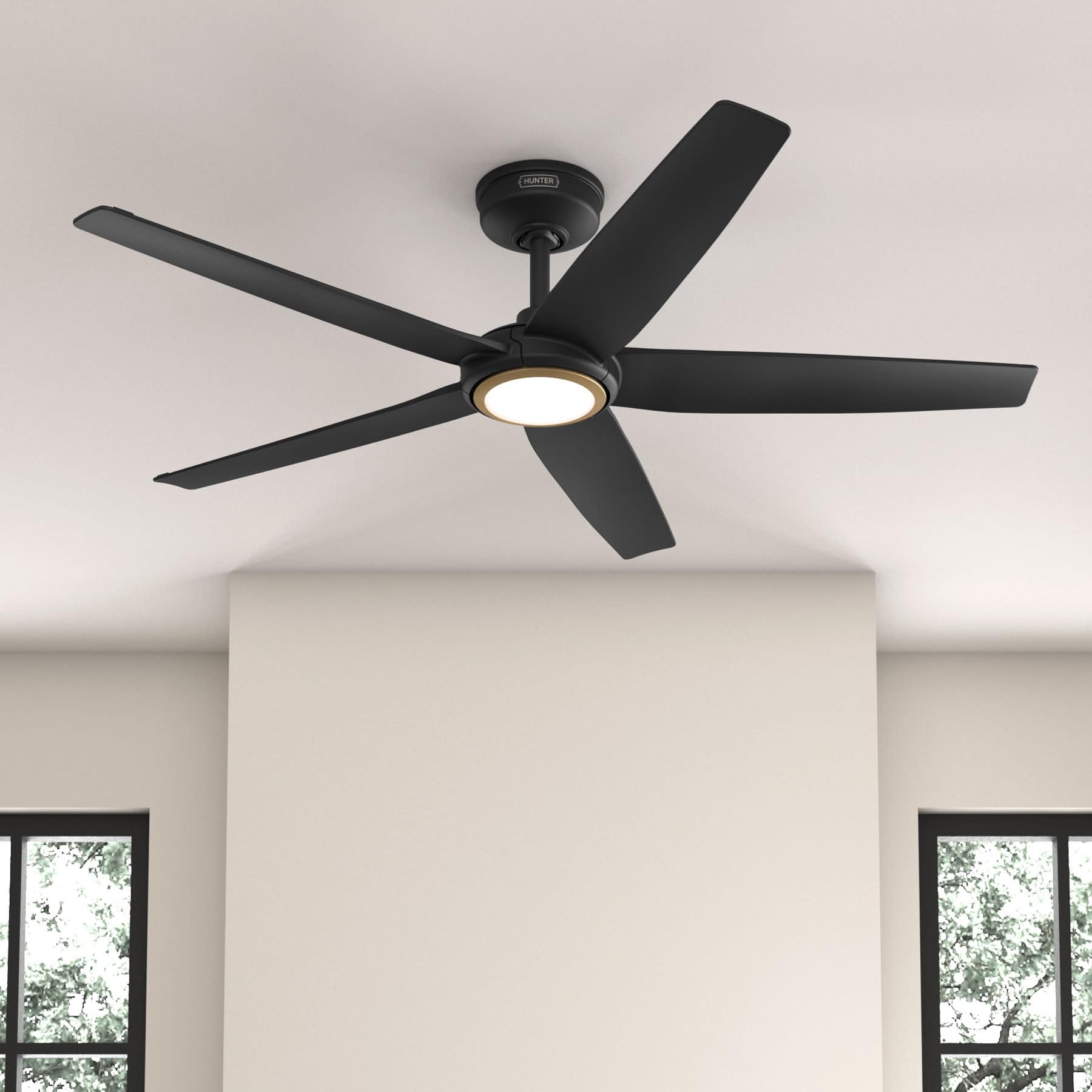
Figure 1: Hunter ZenTech 52 Inch Smart Ceiling Fan (Matte Black)
主な特徴:
- 高度なデザイン: Ultra-slim DC motor for powerful, quiet airflow and a modern aesthetic.
- スマートホーム統合: HunterSMART technology for app and voice control via Amazon Alexa, Google Assistant, and Apple HomeKit.
- 調整可能なLED照明: TrueLight LED offers 10 brightness levels and 10 color temperatures, protected by a durable Duralight lens.
- SureSpeed Guarantee: Delivers strong, consistent airflow with quiet, wobble-free performance.
- エネルギー効率: ENERGY STAR certified reversible 6-speed DC motor.
- Damp 評価: Suitable for indoor and covered outdoor areas.
2. 重要な安全上の注意事項
設置を始める前に、すべての指示をよくお読みください。指示に従わないと、感電、火災、または人身傷害につながる可能性があります。
- 設置または保守作業を行う前に、必ずメイン回路ブレーカーの電源を切ってください。
- すべての電気接続が地域の法令および条例に準拠していることを確認してください。電気配線に不慣れな場合は、資格のある電気技師にご相談ください。
- 取り付け構造はファンの重量 (約 14.11 ポンド) を支えられる必要があります。
- Do not bend blade brackets during installation or cleaning.
- ファンが作動しているときは、ファンの羽根に手を近づけないでください。
- このファンはamp-rated for use in covered outdoor areas but should not be exposed directly to water.
3. パッケージ内容
インストールを開始する前に、以下にリストされているすべてのコンポーネントがパッケージに含まれていることを確認してください。
- 天井ファンモーターハウジング
- 5ファンブレード
- Light Kit with Duralight Lens
- 6インチダウンロッド
- キャノピーと取り付けブラケット
- ハンドヘルドリモコン
- ハードウェアパック(ネジ、ワッシャー、ワイヤーナット)

Figure 2: ZenTech 52 Inch Fan Components
4.インストールガイド
Professional installation is recommended. Ensure the power is OFF at the circuit breaker before starting.
4.1 ファンの取り付け
- Secure the mounting bracket to the ceiling junction box. The junction box must be listed for fan support.
- Assemble the downrod (6-inch included, compatible with up to 24-inch downrods) to the fan motor housing.
- ファンアセンブリを取り付けブラケットから吊り下げます。
- Complete electrical wiring connections as per the wiring diagram provided in the full manual.
- ファンブレードをモーターハウジングに取り付けます。
- Install the light kit and Duralight lens.

Figure 3: ZenTech Fan installed in a covered outdoor space
5. 操作手順
The ZenTech fan can be operated using the included handheld remote control or through the HunterSMART app.
5.1リモコン操作
- ファンのオン/オフ: ファンボタンを押してファンのオン/オフを切り替えます。
- ファン速度: 速度ボタンを使用して、6 つのファン速度を切り替えます。
- ライトのオン/オフ: ライトボタンを押すとライトがオンまたはオフになります。
- 調光: Hold the light button to dim or brighten the light.
- 色温度: Press the color temperature button to cycle through different color temperatures (warm to cool).
- リバース機能: Press the reverse button to change the fan's direction for seasonal use.
5.2 LED Light Control (TrueLight Technology)
The TrueLight LED system allows for precise control over your lighting environment. You can select from 10 brightness levels and 10 color temperatures to match your preference.

Figure 4: TrueLight LED Technology for adjustable lighting
6. スマートホーム統合
The ZenTech fan features HunterSMART technology, enabling seamless integration with popular smart home ecosystems.
6.1 Connecting to HunterSMART App
- Download the HunterSMART app from your device's app store.
- Follow the in-app instructions to create an account and add your ZenTech fan.
- Ensure your fan is powered on and your mobile device is connected to a 2.4 GHz Wi-Fi network during setup.
6.2 音声制御の互換性
Once connected to the HunterSMART app, you can link your fan to:
- アマゾンアレクサ
- Googleアシスタント
- アップルホームキット
Refer to the respective smart home platform's instructions for linking smart devices.

Figure 5: HunterSMART Control Options
7. お手入れとメンテナンス
定期的なメンテナンスにより、天井ファンの最適なパフォーマンスと寿命が確保されます。
- クリーニング: Dust the fan blades and motor housing periodically with a soft, lint-free cloth. For damp-rated areas, wipe down with a slightly damp cloth, then dry thoroughly. Do not use abrasive cleaners or solvents.
- 気密性チェック: Annually, check all screws and connections for tightness. Vibrations can cause them to loosen over time.
- ライトキット: The LED light source is designed for long life and is not user-serviceable.
8. トラブルシューティングガイド
If you encounter issues with your ZenTech ceiling fan, refer to the table below for common problems and solutions.
| 問題 | 考えられる原因 | 解決 |
|---|---|---|
| ファンが始動しない | ファンに電源が供給されていません。配線の接続が緩んでいます。リモコンの電池残量が少なくなっています。 | 回路ブレーカーをチェックし、すべての配線接続が安全であることを確認し、リモコンの電池を交換します。 |
| ライトが点灯しない | No power to the light kit; Loose wire connection; Light kit malfunction. | Check circuit breaker; Verify light kit wiring; Contact customer support if LED is faulty. |
| ファンがぐらつく | Loose blades or blade holders; Improperly balanced blades; Loose mounting bracket. | Ensure all blade screws are tight; Use a blade balancing kit (not included); Tighten mounting bracket screws. |
| Smart features not connecting | Incorrect Wi-Fi network (not 2.4 GHz); Incorrect app setup; Router issues. | Ensure connection to 2.4 GHz Wi-Fi; Re-attempt app setup; Restart router and fan. |
9. 技術仕様
| 仕様 | 詳細 |
|---|---|
| ブランド | ハンター |
| モデル名 | ZenTech |
| モデル番号 | 53638 |
| サイズ | 52インチ |
| 色 | マットブラック |
| 製品寸法 | 奥行き52インチ x 幅52インチ x 高さ11.78インチ |
| アイテム重量 | 14.11 ポンド |
| ブレード数 | 5 |
| モータータイプ | DC |
| 速度の数 | 6 |
| 風量 | 毎分5443.94立方フィート |
| ワットtage | 17ワット |
| 巻tage | 120ボルト |
| 屋内/屋外での使用 | Indoor, Covered Outdoor (Damp 評価済み |
| 特集 | LED Light, Quiet Operation, Water Resistant, Wi-Fi Enabled |
| コントローラータイプ | アプリコントロール、リモートコントロール |
| 認定資格 | ETL、エネルギースター、FCC |
| ダウンロッドの長さ | 6インチ(付属) |
10. 保証情報
The Hunter ZenTech 52 Inch Smart Ceiling Fan is backed by Hunter's commitment to quality. It includes a limited lifetime motor warranty, ensuring long-term confidence in your product. For full warranty details and terms, please refer to the documentation included with your fan or visit the official Hunter Fan Company webサイト。
11. カスタマーサポート
If you require further assistance, have questions about installation, operation, or troubleshooting that are not covered in this manual, please contact Hunter Fan Company customer support. You can typically find contact information on the official Hunter Fan Company webサイトまたは製品パッケージ内に記載されています。