
1. はじめに
This manual provides detailed instructions for the assembly, operation, and maintenance of your VIVO Black TV Cabinet with Motorized Vertical Lift Television Stand (Model: CASE-KIT-EUP1B). This cabinet is designed to discreetly house a motorized TV lift, accommodating televisions from 32 to 55 inches and weighing up to 44 lbs. Please read this manual thoroughly before installation and use to ensure safe and correct operation.
2. 安全情報
重要な安全上の警告:
- Do not use the cabinet without the motorized TV lift properly installed.
- Ensure your television does not exceed the maximum weight capacity of 44 lbs (20 kg).
- Always follow all installation instructions carefully to prevent tip-over risks and ensure stability.
- Keep children and pets away from the moving parts of the TV lift during operation.
- Do not place hands or objects near the lift mechanism when it is in motion.
- メンテナンスや調整を行う前に電源を切ってください。
3. 含まれるもの
組み立てを始める前に、下記のすべての部品が揃っていることを確認してください。部品が不足または破損している場合は、カスタマーサポートまでご連絡ください。

図 3.1: 含まれるコンポーネント。 This image displays the main components: the TV cabinet, the motorized TV mount, and the remote control.
- TV Cabinet (Black)
- 電動テレビリフト機構
- RFリモートコントロール
- 組み立てに必要なすべてのハードウェア
- Step-by-step instruction manual (this document)
4. セットアップと組み立て
Assembly of the VIVO TV Cabinet and motorized lift requires careful attention to detail. It is recommended to have two people for certain steps due to the weight and size of the components. All hardware is provided. Refer to the included hardware bags and diagrams for specific part identification.
4.1 内閣議会
Follow the diagrams provided in the separate assembly guide for the cabinet structure. Ensure all panels are securely fastened. The cabinet measures 56.9” x 16.7” x 34.3” (outside) and 55.4" x 13.7" x 32.8" (inside).

Figure 4.1: Cabinet Dimensions. This diagram illustrates the overall maximum height of 75.1 inches when the TV is fully extended, and the cabinet dimensions.
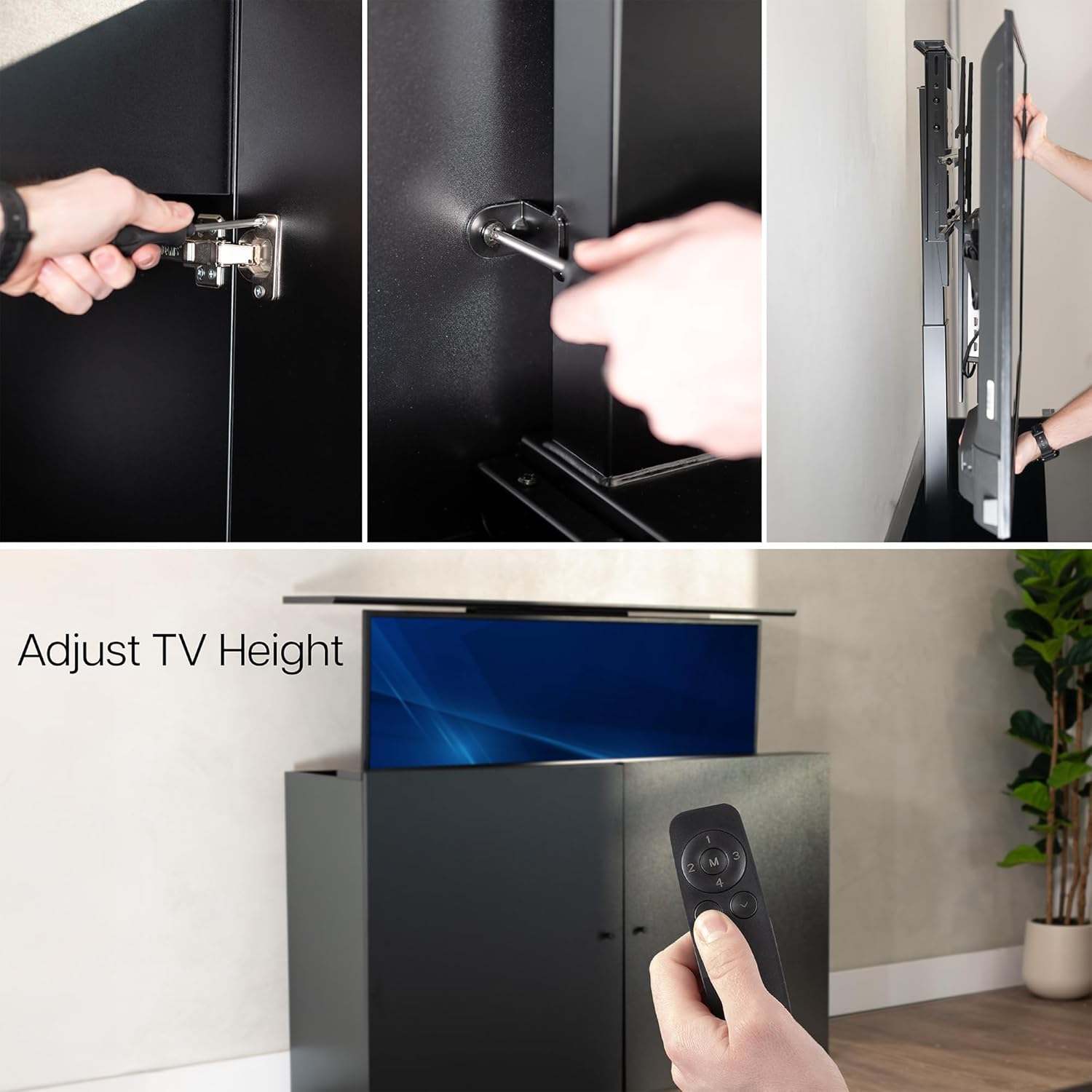
図4.2: 内部 View with Decorative Doors. The cabinet features decorative doors that conceal the TV and lift mechanism when closed.
4.2 Motorized Lift Installation
The motorized lift must be installed inside the cabinet for maximum stability. It is not designed for freestanding use. Secure the lift mechanism to the designated points within the cabinet using the provided hardware.
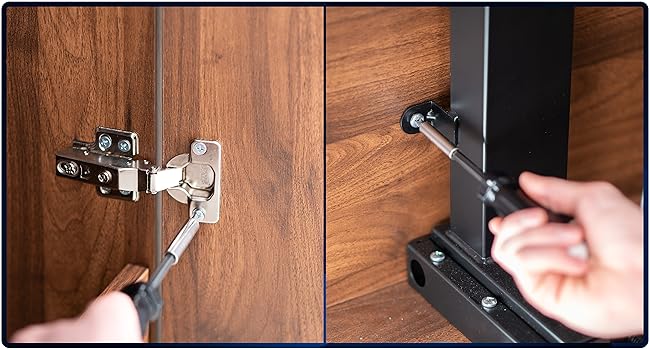
Figure 4.3: Attaching Doors and Securing Mount. This image demonstrates the process of attaching the cabinet doors and securing the TV lift mount within the cabinet.
4.3 TV Mounting
Attach your TV to the VESA mounting plate on the lift mechanism. This mount is compatible with VESA patterns including 75x75, 100x100, 200x200, 300x200, 400x200, 200x300, 300x300, 400x300, 200x400, 300x400, 400x400, 400x600, 600x400, and 600x600. Ensure the TV is centered and securely fastened.
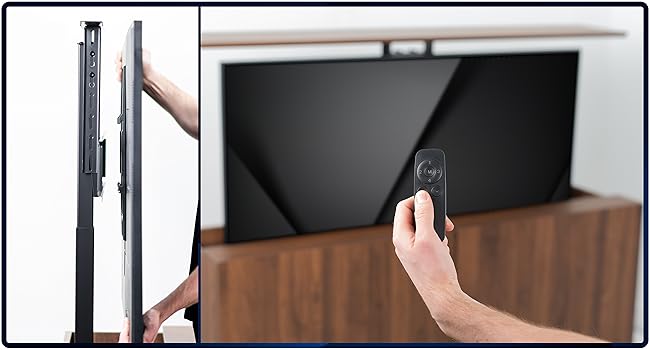
Figure 4.4: Mounting the Television. This image shows the final step of mounting the TV to the lift mechanism.
The cabinet is designed for TVs between 32 to 55 inches and a maximum weight of 44 lbs. The total weight capacity (TV + mount) is 78 lbs.
5. 操作手順
The motorized TV lift is operated using the included RF remote control. The remote allows for simple up-and-down functions and features 4 memory settings for preferred viewing の高さ。
5.1リモコン機能
- 上/下矢印: 押すとテレビが上がったり下がったりします。
- Memory Settings (M1, M2, M3, M4): Press and hold a memory button to save the current TV height. Briefly press a saved memory button to recall that height.
- The RF remote operates up to 30 feet away from the mount.

Figure 5.1: Easy Adjustment with Remote. The remote control allows for convenient adjustment of the TV's height.

Figure 5.2: Adjusting TV Height. This image demonstrates the TV lift in action, raising the television from its concealed position.

Figure 5.3: Hidden TV System in Operation. The TV cabinet allows for a hidden TV system, revealing the screen only when desired.
6. メンテナンス
To ensure the longevity and proper function of your TV cabinet and lift:
- クリーニング: キャビネットの表面を柔らかくて乾いた布で拭いてください。amp 布で拭いてください。刺激の強い化学薬品や研磨剤入りの洗剤は使用しないでください。
- リフト機構: Periodically check the lift mechanism for any obstructions or loose connections. Do not lubricate the mechanism unless specifically instructed by VIVO support.
- ハードウェア: 時々、すべてのネジとボルトがしっかりと締まっているかどうかを確認してください。
7。 トラブルシューティング
If you encounter issues with your VIVO TV Cabinet and Lift, refer to the following common solutions:
| 問題 | 考えられる原因 | 解決 |
|---|---|---|
| TV lift does not respond to remote. | Remote batteries are dead or incorrectly inserted. Power cable is disconnected. | Replace remote batteries. Check power connection to the lift mechanism. Ensure the power outlet is functional. |
| TV lift moves unevenly or makes unusual noises. | Obstruction in the lift path. Loose mounting hardware. | Inspect the lift path for any objects. Tighten all TV and lift mounting hardware. If the issue persists, contact customer support. |
| Top panel is misaligned when lowered. | Cabinet or lift assembly issue. | Recheck the alignment of the top panel and its attachment points. Ensure the lift mechanism is correctly seated within the cabinet. If necessary, contact customer support for guidance. |
8. 仕様
| 特徴 | 詳細 |
|---|---|
| モデル番号 | CASE-KIT-EUP1B |
| 色 | 黒 |
| 材料 | 合金鋼、エンジニアリングウッド |
| TVサイズの互換性 | 32~55インチ |
| テレビの最大重量容量 | 44ポンド(20kg) |
| Total Weight Capacity (TV + Mount) | 78ポンド(35.4kg) |
| VESA 取り付けパターン | 75x75, 100x100, 200x200, 300x200, 400x200, 200x300, 300x300, 400x300, 200x400, 300x400, 400x400, 400x600, 600x400, 600x600 |
| Outside Cabinet Dimensions (L x W x H) | 56.9インチx16.7インチx34.3インチ(144.5 cm x 42.4 cm x 87.1 cm) |
| Inside Cabinet Dimensions (L x W x H) | 55.4インチx13.7インチx32.8インチ(140.7 cm x 34.8 cm x 83.3 cm) |
| アイテム重量 | 76.2ポンド(34.6kg) |
| 含まれるコンポーネント | Motorized TV Stand, Remote Control |
9.保証とサポート
保証: 本製品には3年間のメーカー保証が付いています。保証請求の際は、購入証明書を保管してください。
カスタマーサポート: For assembly assistance, technical questions, or to report missing/damaged parts, please contact VIVO customer support. Step-by-step video guides are also available for further clarification on assembly.
VIVO is committed to providing high-quality support and hassle-free returns. Our U.S.-based sales and technical support team is available to assist you.


