
1. はじめに
This manual provides essential information for the proper use and maintenance of your realme 16 Pro 5G Unlocked Smartphone. Please read this guide thoroughly before operating your device to ensure optimal performance and longevity. Keep this manual for future reference.
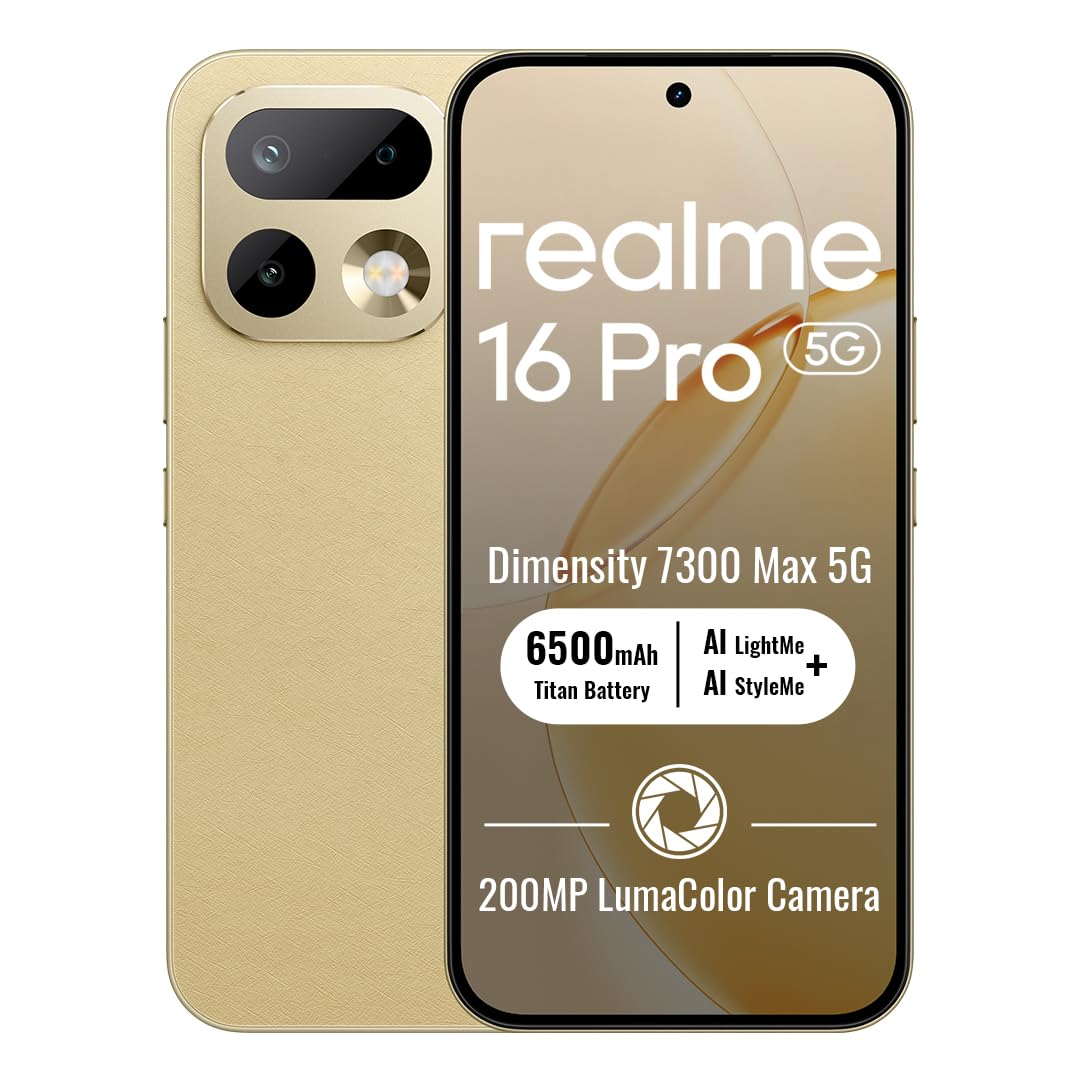
Image: The realme 16 Pro 5G smartphone, showcasin洗練されたデザインとカメラモジュールが特徴です。
2. 箱の中身
パッケージにすべてのアイテムが揃っていることを確認します。
- realme 16 Pro 5Gスマートフォン
- USBケーブル
- 携帯ケース
- クイックスタートガイド
- SIMトレイイジェクター
3. セットアップ
3.1. SIMカードのインストール
- デバイスの側面にある SIM カード トレイを見つけます。
- SIM トレイ取り出しツールをトレイの横にある小さな穴に挿入し、トレイが飛び出すまで軽く押します。
- Nano-SIMカードまたはmicroSDカード(対応している場合)を、金色の接点を下にしてトレイに挿入してください。正しい向きに挿入してください。
- カチッと音がするまでトレイを慎重にデバイスに再挿入します。
3.2.電源のオン/オフ
- 電源を入れるには: realme ロゴが表示されるまで電源ボタンを押し続けます。
- 電源を切るには: 電源ボタンを長押しし、画面上のオプションから「電源を切る」を選択します。
- 再起動します: 電源ボタンを長押しし、オプションから「再起動」を選択します。
3.3. 初期設定
Upon first power-on, follow the on-screen instructions to configure your device. This includes selecting your language, connecting to Wi-Fi, setting up your Google account, and configuring security features like face recognition.
4. 操作手順
4.1. 基本的なナビゲーション
- 触る: アイコンをタップしてアプリを開いたり、項目を選択したりします。
- スワイプ: Slide your finger across the screen to scroll, switch screens, or access quick settings.
- ピンチ: 2本の指を使って写真を拡大または縮小し、 web ページ。
- 長押し: 項目を長押しすると、さらにオプションが表示されたり、項目を移動したりできます。
4.2. Buttons Overview
- 電源ボタン: Located on the right side. Press to turn the screen on/off, long press for power options.
- 音量ボタン: 左側にあります。押すと、メディアの音量、通話の音量、または通知の音量を調整できます。
4.3. 接続性
- Wi-Fi: 利用可能なネットワークに接続するには、[設定] > [ネットワークとインターネット] > [Wi-Fi] に移動します。
- ブルートゥース: Bluetooth アクセサリとペアリングするには、[設定] > [接続済みのデバイス] > [Bluetooth] に移動します。
- モバイルデータ: [設定] > [ネットワークとインターネット] > [モバイル ネットワーク] で、SIM カードがアクティブであり、モバイル データが有効になっていることを確認します。
4.4. カメラ機能
The realme 16 Pro 5G features an advanced camera system designed for high-quality photography and videography.
- 200MPメインカメラ: Capture highly detailed photos with the primary rear sensor.
- 50MPフロントカメラ: For crisp, natural selfies with HDR support.
- AI Imaging: Advanced algorithms enhance image quality, dynamic range, and low-light performance.
- 4K HDRビデオ: Record ultra-clear videos with enhanced dynamic range.

画像: 詳細 view of the realme 16 Pro 5G camera system, emphasizing the 200MP main camera and 50MP selfie camera capabilities.
Image: The realme 16 Pro 5G camera system, showcasing its 200MP main camera and 50MP front camera, with details on LumaColor IMAGE processing for skin tone, light, shadow, portrait, and background optimization.
4.5. 表示機能
Experience an immersive visual experience with the realme 16 Pro 5G's advanced display.
- 144Hz AMOLED Display: Enjoy smooth scrolling, gaming, and vibrant colors.
- 高輝度: Ensures clear visibility even in direct sunlight.
- 高解像度: 2772 x 1272 pixels for sharp images and text.

Image: The realme 16 Pro 5G display, highlighting its 144Hz AMOLED technology, 6500nit peak brightness, DC Mode Dimming, 94% screen-to-body ratio, Netflix HDR, HDR 10+ certification, and 3000Hz instantaneous touch response.
4.6. バッテリーと充電
The realme 16 Pro 5G is equipped with a large battery and fast charging technology.
- 7000mAhバッテリー: Provides extended usage time for daily activities.
- 80W SuperVOOC Fast Charging: Charge from 0 to 48% in approximately 10 minutes, and fully charge in about 35 minutes.

Image: Illustration of the realme 16 Pro 5G's battery, showing 45W Fast Charge, Reverse Charge, Bypass Charge, and 6 Years Battery Health. Note: Product specifications state 80W SuperVOOC charging and 7000mAh battery capacity.
4.7. Performance and Durability
The device is built for powerful performance and robust durability.
- MediaTek Dimensity 7300 Max 5G Chipset: Ensures smooth multitasking, gaming, and overall efficient performance.
- IP69防水・防塵性能: Provides high-level protection against water jets and dust, ensuring durability in various environments.

Image: Close-up of the MediaTek Dimensity 7300 Max 5G chipset, highlighting its performance capabilities with an AnTuTu Benchmark score of 971755, 120FPS for mainstream games, and GT Boost for peak gaming performance.

Image: The realme 16 Pro 5G submerged in water, illustrating its IP69 Pro-level Water Resistance, capable of withstanding 8-10 MPa maximum water pressure and 80°C extreme water temperature.
5. メンテナンス
5.1.デバイスのクリーニング
- 画面と本体を清掃するには、柔らかく糸くずの出ない布を使用してください。
- 強力な化学薬品、研磨材、エアゾールスプレーの使用は避けてください。
- 頑固な汚れには、軽くamp布に水または電子機器用のスクリーンクリーナーを含ませて拭いてください。
5.2. ソフトウェアの更新
Regularly check for and install software updates to ensure your device has the latest features, security patches, and performance improvements. Go to Settings > About phone > Software update.
5.3. バッテリーのお手入れ
- 極端な温度はバッテリー寿命を縮める可能性があるため、避けてください。
- デバイスに付属の純正充電器とケーブルのみを使用してください。
- デバイスの充電が 100% に達した後、長時間放置しないでください。
6。 トラブルシューティング
6.1. デバイスの電源が入らない
- バッテリーが充電されていることを確認してください。充電器を接続し、数分間待ってから電源を入れてください。
- 強制的に再起動するには、電源ボタンを 10 ~ 15 秒以上押し続けます。
6.2. 画面が反応しない
- 電源ボタンを押してデバイスを再起動します。
- 画面がまだ反応しない場合は、工場出荷時設定にリセットしてみてください (注意: これによりすべてのデータが消去されます)。
6.3. ネットワークの問題
- SIM カードが正しく挿入されているかどうかを確認してください。
- 機内モードのオン/オフを切り替えます。
- デバイスを再起動します。
- Verify your network settings (Settings > Network & internet > Mobile network).
6.4. アプリがクラッシュまたはフリーズする
- アプリを閉じて再度開きます。
- アプリのキャッシュとデータを消去します(設定 > アプリ > [アプリ名] > ストレージとキャッシュ)。
- Google Play ストアからアプリを最新バージョンに更新してください。
7. 仕様
| 特徴 | 詳細 |
|---|---|
| ブランド | リアルミー |
| モデル名 | リアルミー16プロ |
| オペレーティング·システム | アンドロイド16 |
| RAMメモリインストールサイズ | 8ギガバイト |
| メモリストレージ容量 | 256ギガバイト |
| CPUモデル | MediaTek Dimensity 7300 Max 5G Chipset |
| CPU速度 | 2.5GHz帯 |
| 表示タイプ | アモルファス |
| リフレッシュレート | 144Hz |
| 解決 | 2772 x 1272ピクセル/インチ |
| Rear Facing Camera Photo Sensor Resolution | 200 MP |
| Front Photo Sensor Resolution | 50 MP |
| バッテリー容量 | 7000ミリamp 営業時間 |
| 充電技術 | 80W SuperVOOC急速充電 |
| 耐水性レベル | IP69防水 |
| セルラーテクノロジー | 5G |
| 接続技術 | Bluetooth, USB Type C, Wi-Fi |
| SIMカードスロット数 | デュアルSIM |
| アイテム重量 | 120グラム |
8. 保証とサポート
8.1. 保証情報
Your realme 16 Pro 5G smartphone comes with a 1年間のメーカー保証. This warranty covers defects in materials and workmanship under normal use. For specific terms and conditions, please refer to the warranty card included in your product packaging or visit the official realme webサイト。
8.2. カスタマーサポート
For further assistance, technical support, or service inquiries, please contact realme customer service or visit the official realme support channels:
- オンラインサポート: 訪問する Amazonのrealmeストア or the official realme webサイト。
- サービスセンター: Locate authorized realme service centers in your region for in-person support.