
1. はじめに
The DNT Optics Zulus 4K 3-24X Digital Day Night Vision Scope is an advanced optical system designed for versatile use in various lighting conditions. Featuring a Sony 4K STARVIS 2 CMOS sensor, a 50mm f/1.8 ED glass lens, and an integrated laser rangefinder with DNT Ballistic Engine, this scope delivers high-resolution imaging and precise targeting capabilities for both day and night operations.
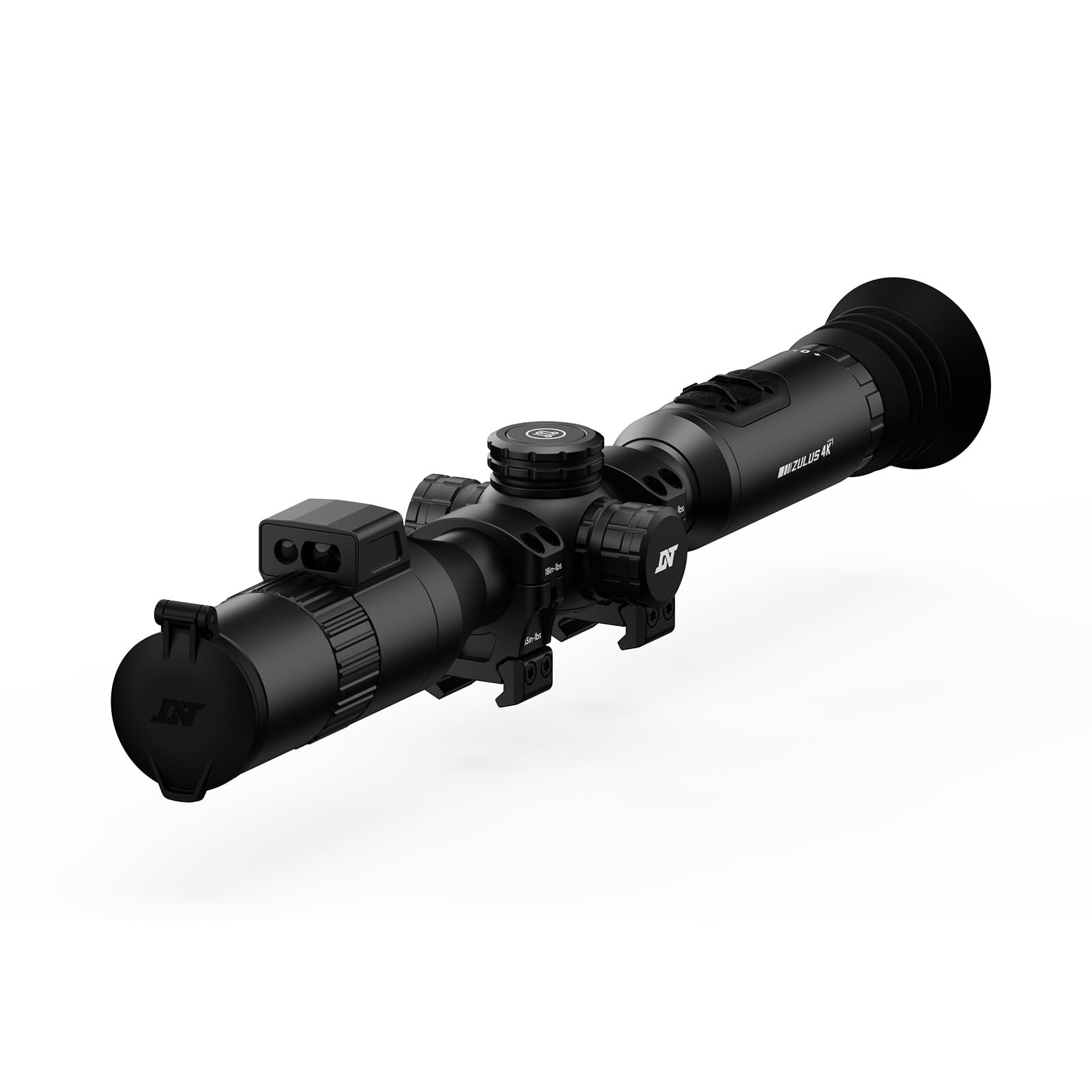
Image: The DNT Optics Zulus 4K Digital Day Night Vision Scope, showcasin洗練された黒のデザイン。
2. パッケージ内容
Upon opening your DNT Optics Zulus 4K package, ensure all items listed below are present and in good condition. If any items are missing or damaged, please contact DNT Optics customer support.
- Zulus 4K Digital Day Night Vision Scope (x1)
- 30mm Scope Rings (x2)
- Sunshade (x1)
- Flip Up Cover (x1)
- Eye Cup (x1)
- レンズクリーニングクロス(1枚)
- ユーザーマニュアル (x1)
- クイックスタートガイド(x1)
- Data Cable (USB-C) (x1)
- 21700 Battery Pack (x1)
Video: An unboxing video demonstrating the contents of the DNT Optics Zulus 4K package, including the scope, accessories, and documentation.
3. セットアップ
3.1. バッテリーの取り付け
- Locate the battery compartment cap, typically on the side or top of the scope.
- キャップを反時計回りに回して外します。
- Insert the provided 21700 flat-top battery, ensuring correct polarity.
- しっかりと固定されるまで、キャップを時計回りに回して締めます。
3.2. スコープの取り付け
The Zulus 4K is designed to fit standard 30mm mounting setups. Use the included 30mm scope rings for installation.
- Attach the scope rings to your rifle's Picatinny rail or compatible mounting system.
- Place the Zulus 4K scope into the rings, ensuring proper eye relief and alignment.
- Secure the top halves of the scope rings, tightening screws evenly to the manufacturer's recommended torque specifications (35 in-lbs indicated on rings).

Image: The DNT Optics Zulus 4K Digital Day Night Vision Scope securely mounted on a rifle, ready for use.
3.3. Attaching Sunshade and Eye Cup
- サンシェード: Thread the sunshade onto the objective lens (front) of the scope.
- アイカップ: Thread the eye cup onto the eyepiece (rear) of the scope.
- Ensure both accessories are securely attached to prevent accidental detachment during use.

Image: The DNT Optics Zulus 4K scope with its sunshade and eye cup attached, enhancing usability and protection.
4. 操作
4.1. Powering On/Off & Standby
- 電源オン/オフ: Long press the Power button to turn the unit on or off.
- スタンバイモード: Short press the Power button to enter or exit standby mode, conserving battery life when not actively in use.
4.2. 昼モードと夜モード
The Zulus 4K offers seamless transition between day and night vision modes.
- スイッチングモード: Long press the Day/Night button to switch between day and night vision modes.
- 明るさ調整: Short press the Day/Night button to adjust screen brightness levels.

Image: Visual representation of the Zulus 4K's performance, showcasing clear imaging in both bright daylight and low-light moonlight conditions.
4.3. Magnification and Digital Zoom
The scope features 3-24x magnification with up to 6x lossless digital zoom for precise targeting.
- 倍率の調整: Rotate the Magnification Ring to zoom in or out.
- 4K-30FPS Mode: Provides over 8 million pixels for detailed viewing with 3-24x zoom.
- 1080P-60FPS Mode: Offers smooth, high-speed footage with 3-12x zoom for tracking fast-moving targets.
4.4. Laser Rangefinder and Ballistic Engine
The integrated Laser Rangefinder (LRF) provides instant, precise ranging from 5 to 1300 yards. The DNT Ballistic Engine resolves complex trajectories and projects the ballistic solution directly into your view.
- Activating LRF: Short press the Ranging button to activate the laser rangefinder and display distance.
- Ballistic Solution: With ballistic data synced via the DNT App, the scope will display the holdover point on the reticle.

Image: A hunter using the DNT Optics Zulus 4K, highlighting the active laser rangefinder beam for precise distance measurement.
4.5. Recording and Picture-in-Picture (PIP)
- 手動録音: Short press the Record button to start/end video recording.
- Recoil Activated Recording (RAV): Long press the Record button to activate RAV. The scope will automatically record video when recoil is detected.
- ピクチャーインピクチャー: Access PIP settings via the menu to display a magnified view in a smaller window on the screen.
4.6. メニューナビゲーションと設定
- アクセスメニュー: Long press the Menu button to enter the settings menu.
- ナビゲート: Use the Magnification Ring to scroll through menu options.
- 選択/確認: Short press the Menu button to select an option.
- 出口: Long press the Menu button to exit the menu.
- Reticle Settings: Customize reticle type and color within the menu.
- ゼロ化プロfiles: Set and save multiple zeroing profiles for different firearms or ammunition types.
5. メンテナンス
5.1. レンズのクリーニング
Regularly clean the lenses to ensure optimal image clarity.
- Use the provided lens cleaning cloth or a soft, lint-free cloth.
- Gently wipe the lens surfaces to remove dust and smudges. Avoid abrasive materials or harsh chemicals.
5.2. 環境保護
The Zulus 4K is built for durability in challenging conditions.
- IP67 評価: The scope is IP67 waterproof and dustproof, providing protection against immersion in water up to 1 meter for 30 minutes and complete dust ingress.
- Recoil Rating: Recoil-rated up to .50 BMG, ensuring robust performance with high-caliber firearms.
6。 トラブルシューティング
If you encounter issues with your DNT Optics Zulus 4K, refer to the following common troubleshooting steps:
| 問題 | 考えられる原因 | 解決 |
|---|---|---|
| デバイスの電源が入らない | Low or depleted battery; Incorrect battery installation | 付属のUSB-Cケーブルを使用してバッテリーを充電してください。バッテリーが正しい極性で挿入されていることを確認してください。 |
| 画質が悪い | Dirty lenses; Incorrect focus; Extreme environmental conditions | Clean lenses with the provided cloth. Adjust the focus ring. Ensure proper day/night mode is selected for current lighting. |
| レーザー距離計が動作しない | Obstruction in front of LRF; Out of range; Software glitch | Ensure LRF is clear of obstructions. Confirm target is within 5-1300 yard range. Restart the device. |
| DNT App connectivity issues | Wi-Fi disabled on scope or phone; Incorrect password | Ensure Wi-Fi is enabled on both devices. Verify the correct Wi-Fi password. Restart both devices. |
7. 仕様
- センサー: Sony 1/1.8" 4K STARVIS 2 CMOS
- レンズ: 50mm f/1.8 ED (Extra-low Dispersion) glass
- 倍率: 3~24倍
- デジタルズーム: Up to 6x lossless
- ビデオ解像度: 4K-30FPS, 1080P-60FPS
- 内部ストレージ: 64ギガバイト
- バッテリー: Replaceable 21700 flat-top battery (up to 6 hours operation)
- Laser Rangefinder Range: 5-1300ヤード
- チューブ径: 30mm
- 重さ: 24.3オンス
- 防水/防塵定格: IP67
- Recoil Rating: Up to .50 BMG
- アイレリーフ: 65mm(2.6インチ)
- 対応デバイス: ライフル、ショットガン
8.保証とサポート
8.1. 保証情報
The DNT Optics Zulus 4K comes with a 2年間のメーカー保証この保証は、通常の使用状況における材料および製造上の欠陥を対象としています。保証請求の際は、購入証明書を保管してください。
8.2. カスタマーサポート
For technical assistance, warranty claims, or general inquiries, please contact DNT Optics customer support. You can also utilize the DNT App to sync ballistic data, view live video feeds, manage your album, and share your adventures.
- DNT App: Available for download on your smartphone.
- オンラインリソース: Visit the official DNT Optics webFAQ、更新されたマニュアル、サポート連絡先情報が記載されたサイトです。

Image: A smartphone displaying the DNT App interface, connected to the Zulus 4K scope for enhanced control and data management.


