
1. はじめに
Welcome to the FOSSIBOT S5 Pro user manual. This guide provides essential information to help you set up, operate, maintain, and troubleshoot your new Android 15 smartphone. The FOSSIBOT S5 Pro combines powerful performance with a durable design, featuring a large display, advanced camera system, and long-lasting battery.
2. 箱の中身
Upon opening your FOSSIBOT S5 Pro package, please ensure all items are present:
- 1 x FOSSIBOT S5 Pro Cellphone
- ユーザーマニュアルと保証書 x 1
- SIMカードピン×1
- 1 x USB Cable (Type-C, 2A)
- 電源アダプター(5V2A)×1
- 保護ケース x 1
- クイックスタートガイド x 1

Image: Contents of the FOSSIBOT S5 Pro retail package, including the phone, charger, cable, and documentation.
3. 初期設定
3.1. SIMカードのインストール
- Locate the SIM card tray on the side of your FOSSIBOT S5 Pro.
- 付属の SIM カード ピンをトレイの横にある小さな穴に挿入し、トレイが出てくるまでゆっくりと押します。
- Place your Nano-SIM card(s) and/or microSD card (up to 2TB) into the tray, ensuring correct orientation.
- トレイを慎重に電話機に再度挿入します。
注記: The FOSSIBOT S5 Pro supports Dual SIM functionality. It is compatible with T-Mobile but not AT&T SIM cards. Supported frequency bands include GSM 850/900/1800/1900, WCDMA B1/2/4/5/8, FDD B1/2/3/4/5/7/8/12/17/18/19/20/25/26/28AB/66, and TDD 38/39/40/41.

Image: Close-up of the FOSSIBOT S5 Pro's SIM card tray, showing slots for two Nano-SIM cards and a microSD card for expandable storage up to 2TB.
3.2. 初期充電
Before first use, it is recommended to fully charge your device. Connect the USB cable to the phone's Type-C port and the power adapter, then plug the adapter into a wall outlet. The 6000mAh battery provides extended usage time.

Image: Illustration of the FOSSIBOT S5 Pro's internal battery, highlighting its 6000mAh capacity and charging capabilities.
3.3. 電源のオン/オフ
- To power on: Press and hold the Power button (usually on the right side) until the FOSSIBOT logo appears.
- 電源を切るには: 電源ボタンを長押しし、画面上のオプションから「電源を切る」を選択します。
4. デバイスの操作
4.1. ディスプレイとユーザーインターフェース
The FOSSIBOT S5 Pro features a 6.88-inch HD+ display with a resolution of 720x1640 pixels and a 120Hz refresh rate for smooth visuals. It runs on the native Android 15 operating system, offering a cutting-edge and intuitive user experience.

Image: The FOSSIBOT S5 Pro's 6.88-inch HD+ display with a 120Hz refresh rate, showcasin鮮やかなビジュアル。
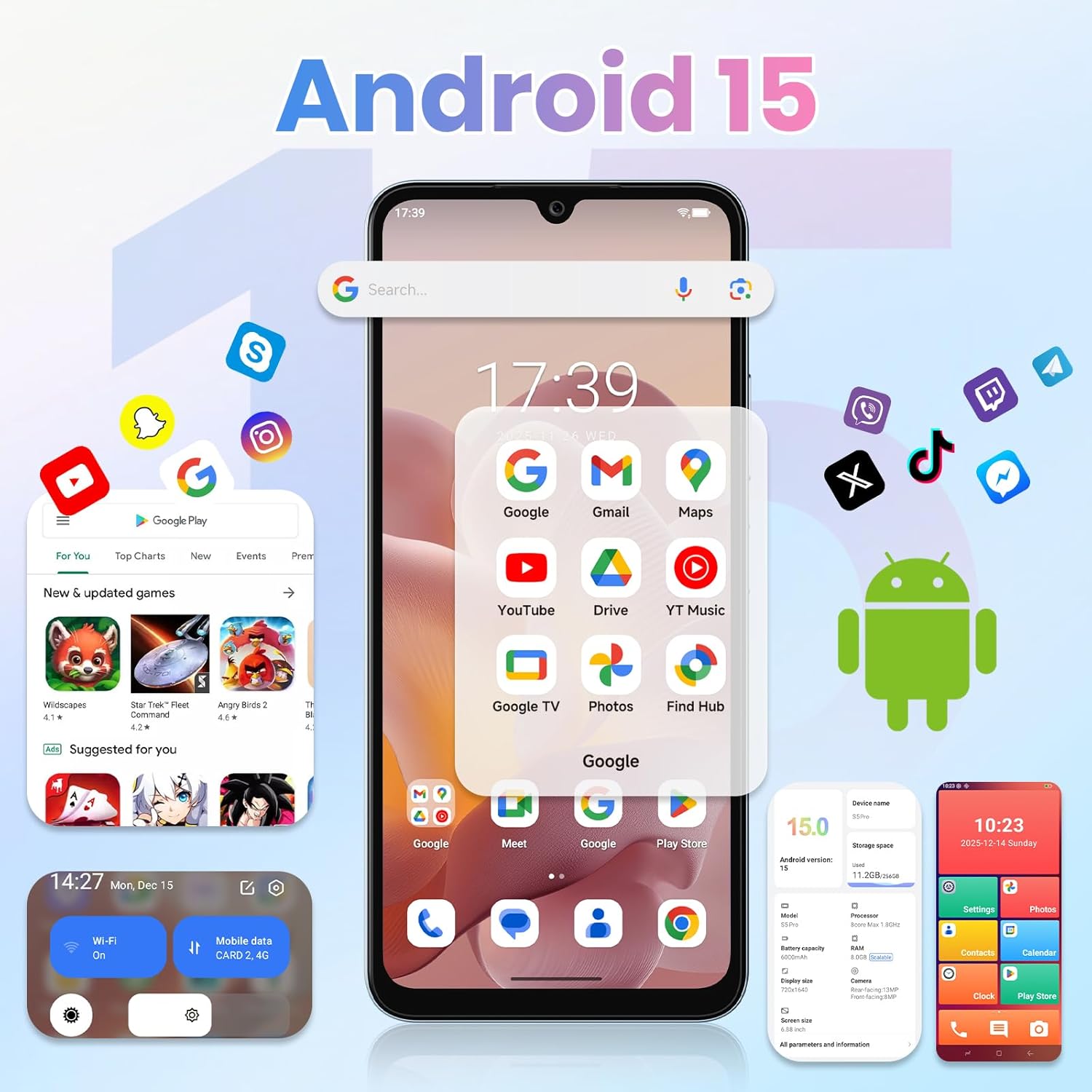
Image: The FOSSIBOT S5 Pro displaying the Android 15 user interface with various applications.
4.2. パフォーマンスとストレージ
Equipped with 32GB of RAM (8GB physical + 24GB virtual) and 256GB of internal storage, expandable up to 2TB via microSD, the S5 Pro handles multitasking and demanding applications with ease. The Octa-core Unisoc T615 processor ensures smooth operation.

Image: Visual representation of the FOSSIBOT S5 Pro's performance, highlighting 32GB RAM, 256GB ROM, and the Unisoc Octa-core processor.
4.3. カメラシステム
Capture high-quality photos and videos with the 50MP primary camera and 8MP ultra-wide dual-camera setup. The phone supports 4K HDR video recording and features enhanced night photography. The 8MP front camera is ideal for clear selfies and video calls.

Image: The FOSSIBOT S5 Pro's rear camera module with 50MP main sensor and 8MP front camera, demonstrating photo capabilities.
4.4. Gemini AIの機能
The integrated Gemini AI 2026 localized model offers advanced smart experiences, including real-time multilingual translation, intelligent image composition, and document scanning.

画像: Examples of Gemini AI features on the FOSSIBOT S5 Pro, such as smart chat, image creation, video creation, and coding assistance.
4.5. セキュリティと接続性
Unlock your device quickly and securely using the fingerprint unlock feature. The S5 Pro supports Bluetooth, USB, Wi-Fi 6, and GPS+GLONASS+Beidou+Galileo for reliable navigation and connectivity.
5. メンテナンス
5.1. 耐久性と保護
The FOSSIBOT S5 Pro boasts IP68 water and dust resistance, making it suitable for outdoor use and protection against splashes and dust. While durable, avoid intentional submersion or exposure to high-pressure water jets.
5.2. 一般的なケア
- 柔らかく乾いた布で拭いてデバイスを清潔に保ってください。
- 携帯電話を長時間、極端な温度や直射日光にさらさないでください。
- Use only FOSSIBOT-approved accessories for charging and connectivity.
6。 トラブルシューティング
If you encounter issues with your FOSSIBOT S5 Pro, try the following basic troubleshooting steps:
- デバイスが応答しません: 電源ボタンを約 10 ~ 15 秒間押し続け、強制的に再起動します。
- 充電に関する問題: Ensure the USB cable and power adapter are securely connected and functioning correctly. Try a different outlet or charger.
- ネットワーク接続の問題: Check if your SIM card is properly inserted. Verify that mobile data or Wi-Fi is enabled. Restart your phone.
- アプリがクラッシュする: 「設定」>「アプリ」で、問題のあるアプリのキャッシュとデータを消去してください。問題が解決しない場合は、アプリをアンインストールして再インストールしてください。
- パフォーマンスが遅い: 不要なバックグラウンドアプリを閉じてください。キャッシュデータを定期的に消去してください。最後の手段として、工場出荷時設定へのリセットを検討してください(事前にデータをバックアップしてください)。
さらに詳しいサポートについては、「保証とサポート」セクションを参照してください。
7. 仕様
| 特徴 | 詳細 |
|---|---|
| モデル名 | S5プロ |
| ブランド | フォシボット |
| オペレーティング·システム | アンドロイド15 |
| ラム | 32 GB (物理 8 GB + 仮想 24 GB) |
| メモリストレージ容量 | 256 GB(最大2TBまで拡張可能) |
| 画面サイズ | 6.88インチ |
| 解決 | 720x1640 |
| リフレッシュレート | 120Hz |
| CPU速度 | オクタコア(Unisoc T615) |
| バッテリー容量 | 6000ミリamp 営業時間 |
| 電話通話時間 | 43時間 |
| 電話のスタンバイ時間(データあり) | 180時間 |
| 充電時間 | 180 Hours (Standby time, not full charge time) |
| 接続技術 | Bluetooth, USB, Wi-Fi6 |
| GPS | 真(GPS+GLONASS+北斗+ガリレオ) |
| 特集 | Built-In GPS, Dual SIM, Expandable Memory, Octa Core Processor, Water Resistant (IP68) |
| オーディオジャック | 3.5ミリメートル |
| アイテム重量 | 9オンス |
| 製品寸法 | 0.03 x 0.01 x 0.07インチ |
| 無線通信事業者 | T-Mobile(AT&Tではありません) |
8.保証とサポート
Your FOSSIBOT S5 Pro comes with a 2年間保証. For any inquiries or assistance, FOSSIBOT provides 24/7 online after-sales support with real-time response.
For more information or to contact support, please visit the official FOSSIBOT webサイトをご覧いただくか、パッケージに同梱されている保証カードを参照してください。
また、 AmazonのFOSSIBOTストア.
9. 製品ビデオ
FOSSIBOT F105 Rugged Smartphone Overview
Video: This video showcases the FOSSIBOT F105 Rugged Smartphone, highlighting its durability and features. While not the S5 Pro, it demonstrates the brand's commitment to robust phone design, which aligns with the S5 Pro's IP68 rating and other rugged features.