
1. はじめに
The GAN i Carry 4 is a Bluetooth-enabled 3x3 magnetic speed cube designed for enhanced solving experiences. It connects to the CubeStation app, offering real-time tracking, training, and online competition features. This manual provides essential information for setting up, operating, and maintaining your smart cube.
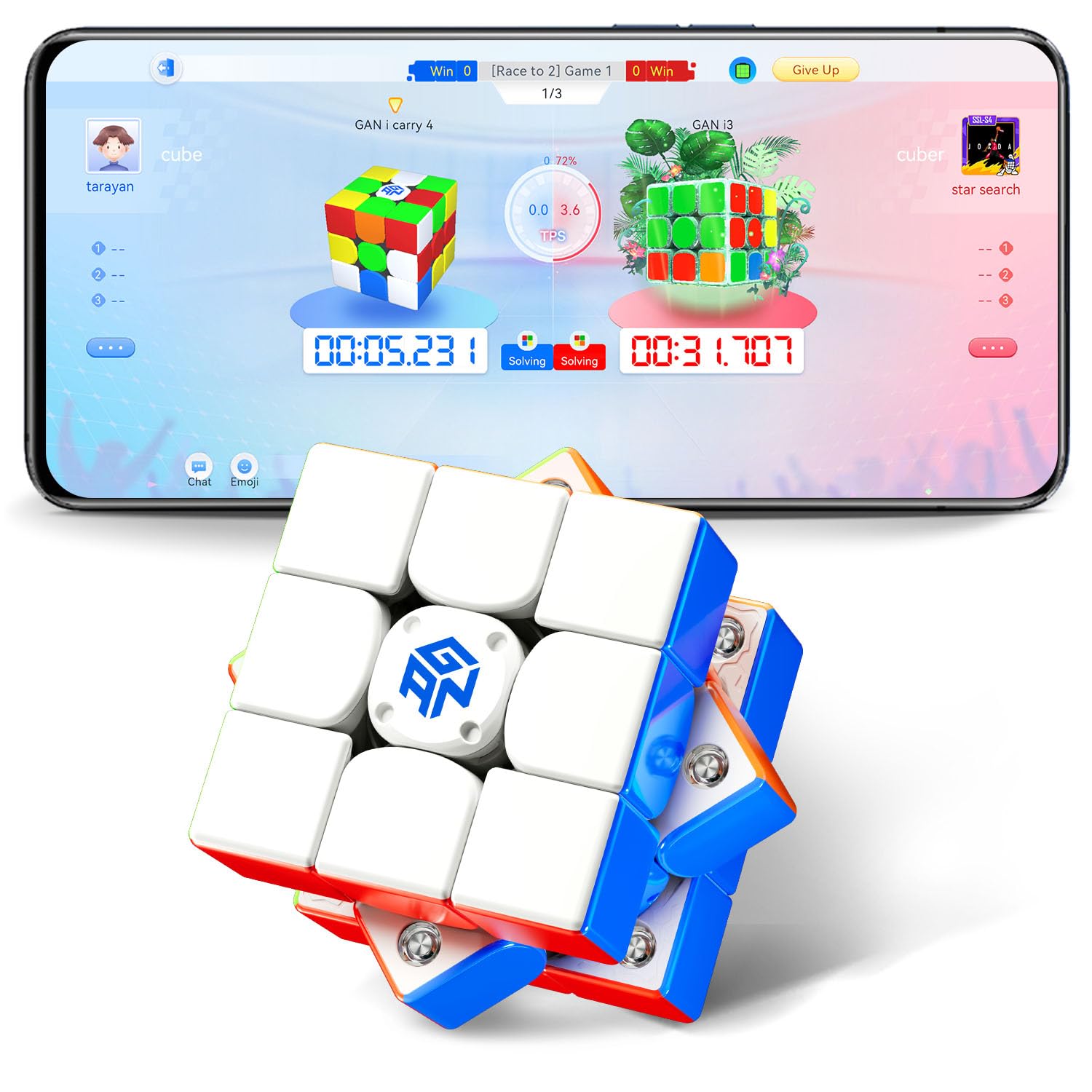
Image: The GAN i Carry 4 Smart Cube, a 3x3 puzzle with a frosted finish.
2. 箱の中身
Carefully unpack your GAN i Carry 4 package and ensure all components are present:
- GAN 356 i Carry 4 Frosted Version Smart Cube
- GAN Box (storage case)
- マニュアル(このドキュメント)
- チューニングツール

Image: The GAN i Carry 4 cube, its storage box, tuning tool, and user manual.
3. セットアップ
3.1. バッテリーの取り付け
The GAN i Carry 4 requires 2 nonstandard button cell batteries, which are included. The cube is designed for easy battery replacement to ensure long-lasting use.
3.2. アプリのダウンロードとペアリング
- ダウンロード CubeStation デバイスのアプリ ストア (iOS または Android) からアプリをダウンロードします。
- スマートフォンまたはタブレットで Bluetooth が有効になっていることを確認してください。
- Open the CubeStation app and follow the on-screen instructions to pair your GAN i Carry 4 cube. The app will guide you through the connection process.

Image: A user holding the GAN i Carry 4 cube and a smartphone displaying the CubeStation app interface, ready for connection.
3.3. Cube Tuning
The GAN i Carry 4 features a 72-gear numerical tension tuning system, allowing you to customize the cube's feel from tight to loose. Use the included tuning tool to adjust the tension to your preference. Refer to the visual guide below for the tuning mechanism.

画像: 爆発した view of the GAN i Carry 4's core, highlighting the 72-gear numerical tuning system for tension adjustment.
3.4. 開封と初期設定view ビデオ
Video: An official unboxing video for the GAN i Carry 4, demonstrating its features and initial setup.
4. 操作手順
4.1. Basic Solving
Use the GAN i Carry 4 like any standard 3x3 speed cube. Its racing-grade design, featuring 48 magnet capsules and an omni-support spherical orbit, provides smooth and responsive turns for optimal performance.

画像: 内部 view of the GAN i Carry 4 cube, illustrating the placement of 48 magnet capsules for enhanced stability and turning feel.
4.2. Using the CubeStation App
Once paired, the CubeStation app unlocks a range of interactive features:
- リアルタイム追跡: The cube tracks every move, providing precise analysis of your solving steps, turns per second (TPS), and algorithms used.
- Beginner Courses: Access guided tutorials to learn how to solve the cube, progressing from basic steps to advanced techniques.
- Solo Challenges: Engage in timed challenges, algorithm practice, and personal best (PB) attempts with instant feedback.
- Online Competitions: Participate in 1v1 duels, team battles, and global rankings against other cubers worldwide.

Image: Multiple screens from the CubeStation app, showcasing various solo challenge modes and performance tracking features.
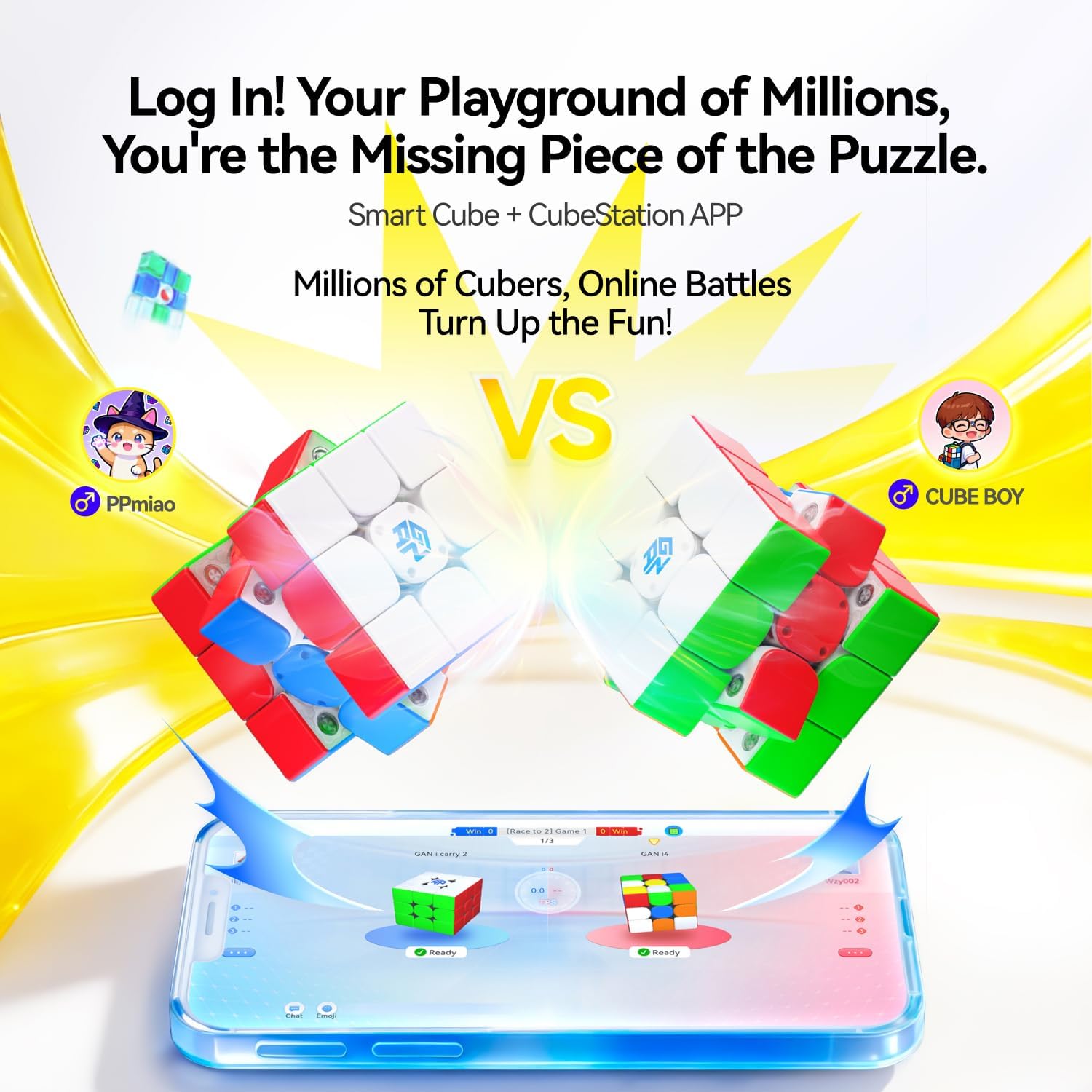
Image: The CubeStation app displaying an online competition interface with two cubes and player avatars, indicating a real-time battle.
5. メンテナンス
5.1. 清掃
To maintain optimal performance, regularly wipe the cube's exterior with a soft, dry cloth. Avoid using harsh chemicals or abrasive materials that could damage the plastic or frosted finish.
5.2. 潤滑
The GAN i Carry 4 features a Honeycomb Touch Face with tracks designed for long-lasting lubrication. If the cube's turning feel becomes less smooth over time, you may apply a small amount of speed cube lubricant specifically designed for plastic puzzles. Apply sparingly to the internal contact points and work it in by turning the cube.
5.3. バッテリーの交換
The cube's button cell batteries provide approximately 150 hours of non-stop use. When the cube's smart features become unresponsive or connectivity issues arise, it may be time to replace the batteries. Refer to the cube's internal design for access to the battery compartment. Use the same type of nonstandard button cell batteries.
6。 トラブルシューティング
- Cube not connecting to app:
- デバイスで Bluetooth が有効になっていることを確認します。
- Make sure the cube's batteries are not depleted.
- Restart the CubeStation app and try pairing again.
- Ensure the cube is within close proximity to your device. - Inaccurate tracking or missed moves:
- The cube features 'Zero-Loss Sensing' for accurate tracking. If issues occur, ensure the cube is clean and free from debris that might obstruct internal sensors.
- Check battery levels. Low battery can affect sensor performance. - Cube feels too tight/loose:
- Use the included tuning tool to adjust the 72-gear numerical tension system to your preferred feel. - アプリがクラッシュまたはフリーズする:
- Ensure your CubeStation app is updated to the latest version.
- Clear the app's cache or reinstall the app if problems persist.
7. 仕様
| 特徴 | 詳細 |
|---|---|
| ブランド | ガン |
| モデル番号 | GAN3x3 |
| 材質タイプ | プラスチック |
| 商品の寸法 (長さ x 幅 x 高さ) | 2.2 x 2.2 x 0.04インチ |
| アイテム重量 | 71.2グラム |
| 個数 | 1 |
| 電池が必要 | 非標準バッテリー2個(付属) |
| 含まれるコンポーネント | GAN 356 i Carry 4 Frosted Version, GAN Box, Manual, Tuning Tool |
安全に関する警告: 36 か月未満のお子様には適していません。
8. 保証とサポート
For warranty information and customer support, please refer to the official GAN website or contact the manufacturer directly. The manufacturer's warranty description is generally 'Other', indicating specific terms and conditions apply.
You can visit the official GAN Store for additional resources and support: AmazonのGANストア


