
導入
This manual provides detailed instructions for the DUDUPET Automatic Cat Feeder with Water, Model F13. This 2-in-1 smart pet feeder and water dispenser is designed to automate your pet's feeding and hydration needs, offering convenience and ensuring a balanced diet. It features a 4L food storage capacity, a 3L water tank, 5G/2.4G WiFi connectivity for app control, voice recording, and precise portion control. Please read this manual thoroughly before use to ensure proper setup and operation.
パッケージ内容
セットアップを進める前に、パッケージにすべてのコンポーネントが含まれていることを確認してください。
- DUDUPET Automatic Cat Feeder and Water Dispenser Unit
- Power Adapter & Charge Cable
- 浄水器
- Stainless Steel Bowls (2 included)
- Desiccant Bag (pre-installed or included separately)
- ユーザーマニュアル(このドキュメント)
セットアップ手順
1. Placement and Power Supply
Place the feeder on a flat, stable surface indoors, away from direct sunlight or heat sources.

画像の説明: The image shows the DUDUPET feeder in two modes: "Power Cord Mode" on the left, where it is plugged into a wall outlet, and "Emergency Mode" on the right, showing the feeder operating on battery power. This illustrates the dual power supply feature.
- 電源アダプターをフィーダーに接続し、壁のコンセントに差し込みます。
- 停電時の連続運転tages, install 3 D-cell batteries (not included) into the battery compartment at the bottom of the unit. Note that remote control features are not available in battery-only mode, but scheduled feedings will continue.
2. アプリのインストールとWiFi接続
スマートフォンのアプリストア(iOS または Android)から DUDUPET アプリをダウンロードします。
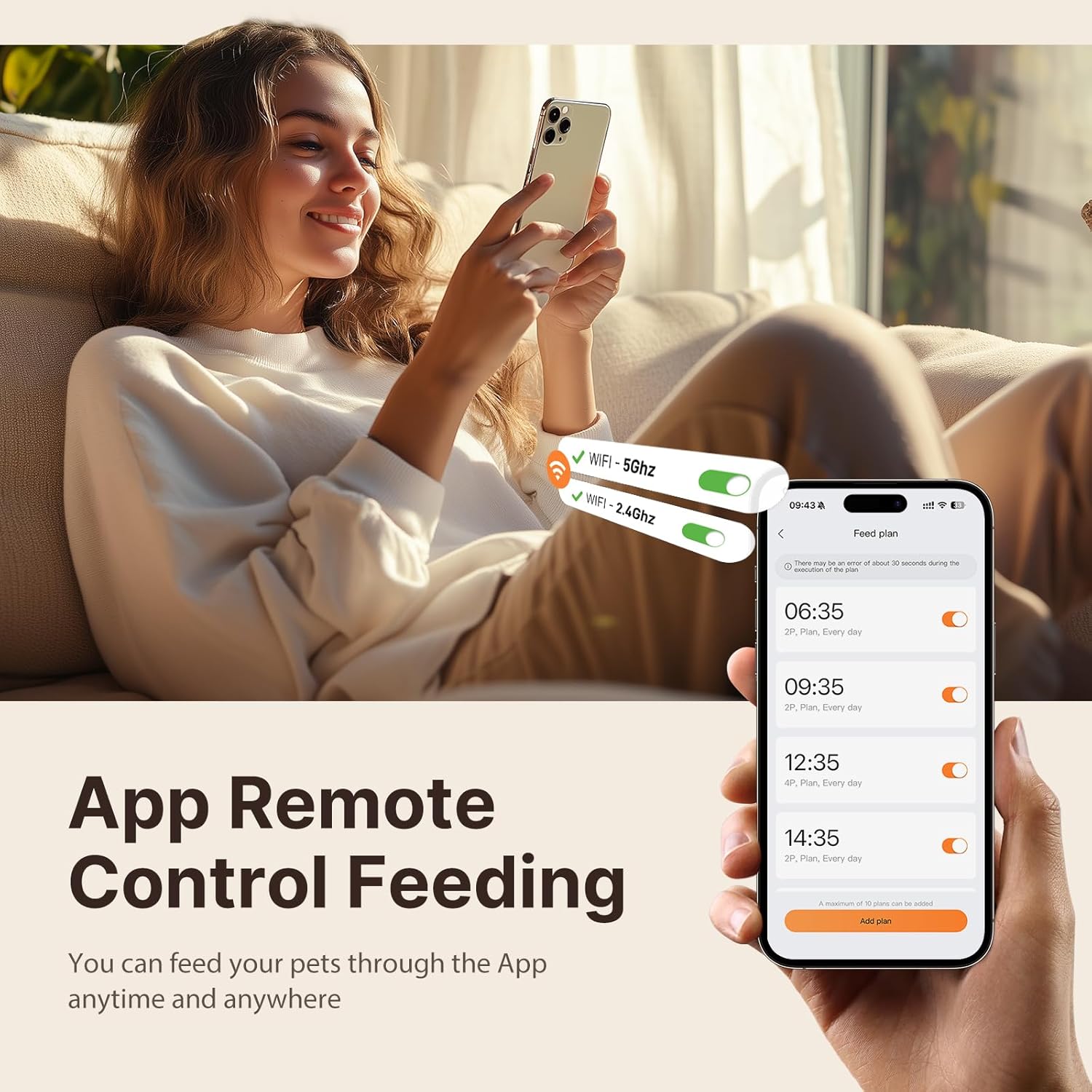
画像の説明: A person is shown comfortably using a smartphone with the DUDUPET app interface visible. The app displays options for 5G and 2.4G WiFi connectivity and a feeding schedule, highlighting the remote control capability.
- アプリを開いてアカウントを作成するか、ログインします。
- Follow the in-app instructions to add your DUDUPET feeder. Ensure your phone is connected to a 2.4GHz or 5GHz WiFi network during the pairing process.
- The feeder will connect to your home WiFi, enabling remote control and monitoring.
3. Filling Food and Water

画像の説明: This image highlights the 2-in-1 design of the DUDUPET feeder, clearly showing the separate 4L food storage compartment and the 3L water dispenser. It also indicates the equivalent capacities in cups and ounces.
- 食べ物: Open the lid of the food storage compartment. Pour dry pet food into the 4L container. Ensure the food kibble size is appropriate (up to 0.55 inches / 14mm in diameter) to prevent clogging. Close the lid securely to maintain freshness.
- 水: Remove the water tank from the base. Fill the 3L tank with clean water. Ensure the water filter is properly installed in the tank. Reattach the water tank to the base, ensuring it is seated correctly for the gravity siphon system to function.
4. Desiccant Installation

画像の説明: A three-step visual guide demonstrating how to ensure freshness protection. Step 1 shows folding down a handle, Step 2 shows holding and pressing the lid firmly, and Step 3 shows pushing the silicone ring inward. This process secures the desiccant bag and ensures a tight seal.
The feeder includes a built-in desiccant box to keep food fresh and crispy. If not already installed, place the desiccant bag into its designated compartment under the lid. Ensure the 360° sealed silicone ring is properly positioned around the lid for optimal freshness. Replace the desiccant bag periodically (e.g., monthly) for best results.
操作手順
1. アプリで食事のスケジュール管理

画像の説明: An orange cat is shown eating from the DUDUPET feeder. In the background, a graphic displays a smartphone screen with a "Customized Feeding Schedule," indicating meal times and portion settings (1-10 meals, 1-15 portions per meal).
Use the DUDUPET app to program your pet's feeding schedule:
- 1日あたり最大10食まで予約可能です。
- Each meal can be set with 1 to 15 portions. Adjust portion sizes based on your pet's dietary needs and veterinarian recommendations.
- The app allows for real-time monitoring of food dispensing and provides alerts for low food levels or dispensing errors.
2. Voice Recording Feature
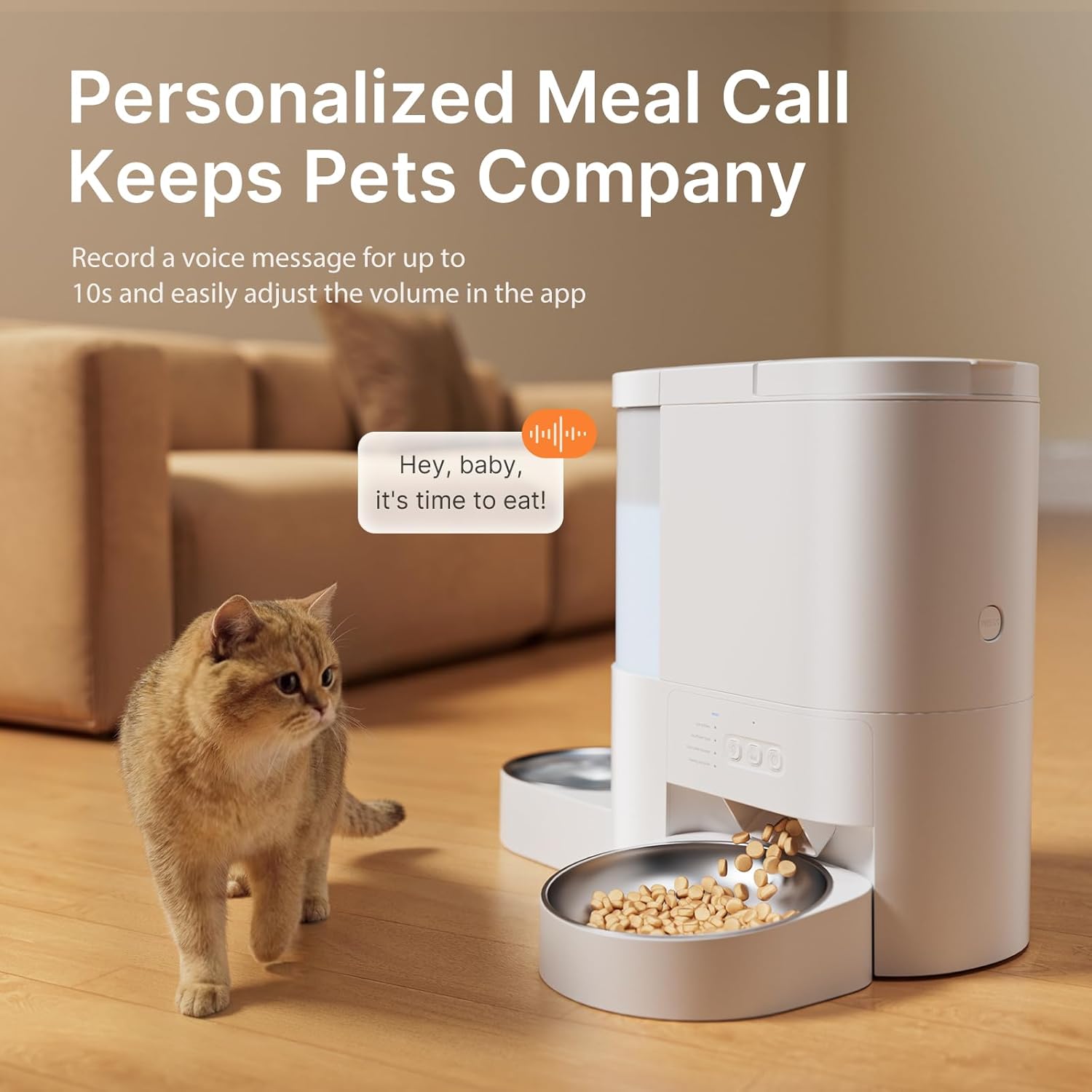
画像の説明: A cat is shown attentively looking at the DUDUPET feeder as kibble dispenses. A speech bubble graphic above the feeder indicates a personalized voice message, "Hey, baby, it's time to eat!", highlighting the voice recording feature.
Record a personalized voice message (up to 10 seconds) through the app. This message will play at scheduled meal times to call your pet to eat. You can easily adjust the volume of the voice playback within the app settings.
3. 手動給餌
To dispense food immediately outside of the scheduled times, use the manual feed option available in the DUDUPET app. This allows you to provide an extra meal or snack as needed.
メンテナンス
1. Cleaning the Feeder and Water Dispenser

画像の説明: A person is shown hand-washing the removable stainless steel bowl and other detachable components of the DUDUPET feeder in a kitchen sink. A text overlay reminds users that the main base unit should not be submerged or cleaned with water.
- Food Feeder: The food storage tank and dispensing components are hand-wash only. Separate the tank from the base, rinse with cold water, and dry thoroughly before reassembling. Do not submerge the main base unit in water or place it in a dishwasher.
- ウォーターディスペンサー: The water tank can be separated and rinsed with cold water.
- ステンレススチールボウル: The two included stainless steel bowls are dishwasher-safe for easy cleaning.
- Regular cleaning ensures a hygienic feeding environment for your pet.
2. 水フィルターの交換
The water dispenser includes a filter to improve water quality. Replace the filter regularly (e.g., every 2-4 weeks, depending on water quality and usage) to ensure optimal filtration. Replacement filters can be purchased separately.
トラブルシューティング
1. 食品の分配に関する問題
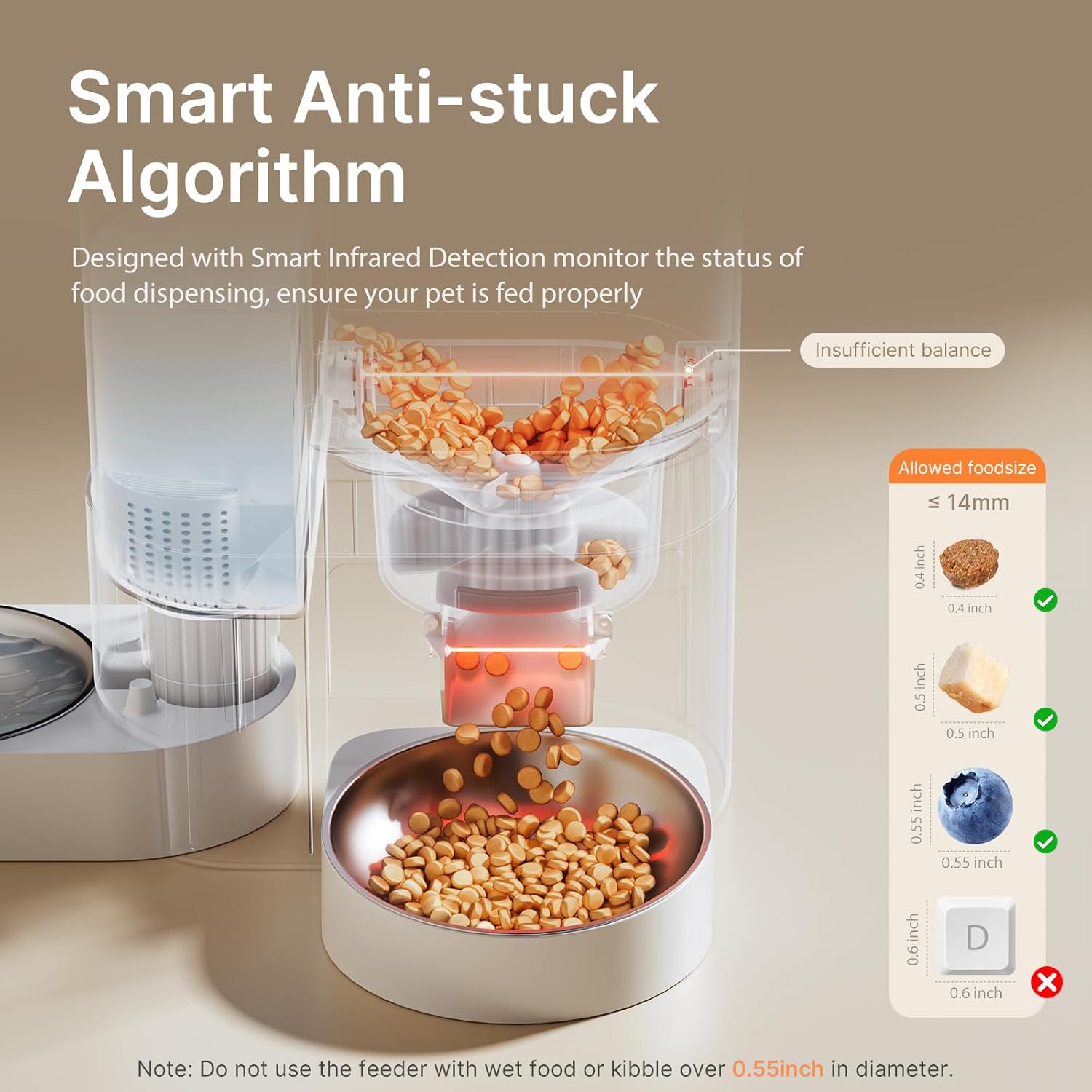
画像の説明: A cutaway diagram of the DUDUPET feeder illustrates its "Smart Anti-stuck Algorithm" with infrared detection. It shows the path of food dispensing and provides a visual guide for allowed kibble sizes (up to 14mm or 0.55 inches), warning against larger kibble.
- 詰まり: Ensure the kibble size does not exceed 0.55 inches (14mm). Larger kibble or wet food can cause blockages. The feeder has a smart infrared detection system to monitor dispensing and alert you to abnormal conditions.
- 餌は配給されません: Check if the food hopper is empty. Verify that the feeder is powered on and connected to WiFi. Check the app for any error notifications (e.g., "Dispensing Error").
- Incorrect Portions: Review your feeding schedule settings in the app to ensure the correct portion sizes are programmed.
2. WiFi接続の問題
- 接続できません: Ensure your home WiFi network is 2.4GHz or 5GHz. Check your router and internet connection. Try restarting the feeder and your router.
- アプリが応答しない: Close and reopen the DUDUPET app. Ensure your smartphone has a stable internet connection.
3. 電力の問題
- フィーダーがオンにならない: Verify the power adapter is securely plugged into both the feeder and a working wall outlet. If using batteries, ensure they are correctly installed and not depleted.
- Scheduled Feedings Not Working in Battery Mode: Remote app control is not available in battery-only mode, but scheduled feedings will continue. If scheduled feedings are not occurring, check battery levels.
仕様
| 特徴 | 仕様 |
|---|---|
| モデル名 | F13 |
| 食料貯蔵能力 | 4リットル(約17カップ) |
| 水タンク容量 | 3リットル(約101オンス) |
| 接続性 | 5G/2.4G WiFi App Controlled |
| 1日の食事数 | 最大10 |
| 1食あたりの分量 | 1〜15人分 |
| ボイスレコーダー | 最大10秒 |
| 電源 | 5V DC Adapter (included), 3 x D-cell Batteries (not included) |
| 寸法(長さx幅x高さ) | 7 x 9 x 11インチ |
| アイテム重量 | 1.5 ポンド (0.68 キログラム) |
| お手入れ方法 | Hand Wash Only (feeder unit), Dishwasher Safe (stainless steel bowls) |
保証とサポート
保証情報
The DUDUPET Automatic Cat Feeder with Water (Model F13) comes with a 1年間の保証 ご購入日から1年間有効です。本保証は、通常の使用における製造上の欠陥および故障を対象としています。保証請求の際は、購入証明書を保管してください。
カスタマーサポート
For technical assistance, troubleshooting, or warranty inquiries, please contact DUDUPET customer support. Refer to the DUDUPET official web最新の連絡先情報については、サイトまたは購入プラットフォームをご覧ください。
重要な安全情報
- この機器は屋内専用です。
- Do not use with wet food or kibble larger than 0.55 inches (14mm) in diameter.
- 使用していないときや清掃中は、子供やペットの手の届かないところに保管してください。
- 清掃する前に必ずフィーダーのプラグを抜いてください。
- Do not immerse the main base unit in water.
- 電源コードがペットに噛まれないように注意してください。
ビデオリソース
No official product videos from the seller were found in the provided data. For visual guides, please refer to the DUDUPET official webサイトまたはサポート チャネル。