
はじめに以上view
The INNOCN 34C1R is a 34-inch flat-panel IPS ultrawide monitor designed for both productivity and immersive entertainment. It features a WQHD (3440 x 1440P) resolution, a high 180Hz refresh rate, and an IPS panel for superior color performance and wide view角度を変える。
- First 34-inch flat-panel IPS 180Hz widescreen monitor: Compared to most VA panels, the 34C1R's IPS offers more stable and superior color performance, featuring faster response times, less motion blur, wider viewing angles, less color shift, and more accurate and consistent color.
- The Ultimate Console Companion: Unlock the full potential of your gaming console (PS5/XBOX/Switch) with this monitor. The expansive 3440 x 1440p ultrawide display provides a breathtaking field of view for immersive gameplay and cinematic HDR entertainment.
- Supercharge Your Productivity & Creation: This versatile computer monitor is a multitasking powerhouse. Use Picture-in-Picture (PIP) / Picture-by-Picture (PBP) and intuitive Screen Split software to manage multiple windows seamlessly, boosting efficiency for work, AI creation, and professional video editing.
- A Visual Feast for Creators & Editors: Tackle detailed creative projects with confidence. The WQHD resolution on this PC monitor offers exceptional clarity and color accuracy, making it an indispensable tool for precision editing, digital art, and content creation.
- Engineered for All-Day Comfort: The fully adjustable stand with height, tilt, and swivel customization allows you to find your perfect viewing angle. Combined with built-in Eye Care technology, this monitor ensures comfortable viewing during long work or gaming sessions.
- All-in-One Connectivity Hub: Connect your PC, laptop, and gaming console simultaneously via HDMI and DisplayPort. The built-in speakers and flexible PIP / PBP modes let you enjoy content from two sources at once, perfect for streaming or monitoring workflows.
- Level Up Your Gaming Rig: Experience ultra-smooth 180Hz gameplay on this immersive 34" gaming monitor. With Adaptive-Sync, G-SYNC compatibility, and ultrawide 21:9 visuals, it's the perfect centerpiece for any PC battlestation, delivering fluid, tear-free action.
設定
Follow these steps to set up your INNOCN 34C1R Ultrawide Monitor.
1. スタンドの組み立て
The monitor comes with a sturdy, adjustable stand designed for easy assembly without tools. Simply attach the monitor neck to the base and secure it. The stand offers height, tilt, and swivel adjustments for optimal viewing angles. It also supports VESA 100x100mm mounting for alternative setups.

Image: Adjustable stand features of the INNOCN 34-inch Ultrawide Monitor, including height, swivel, and tilt adjustments. The stand allows for height adjustment (4.72 inches), swivel adjustment (30 degrees), and tilt adjustment (5-15 degrees). It also supports VESA 100x100mm mounting.
2. 接続性
Connect your devices to the monitor using the appropriate ports located on the rear panel. The monitor includes a variety of input options to suit your needs.
- HDMI 2.0: Two ports (Max 100Hz) for connecting gaming consoles, laptops, or other HDMI-enabled devices.
- ディスプレイポート1.4: Two ports (Max 180Hz) for high-refresh-rate connections to PCs.
- USB-C: One port for video input and power delivery (65W PD).
- USB-A: 周辺機器用のポートが 2 つあります。
- USB-B: One upstream port.
- RJ45: One Ethernet port.
- オーディオ出力: One 3.5mm audio jack for external speakers or headphones.

画像: 背面 view of the INNOCN 34-inch Ultrawide Monitor displaying various connectivity ports. Ports include RJ45, USB-A (x2), USB-B, HDMI (x2), DisplayPort (DP), USB-C, and Audio Out.
3. Included Cables
The monitor comes with the necessary cables to get you started:
- ディスプレイポート(DP)ケーブル
- 電源ケーブル
- USB-Cケーブル
4. 初回電源投入
Once assembled and connected, plug in the power cable and press the power button (usually located on the back or bottom of the monitor) to turn it on. Adjust your computer's display settings to match the monitor's native resolution (3440x1440) and desired refresh rate (up to 180Hz).
ビデオ: このビデオでは、view of the INNOCN 34-inch Flat WQHD IPS 180Hz Ultrawide Monitor, highlighting its key features and design.
オペレーティング
On-Screen Display (OSD) Settings
The monitor features a mini joystick control, typically located on the right-hand side or bottom, to navigate and adjust the OSD settings. This allows you to customize various display parameters such as brightness, contrast, color modes, and input selection.
ピクチャーインピクチャー(PIP)とピクチャーバイピクチャー(PBP)
The INNOCN 34C1R supports advanced multitasking features like PIP and PBP. These modes allow you to display content from two different input sources simultaneously on the screen.
- PIP: Displays one input source in a smaller window overlaid on the main display from another source.
- PBP: Divides the screen into two full-size sections, each displaying content from a different input source.

Image: INNOCN 34-inch Ultrawide Monitor demonstrating Picture-in-Picture (PIP) and Picture-by-Picture (PBP) modes. The image shows two different input sources displayed simultaneously on the ultrawide screen.
High Refresh Rate and Adaptive Sync
Enjoy fluid visuals with a 180Hz refresh rate and Adaptive-Sync technology, which is G-SYNC compatible. This eliminates screen tearing and stuttering, providing a smooth and responsive experience for gaming and fast-moving content.
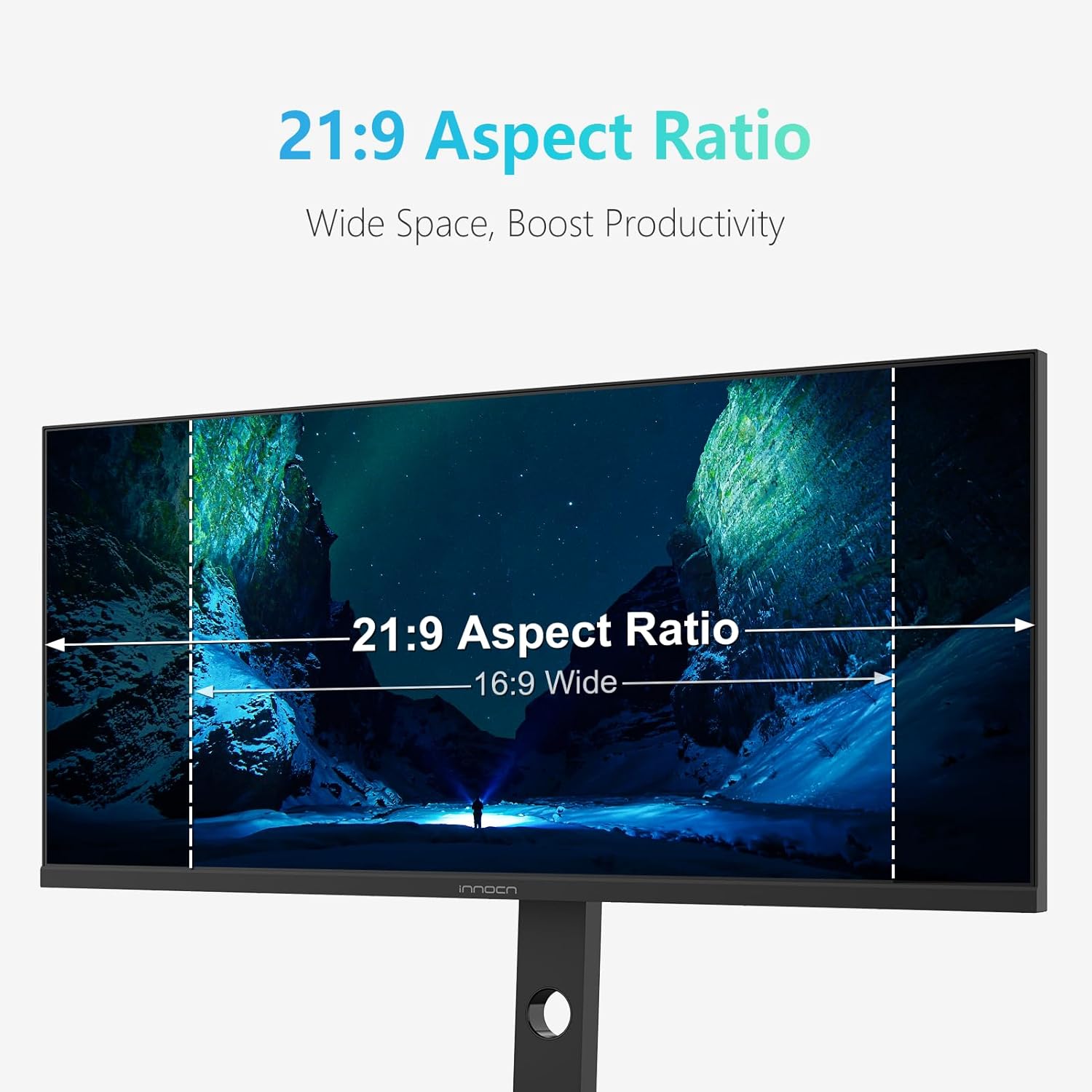
Image: INNOCN 34-inch Ultrawide Monitor displaying a racing game with 180Hz refresh rate. The image emphasizes the smooth motion and high performance of the display.
Color Performance and HDR
The IPS panel delivers vibrant and accurate colors with a wide viewing angle. HDR 400 support enhances contrast and color depth, bringing content to life with greater detail in both bright and dark scenes.

Image: INNOCN 34-inch Ultrawide Monitor showcasing a Grade A IPS Panel with vivid colors and wide viewing angles. The image highlights the monitor's color accuracy and display technology.
アイケアテクノロジー
The monitor incorporates Eye Care technology, including a blue light filter and flicker-free backlighting, to reduce eye strain and fatigue during prolonged use.
内蔵スピーカー
Integrated speakers provide audio output, eliminating the need for external speakers in many setups.
メンテナンス
To ensure the longevity and optimal performance of your INNOCN 34C1R monitor, follow these simple maintenance guidelines:
- 画面の掃除: 柔らかく糸くずの出ない布で画面を優しく拭いてください。頑固な汚れには、軽くamp布に水、またはモニターに安全な非研磨性の洗浄液を含ませてください。画面に直接液体を吹き付けないでください。
- Cのクリーニングasing: Use a soft, dry cloth to wipe down the monitor's casing. 刺激の強い化学薬品や研磨剤は使用しないでください。
- 換気: 過熱を防ぐために、モニターの通気口が塞がれておらず、障害物がないことを確認してください。
- 使用しないときは電源を切ります: 長期間モニターを使用しない場合は、電力を節約し、モニターの寿命を延ばすためにモニターの電源をオフにしてください。
トラブルシューティング
モニターに問題が発生した場合は、次の一般的なトラブルシューティングのヒントを参照してください。
- 画面が表示されない/黒い画面: Check all cable connections (power, HDMI, DisplayPort, USB-C) to ensure they are securely plugged in. Verify that the monitor is powered on and the correct input source is selected in the OSD menu.
- ちらつき/歪んだ画像: Ensure your display drivers are up to date. Try a different cable or input port. Adjust the refresh rate in your computer's display settings.
- 音声なし: Check the monitor's volume settings in the OSD menu and your computer's audio output settings. Ensure external speakers or headphones are properly connected to the audio out jack if used.
- 解像度/リフレッシュ レートが正しくありません: オペレーティング システムの表示設定を、モニターのネイティブ解像度 (3440 x 1440) と希望するリフレッシュ レート (最大 180 Hz) に合わせて調整します。
さらにサポートが必要な場合は、カスタマー サポートにお問い合わせください。
仕様
| 特徴 | 仕様 |
|---|---|
| ブランド | イノクン |
| 画面サイズ | 34インチ |
| 解決 | WQHD Ultra Wide 1440p (3440 x 1440 Pixels) |
| アスペクト比 | 21:9 |
| リフレッシュレート | 180Hz |
| 応答時間 | 1ミリ秒 |
| ディスプレイ技術 | IPS |
| スクリーン表面の説明 | マット |
| コントラスト比 | 1000:1 |
| Picture Quality Enhancement | 400 ピクセル |
| 色域 | 99% |
| 接続技術 | ディスプレイポート、HDMI |
| ハードウェアの接続 | DisplayPort, HDMI (x2), USB-C, USB-A (x2), USB-B, RJ45, Audio Out |
| アダプティブ同期 | FreeSync (G-SYNC Compatible) |
| 追加機能 | Anti Glare Screen, Built-In Speakers, Eye Care, Height Adjustment, Ultrawide Screen |
| 取り付けタイプ | デスクマウント |
| 対応デバイス | デスクトップ、ゲーム機、ノートパソコン |
| 商品の寸法 奥行き x 幅 x 高さ | 奥行き6.96インチ x 幅31インチ x 高さ15.7インチ |
保証とサポート
The INNOCN 34C1R Ultrawide Monitor comes with a comprehensive warranty and dedicated support to ensure your peace of mind.
- 保証: この製品には、購入日から 12 か月間の保証が付いています。
- 返品規則: 小売店の返品ポリシーに従い、購入後 30 日以内であれば払い戻しまたは交換を受けられる場合があります。
- テクニカルサポート: For any technical issues, troubleshooting assistance, or warranty claims, please refer to the contact information provided in your product packaging or visit the official INNOCN support webサイト。