
導入
This manual provides detailed instructions for the safe and effective use of your YISENCE 4K Digital Camera Model 806. Please read this manual thoroughly before using the camera and keep it for future reference.
1. セットアップ
1.1 パッケージ内容
すべての項目が揃っていることを確認します。
- YISENCE 4K Digital Camera Model 806
- USBケーブル
- Lithium Ion Battery (1 C battery)
- ユーザーマニュアル
- Other accessories (as included with your specific package)
1.2 バッテリーの取り付け
Locate the battery compartment cover on the bottom of the camera. Slide the cover open, insert the Lithium Ion battery according to the polarity indicators (+/-), and close the cover securely.
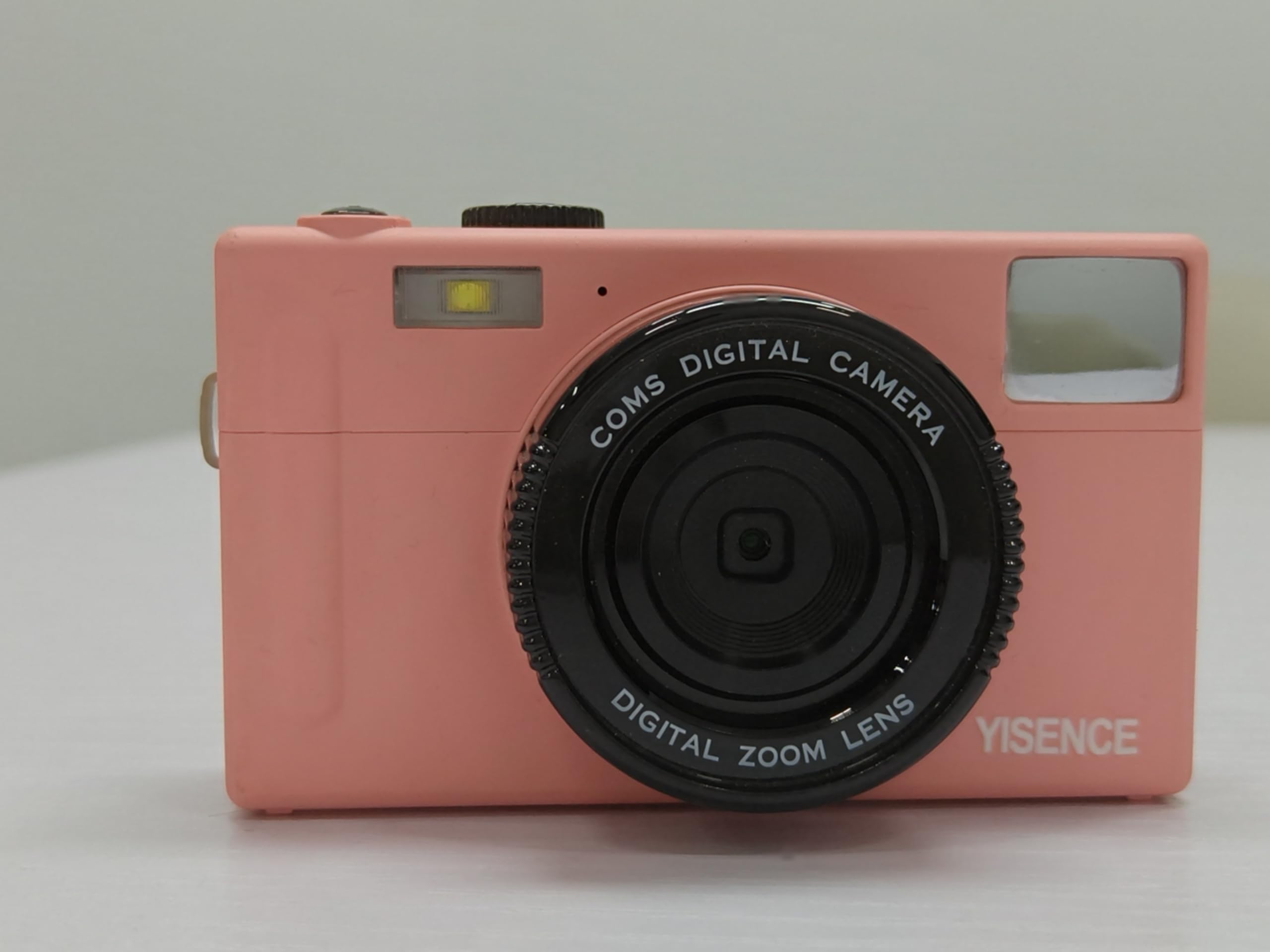
図1:背面 view of the camera, showing the display and control buttons. The battery compartment is typically located on the bottom.
1.3 バッテリーの充電
Connect the camera to a power source using the provided USB cable. The charging indicator light will illuminate. Charging is complete when the light turns off or changes color (refer to camera display for status). Ensure the camera is fully charged before first use.
1.4 Memory Card Insertion (Not Included)
This camera requires a compatible memory card (e.g., SD card) for storing photos and videos. Locate the memory card slot, typically near the battery compartment. Insert the memory card with the metal contacts facing the correct direction until it clicks into place. Ensure the card is formatted in-camera before first use.
2. カメラの操作
2.1 電源オン/オフ
を押し続けます 電源ボタン (usually marked with a circle and a line) to turn the camera on or off.
2.2 基本的なコントロールview

図2: 前面 view カメラのレンズとフラッシュを強調表示します。
- シャッターボタン: Press halfway to focus, fully to capture a photo.
- ズームレバー: Adjusts optical zoom (0.99x) and digital zoom.
- モードダイヤル/ボタン: 写真、ビデオ、再生モードを選択します。
- メニューボタン: カメラの設定にアクセスします。
- DISPボタン: 画面上の表示情報を変更します。
- ナビゲーションボタン: メニューを移動したりオプションを選択したりするために使用します。
2.3 写真を撮る
In photo mode, frame your shot using the LCD screen. Press the shutter button halfway to allow the camera to focus, then press fully to take a 48 MP photo. The camera features a self-timer function, accessible via the menu, allowing for delayed shots.
2.4ビデオの録画
Switch to video mode. Press the shutter button to start recording 4320p video in AVI format. Press again to stop recording.
2.5再生モード
再生モードに入るとview your photos and videos. Use the navigation buttons to scroll through media. Press the MENU button for options like deleting or protecting files.
2.6コンピューターへの接続
Use the USB cable to connect the camera to your computer. The camera will appear as a removable disk, allowing you to transfer files. Ensure the camera is powered on during connection.
3. メンテナンス
3.1 カメラのクリーニング
- カメラ本体を清掃するには、柔らかく糸くずの出ない布を使用してください。
- レンズと液晶画面には、専用のレンズクリーニングクロスと洗浄液をご使用ください。刺激の強い化学薬品は使用しないでください。
- Ensure the camera is dry before closing any compartments, especially after underwater use.
3.2バッテリーケア
- カメラを長期間使用しない場合は、バッテリーを取り外してください。
- バッテリーは涼しく乾燥した場所に保管してください。
- バッテリーを極端な温度にさらさないでください。
3.3 防水用途
As a waterproof camera, ensure all seals and covers (battery, memory card, USB port) are securely closed before submerging the camera in water. Rinse the camera with fresh water after use in saltwater and allow it to dry completely before opening any compartments.
4。 トラブルシューティング
| 問題 | 解決 |
|---|---|
| カメラの電源が入りません。 | バッテリーが完全に充電され、正しく挿入されていることを確認してください。もう一度バッテリーの充電をお試しください。 |
| 写真/ビデオを撮影できません。 | Check if a memory card is inserted and has sufficient free space. Ensure the camera is in the correct mode (photo/video). |
| 画像がぼやけてしまいます。 | Clean the lens. Ensure proper lighting. Allow the camera to focus before fully pressing the shutter button. |
| カメラがコンピューターに認識されません。 | Ensure the USB cable is securely connected and the camera is powered on. Try a different USB port or cable. |
5. 仕様
| 特徴 | 詳細 |
|---|---|
| ブランド | イーセンス |
| モデル名 | 806 |
| フォトセンサー解像度 | 48 MP |
| ビデオ解像度 | 4320p |
| 画面サイズ | 2.8インチ |
| フォトセンサー技術 | シーモス |
| 光学ズーム | 0.99倍 |
| サポート File フォーマット(ビデオ) | 動画 |
| バッテリーセルタイプ | リチウムイオン |
| 電池の数 | 単1電池XNUMX本(付属) |
| セルフタイマーあり | はい |
| 接続技術 | USB |
| 表示タイプ | 液晶 |
| レンズタイプ | マクロ |
| 色 | 青 |
| メーカー | イーセンス |
| 欧州連合 | 717504968650 |
6.保証とサポート
6.1製品保証
The YISENCE 4K Digital Camera Model 806 comes with a 1年間のメーカー保証 ご購入日から1年間有効です。本保証は、通常の使用における材料および製造上の欠陥を対象とします。誤用、事故、不正改造、または自然災害による損傷は保証の対象外となります。保証請求の際は、購入証明書を保管してください。
6.2 カスタマーサポート
For technical assistance, troubleshooting, or warranty inquiries, please contact YISENCE customer support. Visit the official YISENCE Store on Amazon 詳細情報や連絡先については、こちらをご覧ください。