
製品終了view
The Baseus USB-C to USB-C cable is engineered for durability and high-performance charging. Crafted with reinforced connectors and a dual-layer design, it withstands bending and resists wear to prevent breakage, ensuring reliable daily use without compromising performance.
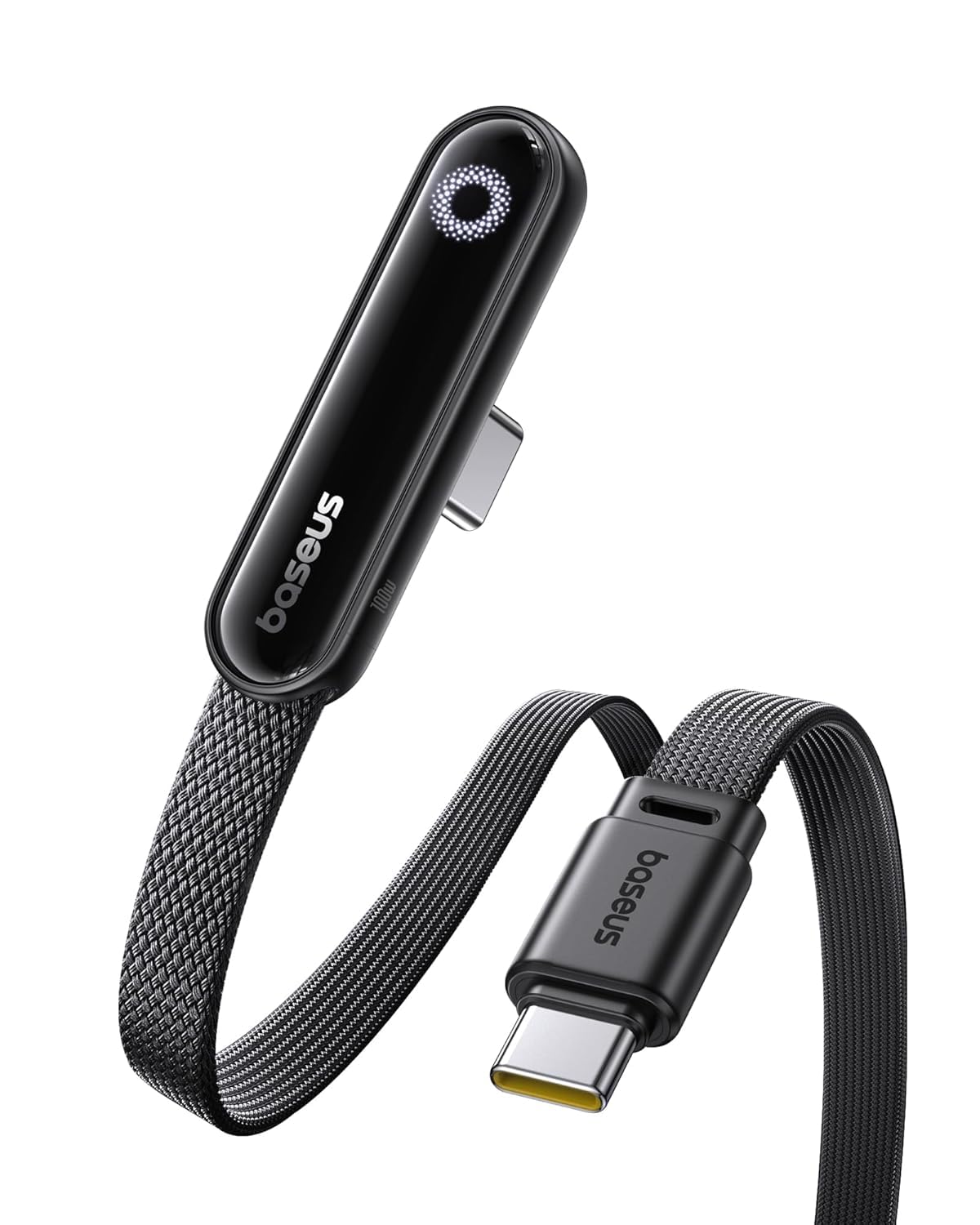
- LED Display Cable: Features a built-in E-Marker chip to support high power and current (20V/5A). The integrated LED module automatically identifies and displays the charging power required by different electronic devices.
- Secure 100W Fast Charging: Supports up to 100W fast charging, designed with reinforced copper cores and an intelligent E-Marker chip for safe, reliable power delivery. Enjoy faster, more efficient charging while protecting your device’s battery health.
- 長持ち設計: Constructed with reinforced connectors and a dual-layer design, this USB-C to USB-C cable is designed to endure daily use, resisting bending and wear.
- 幅広い互換性: Compatible with most USB-C devices, including laptops, tablets, and smartphones, offering a versatile charging solution across various electronics.
はじめる
パッケージ内容
- Baseus LEDディスプレイUSB Cケーブル(6.6フィート)×1
デバイスの接続
- Connect one end of the Baseus USB-C cable to a compatible USB-C power adapter (not included).
- Connect the other end of the cable to the USB-C charging port of your electronic device (e.g., laptop, tablet, smartphone).
- Once connected, the integrated LED display on the cable will illuminate, showing the real-time charging power (voltageおよび現在)。
使用方法
LEDパワーディスプレイ
- The integrated LED screen provides real-time information on the charging voltage と現在。
- This display allows you to monitor the charging status and ensure your device is receiving optimal power.
急速充電
- For optimal fast charging performance (up to 100W), ensure that both your power adapter and the connected device support the necessary fast charging protocols.
- The intelligent E-Marker chip within the cable automatically manages power delivery to match your device's requirements, ensuring safe and efficient charging.
デバイスの互換性
- This cable is designed for broad compatibility with a wide range of USB-C enabled devices, including various models of laptops, tablets, and smartphones.
お手入れとメンテナンス
- Avoid extreme bending or sharp angles of the cable, especially near the connectors, to prevent internal wire damage.
- Keep the USB-C connectors clean and free from dust, lint, or debris, which can interfere with proper connection and charging.
- ケーブルの寿命を延ばすために、使用していないときは涼しく乾燥した場所に保管してください。
- Do not expose the cable to liquids, excessive moisture, or extreme temperatures.
トラブルシューティングガイド
デバイスが充電されていません
- Ensure both ends of the USB-C cable are securely and fully inserted into the power adapter and your device.
- Verify that the power adapter is functional and properly plugged into a live electrical outlet.
- Check your device's USB-C port for any visible obstructions, dirt, or damage.
- If possible, test the cable with a different compatible power adapter and device to isolate the issue.
遅い充電
- Confirm that your power adapter supports the required wattage for fast charging (e.g., 100W) and that your device is also capable of receiving fast charging.
- Close any unnecessary background applications on your device to reduce power consumption during charging.
LED ディスプレイが動作しない
- Ensure the cable is properly connected to both a power source and a device, and that charging is active. The LED display only shows power when current is flowing.
- If the cable is charging your device but the LED display remains off, please contact customer support for assistance.
製品仕様
| コネクタタイプ | USBタイプC |
| 充電電力 | 最大100W(20V / 5A) |
| ケーブル長さ | 6.6フィート |
| 材料 | 亜鉛合金、ナイロン編組 |
| 特集 | LED Display, E-Marker Chip, Reinforced Connectors |
| モデル番号 | E0028Z |
| メーカー | ベースス |
| 製品寸法 | 4.3 x 2.7 x 0.5インチ |
保証とカスタマーサポート
保証情報
This product includes 24-Hour Carefree Customer Service. For detailed warranty terms and conditions, please refer to the product packaging or visit the official Baseusストア.
サポートへのお問い合わせ
For any inquiries, technical support, or assistance, please contact Baseus customer service through their official channels.