
1. はじめに
The Tiksounds S12 is a portable Bluetooth speaker designed for versatile audio playback. It features Bluetooth 5.4 connectivity, 15W audio output, IPX7 waterproofing, True Wireless Stereo (TWS) pairing, and integrated LED lighting. This manual provides instructions for the proper setup, operation, and maintenance of your S12 speaker.
2. パッケージ内容
- Tiksounds S12 ポータブル Bluetooth スピーカー
- 電源ケーブル
- ユーザーマニュアル(このドキュメント)
3 製品の特徴
- 15Wオーディオ出力: Delivers clear sound for an enhanced listening experience.
- Bluetooth 5.4接続: Provides a fast and stable wireless connection with compatible devices.
- IPX7防水等級: Protects the speaker from water immersion up to 1 meter for 30 minutes, suitable for outdoor use.
- 真のワイヤレスステレオ(TWS): Allows two S12 speakers to be paired together for 360° stereo sound.
- 統合された LED ライト: Features colorful LED lights that can pulse with music, enhancing the atmosphere.
- 長時間再生: Up to 12 hours of music playback on a single charge (at 50% volume).
- ポータブルデザイン: Compact and lightweight (approximately 382g) for easy transport.
4.コントロールとインジケーター
The speaker features intuitive controls and LED indicators for easy operation.

Image: Speaker button layout and functions. This diagram illustrates the various buttons on the speaker and their corresponding actions, including single presses and long presses for power, volume, track control, light modes, and TWS pairing.
| ボタン | アクション | 関数 |
|---|---|---|
| Power Button (◯) | 押し続ける(2秒) | 電源オン/オフ |
| Power Button (◯) | シングルプレス | 音楽の再生/一時停止、通話の応答/終了 |
| Power Button (◯) | 押し続ける(1.5秒) | 通話を拒否 |
| ボリュームアップ(+) | シングルプレス | 音量を上げる |
| ボリュームアップ(+) | 押し続ける(2秒) | 次のトラック |
| ボリュームダウン (-) | シングルプレス | 音量を下げる |
| ボリュームダウン (-) | 押し続ける(2秒) | 前のトラック |
| Light Mode Button (☀) | シングルプレス | ライトモードの変更 |
| Light Mode Button (☀) | 押し続ける(3秒) | ライトのオン/オフ |
| TWS Button (TWS) | ダブルプレス | TWSペアリングを開始します |
5. セットアップ
5.1.スピーカーの充電
Before first use, fully charge the speaker. Use the provided power cable to connect the speaker to a compatible USB power source. The charging indicator will show the charging status. A full charge typically takes 3-4 hours.

Image: Speaker dimensions and battery specifications. This image highlights the compact size of the speaker (8cm x 11.3cm) and its 1800mAh battery, which charges in 3-4 hours.
5.2. 電源のオン/オフ
- To power on, press and hold the Power Button (◯) for 2 seconds.
- To power off, press and hold the Power Button (◯) for 2 seconds again.
5.3.Bluetoothペアリング
- スピーカーの電源がオンになっていて、Bluetooth ペアリング モードになっていることを確認します (点滅する LED で示されます)。
- デバイス(スマートフォン、タブレット、ラップトップ)で Bluetooth を有効にします。
- 検索する 利用可能なBluetoothデバイスを選択し、リストから「S12」を選択します。
- 接続されると、スピーカーはペアリングが成功したことを示し、LED の点滅が停止します。

Image: Multiple connection options. This image demonstrates the speaker's compatibility with various devices such as pads, PCs, and TVs, highlighting its versatile connectivity.
5.4. 完全ワイヤレスステレオ(TWS)ペアリング
To achieve 360° stereo sound, you can pair two Tiksounds S12 speakers together.
- 両方の S12 スピーカーの電源がオンになっており、他の Bluetooth デバイスに接続されていないことを確認します。
- On one of the speakers, double-press the TWS Button. The speaker will enter TWS pairing mode.
- The two speakers will automatically search for and connect to each other. A successful connection will be indicated by an audible prompt.
- Once TWS paired, connect your device to one of the speakers via Bluetooth as described in section 5.3. Both speakers will now play audio in stereo.

Image: True Wireless Stereo (TWS) setup. This image illustrates two S12 speakers connected wirelessly to a laptop, demonstrating the TWS feature for a 360-degree audio experience.
6. 操作手順
6.1.音楽の再生
- 再生/一時停止: Single press the Power Button (◯).
- ボリュームアップ: Single press the Volume Up (+) button.
- ボリュームダウン: Single press the Volume Down (-) button.
- 次のトラック: 音量アップ(+)ボタンを2秒間押し続けます。
- 前のトラック: 音量ダウン(-)ボタンを2秒間押し続けます。
6.2.通話管理
- 通話の応答/終了: Single press the Power Button (◯).
- 通話を拒否: Press and hold the Power Button (◯) for 1.5 seconds.
6.3. LEDライトモード
The speaker features multiple LED light modes.
- ライトモードを変更する: Single press the Light Mode Button (☀).
- ライトをオン/オフにする: Press and hold the Light Mode Button (☀) for 3 seconds.
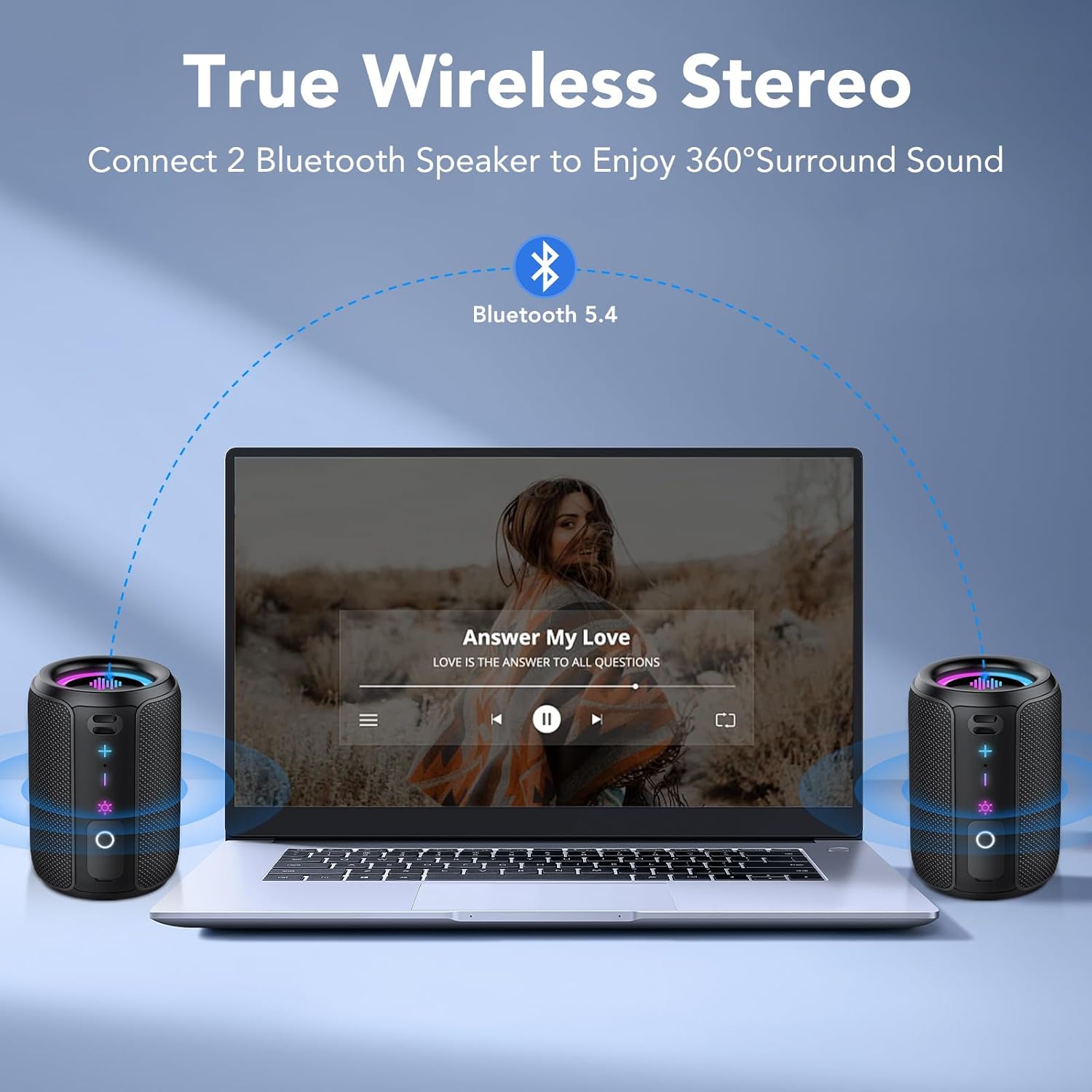
Image: RGB Colorful Lighting. This image displays three S12 speakers showcasing their dynamic RGB lighting, which can synchronize with music.
7. メンテナンス
- クリーニング: ソフトでスピーカーを拭きます、damp 布で拭いてください。研磨剤や溶剤は使用しないでください。
- 耐水性: While IPX7 rated, ensure the charging port cover is securely closed before exposing the speaker to water. Do not intentionally submerge the speaker for extended periods or beyond specified depths.
- ストレージ: スピーカーは直射日光や極端な温度を避け、涼しく乾燥した場所に保管してください。
- バッテリーのケア: バッテリーの寿命を延ばすには、スピーカーを頻繁に完全に放電させないでください。長期間使用しない場合でも、定期的に充電してください。
8。 トラブルシューティング
| 問題 | 考えられる原因 | 解決 |
|---|---|---|
| スピーカーの電源が入りません。 | バッテリー残量が少なくなりました。 | スピーカーを完全に充電してください。 |
| 音が出ません。 | Volume too low; not paired; incorrect audio source. | Increase volume on speaker and device. Ensure successful Bluetooth pairing. Check device's audio output settings. |
| Bluetoothのペアリングが失敗します。 | スピーカーがペアリングモードになっていない、デバイスの Bluetooth がオフになっている、距離が離れすぎている。 | Ensure speaker is in pairing mode. Turn device Bluetooth off and on. Move speaker closer to device (within 10 meters). Forget "S12" on device and re-pair. |
| 音質が悪い、または歪みがあります。 | バッテリー残量が少ない、デバイスが遠すぎる、干渉がある。 | Charge the speaker. Move device closer. Avoid obstacles between speaker and device. Reduce volume if distortion occurs at high levels. |
| TWSペアリングに失敗します。 | Speakers already paired to other devices; not in TWS mode. | Ensure both speakers are disconnected from other devices. Double-press TWS button on one speaker to initiate pairing. |
9. 仕様
| 特徴 | 仕様 |
|---|---|
| モデル名 | S12 |
| 出力電力 | 15 ワティオス |
| Bluetoothバージョン | 5.4 |
| バッテリー容量 | 1800mAh |
| 再生時間 | 最大 12 時間 (50% のボリュームで) |
| 充電時間 | 3~4時間 |
| 防水等級 | IPX7 |
| 寸法(D x W x H) | 8 x 8 x 11 cm |
| 重さ | 約382g |
| Bluetooth範囲 | 最大10メートル |
| 周波数応答 | 20 kHz |
10. 保証とサポート
For warranty information, please refer to the documentation provided with your purchase or contact your retailer. For technical support or further assistance, please contact Tiksounds customer service through their official web製品を購入したサイトまたはプラットフォーム。