
1.製品オーバーview
The HP Laptop 15-fd2353la is a versatile and efficient computing device designed for everyday tasks, entertainment, and productivity. It features an Intel Core Ultra 5 processor, a vibrant 15.6-inch Full HD display, ample memory, and fast solid-state storage. This manual will guide you through the setup, operation, and maintenance of your new laptop.

フロント view of the HP Laptop 15-fd2353la, highlighting its Intel Core Ultra 5 processor, 24 GB RAM, 512 GB SSD, and 15.6-inch Full HD display.
2. セットアップ
2.1 開梱
ノートパソコンとすべての付属品をパッケージから慎重に取り出します。以下のものがすべて揃っていることを確認してください。
- HP Laptop 15-fd2353la
- 電源アダプターとケーブル
- ドキュメント(クイックスタートガイド、保証情報)
2.2 電源アダプタの接続
Before first use, connect the power adapter to the laptop's power port and then plug it into a wall outlet. Allow the battery to charge for a few hours, or until fully charged, before initial use.
2.3 初回電源投入とWindowsのセットアップ
Press the power button located on the keyboard to turn on the laptop. Follow the on-screen instructions to complete the Windows 11 Home setup process. This includes selecting your language, connecting to a Wi-Fi network, and creating a user account.
3. 操作手順
3.1 電源のオン/オフとスリープモード
- 電源オン: 電源ボタンを押します。
- シャットダウン: [スタート] ボタンをクリックし、[電源] > [シャットダウン] をクリックします。
- スリープモード: カバーを閉じるか、[スタート] ボタンをクリックし、[電源] > [スリープ] をクリックします。
3.2 キーボードとタッチパッドの使用
The laptop features a full-size Spanish QWERTY keyboard and a precision touchpad. Use the touchpad for navigation, clicking, and multi-touch gestures. Refer to Windows settings for touchpad customization.
3.3 Wi-Fiへの接続
ワイヤレスネットワークに接続するには:
- タスクバーの Wi-Fi アイコンをクリックします。
- リストから希望のネットワークを選択します。
- プロンプトが表示されたらネットワーク パスワードを入力し、[接続] をクリックします。
4. 主な特徴
The HP Laptop 15-fd2353la offers a range of features designed to enhance your computing experience:
- プロセッサ: Intel Core Ultra 5 225U (up to 4.8 GHz with Intel Turbo Boost Technology, 12 MB L3 Cache, 12 cores, 14 threads) for efficient multitasking.
- ストレージ: 512 GB PCIe NVMe M.2 Solid State Drive for fast boot times and application loading.
- メモリ: 24 GB DDR5-5600 MT/s RAM for smooth performance across demanding applications.
- 画面: 15.6-inch Full HD (1920 x 1080) IPS anti-glare display with 250 nits brightness and 62.5% sRGB for clear visuals.
- オペレーティング·システム: Windows 11 Homeがプリインストールされています。
- バッテリー寿命: Up to 9 hours and 45 minutes of AI-optimized battery life, with HP Fast Charge capable of recharging 50% in approximately 30 minutes.
- Webカメラとオーディオ: 統合された webcam with a privacy shutter and a clear microphone featuring external noise reduction for improved video calls.
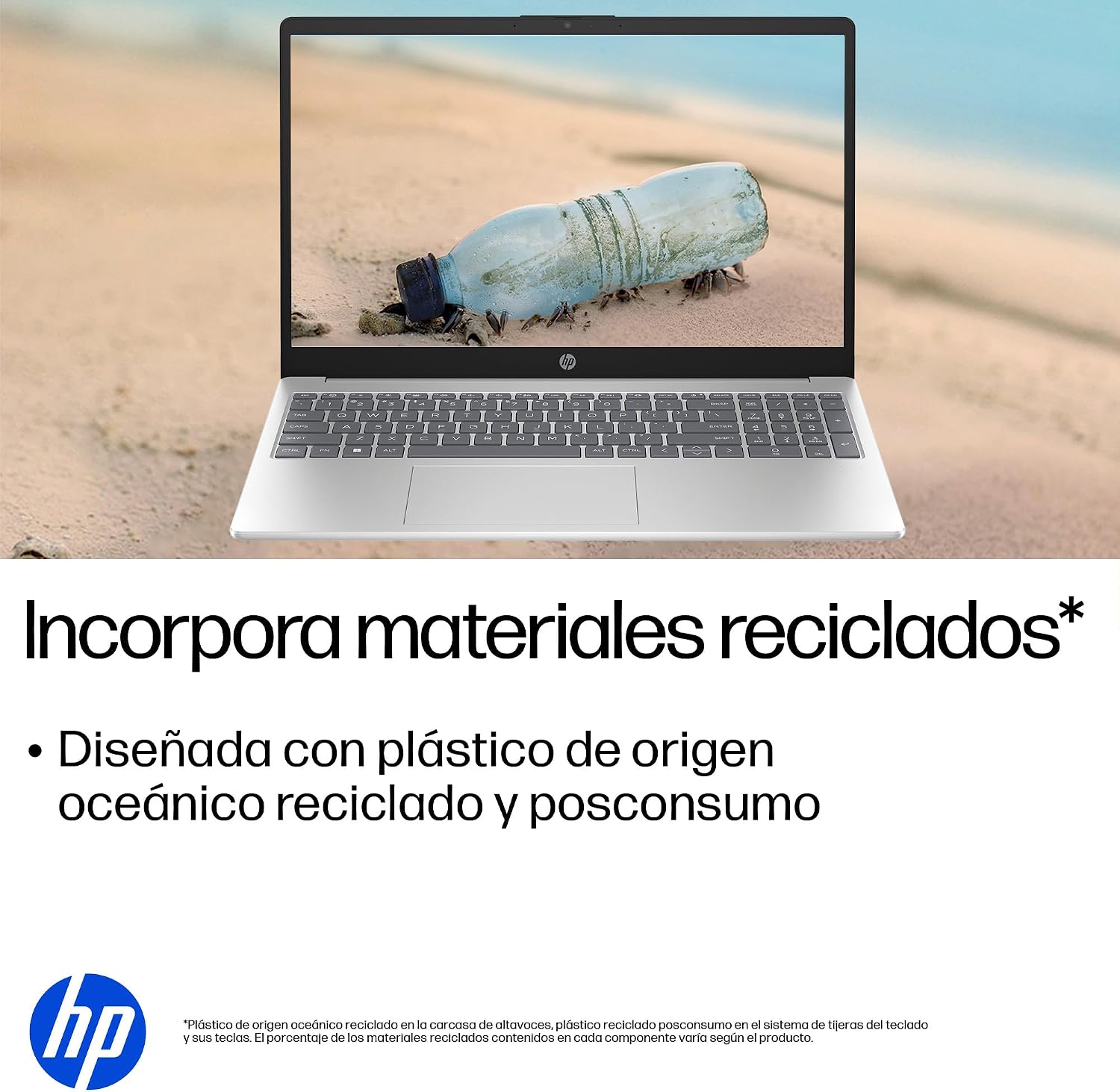
- 持続可能なデザイン: Constructed with ocean-bound and post-consumer recycled plastics in various components.

The laptop features an integrated webcam shutter for privacy and a clear microphone with external noise reduction.

Experience an immersive visual display with an 85% screen-to-body ratio and an anti-glare Full HD screen.

Enjoy extended use with up to 9 hours and 45 minutes of AI-optimized battery life, and quickly recharge 50% in 30 minutes with HP Fast Charge.

This laptop incorporates recycled materials, including ocean-bound and post-consumer plastics, in its design.
5. ポートと接続
Your HP Laptop 15-fd2353la is equipped with various ports for connecting peripherals and external devices:

Diagram illustrating the location and type of ports on the HP Laptop 15-fd2353la.
- 左側:
- 1 x USB Type-A 5 Gbps signaling rate port
- HDMIポート x 1
- 1 x USB Type-C 5 Gbps signaling rate port
- 1 x Headphone/Microphone combo jack
- 右側:
- 1 x USB Type-A 5 Gbps signaling rate port
- 1 x Power connector
6. 仕様
| 特徴 | 仕様 |
|---|---|
| ブランド | HP |
| モデル名 | 15-fd2353la |
| 画面サイズ | 15.6インチ |
| 最大画面解像度 | 1920 x 1080ピクセル(FHD) |
| 表示タイプ | IPS, Anti-glare LCD |
| 色 | 銀 |
| CPUモデル | インテル Core ウルトラ 5 225U |
| プロセッサ速度 | 最大4.8GHz |
| RAMサイズ | 24ギガバイト |
| RAMテクノロジー | DDR5-5600 MT/s |
| ハードドライブのサイズ | 512 GB SSD (PCIe NVMe M.2) |
| オペレーティング·システム | Windows 11 ホーム |
| グラフィックスコプロセッサ | インテル統合グラフィックス |
| USBポート | 3 (USB タイプ A x 2、USB タイプ C x 1) |
| HDMIポート | 1 |
| 電池のタイプ | リチウムイオン |
| バッテリーエネルギー含有量 | 41ワット時 |
| キーボードレイアウト | QWERTY(スペイン語) |
| 重さ | 1.65キログラム |
| 寸法(長さ×幅×高さ) | 23.6 x 36 x 1.9 cm |
Visual representation of the laptop's dimensions and weight.
7. メンテナンス
7.1 ノートパソコンのクリーニング
- 柔らかく糸くずの出ない布で軽く拭き取ってください。ampディスプレイを清掃するには、水またはスクリーンクリーナーを使用してください。
- キーボードとシャーシには柔らかい布を使用してください。刺激の強い化学薬品や研磨剤は使用しないでください。
- 圧縮空気を使用して、キーボードのキーや通気口からほこりを取り除きます。
7.2バッテリーケア
- 極端な温度を避けてください。
- バッテリーを頻繁に完全に放電しないでください。
- ノートパソコンを長期間保管する場合は、バッテリーが約 50% まで充電されていることを確認してください。
7.3ソフトウェアアップデート
最適なパフォーマンスとセキュリティを確保するために、Windows オペレーティング システムとドライバーを定期的に更新してください。Windows Update は、[設定] > [Windows Update] からアクセスできます。
7.4 ストレージ管理
定期的に再view 不要なものを削除する files to maintain sufficient free space on your 512 GB SSD, which helps in sustaining system performance.
8。 トラブルシューティング
8.1 電源の問題
- ノートパソコンが起動しない: 電源アダプターがノートパソコンと電源コンセントの両方にしっかりと接続されていることを確認してください。電源コンセントが正常に機能しているかどうかも確認してください。
- バッテリーが充電されない: Verify the power adapter is correctly connected. Try a different power outlet.
8.2 表示の問題
- 画面に画像が表示されない: Connect an external monitor to the HDMI port to check if the issue is with the laptop's display or the graphics card.
- 画面が暗くなったりちらついたりする場合: Adjust screen brightness using the keyboard function keys. Update display drivers.
8.3 接続の問題
- Wi-Fi が接続されない: Wi-Fiが有効になっていることを確認してください。ルーターとモデムを再起動してください。Windowsのネットワーク設定を確認してください。
- USBデバイスが認識されません: デバイスを別のUSBポートに接続してみてください。デバイスドライバーがインストールされていることを確認してください。
8.4 パフォーマンスの問題
- パフォーマンスが遅い: 不要なアプリケーションを閉じてください。大量のリソースを消費しているバックグラウンドプロセスがないか確認してください(タスクマネージャー)。十分な空きストレージ容量を確保してください。
- システムがフリーズする: Restart the laptop. Check for recent software installations or updates that might be causing conflicts.
9. 保証とサポート
9.1 保証情報
Your HP Laptop 15-fd2353la comes with a 1年間の限定保証この保証は、通常の使用条件下での製造上の欠陥およびハードウェアの故障を対象としています。保証条件の全文については、製品に付属の保証書をご覧ください。
9.2 テクニカルサポート
For technical assistance, warranty claims, or service inquiries, please visit the official HP support website or contact HP customer service. Have your product model number (15-fd2353la) and serial number ready when contacting support.
You can find more information and support resources at the official HP webサイト: www.hp.com/support