
1. はじめに
The ACECONN Sword Pro+ is a high-performance streaming smart TV box designed to deliver an immersive entertainment experience. Running on the Android 11 operating system, it supports 4K Ultra HD resolution at 60 frames per second with HDR10+ for crystal-clear visuals. Equipped with dual-band Wi-Fi (2.4G/5G) and 2GB RAM with 16GB storage, it ensures fast and stable streaming. The included voice remote with backlight offers convenient control. This manual provides essential information for setting up, operating, and maintaining your device.
2. パッケージ内容
以下にリストされているすべてのアイテムがパッケージに含まれていることを確認してください。
- SWORD Pro+ TV Box ×1
- リモコン×1
- HDMIケーブル×1
- 電源アダプター×1
- ユーザーマニュアル ×1
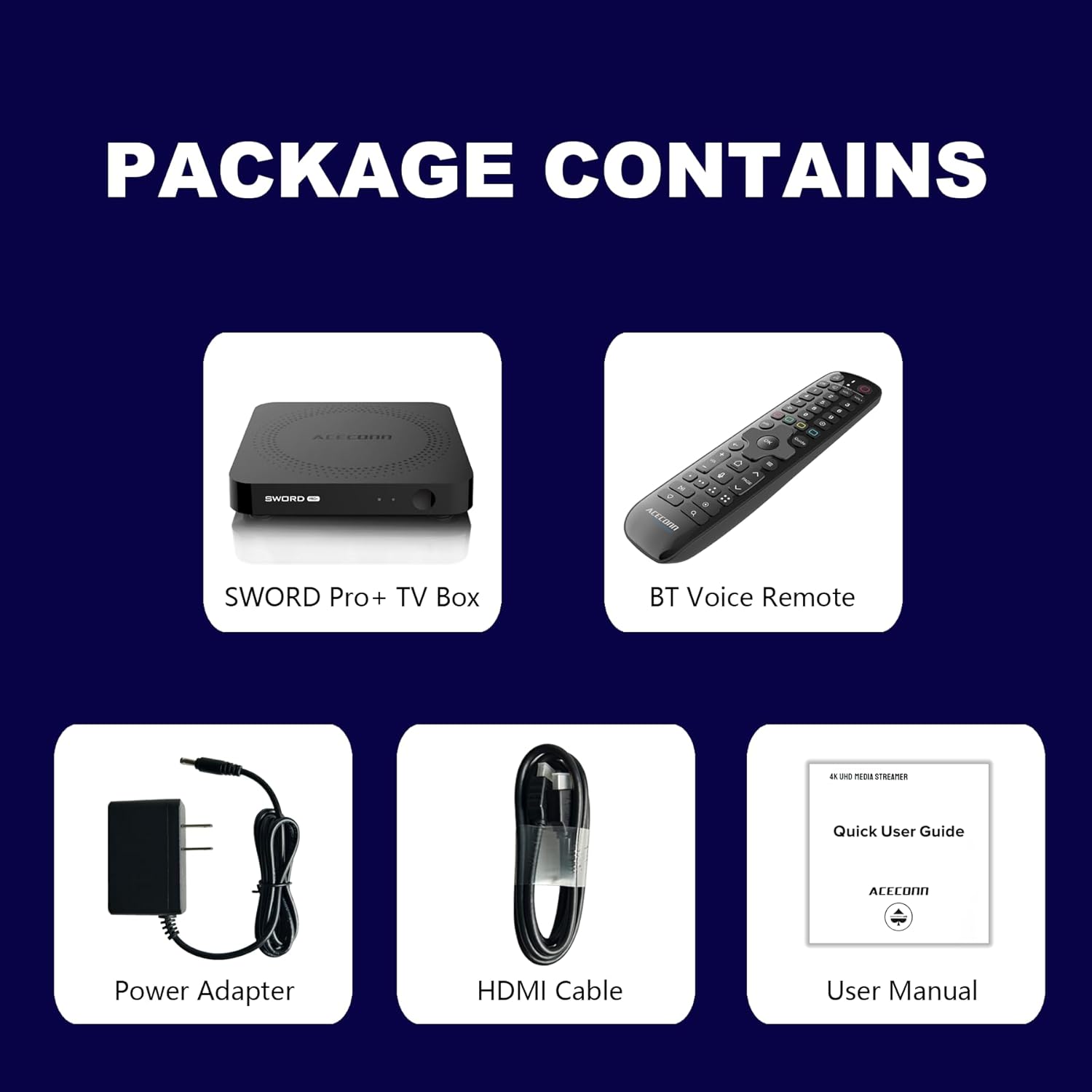
Figure 2.1: Package Contents. This image displays the SWORD Pro+ TV Box, BT Voice Remote, Power Adapter, HDMI Cable, and a Quick User Guide (User Manual).
3.製品オーバーview
3.1 デバイスのレイアウト

図3.1: 前面と背面 Views of the SWORD Pro+ TV Box. The front features an IR receiver and power indicator. The side includes USB 2.0, USB 3.0, and a MicroSD card slot. The rear panel provides AV, Ethernet, HDMI, Optical audio, DC power input, and a 'Find Remote' button.
3.2 寸法
The ACECONN Sword Pro+ TV Box has compact dimensions for easy placement.
- 長さ: 4.4インチ(11 cm)
- 幅: 4.4インチ(11 cm)
- 身長: 0.8インチ(2 cm)

Figure 3.2: Device Dimensions. This image illustrates the length, width, and height of the SWORD Pro+ TV Box.
4. リモコンの説明
The included Bluetooth voice remote control features a backlight for ease of use in various lighting conditions. Familiarize yourself with the buttons and their functions:

Figure 4.1: Remote Control Layout. This diagram labels all buttons on the remote, including TV Power On/Off, STB Power On/Off, OK key for TV, TV Source, Number Keys, Mouse, Options, Color Keys, Information, Open TV Guide, Navigation (Up/Down/Left/Right), Confirm/Select, Exit, Menu, Home, Volume +/-, Page Up/Down, Channel Up/Down, Voice Assistant, Hot Keys, Play/Pause, Record, Setup Favorite, and Search.
- TV Power On/Off: Controls your television's power.
- STB Power On/Off: Controls the TV Box power.
- OK key for TV / TV Source: Selects options or changes TV input.
- 数字キー(0~9): For direct input of numbers.
- ねずみ: Activates/deactivates mouse pointer mode.
- オプション: Accesses additional options within applications.
- Color Keys: 機能はアプリケーションによって異なります。
- 情報: Displays information about current content.
- ガイド: Opens the TV program guide.
- ナビゲーション(上/下/左/右): カーソルまたは選択範囲を移動します。
- OK (Center): 選択を確認します。
- 出口: Returns to the previous screen or exits an application.
- メニュー: Opens the context menu.
- 家: メインのホーム画面に戻ります。
- ボリューム+/-: オーディオの音量を調整します。
- ページアップ/ダウン: ページをスクロールします。
- 音声アシスタント: Activates voice control for commands and search.
- 再生/一時停止: メディアの再生を制御します。
- 記録: Initiates recording (if supported by application/service).
- Setup Favorite: Configures favorite channels or apps.
- 検索: 検索機能を開きます。
5.セットアップガイド
Follow these steps to set up your ACECONN Sword Pro+ TV Box:
- テレビに接続する: Connect one end of the HDMI cable to the HDMI port on the TV Box and the other end to an available HDMI input on your television. Note the HDMI input number (e.g., HDMI 1, HDMI 2).
- 電源に接続: Plug the power adapter into the DC IN port on the TV Box, then plug the adapter into a wall outlet. The device should power on automatically, or you may need to press the power button on the remote.
- テレビ入力を選択: Turn on your television and use its remote control to select the correct HDMI input source that the TV Box is connected to. You should see the ACECONN boot logo on your screen.
- ネットワーク接続:
- Wi-Fi: Once the initial setup screen appears, navigate to the network settings. Select your Wi-Fi network from the list, enter the password, and connect. The device supports dual-band Wi-Fi (2.4G & 5G) for optimal performance.
- イーサネット: For a wired connection, connect an Ethernet cable from your router to the Ethernet port on the TV Box. The device will automatically detect and connect to the wired network.
- 初期システムセットアップ: Follow the on-screen prompts to complete the initial setup, which may include language selection, time zone, and Google account login.
- Remote Control Pairing (if necessary): If the remote control is not responsive, ensure batteries are installed correctly. For Bluetooth remotes, you may need to pair it in the device's Bluetooth settings. Refer to the remote control section for specific pairing instructions if provided on-screen.

Figure 5.1: Dual-Band WiFi. The SWORD Pro+ supports both 2.4G and 5G WiFi for faster and more stable internet connectivity.
6. 操作手順
6.1 基本的なナビゲーション
Use the directional pad (Up, Down, Left, Right) and the OK button on your remote control to navigate through the Android TV interface. The Home button will always return you to the main screen.
6.2 音声制御の使用
Press the Voice Assistant button on your remote control to activate the voice input feature. Speak clearly into the remote to search for content, open applications, or issue commands.

Figure 6.1: Smart Voice Control. This image demonstrates the voice control feature, allowing users to operate the device with spoken commands.
6.3 アプリケーションへのアクセス
The TV Box comes with pre-installed applications, including the TVONAIR3 Streaming App. You can access more applications through the ACECONN exclusive app store or the Google Play Store. Navigate to the 'Apps' section on the home screen to view インストール済みのアプリケーションを管理します。
6.4 4K HDR Streaming
To enjoy 4K HDR content, ensure your television supports 4K resolution and HDR10+. Connect the TV Box to an HDMI 2.1 port on your TV for optimal performance. Content quality will also depend on your internet speed and the streaming service's offerings.
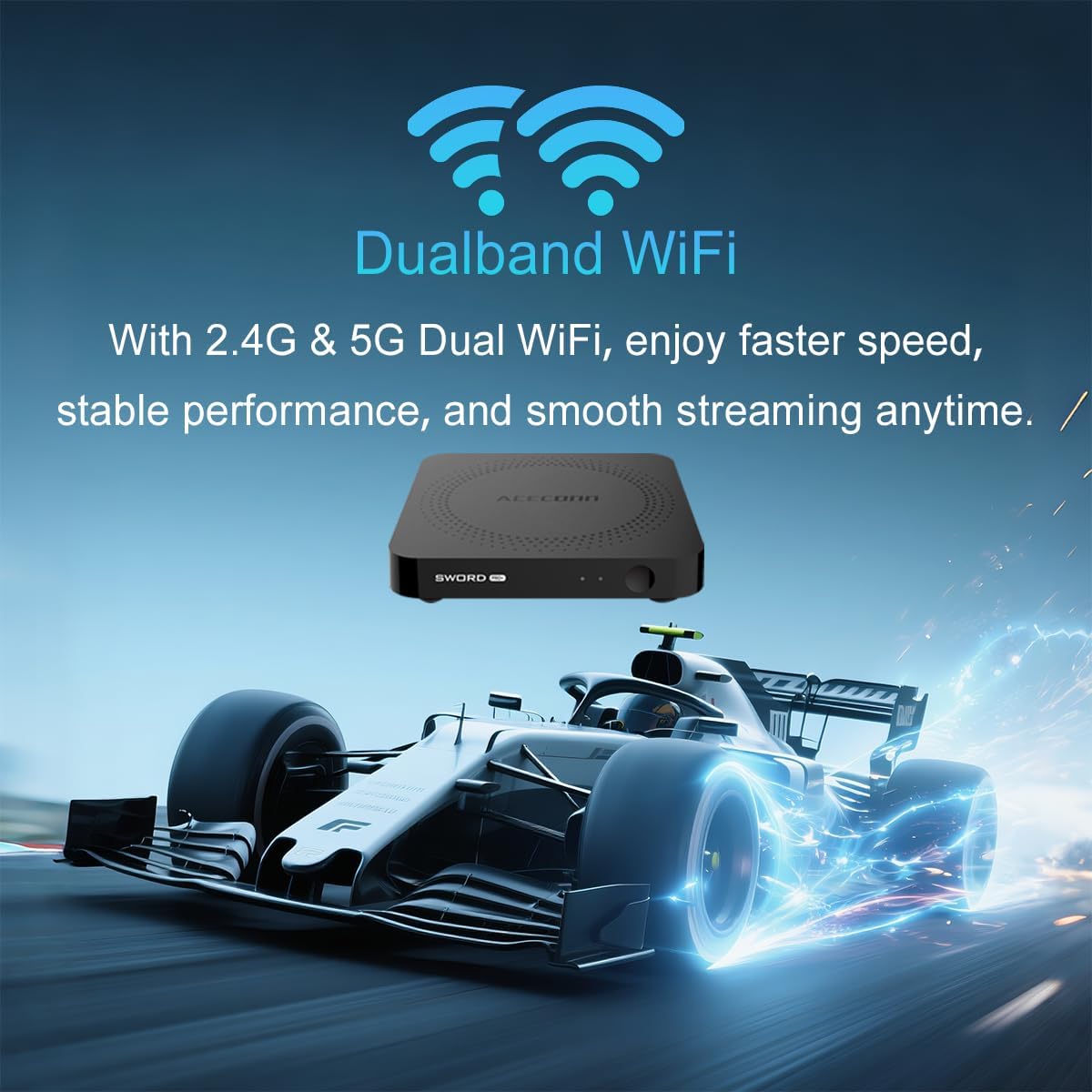
Figure 6.2: 4K HDR Support. The device supports 4K video streaming up to 3840x2160 at 60Hz, Dynamic HDR with frame-by-frame precision, and AV1 format decoding.
6.5 システムアップデート(OTA)
The ACECONN Sword Pro+ supports Over-The-Air (OTA) updates for both the system and applications. It is recommended to keep your device updated to ensure optimal performance and access to the latest features and security enhancements. You can check for updates in the device's settings menu.
7. メンテナンス
Proper maintenance ensures the longevity and optimal performance of your TV Box:
- クリーニング: デバイスの外側を拭く際は、柔らかく乾いた布をご使用ください。液体クリーナーや研磨剤は使用しないでください。
- 換気: Ensure the TV Box is placed in a well-ventilated area. Do not cover ventilation openings or place the device in an enclosed space that could restrict airflow.
- ソフトウェアアップデート: Regularly check for and install system and application updates to benefit from performance improvements and security patches.
- 環境条件: デバイスを極端な温度、直射日光、高湿度、ほこりの多い環境にさらさないでください。
- 電源サイクル: If the device becomes unresponsive, disconnect the power adapter for a few seconds and then reconnect it to perform a power cycle.
8。 トラブルシューティング
If you encounter issues with your ACECONN Sword Pro+, refer to the following common problems and solutions:
| 問題 | 考えられる原因 | 解決 |
|---|---|---|
| デバイスの電源が入りません。 | 電源アダプターが接続されていないか故障しています。 | 電源アダプターがデバイスにしっかりと接続され、電源コンセントが機能していることを確認してください。別のコンセントをお試しください。 |
| No signal on TV screen. | 間違った HDMI 入力が選択されているか、HDMI ケーブルが緩んでいます。 | Verify the HDMI cable is securely connected to both the TV Box and the TV. Select the correct HDMI input on your TV using your TV's remote. |
| リモコンが機能しない。 | Low batteries, remote not paired, or IR sensor blocked. | Replace batteries. Ensure the remote is paired via Bluetooth (check device settings). Ensure no obstructions between remote and TV Box. |
| Buffering or slow streaming. | Weak Wi-Fi signal, slow internet speed, or network congestion. | Move the TV Box closer to your Wi-Fi router or use an Ethernet cable for a wired connection. Restart your router. Check your internet service provider's speed. |
| アプリケーションがクラッシュまたはフリーズする。 | アプリ固有の問題、メモリ不足、またはアプリが古くなっています。 | Clear the cache of the problematic app (Settings > Apps). Update the app from the Play Store. Restart the TV Box. |
9. 仕様
Detailed technical specifications for the ACECONN Sword Pro+ TV Box:
- モデル名: SWORD PRO+
- オペレーティング·システム: アンドロイド11
- プロセッサ: クアッドコア ARM Cortex-A35 CPU
- グラフィック: G31TM MP2 GPU, OpenGL ES 3.2, Vulkan 1.1, OpenCL 2.0
- ラム: 2GB DDR3
- 内部ストレージ: 16GB eMMC
- ビデオ出力: Up to 4Kx2K@60fps
- HDRサポート: HDR10+/HLG
- ビデオデコード: AV1, HEVC/H.265
- 接続性:
- Dual-band Wi-Fi (2.4G/5G)
- ブルートゥース
- イーサネット
- ポート: HDMI 2.1, USB 2.0, USB 3.0, MicroSD Card Slot, AV, Optical, DC IN
- 寸法: 4.4 x 4.4 x 0.8 インチ (11 x 11 x 2 cm)
- 重さ: 1.1ポンド(約0.5kg)
- サポートされているインターネット サービス: Browser, Netflix, Skype, YouTube (and others via app stores)
- コントローラタイプ: リモートコントロール、ボイスコントロール

Figure 9.1: Key Features and Specifications. This image provides a visual summary of the device's capabilities, including Android 11, 4K 60fps, AV1 codec, 2GB DDR3 RAM, 16GB storage, HDMI 2.1, and the included smart Universal BT Remote with voice command and backlight.
10. 保証とサポート
For warranty information, please refer to the documentation included with your purchase or visit the official ACECONN website. For technical support, product inquiries, or service, please contact ACECONN customer support through their official channels.