
導入
The MINISO MS102 AI Translator Earbuds are designed to provide real-time language translation, high-definition call clarity, and premium audio playback. These earbuds support translation across 135 languages with near-instant response times and high accuracy. They are compatible with both iPhone and Android devices, offering a versatile solution for communication and entertainment.
Key features include an intuitive LCD touchscreen control on the charging case, multiple translation modes, and advanced audio technologies for an enhanced user experience.

Image: The MINISO MS102 AI Translator Earbuds are suitable for diverse translation scenarios, including study abroad, global travel, and multinational team communication.
箱の中身
パッケージ内のすべてのアイテムが揃っていることを確認します。
- MINISO MS102 Earbuds (2)
- 充電ボックス(1)
- 充電ケーブル(USB-C)(1)
- ユーザーマニュアル (1)
- 梱包箱(1)
- ストラップ (1)

Image: The package contents for the MINISO MS102 AI Translator Earbuds, showing the earbuds, charging case, USB-C charging cable, user manual, and a lanyard.
設定
To utilize the full functionality of your MINISO MS102 AI Translator Earbuds, including translation features, follow these setup steps:
- アプリをダウンロード: Download the free "Auralntelli" application from your device's app store (available for both iOS and Android). No subscriptions are required for translation features.
- ログイン: Open the Auralntelli app and log in or create an account.
- Bluetooth経由でイヤホンをペアリングする: Take the earbuds out of the charging case. On your smartphone, navigate to Bluetooth settings and pair with "MINISO-MS102".
- アプリ内で接続: Open the Auralntelli app, and follow the on-screen prompts to connect your earbuds to the application.

Image: A visual guide illustrating the four steps to set up the earbuds: downloading the Auralntelli app, logging in, connecting via Bluetooth, and finalizing the connection within the app.
操作手順
電源オンと接続
The earbuds automatically power on when removed from the charging case and connect instantly to previously paired devices. They are compatible with mobile phones, iPads, computers, and other Bluetooth-enabled devices.
Intuitive LCD Touchscreen Control
The charging case features a vibrant HD touchscreen display, providing access to over 15 functions without needing your phone. Tap an item on the screen to access its options.
- 音楽再生: Control tracks and volume.
- EQ設定: Adjust audio equalization.
- 音声コマンド: デバイスの音声アシスタントを有効にします。
- 便利なツール: アラーム、ストップウォッチ、リモートカメラコントロールなどの機能にアクセスします。
- 翻訳: Directly access translation modes.
- イヤホンを探す: 置き忘れたイヤホンを探します。

Image: The multifunctional LED full-color touchscreen of the charging case displays icons for various functions, including system settings, music control, camera, power management, equalizer adjustments, translation access, and the 'Find My Earbuds' feature.
Translation Features and Modes
The earbuds support 135 languages with 98% accuracy and a reaction time of less than 0.5 seconds.

Image: A comprehensive list of 135 languages supported by the MINISO MS102 AI Translator Earbuds, demonstrating broad linguistic coverage.
The MS102 offers various translation modes to suit different communication needs:
- ハンズフリーモード: Facilitates real-time conversation flow for natural interactions.
- タッチコントロールモード: Allows single-ear operation for quick translations.
- Photo Translate: Capture text from images for instant translation. Useful for menus, signs, and documents.
- AIチャットモード: An AI assistant for natural dialogue, providing solutions for daily life or work queries.
- 会議モード: Designed for multilingual group discussions.
- ハイブリッドモード: Enables simultaneous music playback and translation.
- 音声メモ: Automatically transcribes spoken memos.
- ビデオ字幕翻訳: Generates real-time subtitles for videos in supported applications.

Image: An illustration detailing the nine distinct translation modes available on the MINISO MS102 AI Translator Earbuds, designed for various communication scenarios.

画像: 元ample of real-time translation in action, showing a conversation translated from English to German, highlighting the seamless cross-language communication provided by the earbuds.

Image: The photo translation feature is demonstrated by a smartphone scanning a street sign, with the text automatically translated from German to English, aiding in understanding foreign text.

Image: A user is shown watching a video on a smartphone while wearing the earbuds, with AI-generated captions displayed on the screen, illustrating the AI video captions feature for real-time subtitle translation.
オーディオ機能
The MS102 earbuds feature an open-ear design for comfort and studio-quality sound. Advanced Adaptive Noise Cancellation (ANC) technology minimizes background noise, ensuring clear audio for calls and music in various environments.
- カスタムEQ設定: Adjust your audio experience with 5 custom equalizer presets (Pop, Rock, Standard, Classic, Jazz) to match your preferences.
- No Audio Delay: Enjoy synchronized audio with video content, providing an immersive experience.
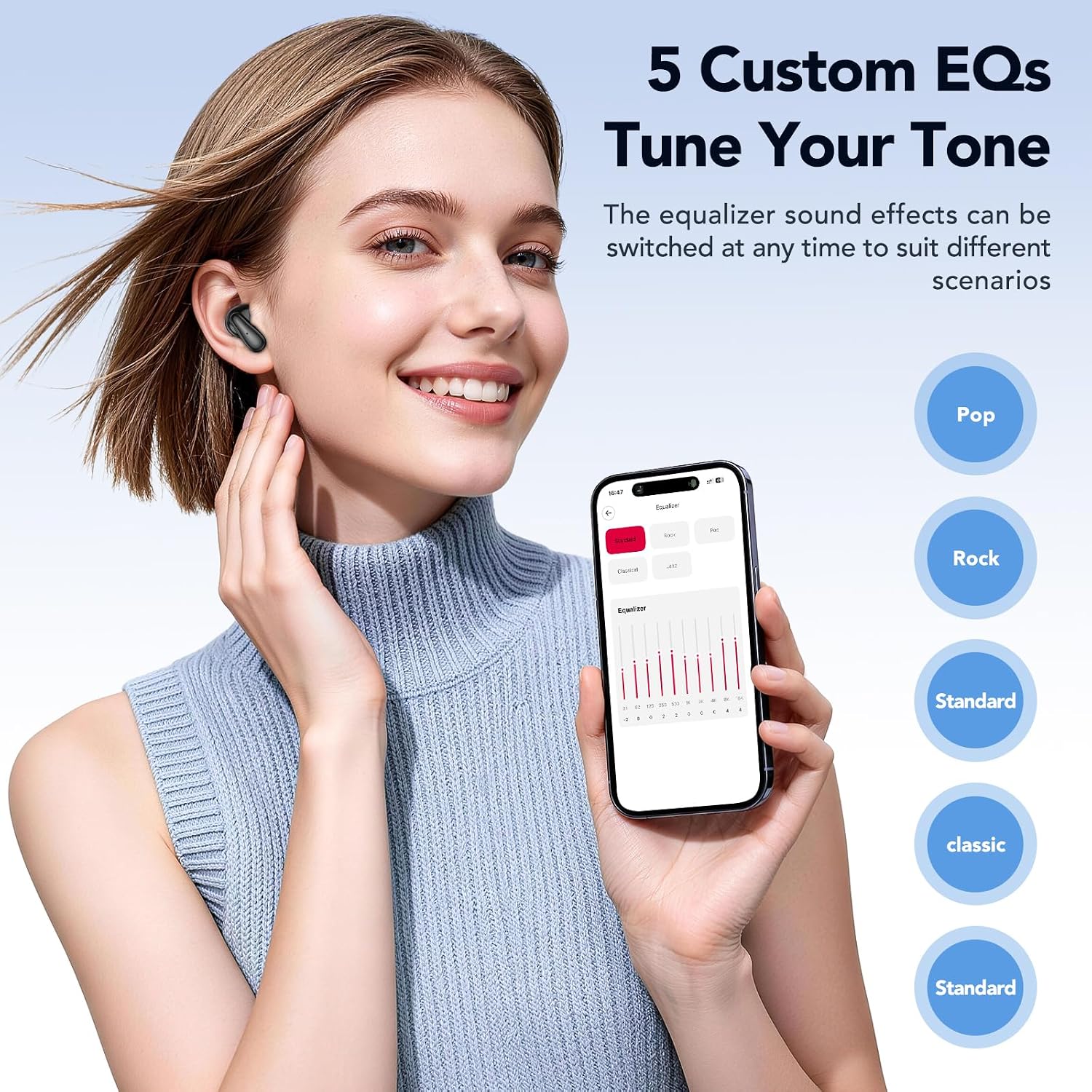
Image: A user adjusting the equalizer settings on a smartphone, showcasing the five custom EQ options (Pop, Rock, Standard, Classic, Jazz) available to tune the audio tone of the earbuds.
イヤホンを探す機能
If you misplace your earbuds, the built-in tracker, accessible via the companion app, can display their last known location. You can also trigger an audible alert to help pinpoint their exact position.
メンテナンス
適切なメンテナンスを行うことで、イヤホンの寿命が長くなり、最適なパフォーマンスが確保されます。
- クリーニング: イヤホンと充電ケースは、柔らかく乾いた糸くずの出ない布で定期的に拭いてください。研磨剤や刺激の強い化学薬品の使用は避けてください。
- ストレージ: イヤホンを埃や損傷から守るため、使用しない時は充電ケースに入れて保管してください。高温多湿を避け、涼しく乾燥した場所に保管してください。
- バッテリーのケア: To preserve battery life, avoid fully discharging the earbuds and charging case frequently. Charge them regularly, even if not in constant use. The earbuds offer up to 50 hours of battery life with the charging case, with a full charge taking approximately 1.5 hours.
- 耐水性: The earbuds are IPX5 waterproof, meaning they are resistant to splashes and sweat. Do not submerge them in water.
トラブルシューティング
If you encounter issues with your MINISO MS102 AI Translator Earbuds, refer to the following common solutions:
- イヤホンが充電されていない:
- Ensure the charging cable is securely connected to both the charging case and a power source.
- Verify that the charging case itself has power.
- 乾いた綿棒を使用して、イヤホンとケース内部の充電接点を清掃します。
- Poor Audio Quality or Intermittent Sound:
- イヤホンが耳に正しく装着されていることを確認してください。
- Check the Bluetooth connection and ensure you are within range of your paired device.
- Restart your paired device and reconnect the earbuds.
- イヤホンのスピーカーからゴミを取り除きます。
- Translation Features Not Working:
- Confirm that the "Auralntelli" app is installed and updated to the latest version.
- Ensure the earbuds are connected to your device via Bluetooth AND connected within the Auralntelli app.
- 翻訳機能にはオンラインアクセスが必要になることが多いため、インターネット接続を確認してください。
- イヤホンがデバイスに接続されない:
- イヤホンを充電ケースに戻し、蓋を閉じて数秒待ってから取り出し、ペアリング モードを再度開始します。
- On your device, forget the "MINISO-MS102" Bluetooth connection and attempt to pair again.
仕様
| 特徴 | 詳細 |
|---|---|
| ブランド | ミニソ |
| モデル番号 | MS102 |
| 耳の位置 | 耳を開ける |
| フォームファクター | オープンイヤー トゥルーワイヤレス |
| 騒音制御 | アダプティブノイズキャンセレーション |
| コントロールタイプ | タッチコントロール |
| オーディオドライバータイプ | ダイナミックドライバ |
| エンクロージャ材質 | プラスチック |
| 接続技術 | ワイヤレス(Bluetooth) |
| Bluetoothバージョン | 5.4 |
| 耐水性レベル | IPX5防水 |
| バッテリー充電時間 | 1.5時間 |
| バッテリーの平均寿命 | 50時間(充電ケース使用時) |
| 対応デバイス | Cellphones, iPads, Computers, Watches |
| 欧州連合 | 850073442531 |
保証とサポート
MINISO MS102 AI翻訳イヤホンには、 1年間の限定保証 ご購入日から製造上の欠陥が保証対象となります。保証請求の際は、購入証明書を保管してください。
For setup assistance, troubleshooting, or any other product-related inquiries, please contact our dedicated customer service team. Refer to the contact information provided in your product packaging or visit the official MINISO webサポート詳細のサイト。