
1. はじめに
Thank you for choosing the Lysole Walking Vibration Pad Treadmill. This manual provides essential information for the safe and efficient operation, maintenance, and troubleshooting of your new fitness equipment. Please read it thoroughly before first use and retain it for future reference.
重要な安全情報: Always consult with a healthcare professional before starting any new exercise program. Ensure the treadmill is placed on a flat, stable surface. Keep children and pets away from the treadmill during operation. Do not use the treadmill if you weigh more than 340 pounds (154 kg).
2 製品の特徴
- 4-in-1 Portable Design: Functions as a walking pad, jogging pad, running pad, and climbing pad with adjustable incline.
- 調整可能な5%傾斜: Manually adjustable incline to simulate mountaineering, targeting glutes and leg muscles more effectively.
- パワフルで静かなモーター: Equipped with a 2.5 HP motor, operating at less than 45dB, suitable for home and office use without significant noise disruption.
- Large LED Display & Remote Control: Real-time tracking of speed, distance, time, and calories burned. Remote control allows for easy speed adjustments and immediate stops.
- Non-Slip Running Belt & Shock Reduction: Features a spacious 16.54" x 40" running belt with five non-slip layers and eight soft rubber shock absorbers for a quiet and stable experience.
- Easy Storage & Portability: Slim design with transport wheels for convenient movement and storage under furniture or against a wall.
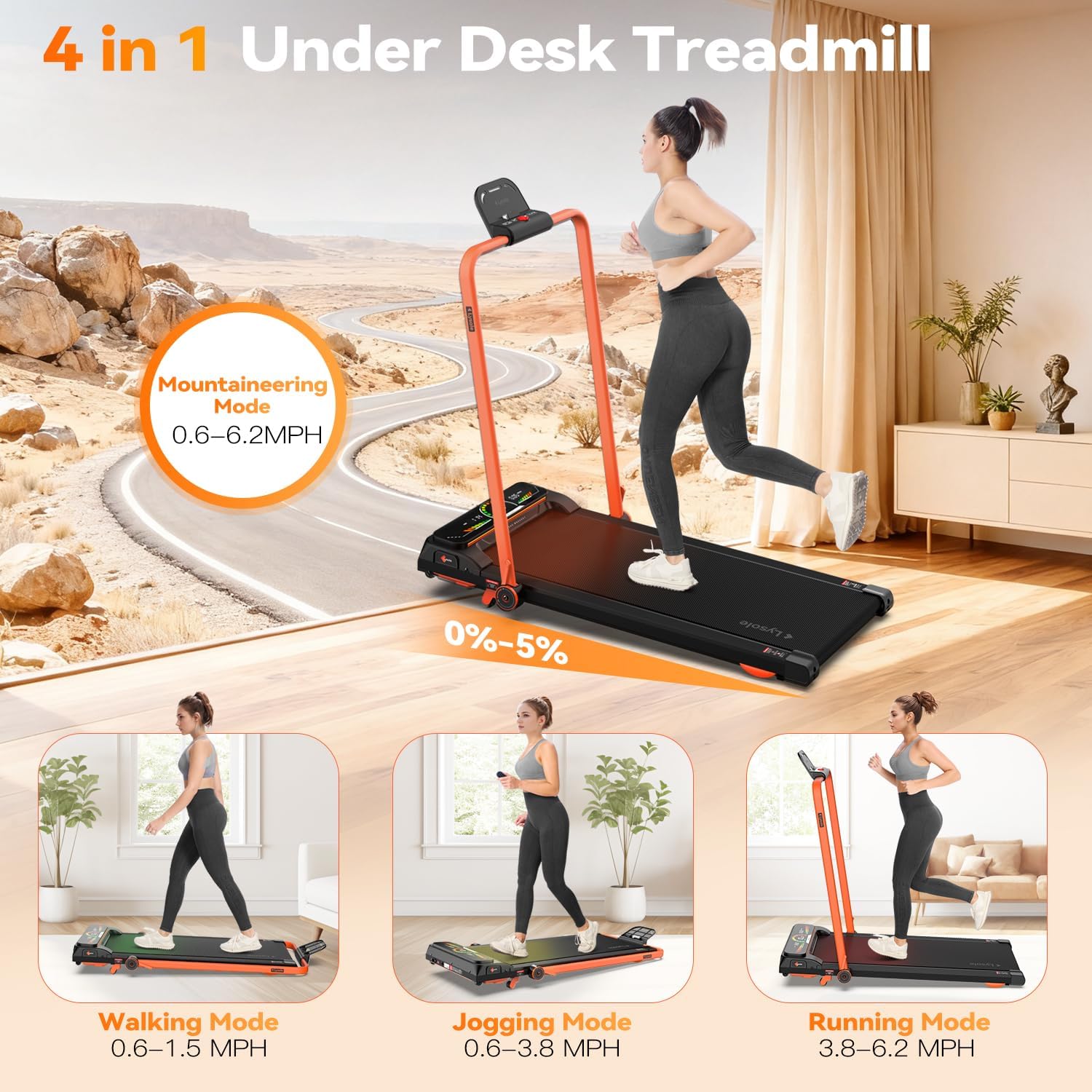
Figure 2.1: The 4-in-1 functionality of the Lysole treadmill, including walking, jogging, running, and mountaineering modes.
3. パッケージ内容
パッケージを注意深くチェックし、すべてのアイテムが揃っていて損傷がないことを確認してください。
- Lysole Walking Pad Treadmill x 1
- リモコンx 1
- L字レンチ×1
- ユーザーマニュアル x 1

Figure 3.1: Contents included in the Lysole Walking Pad Treadmill package.
4. セットアップ手順
The Lysole Walking Pad Treadmill requires minimal assembly. Follow these steps for initial setup:
- 開梱: トレッドミルとすべての付属品をパッケージから慎重に取り出します。
- 配置: Place the treadmill on a flat, stable, and non-slip surface. Ensure there is adequate space around the unit for safe operation.
- 電源接続: 電源コードをトレッドミルの電源入力に差し込み、次にアースされた電源コンセントに差し込みます。
- 電源オン: Locate the main power switch (usually at the front or side of the treadmill) and turn it to the 'ON' position. The LED display should illuminate.
- リモートコントロールの設定: Insert 2 AAA batteries (not included) into the remote control. The remote is pre-paired with the treadmill.
- 傾斜調整(オプション): To adjust the incline, locate the orange levers at the front of the treadmill. Push them back to raise the front of the treadmill, creating a 5% incline. Ensure both sides are securely engaged.
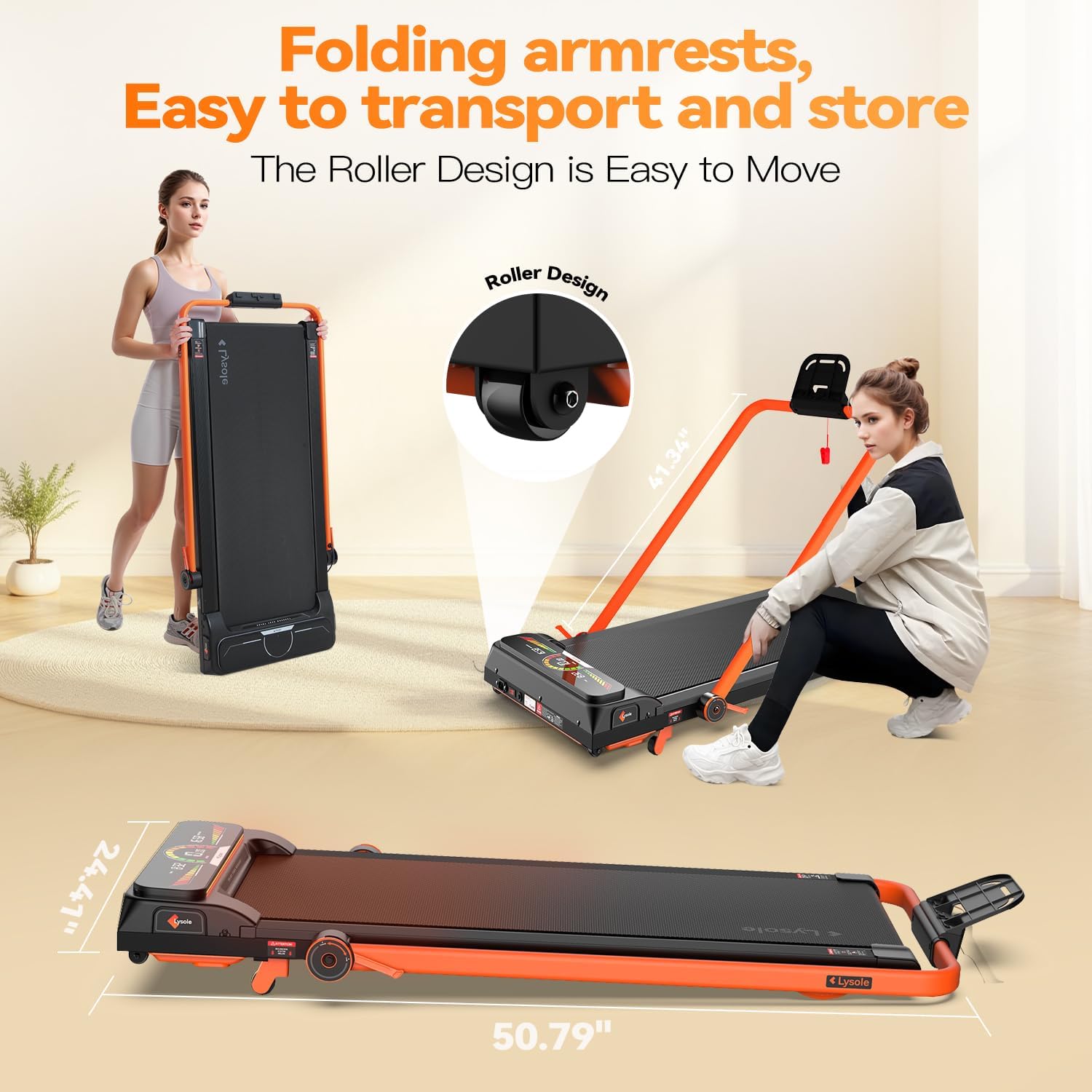
Figure 4.1: The Lysole treadmill in its flat configuration, highlighting its compact design and transport wheels for easy movement.
5. 操作手順
Familiarize yourself with the controls and display before beginning your workout.
5.1 リモコンの使用
- 開始/停止: Press the Play/Pause button to start or stop the treadmill. A 3-second countdown will appear before starting.
- 速度調整: Use the '+' button to increase speed and the '-' button to decrease speed. The speed range is 0.6-6.2 MPH.
- モード選択: Press the 'MODE' button to cycle through display modes (Time, Distance, Calories).
5.2 LEDディスプレイの理解
The oversized LED display provides real-time workout data:
- 時間: ワークアウトの継続時間を表示します。
- スピード: Shows your current walking/running speed in MPH.
- 距離: セッション中に移動した合計距離を追跡します。
- カロリー: トレーニング中に消費されたカロリーを推定します。

Figure 5.1: The LED display and remote control for the Lysole Walking Pad Treadmill.
5.3種類のワークアウトモード
- ウォーキングモード: Speed range 0.6-1.5 MPH. Ideal for light activity or warm-ups.
- ジョギングモード: Speed range 0.6-3.8 MPH. Suitable for a moderate pace.
- 実行モード: Speed range 3.8-6.2 MPH. For more intense cardio.
- Mountaineering Mode: Utilizes the 5% incline for a more challenging workout, engaging different muscle groups.
6. メンテナンス
定期的なメンテナンスにより、トレッドミルの寿命が長くなり、最適なパフォーマンスが確保されます。
6.1 クリーニング
- トレッドミルの表面を拭いてamp 使用後は毎回布で汗やほこりを拭き取ってください。
- Avoid using abrasive cleaners or solvents that may damage the display or finish.
6.2 潤滑
ランニングベルトは摩擦と摩耗を軽減するため、定期的な潤滑が必要です。付属の潤滑剤、またはシリコンベースのトレッドミル用潤滑剤をご使用ください。
- トレッドミルの電源を切り、プラグを抜きます。
- Loosen the belt tension by turning the rear rollers counter-clockwise using the L-shaped wrench.
- Lift the edge of the running belt and apply a thin line of lubricant along the center of the deck.
- Tighten the belt tension by turning the rear rollers clockwise until the belt is snug but not overly tight.
- トレッドミルをコンセントに差し込み、低速で 1 ~ 2 分間動かして潤滑剤を行き渡らせます。

Figure 6.1: Adjusting the treadmill belt for proper tension and lubrication.
6.3 ベルト調整
If the running belt is off-center or slipping, adjust it using the L-shaped wrench at the rear rollers. Turn the bolt clockwise to move the belt to the right, and counter-clockwise to move it to the left. Adjust in small increments and test the belt after each adjustment.
7。 トラブルシューティング
一般的な問題とその解決策については、このセクションを参照してください。
- トレッドミルが起動しない: Ensure the power cord is securely plugged in and the main power switch is ON. Check if the remote control batteries are correctly inserted.
- ランニングベルトの滑り: The belt may be too loose. Refer to Section 6.3 for belt adjustment.
- 動作中の異常音: Check for any loose parts. Ensure the treadmill is on a flat surface. Lubricate the running belt if necessary (Section 6.2).
- Inaccurate display readings: Ensure the treadmill is properly calibrated. If issues persist, contact customer support.
8. 仕様
| 特徴 | 仕様 |
|---|---|
| ブランド | リゾール |
| モデル名 | L400A |
| 材料 | 合金鋼 |
| 最高速度 | 時速6.2マイル |
| 最低速度 | 時速0.6マイル |
| 最大馬力 | 2.5馬力 |
| 最大傾斜パーセントtage | 5%(手動) |
| 最大重量の推奨 | 340 ポンド |
| デッキの長さ | 40インチ |
| ランニングベルトの寸法 | 16.54インチ×40インチ |
| 騒音レベル | < 45dB |
| 組み立てが必要 | いいえ |
| 電源 | コード式電気 |
| 接続技術 | ブルートゥース |

Figure 7.1: Key specifications and features of the Lysole treadmill, including motor power and weight capacity.
9. 公式製品ビデオ
ビデオ9.1: 審判員がview of the Lysole Walking Pad Treadmill with Incline, demonstrating its features and usage.
10. 保証とサポート
Lysole is committed to customer satisfaction. For warranty information, technical support, or any questions regarding your treadmill, please refer to the contact details provided in your purchase documentation or visit the official Lysole website. Our commitment to supporting customers 24 hours a day to ensure timely resolution of issues while providing satisfactory solutions remains unwavering.