
1. はじめに
Thank you for choosing the Picun G2 Wireless Gaming Headset. This manual provides detailed instructions for setting up, operating, and maintaining your headset to ensure optimal performance and an immersive gaming experience. Please read this manual thoroughly before use.
箱の中身
- 1 x Picun G2 Wireless Gaming Headset
- 1 x USB-A & Type-C 2-in-1 Wireless Dongle
- 1 x USB-C充電ケーブル
- 1mmオーディオケーブル x 3.5
- ユーザーマニュアル x 1
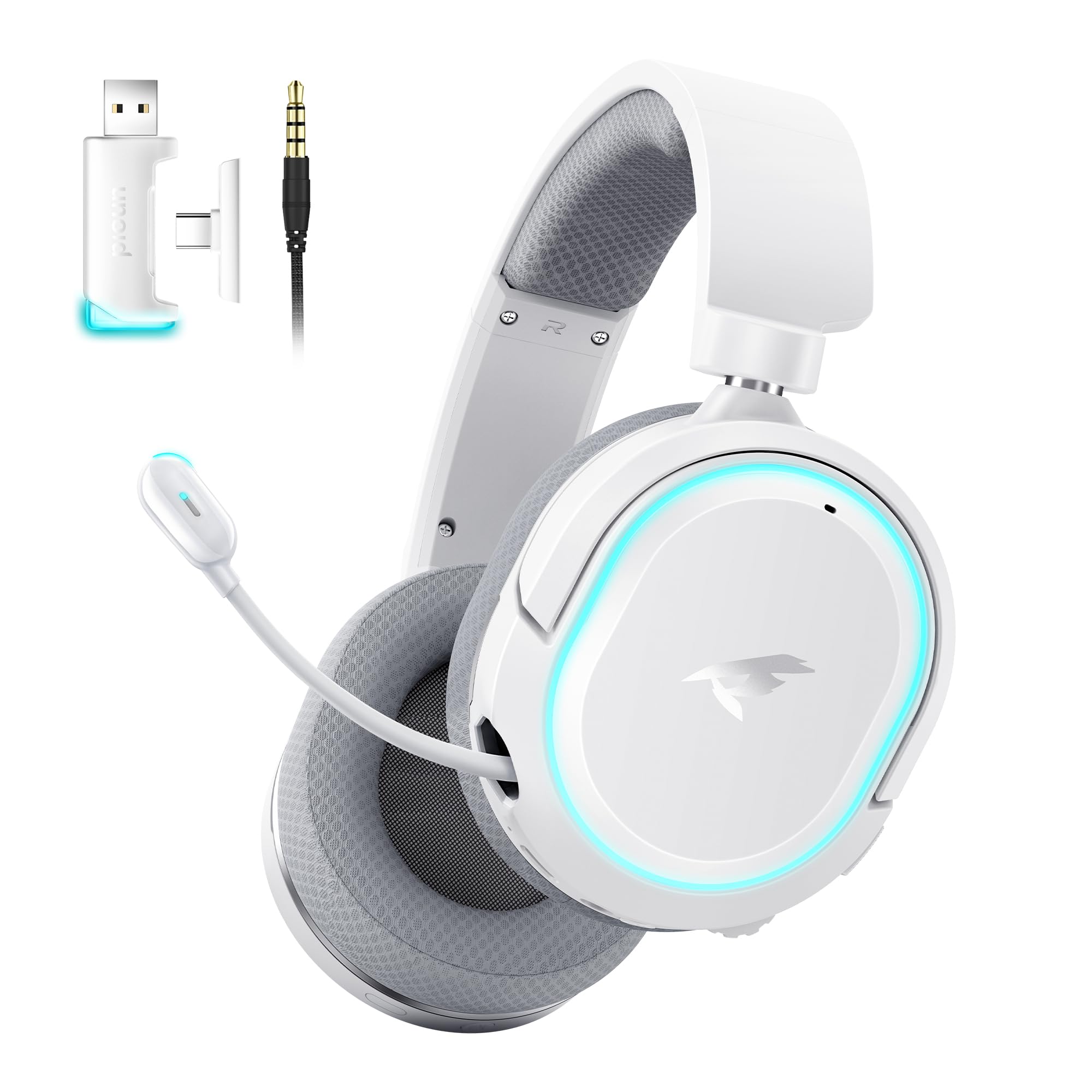
Image: Picun G2 Wireless Gaming Headset (Grey)
2.製品オーバーview
Familiarize yourself with the various components and controls of your Picun G2 headset.

Image: Headset Controls Diagram
- 7.1 Mode Light Control: Button to activate/deactivate 7.1 virtual surround sound and control RGB lighting.
- 充電ポート: ヘッドセットを充電するための USB-C ポート。
- 3.5mmオーディオポート: 付属の3.5mmオーディオケーブルを使用して有線接続します。
- 電源ボタン: Press and hold to power on/off. Short press for play/pause in Bluetooth mode.
- ボリュームホイール: Scroll up or down to adjust the volume.
- マイクミュート: Slide switch to mute or unmute the microphone.
3. セットアップと接続
3.1 ヘッドセットの充電
Before first use, fully charge the headset using the provided USB-C charging cable. Connect the USB-C end to the headset's charging port and the USB-A end to a power source (e.g., computer USB port, USB wall adapter).
3.2 Connecting via 2.4GHz Wireless (Dongle)
For ultra-low latency gaming on PC, PS5, PS4, or Nintendo Switch (docked mode):
- Insert the 2.4GHz USB-A/Type-C dongle into an available USB port on your device.
- ヘッドセットの電源を入れます。ドングルに自動的に接続されます。
- デバイスのサウンド設定で、ヘッドセットがオーディオ出力および入力デバイスとして選択されていることを確認します。
3.3 Bluetooth 5.4経由で接続する
For wireless connection to smartphones, tablets, and other Bluetooth-enabled devices:
- With the headset powered off, press and hold the Power Button until the LED indicator flashes blue and red, indicating pairing mode.
- On your device, enable Bluetooth and search for "Picun G2".
- Select "Picun G2" to pair. The LED will turn solid blue once connected.
3.4 Connecting via 3.5mm Wired
For universal compatibility with devices featuring a 3.5mm audio jack:
- 3.5mm オーディオ ケーブルの一方の端をヘッドセットの 3.5mm オーディオ ポートに接続します。
- Connect the other end to your device's 3.5mm audio jack.
- Note: Microphone functionality may vary or be unavailable in wired mode depending on the device.

Image: Multiple Connection Options
4. 操作手順
4.1 電源オン/オフ
- 電源オン: 電源ボタンを3秒間押し続けます。
- 電源を切る: 電源ボタンを3秒間押し続けます。
4.2 ボリュームコントロール
- 回転する ボリュームホイール upwards to increase volume.
- 回転する ボリュームホイール downwards to decrease volume.
4.3 Microphone Usage (Retractable ENC Noise-Canceling Mic)
- Extend/Retract Mic: Gently pull out or push in the microphone from the left earcup.
- ミュート/ミュート解除: 使用 マイクミュート slide switch located on the earcup.

Image: Retractable ENC Noise-Canceling Microphone
4.4 7.1 Virtual Surround Sound Activation
- を押す 7.1 モードライトコントロール button to toggle 7.1 virtual surround sound on or off.
- The RGB lighting will indicate the status of the 7.1 mode.

Image: 7.1 Surround Sound Activation
5.バッテリー情報
The Picun G2 headset offers extended battery life for prolonged usage.
- Up to 100 hours playtime in Bluetooth mode (RGB off).
- Approximately 42-45 hours playtime via 2.4GHz wireless (RGB on).
- Full charge typically takes 2-3 hours.
- The headset supports charging while in use.

画像: バッテリー寿命と充電
6. 快適性とデザイン
The Picun G2 is designed for comfort during extended gaming sessions.
- 調節可能なヘッドバンド: さまざまな頭のサイズに合わせてフィットをカスタマイズします。
- 回転可能なイヤーカップ: Allows for flexible positioning and storage.
- Soft Memory Sponge Cushions: Breathable fabric earcups and headband provide comfort and reduce pressure.

Image: Comfort Features
7。 トラブルシューティング
If you encounter any issues with your Picun G2 headset, please refer to the following common solutions:
| 問題 | 解決 |
|---|---|
| ヘッドセットから音が出ない |
|
| マイクが機能しない |
|
| 2.4GHzワイヤレスで接続できない |
|
| Bluetooth経由で接続できません |
|
| バッテリー寿命が短い |
|
8. 仕様
| 特徴 | 詳細 |
|---|---|
| ブランド | ピクン |
| モデル名 | Picun-G2 |
| 接続技術 | 2.4GHzワイヤレス、Bluetooth 5.4、3.5mm有線 |
| 耳の位置 | オーバーイヤー |
| オーディオドライバータイプ | ダイナミックドライバー(40mm) |
| インピーダンス | 32オーム |
| 周波数範囲 | 20 Hz - 20,000 Hz |
| 音声遅延 | 5ミリ秒(2.4GHz) |
| Bluetoothバージョン | 5.4 |
| Bluetooth範囲 | 10メートル |
| バッテリー寿命 | Up to 100 Hours (Bluetooth, RGB off) / 42-45 Hours (2.4GHz, RGB on) |
| 充電時間 | 2~3時間 |
| マイクロフォン | Retractable ENC Noise-Canceling Omnidirectional Mic |
| 対応デバイス | PC, Mac, Laptop, Desktop, Phone, Pad, Tablet, PlayStation 4/5/pro/Slim, Gaming Consoles, Switch, Nintendo Switch (microphone invalid on Switch via 3.5mm) |
| 材料 | ABS, Breathable Fabric, PC, Soft Memory Sponge Cushions |
| 追加機能 | 7.1 Virtual Surround Sound, RGB Lighting, Adjustable Headband, Rotatable Earcups |
9. 保証とサポート
9.1 保証情報
The Picun G2 Wireless Gaming Headset comes with a 1年間保証 ご購入日から1年間有効です。この保証は製造上の欠陥を保証し、通常の使用において材料および製造上の欠陥がないことを保証します。保証請求のために購入証明書を保管してください。
以下のものは保証の対象外となります:
- 誤用、乱用、事故、または過失によって生じた損害。
- 許可されていない修理または改造。
- 通常の消耗。
9.2 カスタマーサポート
For technical assistance, warranty claims, or any questions regarding your Picun G2 Wireless Gaming Headset, please contact Picun customer support through the following channels:
- メールアドレス: support@picun.com (元ample、実際のメールアドレスは提供されません)
- Webサイト: Visit the official Picun webFAQ とサポート リソースのサイト。
Please have your model number (Picun-G2) and proof of purchase ready when contacting support.