1.製品オーバーview
The ANJIELO SMART 1080P Video Intercom System is designed for multi-unit buildings, supporting 2 to 12 apartments. This system provides secure communication and access control with a 7-inch touchscreen monitor, motion detection, two-way talk, and Tuya App integration. It ensures privacy for each unit and offers robust outdoor durability.
主な特徴:
- Scalable & Private System: Supports 2 to 12 units with independent monitoring for each apartment.
- 全天候耐久性: Outdoor doorbell crafted from aluminum alloy with an IP65 rating.
- 複数のロック解除方法: Unlock via ID card, Smart Tuya App, or indoor monitor.
- 自動録音: Built-in motion detection captures and records video to a 32GB microSD card.
- Modern 7-Inch Touchscreen Monitor: Manage calls, monitor, and unlock doors with a sleek TFT touchscreen.
- 1080P HDカメラ: Wide-angle lens with enhanced IR night vision for clear day and night viewing。
- 双方向オーディオ: Hands-free intercom for clear communication with visitors.
- Tuya アプリ統合: Connects wirelessly to the Smart Tuya App via Wi-Fi for remote control.
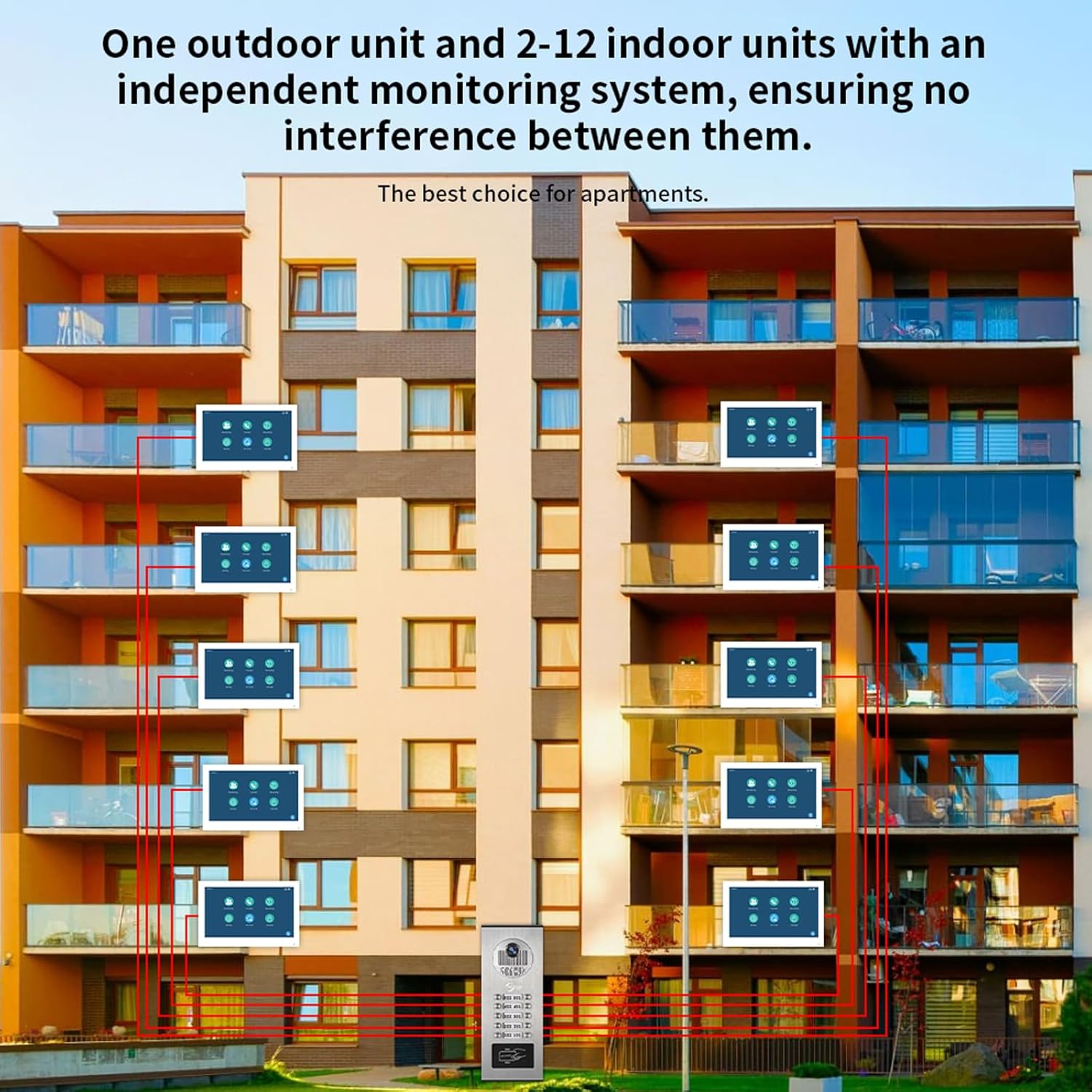
図1.1: システム終了view for multi-unit buildings, illustrating one outdoor unit serving multiple indoor monitors independently.
2. セットアップとインストール
2.1 パッケージ内容
インストールを開始する前に、すべてのコンポーネントが揃っていることを確認してください。
- 屋外ドアベルユニット
- Indoor Monitor(s) (quantity varies by system configuration)
- Power Adapter(s) (DC 12V, 2A for each monitor)
- 3-meter connection cable
- 取り付けネジとアンカー
- ID Cards (for unlocking)
- ユーザーマニュアル(このドキュメント)
2.2インストールガイドライン
- 室外機の取り付け: The outdoor unit is designed for surface mounting. Choose a location that provides a clear view of visitors and is protected from direct impact. Ensure the unit is installed at an appropriate height for all users.
- Mounting the Indoor Monitor(s): Install indoor monitors in a convenient location within each apartment. They are also designed for surface mounting.
- 配線接続:
- The indoor monitor and doorbell require a wired connection. Use the provided 4-wire cable to connect the outdoor doorbell unit to each indoor monitor.
- Each indoor monitor must be connected to its dedicated 12V 2A power supply.
- The system supports extending the doorbell and camera with additional wiring, but be aware of distance limitations between the screen and doorbell for optimal performance.
- The monitor connects to your Wi-Fi network for Tuya App functionality, but the primary connection between the doorbell and monitor is wired for stability.
- 電源接続: Connect the power adapters to each indoor monitor and plug them into a standard AC 100-240V 50/60Hz power outlet.
- 初回電源オン: Once all connections are secure, power on the system. The indoor monitor should display the initial setup screen.

図2.1: Detailed wiring diagram for connecting indoor monitors, the outdoor doorbell, power supplies, and an optional electronic lock.
3. 操作手順
3.1 屋内モニターの機能
The 7-inch TFT-LCD touchscreen monitor is the central control unit for your intercom system.
- 電話に出る: 訪問者がドアベルを押すと、室内モニターが鳴ります。画面をタッチして応答し、双方向のコミュニケーションを開始できます。
- 監視: 手動で view the outdoor camera feed at any time by selecting the monitoring function on the screen.
- ドアのロック解除: During a call or while monitoring, an unlock icon will appear on the screen. Tap it to remotely unlock the connected door.
- Volume and Color Adjustment: Navigate through the monitor settings to adjust ringtone volume, display color, and other preferences.

図3.1: Indoor monitor interface and notification modes (At home, Not at home, Dormant).
3.2 双方向通話
The system supports hands-free two-way audio communication. When a visitor rings the doorbell, you can see, speak, and hear them directly through the indoor monitor.

図3.2: Demonstrating two-way audio communication via the indoor monitor.
3.3 Motion Detection and Auto-Recording
The outdoor unit features smart PIR motion detection. When movement is detected, the system will automatically capture video or photos and save them to the included 32GB microSD card. You will receive notifications on your smartphone via the Tuya App.
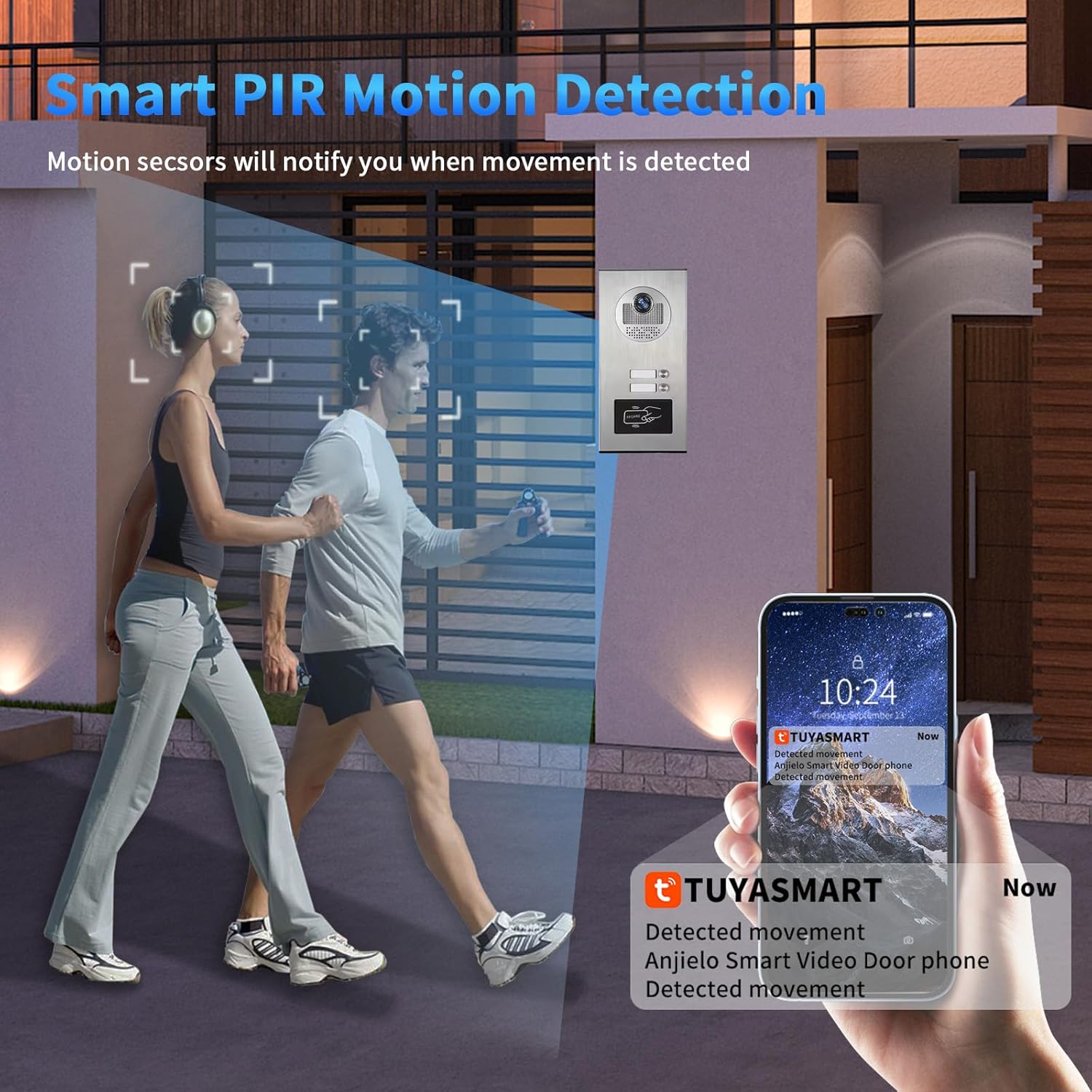
図3.3: Motion detection triggering a notification on the Tuya Smart app.

図3.4: Motion detection automatically recording video or taking photos.
3.4 Tuya App Remote Control
Connect your indoor monitor to your Wi-Fi network to enable remote control via the Smart Tuya App. This allows you to:
- Receive calls and notifications from the doorbell on your smartphone.
- View live video from the outdoor camera.
- Engage in two-way talk with visitors remotely.
- Remotely unlock the door from anywhere.
- Review recorded motion detection footage.

図3.5: Remote unlocking via the Tuya App.

図3.6: Receiving doorbell calls and unlocking via the mobile phone app.
3.5 IDカードのロック解除
The outdoor unit supports ID card swiping for convenient access. Present a registered ID card to the designated area on the outdoor unit to unlock the door. The system can store up to 500 ID cards with a frequency of 13.56MHZ and a card reading time of 1 second.
4. メンテナンス
定期的なメンテナンスにより、インターコム システムの最適なパフォーマンスと寿命が確保されます。
- クリーニング: 柔らかくてamp cloth to clean the outdoor unit and indoor monitor screens. Avoid abrasive cleaners or solvents that could damage surfaces.
- ファームウェアの更新: 定期的にメーカーの website or the Tuya App for any available firmware updates to ensure your system has the latest features and security enhancements.
- ケーブル検査: Regularly inspect all wired connections for any signs of wear, damage, or loose connections.
- 電源: Ensure all power adapters are securely connected and functioning correctly.
- MicroSDカード: 定期的に再view and manage recordings on the microSD card. Replace the card if it shows signs of degradation or if storage capacity becomes an issue.
5。 トラブルシューティング
ANJIELO SMART インターホン システムで問題が発生した場合は、次の一般的な問題と解決策を参照してください。
| 問題 | 考えられる原因 | 解決 |
|---|---|---|
| No image or sound on indoor monitor. | Loose wiring connection between doorbell and monitor, no power to monitor. | Check all 4-wire connections. Ensure the monitor's 12V 2A power adapter is securely plugged in and receiving power. |
| Wi-Fi connection issues for Tuya App. | Incorrect Wi-Fi password, weak signal, monitor not connected to Wi-Fi. | Ensure the indoor monitor is within Wi-Fi range. Verify Wi-Fi password in monitor settings. Remember, the doorbell-monitor connection is wired, only the monitor connects to Wi-Fi. |
| Motion detection not recording or notifying. | Motion detection disabled, microSD card full or faulty, app notifications off. | Check motion detection settings on the monitor and in the Tuya App. Ensure the 32GB microSD card is properly inserted and has free space. Enable notifications in the Tuya App settings. |
| ドアのロック解除が機能しません。 | Electronic lock not properly connected, ID card not registered, app not connected. | Verify the connection to the electronic lock. Ensure ID cards are correctly registered. Check Tuya App connectivity for remote unlocking. |
| 夜間視力の質が悪い。 | Obstruction in front of camera, IR sensors blocked. | Clear any obstructions from the outdoor camera lens and IR sensors. |
6. 製品仕様
屋外ドアベルユニット:
- カメラセンサー: 2.0MP、1/4インチCMOS、3.6MMレンズ
- View 角度: 120 degrees wide angle
- 防雨・夜間視力: IP65 rated, 3M night vision distance (Infrared night vision)
- Night Vision Sensitivity: 0.01ルクス
- 電源: 屋内モニターから供給
- インストール: 表面実装
- 動作温度: -30°C ~ 60°C
- 材料: アルミニウム合金
- 信号タイプ: CVBS/AHD720/AHD1080
- Unlocking Type: Indoor unit unlocking / ID card swiping
- Number of ID Cards: 500枚
- ID Card Frequency: 13.56MHz
- Card Reading Time: 1秒
- 寸法(2~6ユニット): 264x127x43mm
- 寸法(8~12ユニット): 330x127x43mm
屋内タッチモニター:
- 画面: 7インチTFT-LCDタッチスクリーン
- 解決: 1024×680
- 着メロ: 7コードのメロディーリング
- 調整可能: ボリューム、カラー
- 接続方法: 4線式、WIFI Tuyaソリューション
- パネル材質: アクリル/ABSカバー
- インストール: 表面実装
- 入力ボリュームtage: AC 100-240V 50/60Hz
- ワーキングVoltage: DC 12V、2A
- Dimensions (7 inch): 176x115x21ミリメートル
一般的なシステム仕様:
- モデル名: 60120HD-60075F-W
- ASIN: B0G46WYVVG
- 電源: コード式電気
- ビデオキャプチャ解像度: 1080p
- 含まれるコンポーネント: ドアベル、モニター
- インストールタイプ: ねじ込みます
- 制御方法: アプリ、タッチ
- 接続技術: Wired (between doorbell and monitor), Wi-Fi (for monitor to app)
- 対応デバイス: スマートフォン(Tuyaアプリ経由)
- 製品寸法: 8 x 5 x 1 inches (for the 12-family variant)
7. 保証情報
ANJIELO SMART products are manufactured to high quality standards. For specific warranty details regarding your 1080P Video Intercom System, please refer to the warranty card included in your product packaging or visit the official ANJIELO SMART webサイト。通常、保証の対象は、通常の使用条件下での製造上の欠陥です。
保証請求のために購入証明書を保管してください。
8. カスタマーサポート
For technical assistance, troubleshooting, or further inquiries regarding your ANJIELO SMART 1080P Video Intercom System, please contact our customer support team.
- オンラインサポート: 公式サイトをご覧ください ANJIELO SMART Amazonストア FAQ および製品情報については、こちらをご覧ください。
- メールサポート: 製品のパッケージまたは公式 web最新の電子メール連絡先情報については、サイトをご覧ください。
サポートにお問い合わせの際は、製品のモデル番号(60120HD-60075F-W) と購入の詳細を用意してください。