
導入
Thank you for choosing the Klinsmann KRV306 Robotic Vacuum and Mop. This 2-in-1 intelligent cleaning robot is designed to provide efficient and convenient floor cleaning for your home. Please read this manual carefully before use to ensure proper operation, maintenance, and to maximize the lifespan of your device.
安全に関する注意事項
To reduce the risk of injury or damage, read and follow all safety precautions when setting up, using, and maintaining your robot. Keep this manual in a safe place for future reference.
- この機器は、機器の安全な使用に関する監督または指導を受けており、関連する危険性を理解している場合、8 歳以上の子供、および身体、感覚、精神能力が低下している人、または経験と知識が不足している人でも使用できます。
- 子供が機器で遊ばないように監督する必要があります。
- 清掃やユーザーメンテナンスは、監督なしで子供に行わせないでください。
- 製造元が提供する純正電源アダプターのみを使用してください。
- 火気や壊れやすい物がある場所でロボットを操作しないでください。
- 絡まりを防止するため、操作前にすべてのケーブルと小さな物体が床から取り除かれていることを確認してください。
- ロボットや充電ベースを水に浸さないでください。
- ロボットを使用して、大きな破片、液体、燃えている物体を拾い上げないでください。
パッケージ内容
パッケージにすべてのコンポーネントが含まれていることを確認します。
- Klinsmann KRV306 Robotic Vacuum and Mop
- 充電アダプター
- サイドブラシ(2組)
- ごみ箱
- モップ布
- ユーザーマニュアル
設定
- ロボットを開梱する: ロボットとすべての付属品をパッケージから慎重に取り出します。
- サイドブラシの取り付け: サイドブラシをロボットの底部の指定されたスロットにカチッと音がするまで取り付けます。
- ロボットを充電する:
- Connect the charging adapter to a power outlet and to the charging port on the robot.
- Ensure the robot is fully charged before its first use. A full charge takes approximately 3-4 hours. The indicator light will change to signal a full charge.
- 清掃エリアを準備します。 Remove any obstacles, loose cables, or small items from the floor to prevent the robot from getting stuck or damaging items.
操作手順
電源オン/オフ
- 電源を入れるには: Press and hold the power button on the robot until the indicator light illuminates.
- 電源を切るには: インジケータライトが消えるまで電源ボタンを押し続けます。
クリーニングモード
The KRV306 offers three cleaning modes:
- Automatic (Zigzag) Mode: Press the power button once to start cleaning in an automatic zigzag pattern. This mode is suitable for general cleaning of open areas.
- スポットクリーニングモード: Place the robot in a specific dirty area and press the spot cleaning button (if available, or cycle through modes). The robot will clean in a spiral pattern to concentrate on that area.
- エッジクリーニングモード: Activate this mode to have the robot clean along walls and furniture edges.
モッピング機能
モップ機能を使用するには:
- Fill the water tank (if separate) or attach the damp mopping cloth to the designated area on the robot.
- 掃除サイクルを開始します。ロボット掃除機が同時に掃除機がけとモップがけを行います。
- Remove the mopping cloth and empty the water tank after each use.
ナビゲーションとセンサー
The KRV306 is equipped with intelligent navigation features:
- Anti-drop Infrared Sensors: These sensors detect stairs and elevated surfaces, preventing the robot from falling.
- Mechanical Bumper: The bumper allows the robot to gently detect and navigate around obstacles like furniture without causing damage.
- 閾値上昇: The robot can easily slide over thresholds up to 10mm high, ensuring continuous cleaning across different rooms.
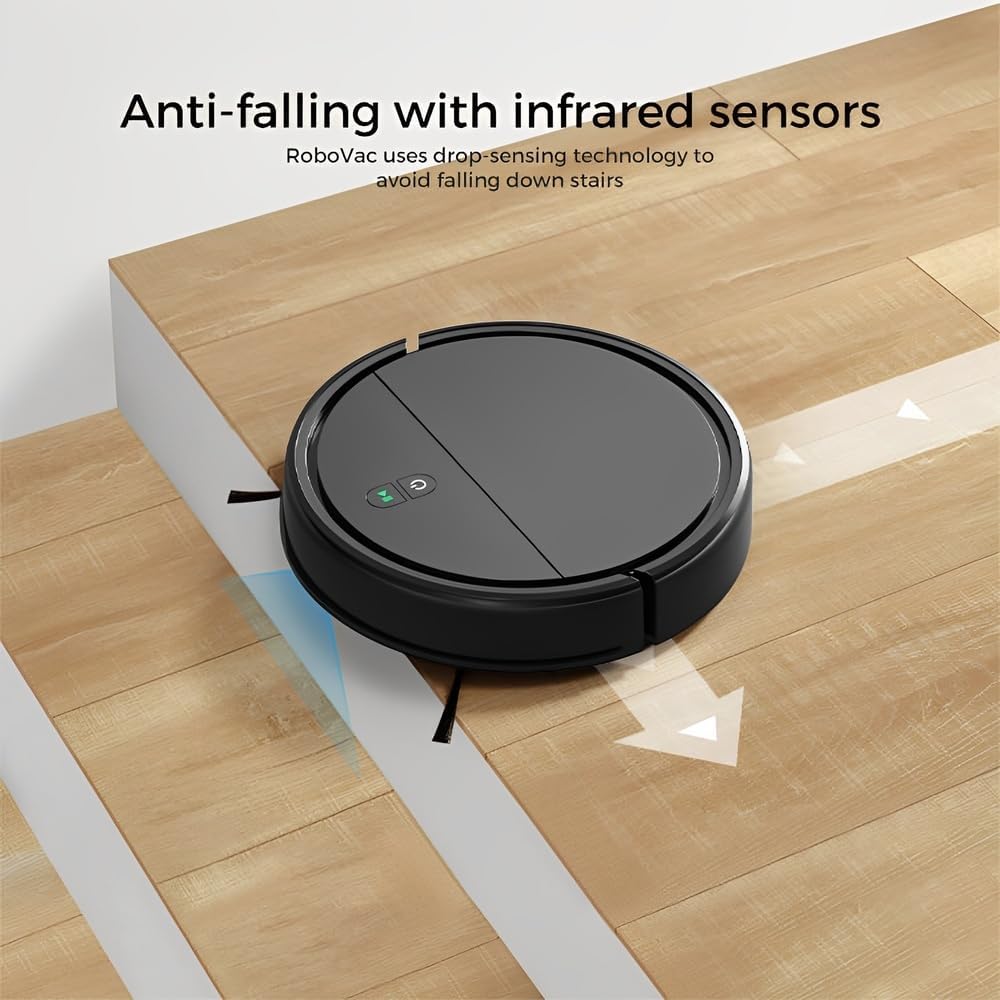
Image: Anti-falling infrared sensors prevent the robot from falling down stairs.

Image: The mechanical bumper allows the robot to navigate around furniture without damage.
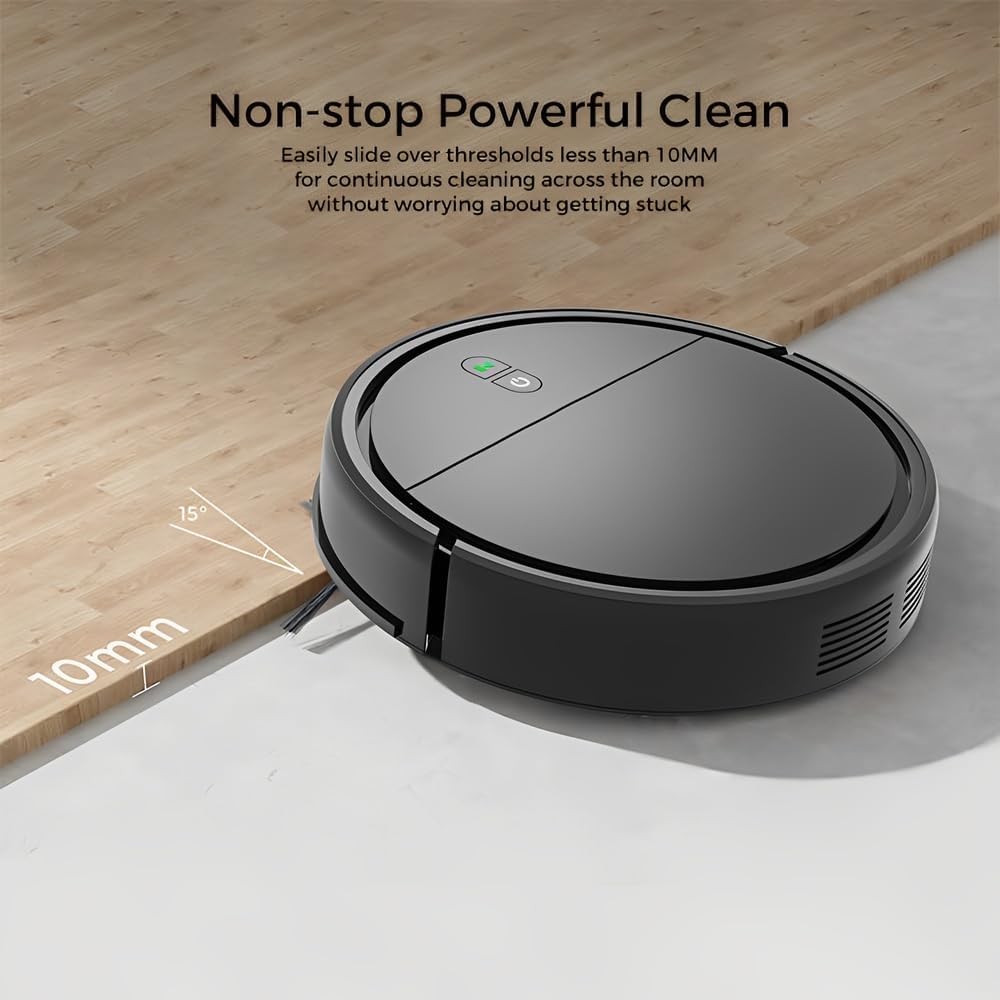
Image: The robot can easily overcome thresholds up to 10mm for continuous cleaning.
メンテナンス
Regular maintenance ensures optimal performance and extends the life of your robot.
ゴミ箱を空にする

Image: The large dustbin collects various types of debris, reducing the frequency of emptying.
- ダストビンリリースボタンを押してダストビンを引き出します。
- ゴミ箱のカバーを開けて、中身をゴミ箱に空けます。
- Clean the filter inside the dustbin with the provided cleaning tool or a soft brush. Replace the filter if necessary.
- Rinse the dustbin with water if needed, ensuring it is completely dry before reinserting.
サイドブラシのクリーニング
- サイドブラシに絡まった髪の毛やゴミがないか定期的に確認してください。
- Carefully remove any tangled material. If brushes are worn, replace them with new ones.
センサーのクリーニング
- Wipe the anti-drop sensors and charging contacts on the bottom of the robot with a clean, dry cloth.
- Ensure the bumper area is free of debris.
Cleaning Mopping Cloth
- Remove the mopping cloth after each use.
- Wash the cloth by hand or machine. Allow it to air dry completely before reattaching.
トラブルシューティング
| 問題 | 考えられる原因 | 解決 |
|---|---|---|
| ロボットが起動しません。 | バッテリー残量が少ない。電源ボタンが正しく押されていません。 | ロボットを充電します。電源ボタンを数秒間押し続けます。 |
| ロボットが頻繁に動けなくなります。 | Obstacles (cables, rugs, small items); Dirty sensors. | Clear the cleaning area; Clean the anti-drop and bumper sensors. |
| 洗浄性能が悪い。 | ダストビンがいっぱい、フィルターが詰まっている、サイドブラシが摩耗している。 | ダストビンを空にする; フィルターを清掃/交換する; サイドブラシを清掃/交換する。 |
| ロボットが階段から落ちる。 | Dirty anti-drop sensors; Sensors obstructed. | Clean the anti-drop sensors thoroughly. |
| モップ機能は無効です。 | Mopping cloth is dry or dirty. | Dampen the mopping cloth; Clean or replace the mopping cloth. |
仕様
| モデル | KRV306 |
| ブランド | 人生 |
| 機能 | 掃除機がけ、モップがけ |
| 電池のタイプ | 1500mAhリチウムイオン |
| ランタイム | 最大80分 |
| 充電時間 | 3~4時間 |
| 吸引力 | 400PA |
| 騒音レベル | 最大68dB |
| ゴミ箱容量 | Optimized (ample capacity) |
| 寸法(直径x高さ) | 29 cm × 7.2 cm |
| 重さ | 2.1キロ |
| 閾値上昇能力 | 最大10mm |
| 特集 | Anti-drop Infrared Sensor, Mechanical Bumper, Low Noise, Compact, Rechargeable |
保証情報
The Klinsmann KRV306 Robotic Vacuum and Mop comes with a 90日間の保証 from the date of purchase, covering manufacturing defects. This warranty does not cover damage caused by misuse, accidents, unauthorized modifications, or normal wear and tear. Please retain your proof of purchase for warranty claims.
カスタマーサポート
If you encounter any issues or have questions regarding your Klinsmann KRV306, please refer to the troubleshooting section of this manual. For further assistance, contact the retailer or manufacturer's customer service department with your product model and purchase details.