
1. はじめに
This manual provides detailed instructions for the installation, operation, maintenance, and troubleshooting of your Rimoody 4Core 4G+128G Android 15 Car Stereo. This unit is specifically designed for Honda Fit models manufactured between 2008 and 2013. Please read this manual thoroughly before installation and use to ensure proper functionality and safety.
2.製品の内容
Carefully unpack the box and ensure all items listed below are present. If any items are missing or damaged, please contact customer support.
- カーラジオヘッドユニット
- バックアップカメラ
- マイクロフォン
- Wiring Harnesses (Power Cable, RCA Cable, Camera Input Cable)
- GPSアンテナ
- USBケーブル
- インストールツール
- ユーザーマニュアル(このドキュメント)

3.インストールガイド
Professional installation is recommended for this car stereo. Incorrect wiring can damage the unit or your vehicle's electrical system. Ensure the vehicle's battery is disconnected before beginning installation.
3.1 車両の互換性
This car stereo is designed to fit Honda Fit models from 2008 to 2013. The included wiring harnesses are specific to these models.

3.2 基本的なインストール手順
- Remove the Factory Radio: 適切なツールを使用して、既存のカーラジオとトリム パネルを慎重に取り外します。
- 配線ハーネスを接続する: Connect the provided wiring harnesses to the vehicle's factory wiring. Ensure all connections are secure.
- GPSアンテナを接続します: GPSアンテナは、障害物のない場所に設置してください。 view 通常はダッシュボードの上やフロントガラスの下に設置される空。
- USBケーブルを接続します。 USB ケーブルをグローブ ボックスやセンター コンソールなどの便利な場所に配線します。
- マイクを接続する: Install the external microphone in a suitable position for clear voice pickup, such as near the rearview mirror or on the steering column.
- バックアップカメラの取り付け(オプション): If installing the backup camera, route its cable from the rear of the vehicle to the head unit and connect it to the designated video input port.
- ヘッドユニットを取り付けます。 新しいカーステレオをダッシュボードの開口部に固定します。
- バッテリーを再接続します: 車両のバッテリーを再接続し、ユニットをテストします。
4. 基本操作
4.1 電源オン/オフ
Press the power button (usually located on the front panel or a soft button on the screen) to turn the unit on or off. The unit will automatically power on when the vehicle's ignition is turned on.
4.2 タッチスクリーンインターフェース
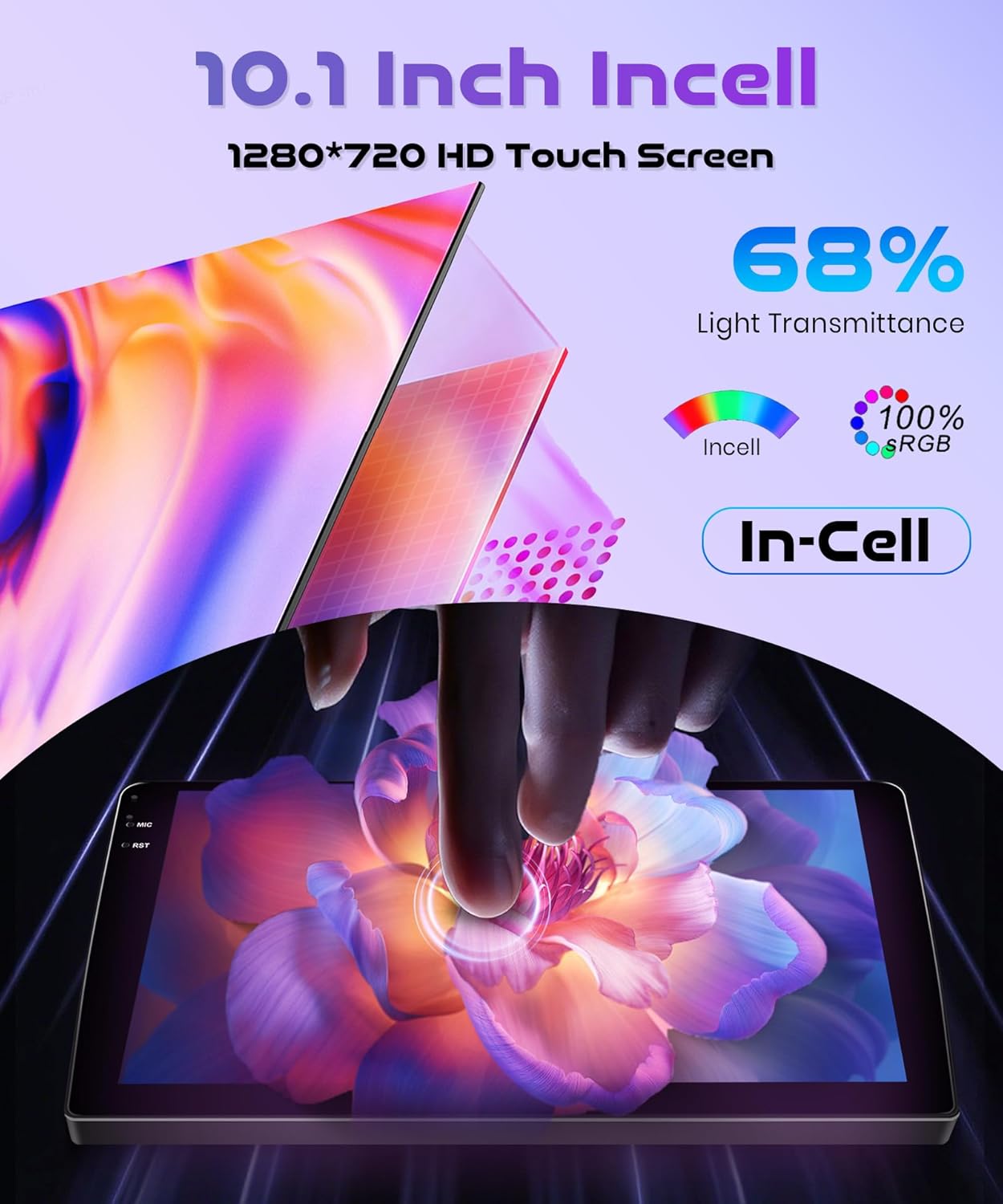
The 10.1-inch INCELL touchscreen provides a responsive and clear interface. Navigate through menus and applications by tapping, swiping, and dragging gestures, similar to a smartphone.
5. 高度な機能
5.1 Wireless Carplay & Android Auto & Mirror Link
Connect your smartphone wirelessly to access navigation, music, messages, and calls directly from the car stereo display. The unit supports both Wireless Carplay for iOS devices and Wireless Android Auto for Android devices. Additionally, Mirror Link functionality allows you to mirror your phone's screen via USB cable or Wi-Fi.
- ワイヤレス接続: Enable Bluetooth and Wi-Fi on your smartphone. On the car stereo, navigate to the Carplay or Android Auto application and follow the on-screen instructions to pair your device.
- ミラーリンク: For Mirror Link, connect your phone via a USB cable or establish a Wi-Fi connection, then select the Mirror Link option on the stereo.

5.2GPSナビゲーション
The built-in GPS module supports both online and offline maps. You can use pre-installed maps or download additional maps via Wi-Fi. Voice guidance and real-time traffic information are available with online map services.
- オンラインマップ: Connect the unit to a Wi-Fi hotspot (e.g., from your smartphone) to access real-time traffic and map updates.
- オフラインマップ: インターネットに接続せずにナビゲーションを使用するには、お住まいの地域の地図データをダウンロードしてください。

5.3 ブルートゥース 5.0
Pair your phone or other Bluetooth-enabled devices to the car stereo for hands-free calling, music streaming, and file 転送。
- ペアリング: Go to the Bluetooth settings on the car stereo and your device. 検索する available devices and select the car stereo's name to pair.
- 音楽ストリーミング: Once paired, you can play audio from your phone through the car stereo's speakers.
- ハンズフリー通話: Make and receive calls directly from the car stereo interface.
5.4 FM/RDS Radio and EQ-32
The unit features an FM/RDS radio tuner for receiving radio signals with clear sound quality. The 32-band equalizer (EQ-32) allows for detailed sound customization.
- FM/RDS: Scan for stations, save presets, and view RDS 情報 (利用可能な場合)。
- イコライザー: Adjust audio frequencies to tailor the sound output to your preference.
5.5 ステアリングホイールコントロール(SWC)
The unit supports the original car's steering wheel button learning function. This allows you to map functions like volume control, track skipping, and mode selection to your steering wheel buttons for convenient operation.
- 構成: Access the SWC settings in the car stereo menu. Follow the on-screen prompts to assign functions to each steering wheel button.
5.6 リア View カメラ
Connect the included reversing camera to the dedicated video input port. When you shift the vehicle into reverse gear, the car stereo screen will automatically display the rear view, assisting with safe parking and obstacle avoidance.

6. メンテナンス
- 画面のクリーニング: 柔らかく糸くずの出ない布でタッチスクリーンを優しく拭いてください。頑固な汚れには、軽くamp布を水または画面に安全なクリーナーで拭いてください。研磨剤や刺激の強い化学薬品の使用は避けてください。
- ソフトウェアアップデート: Periodically check for software updates through the system settings. Updates can improve performance, add new features, and fix bugs. Connect to Wi-Fi to download updates.
- 一般的なケア: 本体をほこりやゴミから守ってください。極端な温度や直射日光に長時間さらさないでください。
7。 トラブルシューティング
このセクションでは、発生する可能性のある一般的な問題について説明します。ここに記載されていない問題については、カスタマーサポートにお問い合わせください。
| 問題 | 考えられる原因 | 解決 |
|---|---|---|
| ユニットの電源が入らない | 配線ミス、ヒューズ切れ、車両バッテリーの問題 | Check power connections and fuses. Ensure vehicle battery is charged. Consult a professional installer. |
| 音が出ない | Speaker wiring issue; Volume too low; Mute function active | スピーカーの接続を確認してください。音量を上げてください。ミュートを解除してください。 |
| Wireless Carplay/Android Auto fails to connect or disconnects | Bluetooth/Wi-Fi interference; Multiple devices connected; Software glitch | Ensure only one device is attempting to connect wirelessly. Restart phone and car stereo. Check for software updates. Avoid connecting multiple devices simultaneously. |
| GPS信号が失われたか不正確です | GPS antenna obstruction; Antenna not properly connected | GPSアンテナがクリアであることを確認する view 空の。アンテナの接続を確認してください。 |
| バックアップカメラが表示されない | Camera wiring issue; Incorrect input selected | Check camera power and video signal connections. Ensure vehicle is in reverse. |
8. 仕様
| 特徴 | 仕様 |
|---|---|
| ブランド | リモディ |
| モデル | 4Core 4G+128G Wireless Carplay |
| オペレーティング·システム | アンドロイド15 |
| CPU | 4コア |
| メモリ(RAM + ROM) | 4GB RAM + 128GB ROM |
| 画面サイズ | 10.1インチ |
| スクリーンタイプ | INCELL Touchscreen |
| 解決 | 1280×720 |
| 接続性 | Wireless Carplay, Wireless Android Auto, Mirror Link, Built-in Wi-Fi, Bluetooth 5.0, USB |
| ナビゲーション | Built-in GPS Module (Online/Offline Maps) |
| オーディオ機能 | FM/RDS Radio, 32-band Equalizer (EQ-32) |
| コントロール | Steering Wheel Control (SWC) Support |
| 重さ | 1.8キログラム |
| 対応車両 | Honda Fit 2008-2013 |
9. 保証とサポート
Rimoody is committed to providing quality products and excellent customer service.
9.1 保証情報
この製品には、 2年間のメーカー保証 購入日から材料および製造上の欠陥をカバーします。
9.2 カスタマーサポート
For any questions, installation assistance, or troubleshooting, please contact our support team. We offer:
- 24-Hour Quick Response: 当社のサポートチームは、お問い合わせに 24 時間以内に回答することを目指しています。
- Professional Installation Guide and Video: Access to detailed guides and videos for installation assistance.
- 90日間無料返品: Enjoy a 90-day free return period for refunds or exchanges.
- 生涯テクニカルサポート: Receive technical support for the lifetime of your product.
