
導入
The MINIX 100W USB C Charger (NEO P3 Pro) is a versatile 3-port GaN charger designed for rapid charging of various devices, including laptops, tablets, and smartphones. It features a smart display for real-time charging information and a compact, travel-friendly design. This manual provides essential information for the safe and efficient use of your charger.

Image: The MINIX 100W USB C Charger (NEO P3 Pro) connected to a laptop, illustrating its fast charging capability.
What's in the Box (Setup)
Your MINIX 100W USB C Charger package includes the following items:
- 1x MINIX P3 PRO 100W Charger
- 1x EU Plug Adapter
- 1x UK Plug Adapter
- ユーザーマニュアル x 1
- 1x収納袋

Image: The MINIX P3 Pro charger, EU plug, UK plug, and storage bag, as included in the package.
Attaching the Correct Plug Adapter
The MINIX P3 Pro charger comes with interchangeable plug adapters (US, EU, UK) to ensure compatibility in various regions. To attach an adapter:
- Align the desired plug adapter with the charger's prongs.
- Gently push the adapter onto the charger until it clicks securely into place.
- To remove, press the release button (if present) and slide the adapter off.

Image: The MINIX charger with its switchable US, EU, and UK plug adapters.
操作手順
デバイスの接続
The MINIX P3 Pro features two USB-C ports and one USB-A port. Connect your devices using appropriate charging cables. For optimal 100W charging, use a 100W 5A cable connected to a single USB-C port.
- USB-C1: 最大出力100Wまで。
- USB-C2: 最大出力100Wまで。
- USB-A1: 最大出力30Wまで。

Image: The MINIX P3 Pro charging three devices concurrently: a laptop via USB-C1, a tablet via USB-C2, and a smartphone via USB-A1.
Smart Display and Touch Control
The integrated smart display provides real-time information about your charging status. You can interact with the display using the touch control button.
- 充電ステータス: View the current wattage出力。
- ポート固有の詳細: Tap the touch button to cycle through individual port outputs.
- Temperature Reminder: The display may show temperature-related information for safety.
- 合計時間: Displays the total charging duration.
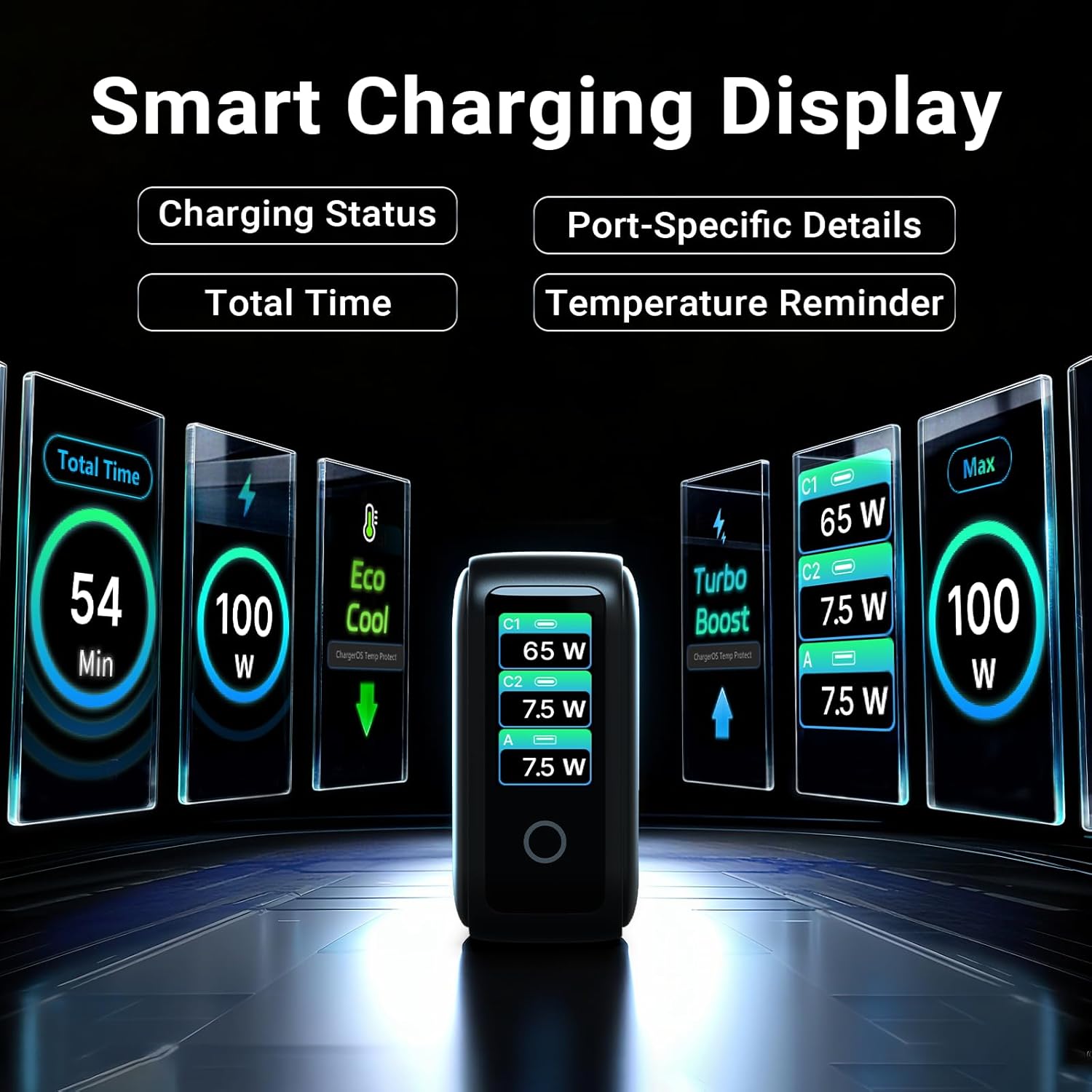
Image: The smart display of the MINIX P3 Pro, showcasing real-time charging status and port-specific details.
画面の回転
To adapt the display orientation to your wall outlet, press and hold the touch control button for 3 seconds. The screen will rotate 180°.
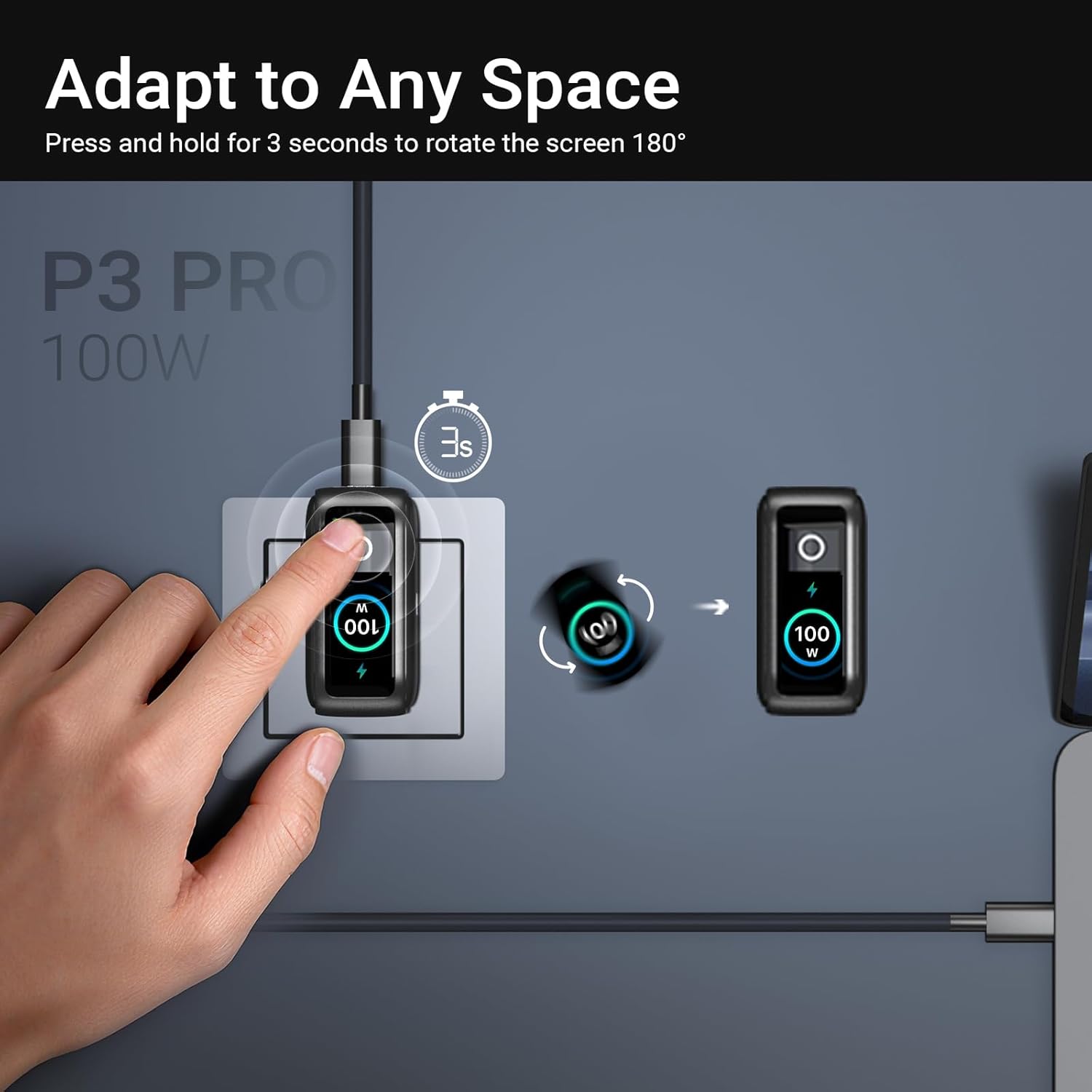
Image: The MINIX P3 Pro charger plugged into a wall socket, illustrating how to rotate the smart display by 180 degrees for better viewing。
電力分配
The charger intelligently redistributes power based on the number of connected devices and their power requirements. Below is a general guide to power output configurations:
- 1ポート出力:
- USB-C1:100W
- USB-C2:100W
- USB-A1: 30W
- 2ポート出力:
- USB-C1 + USB-C2: 65W + 30W
- USB-C1 + USB-A1: 65W + 7.5W
- USB-C2 + USB-A1: 7.5W + 7.5W
- 3ポート出力:
- USB-C1 + USB-C2 + USB-A1: 65W + 7.5W + 7.5W
Video: An official product introduction video for the MINIX P3 Pro, demonstrating its features and functionality, including power distribution across multiple ports.
メンテナンス
To ensure the longevity and optimal performance of your MINIX P3 Pro charger, follow these maintenance guidelines:
- 充電器は清潔に保ち、ほこりやゴミが付かないようにしてください。清掃には柔らかく乾いた布をご使用ください。
- 充電器を極端な温度、湿度、直射日光にさらさないでください。
- 充電器を落としたり、強い衝撃を与えたりしないでください。
- Store the charger in the provided storage bag when not in use, especially during travel, to protect it from scratches and damage.
- 過熱を防ぐため、動作中は充電器の周囲が適切に換気されるようにしてください。
仕様
| 特徴 | 詳細 |
|---|---|
| ブランド | MINIX |
| モデル番号 | P5010 |
| USBポート合計 | 3 (USB Type-C x 2、USB Type-A x 1) |
| ワットtage | 100W(最大) |
| 入力ボリュームtage | 240ボルト |
| 出力電流 | 5 Amps |
| 出力巻tage | 120ボルト |
| コネクタタイプ | USB タイプ A、USB タイプ C |
| 対応デバイス | Laptops, Tablets, Samsung Galaxy S21-S24 Series, iPhone 17/16/15/14/13/12 Series, iPhone SE (3rd Gen) |
| 特集 | Fast Charging, Lightweight Design, Multi-Device Charging, Travel-Friendly, Smart Display, Touch Control |
| 色 | 黒 |
| アイテム重量 | 200グラム |
| 材料 | 熱可塑性エラストマー(TPE) |
| 認定資格 | CE、FCC、WEEE |
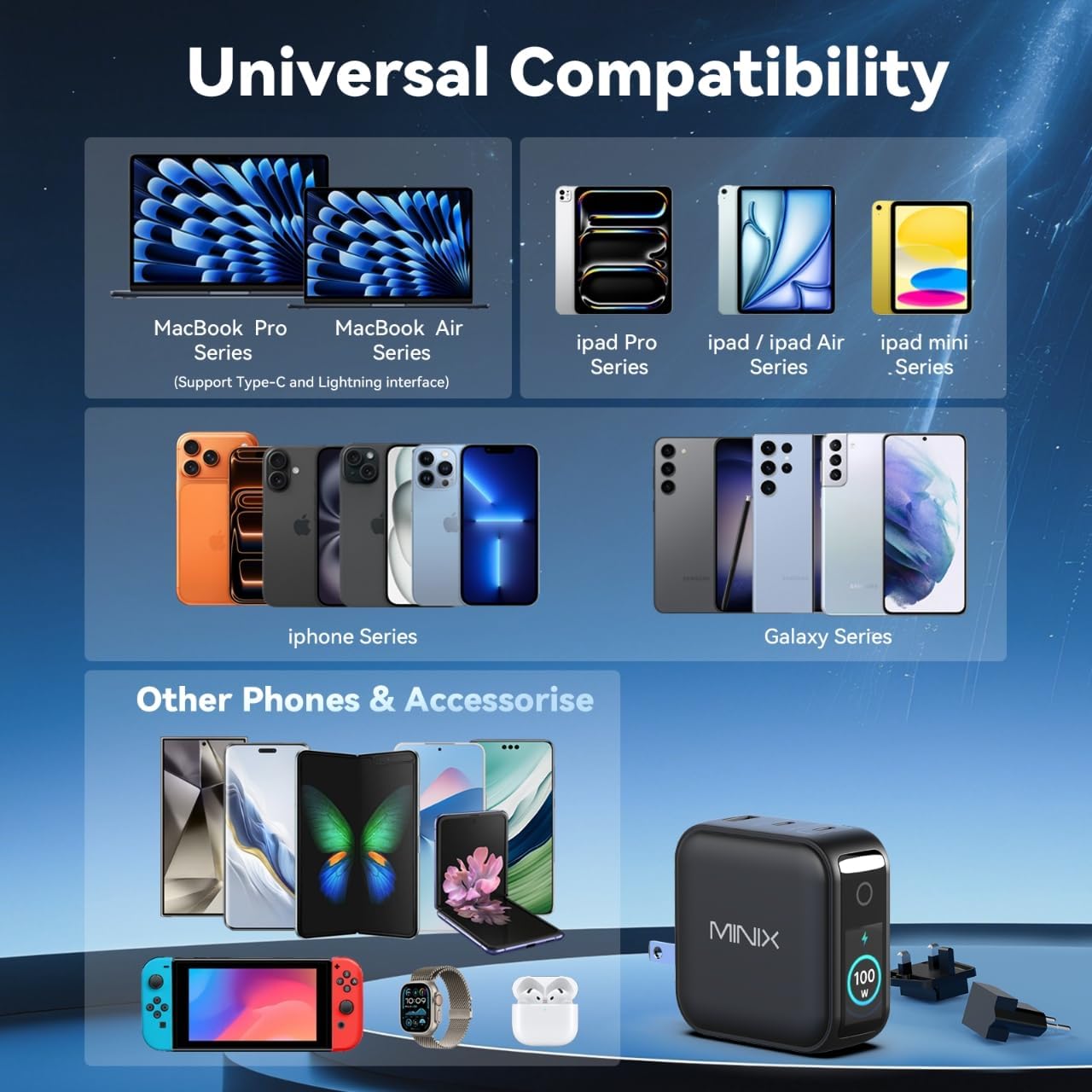
Image: A visual representation of the MINIX P3 Pro's universal compatibility with various devices.
トラブルシューティング
If you encounter issues with your MINIX P3 Pro charger, please refer to the following common troubleshooting steps:
- 充電器の電源が入らない:
- 充電器が機能している壁のコンセントにしっかりと差し込まれていることを確認してください。
- Verify that the correct regional plug adapter is firmly attached.
- デバイスが充電されない、または充電が遅い:
- Check that the charging cable is securely connected to both the charger and your device.
- Ensure the charging cable is not damaged and supports the required power delivery (e.g., 100W for high-power devices).
- 充電器の別のポートを試してください。
- If charging multiple devices, note that power is distributed, which may reduce individual port output. Refer to the "Power Distribution" section.
- Ensure your device supports the charging protocols (PPS, PD3.0, QC3.0) supported by the charger.
- Smart display not working or showing incorrect information:
- Ensure the charger is powered on and a device is connected.
- Tap the touch button to cycle through display modes.
- If the display is unresponsive, unplug the charger from the wall for a few seconds and then plug it back in.
- 使用中に充電器が温かくなる:
- 充電器は動作中、特に高出力充電中に温かくなることがありますが、これは正常です。
- Ensure there is adequate ventilation around the charger. If it becomes excessively hot, disconnect it immediately and contact support.
安全情報
製品の損傷やご自身の怪我を防ぐために、以下の安全上の注意事項をよく読んで従ってください。
- 充電器を水、湿気、高湿度にさらさないでください。
- Avoid using the charger in environments with extreme temperatures.
- Do not disassemble, modify, or attempt to repair the charger yourself. This will void the warranty.
- 充電器は子供やペットの手の届かない場所に保管してください。
- Use only compatible cables and devices with the charger.
- 雷雨のときや長期間使用しない場合は、充電器のプラグを抜いてください。
- The charger includes built-in safety features such as over-current, over-voltage、過熱、および短絡保護。
保証とサポート
The MINIX 100W USB C Charger (NEO P3 Pro) comes with a 1年間のメーカー保証.
カスタマーサポート
For any questions, technical assistance, or warranty claims, please contact MINIX customer service:
- オンラインサポート: 訪問する MINIX Store on Amazon and use the "Ask Product Question" feature.
- オフラインメンテナンスサービス: 公式サイトをご覧ください web詳細についてはサイト。
サポートにお問い合わせの際は、製品のモデル番号 (P5010) と購入の詳細をご用意ください。