
1. はじめに
The Celestron Origin Mark II is an intelligent home observatory designed to simplify stargazing and astrophotography. This system integrates advanced optical technology with an intuitive companion app, providing a user-friendly experience for observing and capturing celestial objects.
2.製品オーバーview
The Origin Mark II features the patented Rowe-Ackermann Schmidt Astrograph (RASA) optical design, which places the imaging sensor at the front of the telescope tube. This configuration results in an ultra-fast f/2.2 system with a wide field of view, producing sharp images across the entire field. Its 152mm (5.98") aperture ensures excellent light gathering for detailed observations of distant galaxies, nebulae, and star clusters.
主な機能は次のとおりです。
- 優れた光学性能: Rowe-Ackermann Schmidt Astrograph design for clear, wide-field views.
- 広大な Views: 152mm aperture for abundant light gathering.
- Professional-Grade Imaging: Advanced optical system for high-quality astrophotography.
- Enhanced Astrography: Flat field across the entire image for high-resolution deep-sky imaging.
- Optimal Light Gathering: Maximizes light collection for brighter and more detailed observations.
3. 箱の中身
開梱したら、すべてのコンポーネントが揃っていることを確認してください。
- Celestron Origin Mark II Observatory Unit
If any items are missing or damaged, contact Celestron customer support immediately.
4. セットアップ
4.1 開梱と設置
Carefully remove the Origin Mark II from its packaging. Choose a stable, level outdoor location with a clear view of the sky, away from excessive artificial light sources. Ensure the area is free from obstructions that could impede the telescope's movement.
4.2電源接続
Connect the provided power adapter to the Origin Mark II and then to a suitable power outlet. Ensure the connection is secure.
4.3 アプリのインストールと接続
- Download the official Celestron Origin companion app from your device's app store (compatible with Smartphone and Tablet).
- Power on the Origin Mark II.
- Open the app on your device and follow the on-screen instructions to connect via Wi-Fi or Bluetooth.
4.4 初期アライメント
Once connected, the Origin Mark II will automatically determine its orientation, locate stars, and perform a precise self-alignment. This process typically takes a few minutes and requires no manual intervention.
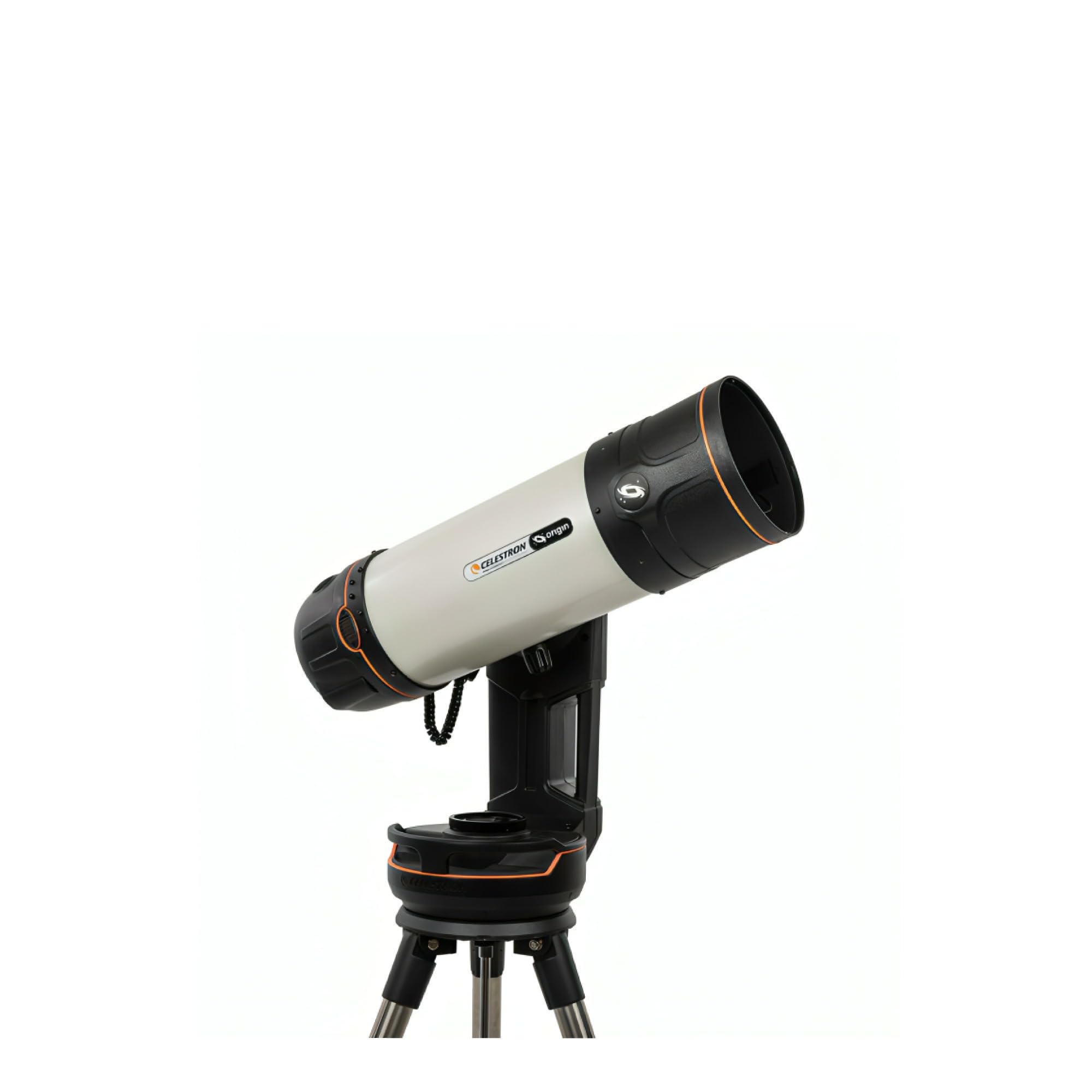
Figure 1: The Celestron Origin Mark II Intelligent Home Observatory set up for use.
5.運用
5.1 アプリによる基本操作
The companion app serves as the primary control interface. From the app, you can:
- Select celestial objects from a catalog for automatic GoTo tracking.
- View live images captured by the observatory.
- Adjust exposure settings for astrophotography.
- Initiate image stacking and processing.
5.2 Astrophotography
The RASA optical system is optimized for astrophotography. The integrated imaging sensor captures high-resolution images of deep-sky objects. The app provides tools for capturing, stacking, and enhancing these images directly on your connected device.
5.3 フォーカシング
The Origin Mark II supports both オートフォーカス そして マニュアルフォーカス. Auto Focus is typically sufficient for most observations. For critical astrophotography, manual focus adjustments can be made through the app to achieve optimal sharpness.
6. メンテナンス
6.1 光学部品のクリーニング
Dust and debris on optical surfaces can degrade image quality. Use a soft, lint-free cloth or a specialized optical brush to gently remove dust. For stubborn smudges, use a lens cleaning solution specifically designed for optics and apply it to a cleaning cloth, not directly to the lens.
6.2 ストレージ
When not in use, store the Origin Mark II in a clean, dry environment, preferably in its original packaging or a protective case. Avoid extreme temperatures and high humidity.
6.3一般的なケア
Avoid exposing the unit to direct sunlight for extended periods when not in use. Do not attempt to disassemble the unit, as this will void the warranty and may cause damage.
7。 トラブルシューティング
7.1 接続の問題
- Ensure the Origin Mark II is powered on.
- Verify Wi-Fi or Bluetooth is enabled on your device.
- Restart both the Origin Mark II and your connected device.
- Ensure your device is within range of the observatory's wireless signal.
7.2 画像品質が悪い
- Check for condensation or dust on the optical surfaces (refer to Section 6.1).
- Ensure the focus is properly adjusted (refer to Section 5.3).
- Verify that the sky conditions are clear and stable.
- Adjust exposure settings in the app for optimal brightness and contrast.
For further assistance, refer to the official Celestron support resources or contact customer service.
8. 仕様
| 特徴 | 仕様 |
|---|---|
| ブランド | セレストロン |
| モデル名 | Origin Mark II |
| 対物レンズ径 | 152ミリメートル |
| 望遠鏡マウントの説明 | 赤道儀 |
| 製品寸法 | 奥行き48インチ x 幅26インチ x 高さ24インチ |
| フォーカスタイプ | オートフォーカス、マニュアルフォーカス |
| アイテム重量 | 41.6 ポンド |
| 対応デバイス | スマートフォン、タブレット、カメラ |
| 追加機能 | Intelligent, all-in-one home observatory with integrated astrophotography and patented RASA optical technology |
| メーカー部品番号 | 12100 |
| 欧州連合 | 050234121002 |
9. 保証とサポート
9.1 保証情報
The Celestron Origin Mark II comes with a 24 months Limited Manufacturer Warrantyこの保証は、通常の使用状況における材料および製造上の欠陥を対象としています。保証請求の際は、購入証明書を保管してください。
9.2 カスタマーサポート
For technical assistance, warranty service, or general inquiries, please visit the official Celestron web公式サイトまたはカスタマーサポート部門にお問い合わせください。連絡先は通常、Celestronのウェブサイトに掲載されています。 webサイトまたは製品のパッケージ内。