
1. 重要な安全情報
Please read all instructions carefully before operating your KEENSTAR Nugget Countertop Ice Maker. Retain this manual for future reference.
- 製氷機は直射日光や熱源を避け、安定した水平な場所に設置してください。
- 機器、電源コード、プラグを水やその他の液体に浸さないでください。
- 製氷機には飲料水のみを使用してください。
- 掃除する前、または使用しないときは、アプライアンスのプラグを抜きます。
- 製氷機の作動中は、子供を製氷機のそばに近づけないでください。
- コードやプラグが損傷している状態で機器を使用しないでください。修理についてはカスタマーサービスにお問い合わせください。
- この機器は家庭用にのみご使用いただけます。
2.製品オーバーview
The KEENSTAR Nugget Countertop Ice Maker produces soft, chewable nugget ice, ideal for various beverages and uses. It features a high daily output, quiet operation, and an automatic self-cleaning function.
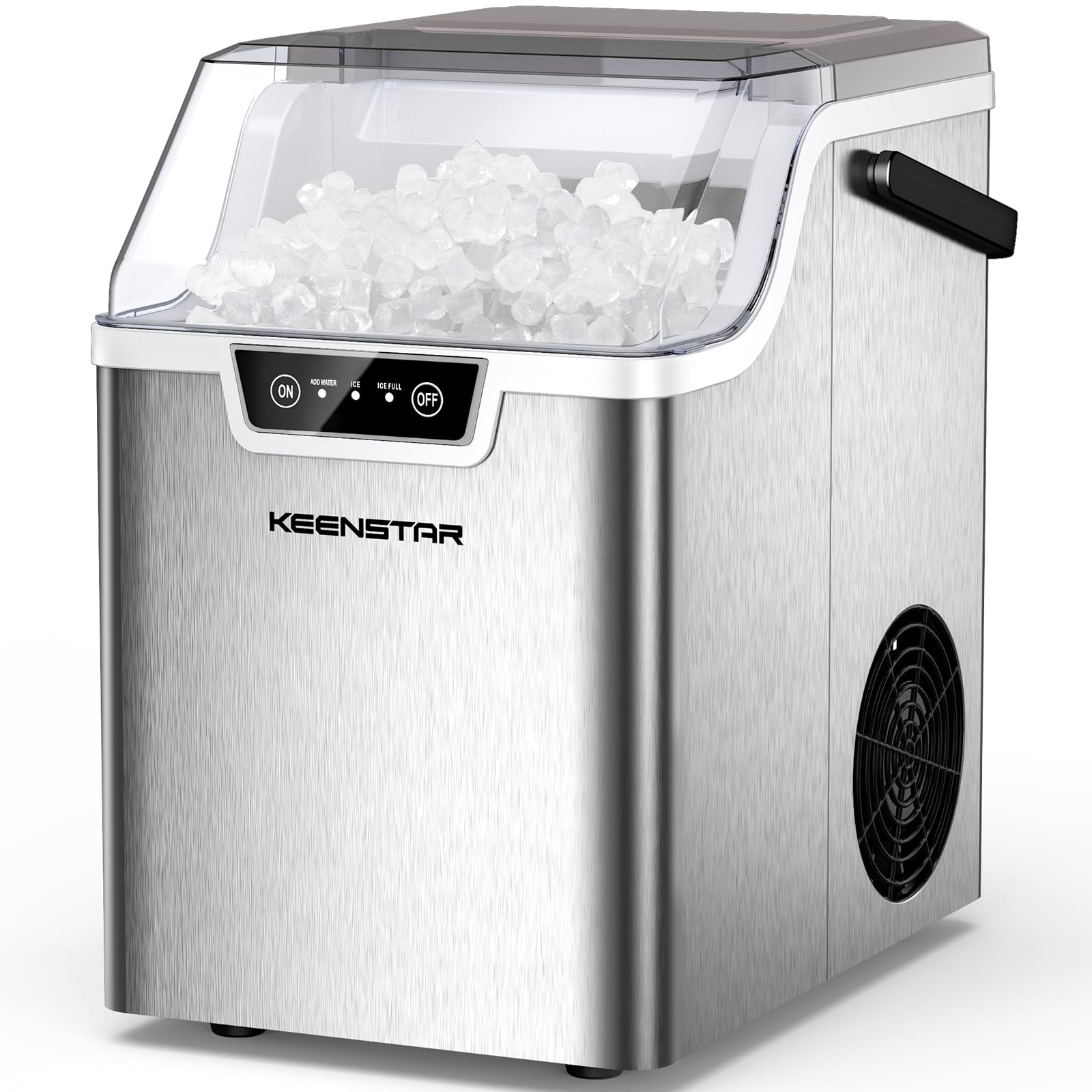
Image 2.1: The KEENSTAR Nugget Countertop Ice Maker, showcasing its compact design and the nugget ice it produces.
主な特徴:
- 高い日産量: Produces up to 40 pounds of nugget ice per day.
- 高速氷生産: Generates chewable nugget ice in approximately 5 minutes.
- 静かな動作: 40dBの低騒音で動作します。
- 自動セルフクリーニング: One-touch 5-minute self-cleaning cycle for easy maintenance.
- スマートアラート: Indicators for low water and full ice basket.
- コンパクトで持ち運びに便利: Designed for easy placement on countertops and transport.
3. セットアップ
Follow these steps for initial setup of your ice maker:
- 開梱: Carefully remove the ice maker from its packaging. Remove all packing materials, tape, and labels.
- 配置: Place the ice maker on a flat, stable, heat-resistant surface. Ensure there is at least 4 inches of space around the unit for proper ventilation.
- クリーン: Before first use, clean the interior of the ice maker according to the 'Cleaning and Maintenance' section.
- 電源接続: 電源コードをアース付きコンセントに差し込みます。電圧がtage は機器の仕様 (110 ボルト) と一致します。

Image 3.1: The compact design of the ice maker, showing approximate dimensions (13.4"W x 17.6"H x 9.4"D) for placement consideration.
4. 操作手順
Operating your KEENSTAR ice maker is simple:
- 水を加える: 蓋を開け、水タンクのMAXラインまで飲料水を入れてください。水を入れすぎないでください。
- オンにする: を押す ON button on the control panel to start the ice making process. The 'ICE' indicator light will illuminate.
- 氷の生産: The ice maker will begin producing nugget ice. The first batch may take slightly longer. Subsequent batches will be ready in approximately 5 minutes.
- アイスフルインジケーター: When the ice basket is full, the 'ICE FULL' indicator light will illuminate, and the ice making process will pause. Remove ice to resume production.
- 水インジケーターの追加: 水位が低すぎる場合は、「ADD WATER(水を追加)」インジケーターライトが点灯します。氷の生成を継続するには、タンクに水を補充してください。
- 消す: を押す オフ button to stop the ice maker.

Image 4.1: Visual guide to the simple 3-step operation: 1. Add Water, 2. Turn on the Ice Maker, 3. Enjoy Nugget Ice.

Image 4.2: Close-up of the control panel, illustrating the ON/OFF buttons and indicator lights for 'ADD WATER', 'ICE', and 'ICE FULL'.
5. 清掃とメンテナンス
Regular cleaning and maintenance ensure optimal performance and longevity of your ice maker.
5.1 自動セルフクリーニング
- To activate the self-cleaning function, ensure there is water in the reservoir.
- を押し続けます ON button for 5 seconds. The self-cleaning cycle will begin and last for approximately 5 minutes.
- After the cycle, drain the water from the unit.

Image 5.1: The ice maker during its automatic self-cleaning cycle, showing water circulating within the unit.
5.2 Manual Cleaning and Draining
- 製氷機の電源プラグをコンセントから抜きます。
- アイスバスケットを取り外します。
- To drain the water, locate the drain plug at the bottom of the unit. Pull out the drain plug to empty the water reservoir.
- Clean the interior with a soft cloth and a mild detergent. Rinse thoroughly.
- 外側を拭くamp 布。
- Ensure all parts are dry before reassembling and plugging in the unit.

Image 5.2: Illustration of the easy-to-drain feature, showing the location of the drain plug at the bottom of the unit.
5.3スケール除去
Hard water can lead to mineral buildup. Descale your ice maker regularly:
- Moderately Hard Water Areas: 毎月スケールを除去します。
- Hard to Very Hard Water Areas: 2~3週間ごとにスケールを除去します。
- Use a descaling solution suitable for ice makers or a mixture of water and vinegar. Follow the descaling product's instructions.
- It is recommended to use purified or bottled water to minimize mineral buildup.

Image 5.3: A map indicating water hardness levels across the US, with recommendations for descaling frequency based on local water conditions.
6。 トラブルシューティング
製氷機に問題が発生した場合は、次の一般的な問題と解決策を参照してください。
| 問題 | 考えられる原因 | 解決 |
|---|---|---|
| 製氷機が氷を製造しません。 | 貯水池に水がありません。 電源が接続されていません。 周囲温度が高すぎる。 | 水を加えます。 Ensure unit is plugged in and power is on. ユニットをより涼しい場所に移動します。 |
| 「ADD WATER」インジケーターが点灯しています。 | 水位が低い。 | Add potable water to the reservoir. |
| 「ICE FULL」インジケーターが点灯しています。 | アイスバスケットがいっぱいです。 | バスケットから氷を取り除きます。 |
| Ice tastes strange or has an odor. | ユニットの清掃が必要です。 Stale water. | Perform a self-cleaning cycle or manual clean. Replace water in the reservoir regularly. |
| 氷の生成が遅い。 | 周囲温度が高い。 換気が悪い。 ミネラルの蓄積。 | 適切な換気を確保してください。 Descale the unit as per maintenance instructions. |
これらの解決策を試しても問題が解決しない場合は、カスタマー サポートにお問い合わせください。
7. 仕様
| 特徴 | 仕様 |
|---|---|
| ブランド | キーンスター |
| モデル名 | ICEMKER-ZB0501 |
| 製品寸法(奥行き×幅×高さ) | 奥行き13インチ x 幅11インチ x 高さ9インチ |
| 容量 | 40 Pounds (daily output) |
| ワットtage | 120ワット |
| 巻tage | 110ボルト |
| 冷媒 | R600a |
| 含まれるコンポーネント | ICE MAKER, Basket, Scoop |
8. 保証とサポート
8.1 保証情報
The KEENSTAR Nugget Countertop Ice Maker comes with a 2年間の製造保証 ご購入日から1年間有効です。本保証は、通常の使用における材料および製造上の欠陥を対象とします。誤用、事故、改造、不注意、または無許可の修理による損傷は保証の対象外となります。
8.2 カスタマーサポート
For technical assistance, warranty claims, or any questions regarding your KEENSTAR ice maker, please contact our customer support team. Please have your model number (ICEMKER-ZB0501) and purchase date available when contacting support.
連絡先:
- メールアドレス: support@keenstar.com
- 電話: 1-800-XXX-XXXX (Monday - Friday, 9 AM - 5 PM EST)
- Webサイト: www.keenstar.com/support