
1.製品オーバーview
The AFEXOA RGB Night Light Alarm Clock (Model NC-01) combines a digital alarm clock with a versatile night light, featuring an hourglass design. It offers multiple wake-up sounds, adjustable volume, snooze functionality, and various lighting modes including warm white and 7 RGB ambient colors. It also includes a sleep timer for convenience.

Image: The AFEXOA RGB Night Light Alarm Clock in its hourglass form, illuminated with rainbow colors, positioned on a bedside table. The digital display shows the time 8:38.
2. パッケージ内容
以下の項目のボックスにチェックを入れてください。
- 1 x AFEXOA RGB Night Light Alarm Clock (Model NC-01)
- タイプC充電ケーブル x 1
- クイックスタートガイド x 1
- ユーザーマニュアル (本書) x 1
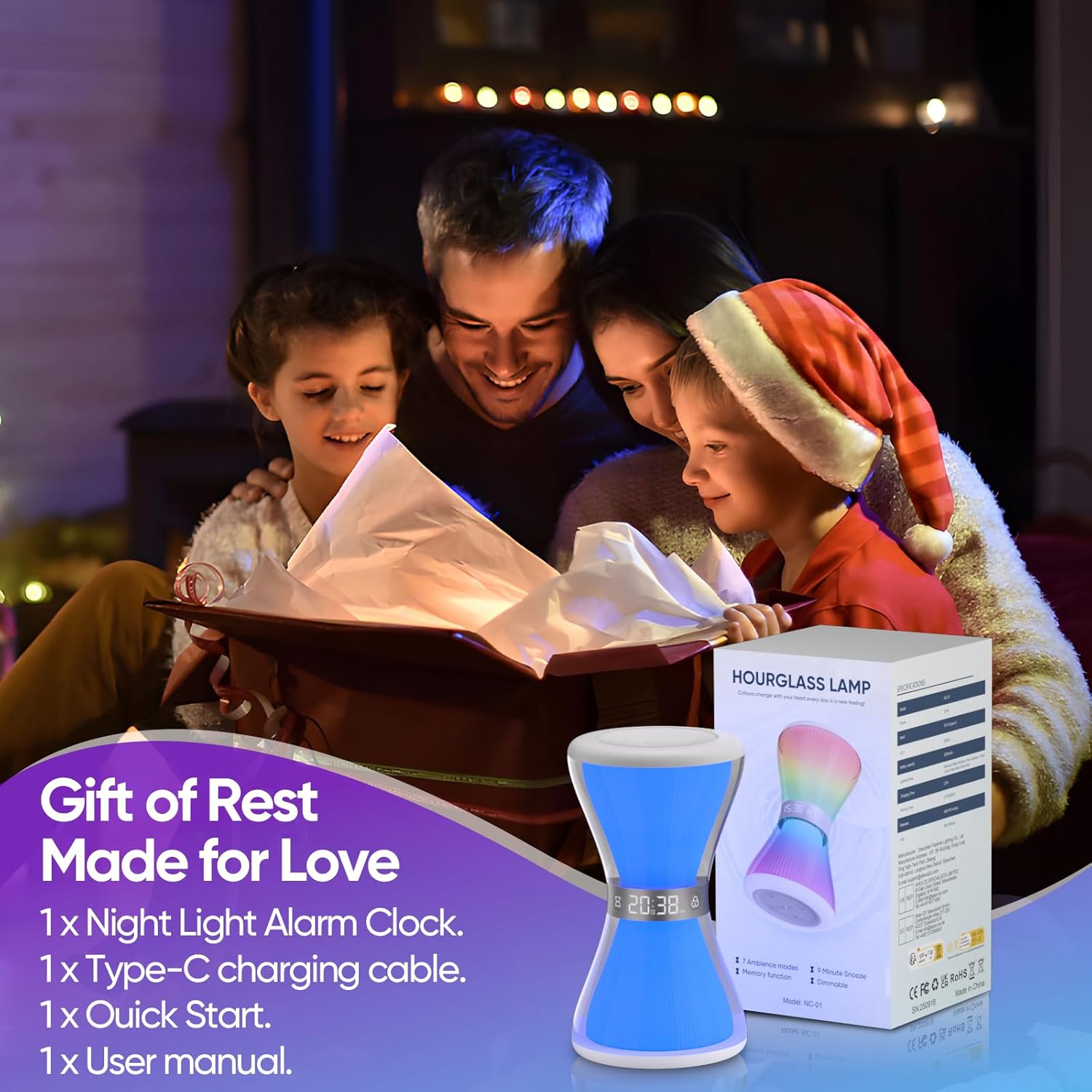
Image: The AFEXOA RGB Night Light Alarm Clock, its retail packaging, and included accessories (Type-C cable, quick start guide, user manual).
3.セットアップガイド
3.1. デバイスの充電
Before first use, fully charge the alarm clock using the provided Type-C USB cable. Connect the cable to the charging port on the device and a compatible USB power adapter (not included). The charging indicator will show the charging status.
3.2. 初回電源投入
Once charged, the device should power on automatically. If not, locate the power button (usually on the base) and press it to turn on the device.
3.3. Setting the Time (12/24H Format)
Refer to the quick start guide or the device's base for specific buttons to set the time. Typically, there will be a 'Time Set' button or a combination of 'M' (Mode) and '+' / '-' buttons. You can switch between 12-hour and 24-hour formats as desired.

Image: The alarm clock's digital display showing time in both 12-hour (AM/PM) and 24-hour formats, illustrating the time setting feature.
4. 操作手順
4.1. 目覚まし時計機能
アラームを設定するには:
- Press the 'Alarm' button (or 'M' button until alarm mode is selected).
- 「+」ボタンと「-」ボタンを使用して、希望するアラーム時間を調整します。
- 時刻設定を確認してください。
- Select from 7 available wake-up sounds (e.g., beep, bird, piano, soft music).
- Adjust the alarm volume from 8 levels to suit your preference. The alarm sound will gradually increase in volume to provide a gentle wake-up.
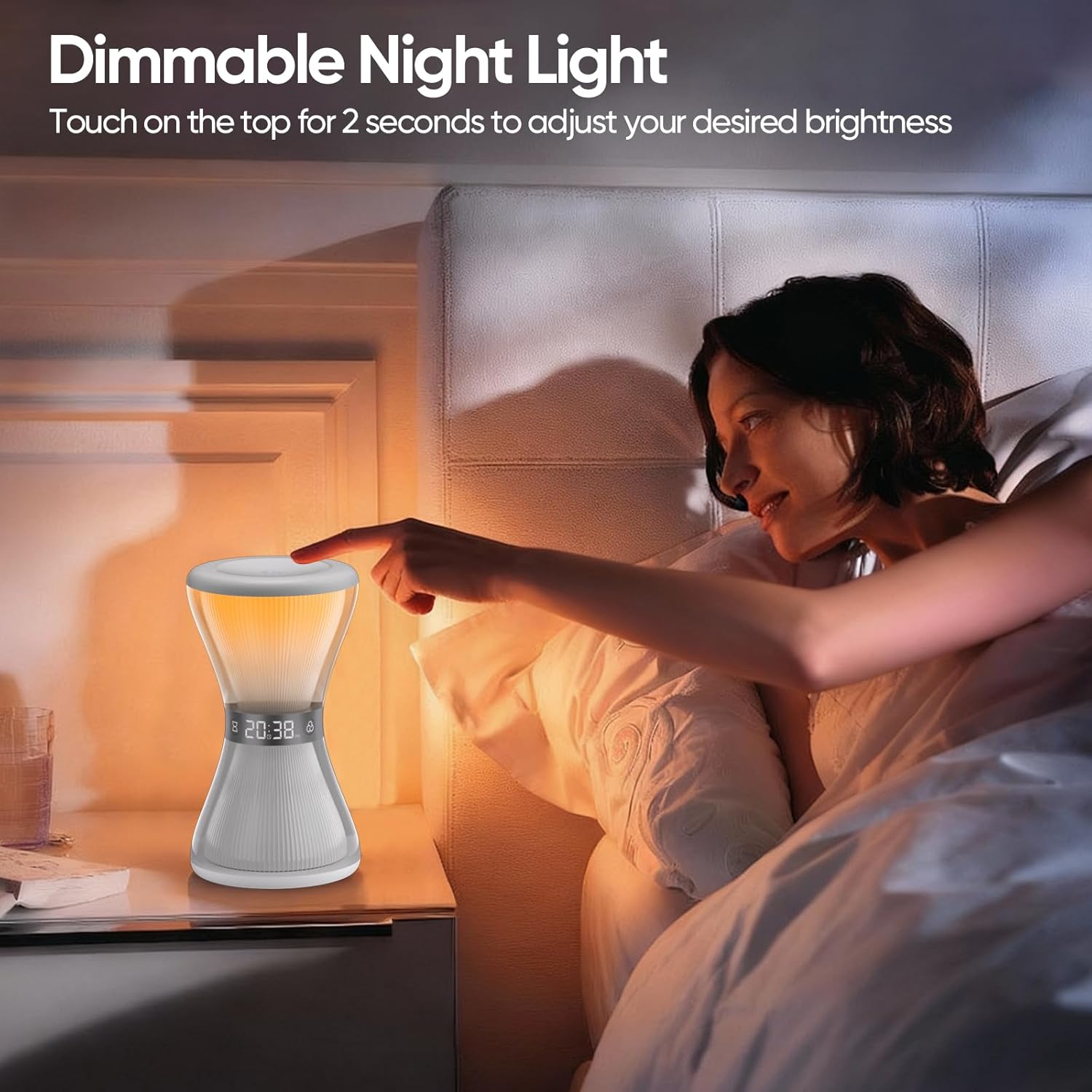
Image: The alarm clock on a nightstand, highlighting its features for customizing alarms, including 7 wake-up ringtones and 8 volume levels.

Image: A visual representation of the 7 available wake-up sounds and the 8 adjustable volume levels for the alarm function.
4.2. スヌーズ機能
When the alarm sounds, gently touch or tap the top surface of the alarm clock to activate the snooze function. This will provide an additional 9 minutes of sleep time. The snooze function can be used multiple times. If no operation is detected within 20 minutes of the alarm sounding, the alarm will automatically turn off.

Image: A person reaching to tap the alarm clock for the 9-minute snooze function.
4.3. Night Light Operation (Warm White)
To turn on the warm white night light, simply touch the top surface of the device. To adjust the brightness, keep your hand on the top surface for a short period. The brightness will cycle through its levels, release your hand when the desired brightness is reached.

Image: A person interacting with the top of the alarm clock to adjust the dimmable warm white night light.
4.4. RGB Ambient Lights
The alarm clock features 7 RGB ambient light colors and a flowing light effect. You can select your favorite light mode to create a specific atmosphere. There are 3 adjustable brightness levels for the RGB lights. Consult the quick start guide for specific button presses to cycle through modes and adjust brightness.

Image: The alarm clock showcasing its various RGB ambient light colors and patterns, demonstrating the 'Gorgeous Light Show' feature.
4.5。 目覚まし時計
The sleep timer allows you to set a duration (from 5 to 90 minutes) after which the lights will automatically turn off. During the timer, you can choose from four static light colors: white, red, blue, and green. This feature is designed to aid sleep by gradually dimming or turning off the light.

Image: A child sleeping next to the alarm clock, which is set to a pink light, illustrating the sleep aid with auto-off timer feature.

Image: A visual representation of the sleep timer function, showing various time settings from 5 to 90 minutes.
4.6. Hourglass Countdown Visual Mode
The unique hourglass design can display a visual countdown with lights. Red, green, blue, and white lights are available for selection in this mode, providing a decorative and calming visual effect. This is a visual feature and not a functional timer for user input.

Image: A child studying at a desk with the alarm clock displaying a white hourglass countdown light, providing a visual aid.
5. メンテナンス
5.1. 清掃
To clean the alarm clock, gently wipe its surface with a soft, dry, or slightly damp 布で拭いてください。研磨剤入りの洗剤や溶剤を使用したり、デバイスを水に浸したりしないでください。
5.2. バッテリーのお手入れ
The device is powered by a built-in Lithium Ion battery. For optimal battery life, avoid fully discharging the battery frequently and store the device in a cool, dry place when not in use for extended periods. Do not attempt to replace the battery yourself.
6。 トラブルシューティング
- デバイスの電源が入らない: Ensure the device is fully charged using the provided Type-C cable. Check if the power button is pressed.
- アラームが鳴らない: Verify that the alarm is set correctly and enabled. Check the alarm volume level.
- ライトが点灯しません: Ensure the device is powered on. Check if the light mode is selected and brightness is adjusted.
- 時間の表示が正しくありません: Re-enter the time settings as described in Section 3.3.
- Snooze function not responding: Ensure you are tapping the designated touch area on the top of the device.
7. 仕様
| 特徴 | 仕様 |
|---|---|
| モデル番号 | NC-01 |
| ブランド | アフェソア |
| 寸法(幅×高さ) | 3.54インチ×6.3インチ |
| 重さ | 200グラム |
| 材料 | アクリロニトリルブタジエンスチレン(ABS) |
| 電源 | 電池式(リチウムイオン電池1個付属) |
| 表示タイプ | デジタル |
| 特集 | Adjustable Brightness, Alarm, Illuminated, Mood Light, Timer |
| 目覚まし音 | 7つのオプション |
| アラーム音量レベル | 8レベル |
| スヌーズ時間 | 9 minutes |
| スリープタイマー | 5~90分 |
| アンビエントライト | 7 RGB colors, 3 brightness levels |
| ナイトライト | Warm white, adjustable brightness |
8. 保証とサポート
For warranty information or technical support, please refer to the contact details provided in your product packaging or visit the official AFEXOA webサイト。 保証請求に備えて購入時のレシートを保管しておいてください。