1. はじめに
Thank you for choosing the KTC H25T7-3 24.5 Inch 240Hz FHD Gaming Monitor. This manual provides essential information for setting up, operating, and maintaining your monitor. Please read it thoroughly before use to ensure optimal performance and safety.
安全情報
- 火災や感電を防ぐため、モニターを雨や湿気にさらさないでください。
- モニターを開けないでくださいasing. 内部にはユーザーが修理できる部品はありません。修理はすべて資格のある担当者にご依頼ください。
- モニターが落ちないように、安定した平らな面に置いてください。
- 過熱を防ぐために、モニターの周囲に適切な換気を確保してください。
- Use only the power adapter and cables provided by KTC.
2. 箱の中身
パッケージに以下の項目がすべて含まれていることを確認してください。
- KTC H25T7-3 24.5" FHD 240Hz Monitor (x1)
- モニタースタンド(1個)
- クイックスタートガイド(QSG)(1冊)
- DisplayPort (DP) ケーブル (x1)
- 電源アダプター(x1)
- 電源コード(x1)
3.製品オーバーview
The KTC H25T7-3 is a 24.5-inch Full HD (1920x1080) gaming monitor featuring a Fast IPS panel, 240Hz refresh rate, and 1ms MPRT response time for smooth visuals. It supports HDR400 and Adaptive-Sync technology to enhance your viewとゲームの経験。
主な特徴
- 24.5" FHD Fast IPS Panel: Delivers crisp 1080p resolution with wide 178° view角度を変える。
- 240Hzリフレッシュレートと1ms MPRT: Ensures ultra-smooth motion and minimal ghosting.
- アダプティブ同期テクノロジー: Synchronizes the monitor's refresh rate with your GPU for tear-free gameplay.
- HDR400のサポート: コントラストと色の深みを強化し、より臨場感あふれる視覚体験を実現します。
- 人間工学に基づいたスタンド: Offers tilt, pivot, and height adjustments for personalized view快適さを。
- アイケア機能: Low blue light and flicker-free technology reduce eye strain during extended use.
- 複数の接続オプション: Includes 2x HDMI 2.0, 1x DisplayPort 1.4, and 1x USB 2.0.

図3.1:以上view of KTC H25T7-3 monitor features including Fast IPS, 240Hz, HDR400, and adjustable stand.
4. セットアップ
4.1 スタンドの組み立て
- モニターとスタンドのコンポーネントをパッケージから慎重に取り出します。
- 付属のネジを使用してスタンドベースをスタンドネックに取り付けます。
- 組み立てたスタンドをモニター背面の取り付けスロットに合わせてしっかりと固定します。

図4.1: 前面 view of the KTC H25T7-3 monitor with its stand assembled.
4.2 VESA壁掛けマウント(オプション)
The monitor supports a 100x100mm VESA mount. To wall mount the monitor:
- すでにモニターにスタンドが取り付けられている場合は、取り外します。
- Attach your VESA-compatible wall mount bracket to the four screw holes on the back of the monitor. Ensure the screws are appropriate for the VESA standard and do not overtighten.
- 安全に設置するには、VESA マウントに付属の手順に従ってください。

図4.2:背面 view of the KTC H25T7-3 monitor, highlighting the input ports and VESA mounting area.
4.3接続ケーブル
Connect the necessary cables to the corresponding ports on the monitor and your computer/device:
- 力: 電源アダプタをモニターの DC 入力に接続し、電源コードを電源コンセントに差し込みます。
- ディスプレイポート (DP): For optimal performance (240Hz, Adaptive-Sync), connect the provided DisplayPort cable from your graphics card to the monitor's DP 1.4 port.
- HDMI: Alternatively, connect an HDMI cable from your device to one of the monitor's HDMI 2.0 ports.
- USB: The USB 2.0 port can be used for firmware upgrades or connecting peripherals.
5. 操作手順
5.1 電源オン/オフ
電源ボタン(通常はモニターの背面または底面にあります)を押すと、モニターの電源をオンまたはオフにできます。モニターの電源がオンになると、電源インジケーターライトが点灯します。
5.2 OSDメニューナビゲーション
The On-Screen Display (OSD) menu is controlled by a joystick button, typically located on the back of the monitor. Use the joystick to navigate through the menu options and adjust settings.
- 押し込む: 選択内容を入力/確認します。
- 上下: メニュー オプションをナビゲートします。
- 左/右: 値を調整したり、サブメニュー間を移動します。
5.3 ディスプレイ設定の調整
OSD メニューにアクセスして、さまざまなディスプレイ設定を構成します。
- 輝度コントラスト: 全体的な輝度とコントラストのレベルを調整します。
- 色の設定: 色温度、ガンマ、個々の RGB 値を微調整します。
- 画像モード: Select from preset modes (e.g., Standard, Game, Movie, sRGB) or customize your own.
- リフレッシュレート: Ensure your graphics card output is set to 240Hz for optimal performance.
- アダプティブ同期: Enable this feature in the OSD menu and your graphics card control panel to eliminate screen tearing.
- HDR: Activate HDR400 for compatible content to experience enhanced dynamic range.
- ブルーライト軽減: ブルーライトフィルターを調整して目の疲れを軽減します。

Figure 5.1: Visual representation of the 240Hz refresh rate for smooth motion.
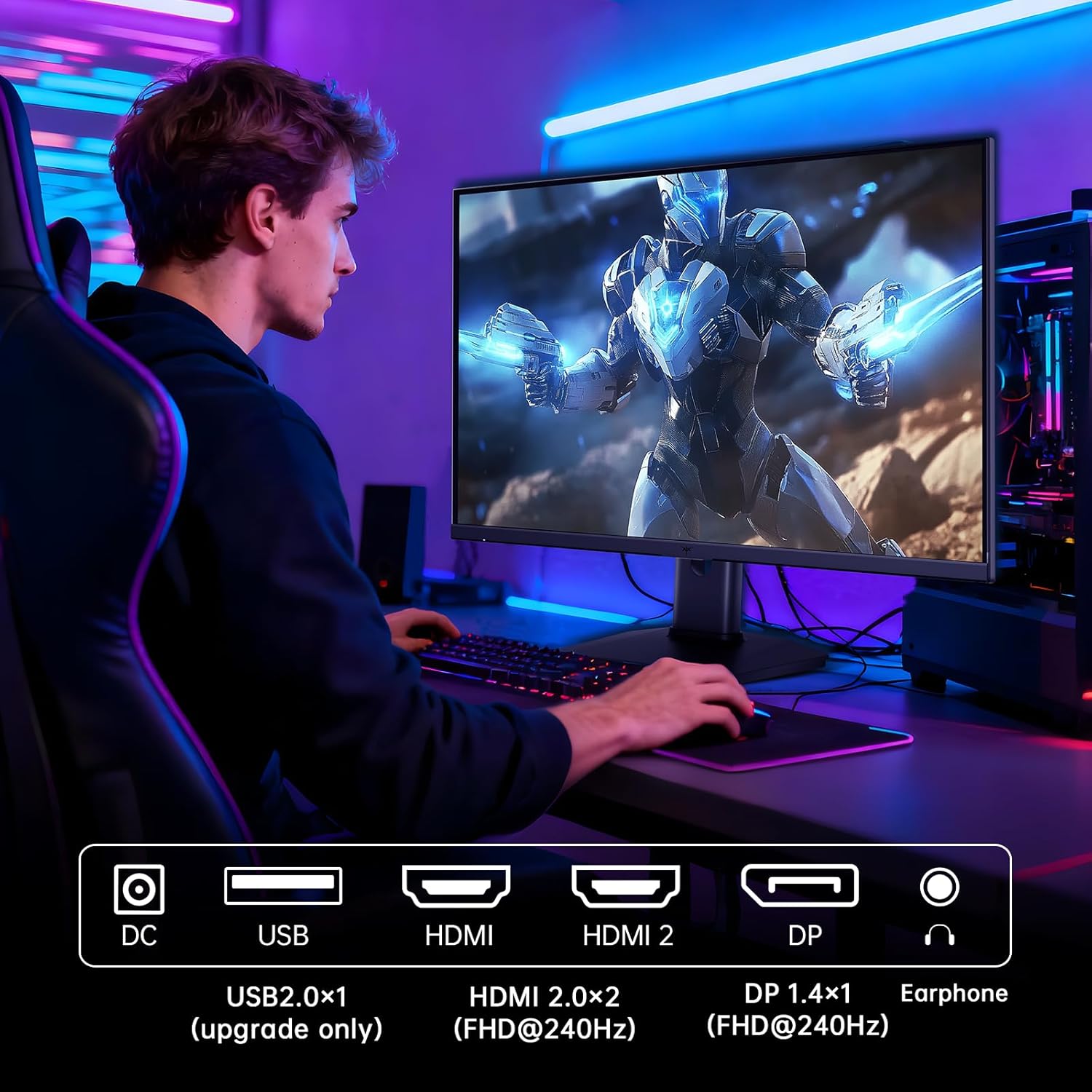
Figure 5.2: Comparison showing the effect of Adaptive-Sync on reducing stuttering and screen tearing.

Figure 5.3: Illustration of HDR400 technology delivering clear details in dark areas compared to HDR10.

Figure 5.4: Diagram illustrating hardware blue light reduction technology to filter harmful blue light bands.
5.4 人間工学的調整
モニタースタンドは、さまざまな調整が可能で、 viewingポジション:
- Adjust the screen angle forward or backward (-5° to 20°).
- ピボット: 縦向きモードにするには、画面を 90 度回転させます。
- 高さ調整: スクリーンを最大 110 mm 上げたり下げたりできます。
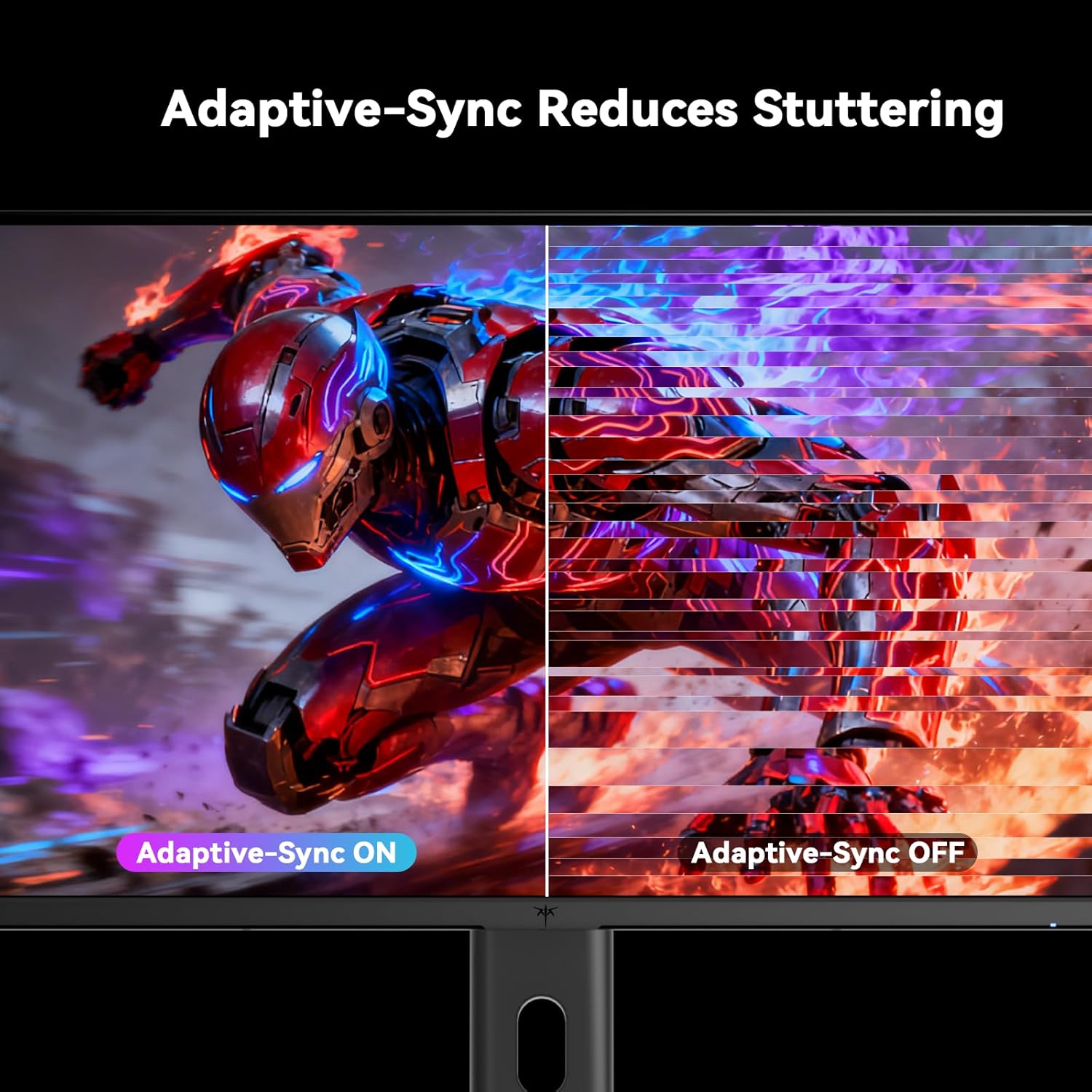
Figure 5.5: Diagram showing the tilt, pivot, and height adjustment capabilities of the monitor stand.
5.5 公式製品ビデオ
Video 5.1: An official product video from KTC-Official showcasing the 24.5 Inch FHD 240Hz Gaming Monitor, demonstrating its features and performance.
6. メンテナンス
6.1 モニターの掃除
モニター画面を清掃するにはasing:
- 清掃する前に必ずモニターの電源プラグをコンセントから抜いてください。
- 柔らかく糸くずの出ない布を軽く拭いてください。amp水または非研磨性のスクリーンクリーナーで拭いてください。
- クリーナーを画面に直接スプレーしないでください。
- ベンゼン、シンナー、アンモニア系クリーナー、研磨剤の使用は避けてください。
6.2一般的なケア
- モニターを直射日光、高温、低温にさらさないでください。
- モニターやそのケーブルの上に重い物を置かないでください。
- モニターの通気口をふさがないでください。
7。 トラブルシューティング
モニターに問題が発生した場合は、次の一般的な問題と解決策を参照してください。
| 問題 | 考えられる原因 | 解決 |
|---|---|---|
| 電源なし | 電源ケーブルが接続されていない、電源コンセントが機能していない | 電源ケーブルがしっかりと接続されていることを確認してください。別のデバイスで電源コンセントをテストしてください。 |
| 信号なし | Video cable not connected; Incorrect input source selected; Computer/device not powered on | Check video cable connections. Select the correct input source via the OSD menu. Ensure your computer/device is on. |
| 画面のちらつき | Incorrect refresh rate; Cable issue; Adaptive-Sync not enabled | Set refresh rate to 240Hz. Try a different video cable. Enable Adaptive-Sync in OSD and GPU settings. |
| Image distortion/poor quality | Incorrect resolution; Graphics driver issue; Monitor settings | Set resolution to 1920x1080. Update graphics drivers. Adjust OSD settings (brightness, contrast, color). |
7.1 工場出荷時設定へのリセット
If problems persist, you may perform a factory reset through the OSD menu. This will revert all monitor settings to their default values.
8. 仕様
Detailed technical specifications for the KTC H25T7-3 monitor:
| 特徴 | 仕様 |
|---|---|
| モデル番号 | H25T7-3 |
| 画面サイズ | 24.5インチ |
| パネルタイプ | ほぼIPS |
| 解決 | FHD 1080p (1920 x 1080 ピクセル) |
| アスペクト比 | 16:9 |
| リフレッシュレート | 240Hz |
| 応答時間 | 1ms(MPRT) |
| アダプティブ同期 | はい |
| HDR サポート | 高画質 |
| 色域 | 114% sRGB |
| コントラスト比 | 1000:1 |
| 表示色 | 16.7万 |
| 輝度 | 350 cd/m² |
| View角度 | 178°(H / V) |
| 接続性 | 2x HDMI 2.0, 1x DisplayPort 1.4, 1x USB 2.0 |
| VESAマウントの互換性 | 100x100mm |
| 人間工学に基づいた調整 | Tilt, Pivot, Height |
| 製品寸法(スタンド付き) | 7.6 x 21.97 x 18.23インチ |
| 商品重量(スタンド付き) | 11.58ポンド |
| 巻tage | 12 ボルト (DC) |
9. 保証とサポート
9.1 保証情報
KTC monitors are designed and manufactured to the highest quality standards. For specific warranty terms and conditions, please refer to the warranty card included with your product or visit the official KTC webサイトでご確認ください。保証請求の際は購入証明として領収書を保管してください。
9.2 カスタマーサポート
If you have any questions, require technical assistance, or experience issues not covered in this manual, please contact KTC customer support. Contact details can typically be found on the official KTC webサイトまたはクイック スタート ガイドをご覧ください。