
1. はじめに
Thank you for choosing the AULA F3018 Mechanical Keyboard. This keyboard is designed for high-level mechanical performance and robust construction, offering precision for gaming and comfort for typing. It features Blue switches for a tactile and audible click, an ABNT2 layout with 'Ç' for Brazilian Portuguese compatibility, and full RGB lighting with multiple customizable effects. The reinforced braided cable enhances durability and ensures a stable connection. This manual provides essential information for setup, operation, and maintenance of your keyboard.
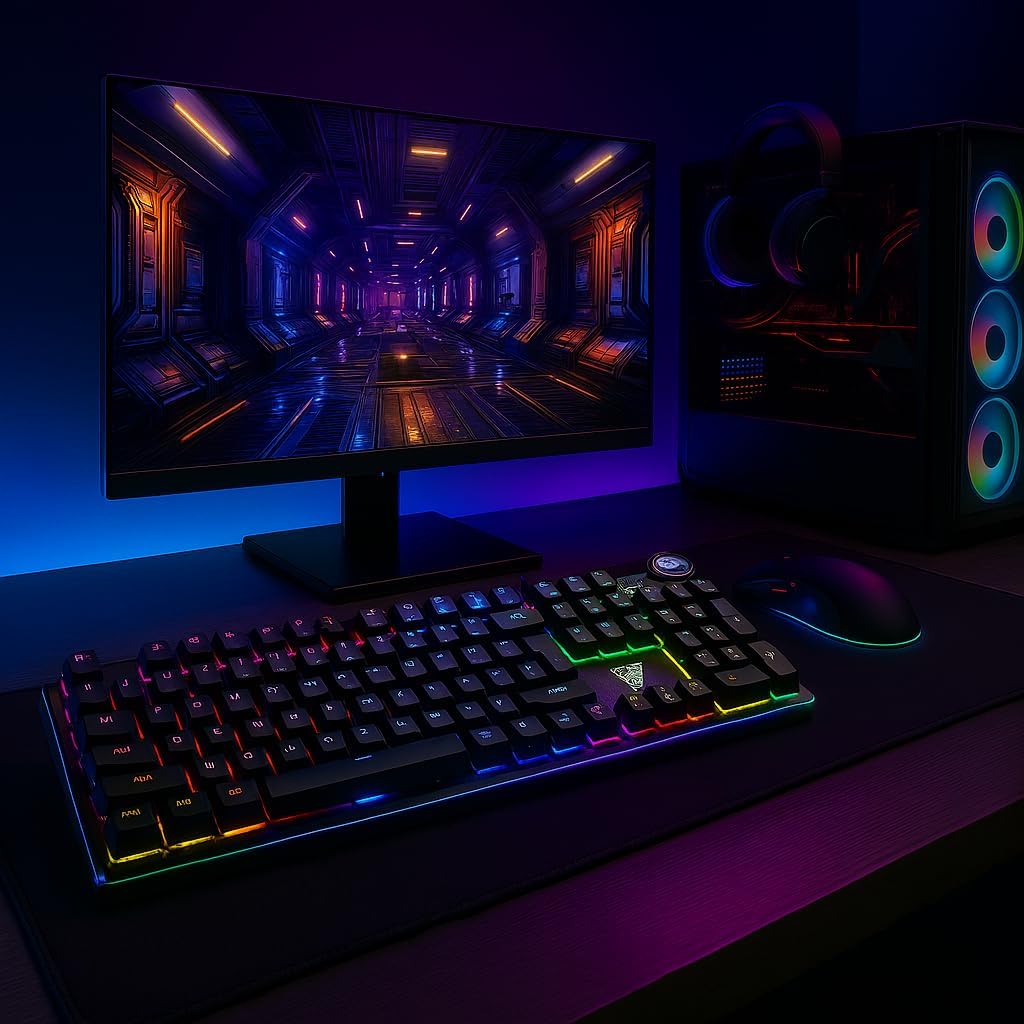
Image 1.1: AULA F3018 Mechanical Keyboard in a typical desktop setup, showcasing its RGB lighting and full-size design.
2. パッケージ内容
パッケージにすべてのアイテムが揃っていることを確認します。
- AULA F3018 メカニカルキーボード
- USBケーブル(付属)
- ユーザーマニュアル(このドキュメント)
3. セットアップ
Follow these steps to connect your AULA F3018 Mechanical Keyboard:
- キーボードを開梱します。 キーボードをパッケージから慎重に取り出します。
- コンピュータに接続します: Insert the USB connector of the keyboard's reinforced cable into an available USB port on your computer (PC, Notebook, or MacBook). The keyboard supports USB 2.0 and USB 3.0 ports.
- ドライバーのインストール: キーボードはプラグアンドプレイです。オペレーティングシステムが必要なドライバーを自動的に検出し、インストールします。基本的な機能を使用するために追加のソフトウェアをインストールする必要はありません。
- 接続を確認します: Once connected, the keyboard's RGB lighting should illuminate, indicating a successful connection. You can now begin using your keyboard.

画像3.1: 角度付き view of the AULA F3018 keyboard, highlighting the durable, reinforced USB cable for connection.
4. 操作手順
4.1.基本機能
The AULA F3018 is a full-size ABNT2 layout keyboard with 108 keys, providing all standard typing and navigation functions.
4.2. RGB照明制御
The keyboard features full RGB backlighting with multiple effects. Use the following key combinations to control the lighting:
- Fn + [キー]: Specific keys may have secondary functions for lighting control. Refer to the keycaps for symbols indicating lighting adjustments.
- 照明モード: Cycle through various lighting effects and patterns.
- 明るさ調整: バックライトの明るさを増減します。
- 速度調整: ダイナミック照明効果の速度を変更します。

Image 4.1: The AULA F3018 keyboard illuminated with vibrant RGB lighting, demonstrating customizable visual effects.
4.3. マルチメディアコントロール
The keyboard includes dedicated multimedia keys and a volume control knob for convenient media management:
- ボリュームノブ: ノブを時計回りに回すと音量が上がり、反時計回りに回すと音量が下がります。ノブを押すと、音声がミュート/ミュート解除されます。
- 専用マルチメディアキー: Located above the numeric keypad, these keys provide quick access to functions like Play/Pause, Stop, Previous Track, and Next Track.

画像4.2: 詳細 view of the volume control knob and adjacent multimedia keys on the AULA F3018 keyboard.
5. メンテナンス
適切なメンテナンスを行うことで、キーボードの寿命が長くなり、最適なパフォーマンスが確保されます。
- クリーニング: Use a soft, dry cloth to wipe the surface of the keyboard. For dust and debris between keys, use compressed air. Avoid using harsh chemicals or abrasive materials.
- 流出防止: While the keyboard is moisture-resistant, avoid direct liquid spills. In case of a spill, immediately disconnect the keyboard and allow it to dry completely before reconnecting.
- ケーブルのお手入れ: Do not bend or twist the reinforced cable excessively. Store it neatly to prevent damage.
- ストレージ: 長期間使用しない場合は、キーボードを直射日光や極端な温度を避け、清潔で乾燥した環境に保管してください。
6。 トラブルシューティング
If you encounter issues with your AULA F3018 keyboard, refer to the following common problems and solutions:
- キーボードが応答しない:
- USB ケーブルがキーボードとコンピュータの両方にしっかりと接続されていることを確認します。
- キーボードをコンピューターの別の USB ポートに接続してみてください。
- コンピュータを再起動します。
- コンピュータ固有の問題を排除するために、別のコンピュータでキーボードをテストします。
- RGB 照明が機能しない:
- Check if the lighting is turned off or set to minimum brightness using the keyboard's lighting control functions (e.g., Fn + [Key]).
- キーボードが正しく接続され、電源が供給されていることを確認します。
- キーが登録されない、または二重入力される:
- Clean the affected key(s) with compressed air to remove any debris.
- If the issue persists, it might indicate a hardware fault. Contact customer support.
- マルチメディアキーが機能しない:
- Ensure your operating system's media player is active and in focus.
- Check for any conflicting software or drivers.
7. 仕様
| 特徴 | 説明 |
|---|---|
| モデル名 | AULA F3018 メカニカルキーボード |
| モデル番号 | F3018 |
| ブランド | AULA(ジェネリック) |
| スイッチタイプ | Tactile Blue Switch |
| キーボードレイアウト | ABNT2 (Portuguese) |
| キーの数 | 108 |
| 接続性 | Wired (USB, USB 2.0, USB 3.0) |
| バックライト | Full RGB, Adjustable |
| 対応デバイス | MacBook, Notebook, PC |
| 材料 | アクリロニトリルブタジエンスチレン(ABS) |
| 色 | 黒 |
| 寸法(長さ×幅×高さ) | 44 cm x 14 cm x 3 cm |
| 耐水性レベル | 耐湿性 |
| 推奨用途 | Gaming, Personal, Programming |
| 含まれるコンポーネント | USBケーブル |
| 原産国 | 中国 |

Image 7.1: Dimensions of the AULA F3018 Mechanical Keyboard, showing its length, width, and height.

Image 7.2: Key features of the AULA F3018 keyboard, including switch type, layout, and connectivity.
8. 保証とサポート
The AULA F3018 Mechanical Keyboard comes with a 30日間の販売者保証 ご購入日から有効です。この保証は通常の使用における製造上の欠陥をカバーします。
For technical support, warranty claims, or any questions regarding your product, please contact your retailer or the seller directly. Please retain your proof of purchase for warranty validation.