
1. はじめに
This manual provides essential information for the safe and efficient use of your Lenovo Legion Pro 5 16IAX10 gaming laptop. Please read this manual thoroughly before operating your device and retain it for future reference.
2. セットアップ
2.1 開梱と初期検査
ノートパソコンとすべての付属品をパッケージから慎重に取り出してください。損傷がないか確認してください。部品が不足または破損している場合は、直ちに販売店にご連絡ください。
2.2 電源の接続
- 電源コードを245W ACアダプターに接続します。
- AC アダプターをノートパソコンの電源入力ポートに差し込みます。
- 電源コードのもう一方の端を接地されたコンセントに差し込みます。
初めて使用する前にバッテリーを完全に充電することをお勧めします。
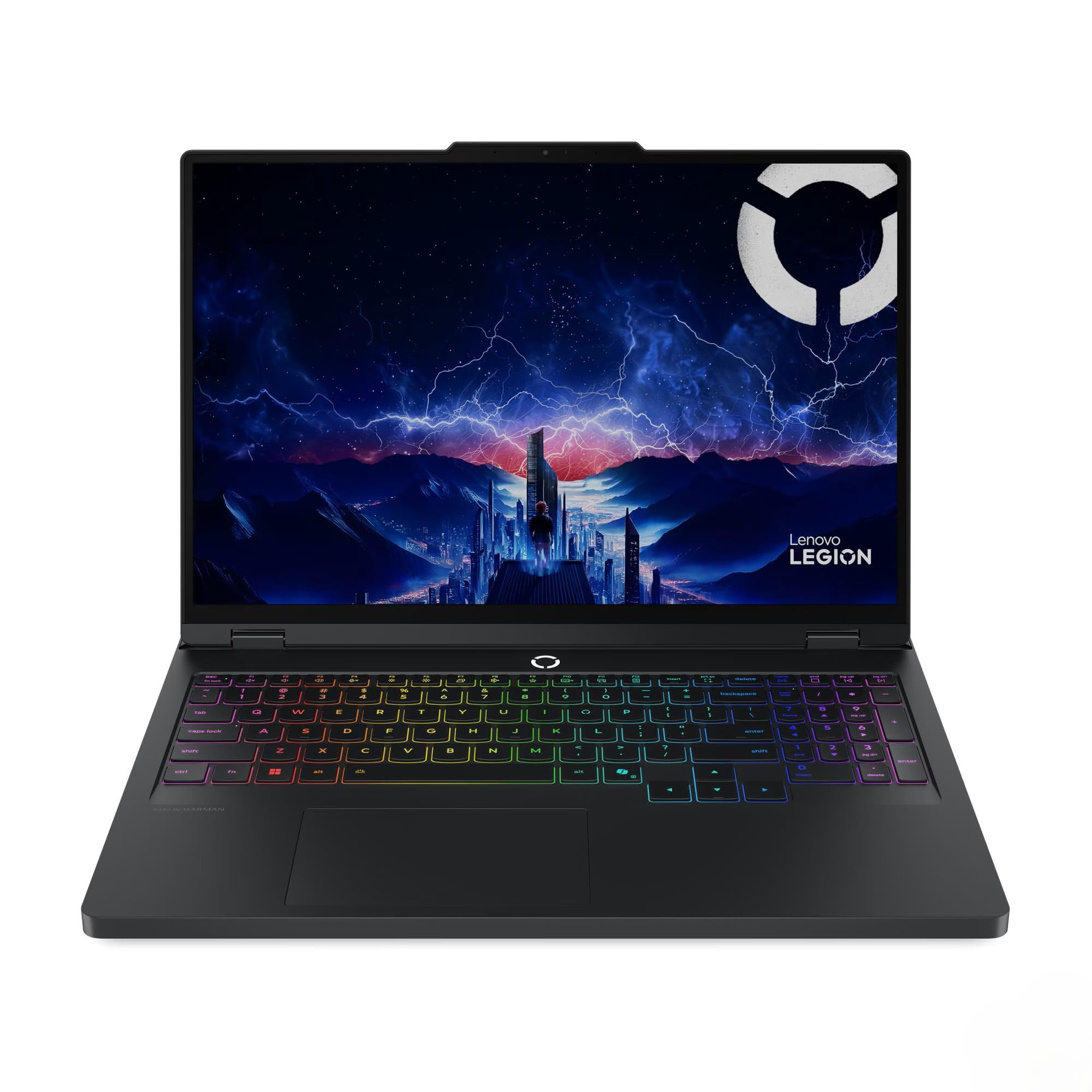
Image: The Lenovo Legion Pro 5 16IAX10 laptop, open and powered on, showcasing its display and RGB backlit keyboard.
2.3 最初の起動とオペレーティングシステムのセットアップ
Press the power button to turn on your laptop. The device comes pre-installed with Windows 11 Home. Follow the on-screen instructions to complete the initial Windows setup, including language selection, network connection, and user account creation.
3.運用
3.1 表示機能
Your laptop features a 16-inch WQXGA (2560 x 1600) IPS Anti-Glare display with a 165Hz refresh rate. It supports Dolby Vision and G-SYNC for enhanced visual performance. Adjust display settings via Windows Display Settings or NVIDIA Control Panel for optimal experience.
3.2 キーボードと入力
The full-size keyboard includes a numeric keypad and 24-Zone RGB backlighting. Customize RGB lighting effects through the pre-installed Lenovo software (e.g., Lenovo Vantage)。
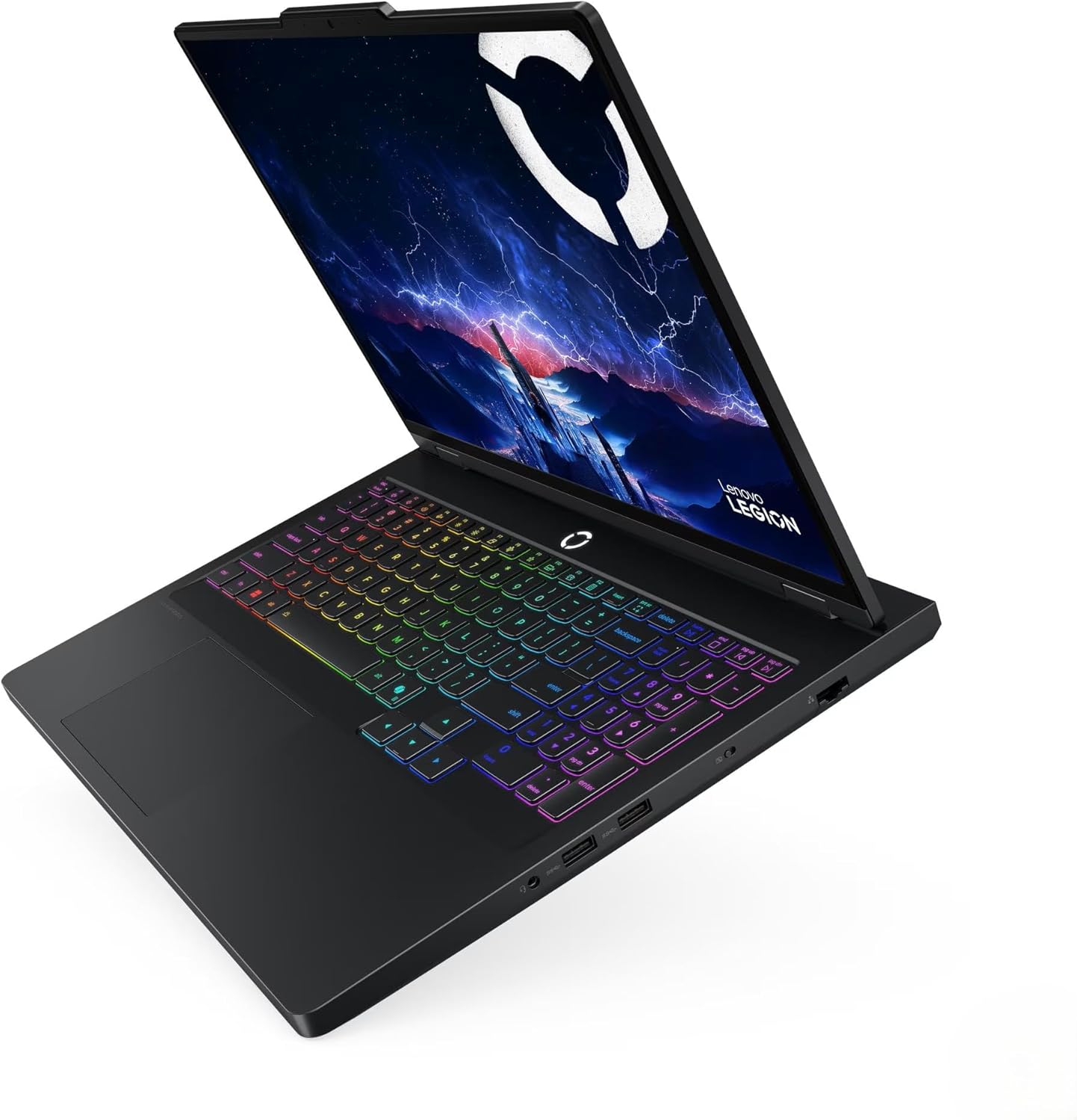
画像: 詳細な view of the laptop's keyboard, highlighting the RGB backlighting and numeric keypad.
3.3 オーディオシステム
Equipped with stereo speakers (2W x2) optimized with Nahimic Audio, providing immersive sound. Adjust audio settings and profiles using the Nahimic Audio software.
3.4 接続性
- 無線: MediaTek Wi-Fi 7 MT7925 (2x2) for high-speed internet and Bluetooth 5.4 for peripheral connections.
- 有線: 10/100/1000Mbps LAN port for stable wired network connections.
3.5 ポートとコネクタ
ノートパソコンには、外部デバイスを接続するためのさまざまなポートがあります。
- 1 x USB Thunderbolt 4 / USB4 40Gbps Type-C (supports DisplayPort)
- 1 x USB 3.2 Gen 2 Type-C (supports DisplayPort / 10Gbps)
- 1 x USB 3.2 Gen 2 Type-A (supports Always On / 10Gbps)
- USB 3.2 Gen 2 タイプA (5Gbps) x 1
- ヘッドフォン/マイクコンボジャック x 1
- 1×HDMI v2.1
- 1 x RJ-45 (イーサネット)

Image: The left side of the laptop, displaying the USB-C ports and headphone jack.

Image: The right side of the laptop, showing the USB-A ports.
4. メンテナンス
4.1 一般的な手入れと清掃
- Use a soft, lint-free cloth to clean the screen and chassis. Avoid abrasive cleaners.
- 適切な空気の流れを確保するために、通気口にほこりやごみが入らないようにしてください。
- ノートパソコンを極端な温度、直射日光、液体にさらさないでください。
4.2ソフトウェアアップデート
Regularly update your Windows operating system, graphics drivers (NVIDIA GeForce RTX 5070), and Lenovo-specific software to ensure optimal performance and security. You can typically find driver updates on the official Lenovo support webサイト。
4.3バッテリーケア
To prolong battery life (4 Cell 80 Wh, up to 6 hours average usage), avoid constantly discharging it to 0% or keeping it at 100% for extended periods. Utilize power management settings in Windows to optimize battery usage.
4.4 ストレージ管理
Your laptop is equipped with a 2TB NVMe M.2 SSD. Regularly manage your storage by deleting unnecessary files and uninstalling unused applications to maintain performance. The included MST 32GB USB Drive can be used for data backup or system recovery purposes.
5。 トラブルシューティング
このセクションでは、発生する可能性のある一般的な問題について説明します。より複雑な問題については、Lenovoサポートにお問い合わせください。 webサイトをご覧いただくか、テクニカル サポートにお問い合わせください。
5.1 電源の問題
- ノートパソコンが起動しない: ACアダプターがノートパソコンと電源コンセントの両方にしっかりと接続されていることを確認してください。電源インジケーターランプが点灯しているかどうかを確認してください。
- バッテリーが充電されない: Verify the AC adapter connection. Try a different power outlet. If the issue persists, the battery or adapter may require service.
5.2 表示の問題
- 画面に画像が表示されない: Connect an external monitor to the HDMI port to check if the issue is with the laptop's internal display. Ensure the display brightness is not set to minimum.
- 画像のちらつきや歪み: Update your NVIDIA graphics drivers. Check display cable connections if using an external monitor.
5.3 ネットワーク接続の問題
- Wi-Fi が接続されない: Ensure Wi-Fi is enabled in Windows settings. Restart your router and laptop. Check for updated Wi-Fi 7 drivers.
- 有線LANが機能しない: イーサネットケーブルの接続を確認してください。Windowsのネットワークアダプターの設定を確認してください。
6. 仕様
| 特徴 | 詳細 |
|---|---|
| モデル名 | Legion Pro 5 16IAX10 |
| 商品型番 | 83F3000PUS |
| 画面 | 16" WQXGA (2560 x 1600) IPS Anti-Glare, 500 nits, 100% sRGB, 165Hz, Dolby Vision, G-SYNC |
| プロセッサ | Intel Core Ultra 7 255HX (20-Core, up to 5.2 GHz) |
| グラフィックス | NVIDIA GeForce RTX 5070 8GB GDDR6(専用) |
| メモリ(RAM) | 48GB DDR5 5600MHz SDRAM |
| ストレージ | 2TB NVMe M.2 SSD |
| オペレーティング·システム | Windows 11 ホーム |
| キーボード | Fullsize 24-Zone RGB Backlit Keyboard with Numpad |
| ワイヤレス接続 | MediaTek Wi-Fi 7 MT7925 (2x2), Bluetooth 5.4 |
| 有線接続 | 10/100/1000Mbps LAN (RJ-45) |
| ポート | 1x Thunderbolt 4 (USB4 40Gbps Type-C), 1x USB 3.2 Gen 2 Type-C, 1x USB 3.2 Gen 2 Type-A, 2x USB 3.2 Gen 1 Type-A, 1x HDMI v2.1, 1x Headphone/Microphone Combo Jack, 1x RJ-45 |
| カメラ | 5.0MP with E Shutter |
| オーディオ | Stereo speakers (2W x2), optimized with Nahimic Audio |
| バッテリー | 4 Cell 80 Wh (Up to 6 hours average usage) |
| 電源アダプター | 245W ACアダプター |
| 寸法(長さx幅x高さ) | 14.36 x 10.34 x 0.86インチ |
| 重さ | 9.99 pounds (Note: Product description states 5.36 lbs, specification table states 9.99 lbs. Please refer to official Lenovo documentation for precise weight.) |
| 色 | オニキスグレー |
7. 保証とサポート
7.1製品保証
Your Lenovo Legion Pro 5 16IAX10 laptop is covered by a manufacturer's warranty. Please refer to the warranty documentation included with your product or visit the official Lenovo web保証の範囲と期間に関する詳細な条件については、サイトをご覧ください。
7.2 テクニカルサポート
技術的なサポート、ドライバーのダウンロード、またはトラブルシューティングについては、公式のLenovoサポートをご覧ください。 website. You will need your product's serial number (typically found on a label on the bottom of the laptop) to access specific support resources.
公式Lenovoサポート: https://support.lenovo.com/


