
1.製品オーバーview
The Acer Kids Bluetooth Headphones (Model OHR668) are designed to provide a safe and enjoyable audio experience for children. These over-ear wireless headphones feature volume limiting technology to protect sensitive hearing, a long-lasting battery, and a built-in microphone for communication. They are foldable for easy portability and constructed with durable, child-friendly materials.
主な特徴
- 安全な音量制限: Built-in technology limits volume to 85dB (Study Mode) or 94dB (Travel Mode) to protect children's hearing.
- 延長プレイタイム: 1 回の充電で最大 60 時間のバッテリー寿命。
- Bluetooth 6.0接続: Ensures stable and reliable wireless audio streaming.
- 内蔵マイク: Facilitates clear voice calls and interactive learning.
- Durable and Foldable Design: Reinforced headband and foldable earcups for resilience and portability.
- 快適なフィット感: Soft memory foam ear cushions and an adjustable headband for prolonged comfort.
- 有線オプション: Compatible with 3.5mm audio cables for high-definition, lossless audio.
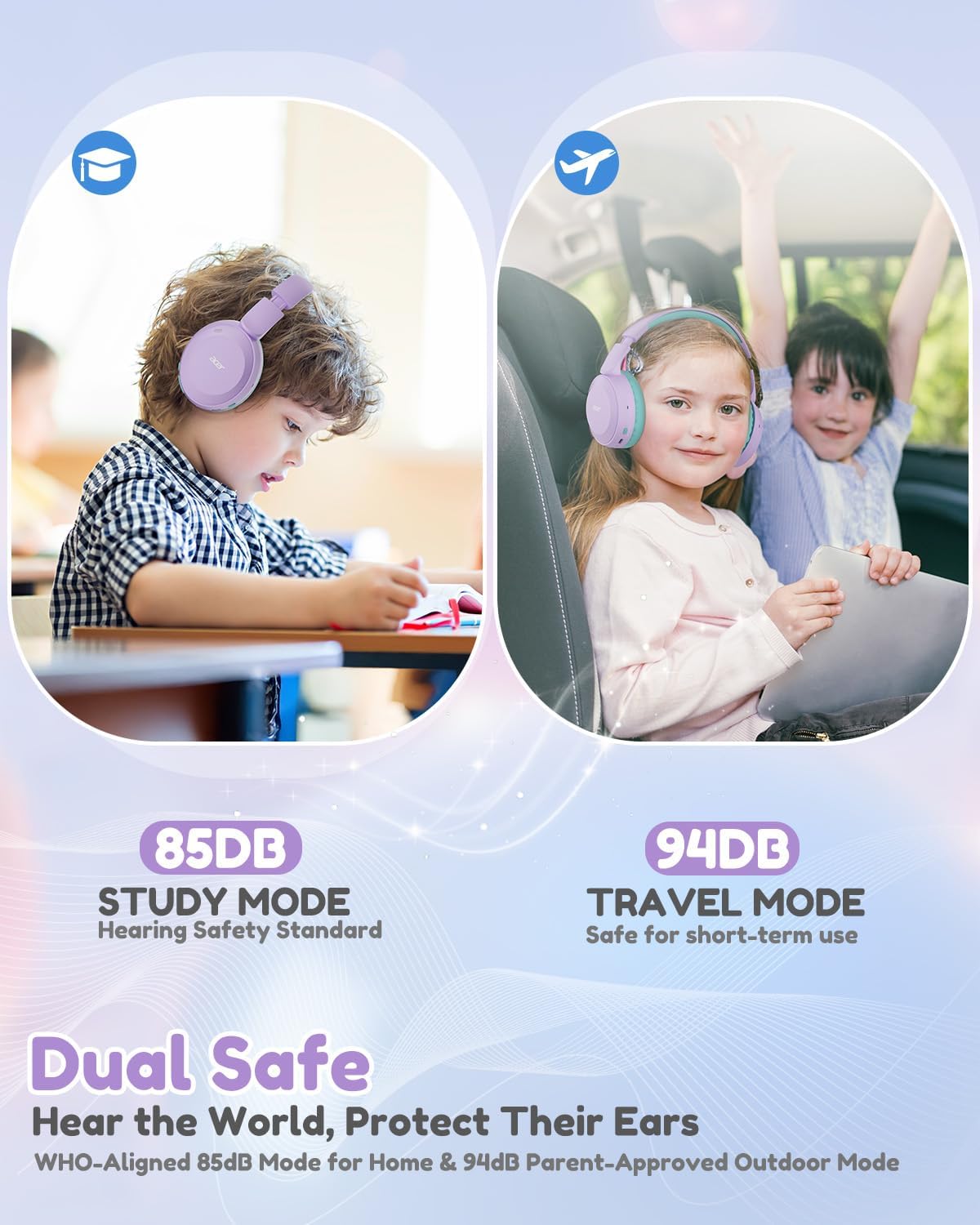
Image: Dual Safe Volume Modes (85dB Study Mode, 94dB Travel Mode).

Image: Kid-Proof Durability with BPA-Free and CPSIA certification icons.

Image: Built for All Day Comfort, highlighting soft ear cushions, soft headband, adjustability, and foldable design.
2. セットアップ
2.1 箱の中身
- 1x Acer Kids Bluetooth Headphones (Model OHR668)
- 1xUSB-C充電ケーブル
- 1x 3.5mmオーディオケーブル
- ユーザーマニュアル x 1

画像:製品パッケージの内容。
2.2 ヘッドホンの充電
- ヘッドフォンの USB-C 充電ポートを見つけます。
- 付属のUSB-C充電ケーブルをヘッドフォンに接続します。
- USB-C ケーブルのもう一方の端を互換性のある USB 電源 (壁のアダプター、コンピューターの USB ポートなど) に接続します。
- The LED indicator will show charging status (refer to the LED indicator section for details). A full charge takes approximately 2.5 hours and provides up to 60 hours of playtime. A 5-minute quick charge provides 2 hours of playtime.
2.3 電源オン/オフ
- 電源を入れるには: LED インジケーターが点灯するまで、電源ボタンを約 3 秒間押し続けます。
- 電源を切るには: LED インジケーターが消えるまで、電源ボタンを約 3 秒間押し続けます。
2.4Bluetoothペアリング
- ヘッドフォンの電源がオフになっていることを確認してください。
- LED インジケーターが青と赤に交互に点滅し、ペアリング モードを示すまで、電源ボタンを約 5 秒間押し続けます。
- デバイス(スマートフォン、タブレット、ラップトップ)で Bluetooth を有効にし、利用可能なデバイスを検索します。
- デバイスのリストから「Acer OHR668」を選択します。
- Once paired, the LED indicator will show a solid blue light or flash blue slowly.

Image: Broad compatibility with various devices via Bluetooth 6.0.
2.5 有線接続(3.5mm オーディオケーブル)
有線接続の場合は、付属の 3.5 mm オーディオ ケーブルを使用します。
- 3.5mm オーディオ ケーブルの一方の端をヘッドフォンの 3.5mm オーディオ ジャックに差し込みます。
- もう一方の端をデバイスのオーディオ出力ポートに差し込みます。
- ヘッドホンは自動的に有線モードに切り替わります。オーディオケーブルが接続されると、Bluetooth機能は無効になります。
3. 操作手順
3.1 コントロールとポート

Image: Headphone controls and ports (Volume Up/Down, 3.5mm Jack, Type-C Charging Port, Volume Limiter Switch).
- 音量アップ/ダウンボタン: を押して音量を調整します。
- 3.5mmオーディオジャック: 有線接続の場合。
- Type-C充電ポート: ヘッドホンの充電用。
- 音量リミッタースイッチ: Toggle between 85dB (Study Mode) and 94dB (Travel Mode).
- 多機能ボタン(電源ボタン):
- 3秒間押し続けると電源のオン/オフが切り替わります。
- 5秒間押し続けると、Bluetoothペアリングモードに入ります。
- 短く押すと音楽の再生/一時停止になります。
- 短く押すと通話に応答/終了します。
- Double press for Next Track (if supported by device).
- Triple press for Previous Track (if supported by device).
3.2 Adjusting Volume Limiter
The headphones feature a physical switch to select between two volume limiting modes:
- 85dB(学習モード): Recommended for extended listening sessions and quiet environments, aligning with WHO hearing safety standards.
- 94dB(トラベルモード): Suitable for short-term use in noisier environments, providing a slightly higher volume while still protecting hearing.
Slide the "Volume Limiter Switch" to select the desired mode.
3.3 Folding for Storage and Travel
The headphones are designed to be foldable for compact storage and easy transport. Gently fold the earcups inwards towards the headband until they are compact. This helps protect the headphones when not in use or during travel.
4. メンテナンス
4.1 クリーニング
- 柔らかく乾いた布を使用して、ヘッドフォンの外側の表面を拭いてください。
- イヤークッションは、軽く湿らせた布で優しく拭いてください。amp 使用する前に布で拭き、完全に自然乾燥させてください。
- 過酷な化学薬品、洗浄溶剤、または強力な洗剤は使用しないでください。
- 開口部やポートに湿気が入らないようにしてください。
4.2 ストレージ
- 使用しないときは、ヘッドフォンを直射日光や極端な温度を避け、涼しく乾燥した場所に保管してください。
- Utilize the foldable design to make them compact for storage, reducing the risk of damage.
- ヘッドホンの上に重い物を置かないでください。
5。 トラブルシューティング
5.1 電源なし
- ヘッドホンが完全に充電されていることを確認してください。USB-Cケーブルを使って電源に接続してください。
- 充電ケーブルと電源が正しく機能していることを確認します。
5.2 Bluetoothでペアリングできない
- ヘッドフォンがペアリング モードになっていることを確認します (LED が青と赤で点滅します)。
- デバイスで Bluetooth が有効になっており、ヘッドフォンから 33 フィート (10 メートル) 以内にあることを確認します。
- デバイスの Bluetooth をオフにしてからオンにして、もう一度ペアリングを試みてください。
- If previously paired, try "forgetting" or "unpairing" the headphones from your device's Bluetooth settings and then re-pair.
- 他の Bluetooth デバイスが接続を妨害していないことを確認してください。
5.3 音が出ない、または音が小さい
- ヘッドフォンと接続されたデバイスの両方の音量レベルを確認します。
- Ensure the volume limiter switch is set to the desired mode (85dB or 94dB).
- If using a wired connection, ensure the 3.5mm audio cable is fully inserted into both the headphones and the device. Try a different 3.5mm cable if available.
- If connected via Bluetooth, try disconnecting and reconnecting the headphones.
- デバイス固有の問題を排除するために、別のオーディオ ソースまたはデバイスでテストします。
6. 仕様
| 特徴 | 詳細 |
|---|---|
| ブランド | エイサー |
| モデル番号 | OHR668 |
| 耳の位置 | オーバーイヤー |
| 音量制限 | 85dB / 94dB (Switchable) |
| 接続技術 | ワイヤレス(Bluetooth)、有線(3.5mmジャック) |
| Bluetoothバージョン | 6.0 |
| Bluetooth範囲 | 33フィート(10メートル) |
| バッテリー寿命 | 最大60時間 |
| バッテリー充電時間 | 2.5時間(5分の急速充電で2時間の再生が可能) |
| 内蔵マイク | はい |
| オーディオドライバーのサイズ | 40ミリメートル |
| 周波数範囲 | 20Hz - 20,000Hz |
| 重さ | 6.63オンス |
| 材料 | Memory Foam, Durable Material (BPA-Free, CPSIA Certified) |
| 追加機能 | Adjustable Headband, Foldable Design |
7. 保証とサポート
7.1 保証情報
The Acer Kids Bluetooth Headphones (Model OHR668) come with a 1年間の限定保証 ご購入日から1年間有効です。本保証は、材料および製造工程における製造上の欠陥を対象としています。誤用、事故、不正な改造、または通常の摩耗や損耗による損傷は保証の対象外となります。保証請求の際は、購入証明書を保管してください。
7.2 カスタマーサポート
For technical assistance, warranty claims, or any questions regarding your Acer Kids Bluetooth Headphones, please visit the official Acer support webサイトにアクセスするか、カスタマーサービスにお問い合わせください。
オンラインサポート: 訪問 www.acer.com/support
電話サポート: Refer to your product packaging or the Acer support web地域の連絡先番号のサイト。