
導入
Thank you for choosing the TOZO NC9 Bluetooth 5.3 Hybrid ANC Wireless Earbuds. These earbuds are designed to provide a superior audio experience with advanced features such as Hybrid Active Noise Cancellation, clear call quality, and extended battery life. This manual will guide you through the setup, operation, and maintenance of your new earbuds.
パッケージ内容
パッケージにすべてのアイテムが含まれていることを確認してください:
- TOZO NC9 Wireless Earbuds (Left and Right)
- 充電ケース
- Ear Tips (Multiple Sizes)
- USB-C充電ケーブル
- ユーザーマニュアル(このドキュメント)
製品終了view
Familiarize yourself with the components of your TOZO NC9 earbuds and charging case.
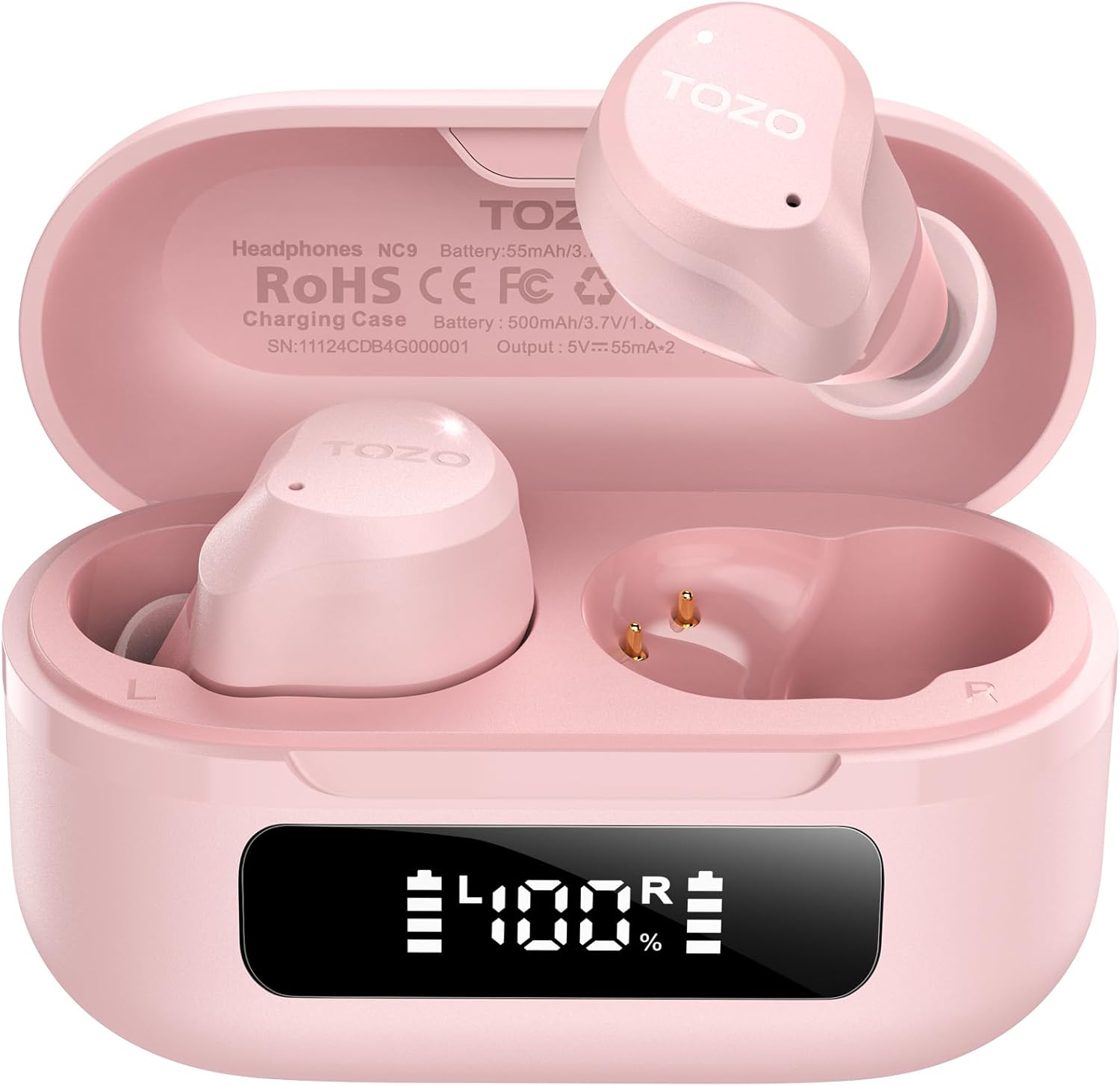
Image: The TOZO NC9 earbuds shown with their charging case. The earbuds are pink and feature an in-ear design. The charging case is also pink with a smooth, compact form factor. This image provides a general view 製品コンポーネントの。

Image: The TOZO NC9 earbuds are placed inside their open charging case, revealing an LED display on the front of the case that shows battery percentage. This illustrates how the earbuds are stored and charged within the case.

Image: A detailed diagram illustrating the internal driver components of the TOZO NC9 earbud, highlighting the OrigX Acoustics Technology. This visual explains the audio engineering behind the sound quality.
設定
1. イヤホンとケースの充電
初めて使用する前に、イヤホンと充電ケースを完全に充電してください。
- イヤホンを充電ケースに入れてください。正しく装着されていることを確認してください。
- USB-C 充電ケーブルをケースの充電ポートと電源に接続します。
- The LED display on the charging case will indicate the charging status. A full charge may take approximately 5 hours if completely depleted.

Image: The TOZO NC9 charging case with earbuds, displaying "60 hrs" to indicate the total playtime. This image emphasizes the extended battery life of the product.

Image: A close-up of the TOZO NC9 charging case's LED display showing "100%" battery charge, with the "SmartPow Power Management" logo. This highlights the intelligent battery optimization feature.
2. デバイスとのペアリング
The TOZO NC9 earbuds use Bluetooth 5.3 for a stable connection.
- 充電ケースを開けると、イヤホンは自動的にペアリングモードになります。
- デバイス(スマートフォン、タブレット、コンピューター)で、Bluetooth 設定に移動します。
- 検索する "TOZO NC9" in the list of available devices and select it to connect.
- 接続すると音声プロンプトが聞こえ、イヤホンが使用できるようになります。

Image: A visual representation of the TOZO App interface on a smartphone, showing various settings like ANC modes, EQ adjustments, and white noise tracks. This demonstrates the app's capabilities for customizing the earbud experience.
操作手順
タッチコントロール
TOZO NC9イヤホンは直感的なタッチコントロールを搭載しています。TOZOアプリで特定の機能をカスタマイズできます。
| アクション | 関数 |
|---|---|
| シングルタップ(L/R) | 再生/一時停止、通話応答 |
| ダブルタップ(L) | 前のトラック |
| ダブルタップ(R) | 次のトラック |
| トリプルタップ(L/R) | 音声アシスタントを有効にする |
| 長押し(L/R) | ANC/透明/通常モードの切り替え、通話拒否 |
アクティブノイズキャンセレーション(ANC)モード
The TOZO NC9 offers Hybrid ANC to reduce ambient noise by up to 45dB, along with a Transparency Mode.
- アクティブ ノイズ キャンセリング (ANC) モード: 外部のノイズを低減し、旅行や騒がしい環境に最適です。
- 透明モード: イヤホンを外さずに周囲の音を聞くことができ、会話や注意喚起に役立ちます。
- 通常モード: ノイズキャンセルや透明性のない標準的なオーディオ体験。
Cycle through these modes by long-pressing either earbud (customizable via app).

Image: A person wearing TOZO NC9 earbuds on an airplane, illustrating the effectiveness of the up to 45dB advanced noise cancellation feature for a peaceful listening experience.
クリスタルクリアコール
Equipped with 6 ENC (Environmental Noise Cancellation) microphones, the NC9 ensures your voice is clear during calls, even in noisy environments.

Image: A person wearing TOZO NC9 earbuds while walking in a city environment, making a phone call. This image highlights the crystal-clear call quality provided by the six ENC microphones, minimizing background noise.
TOZOアプリ統合
Download the TOZO App for enhanced control and customization:
- Adjustable Noise Control Modes (6 options)
- 32 Preset EQ Modes and access to over 2000 user-shared EQs
- 100+ White Noise Tracks
- ファームウェアアップデート
The app allows for a personalized audio experience.
メンテナンス
クリーニング
- イヤホン、特にイヤーチップと充電接点を、柔らかく乾いた糸くずの出ない布で定期的に清掃してください。
- 研磨剤や溶剤は使用しないでください。
ストレージ
- 使用しないときは、イヤホンを保護し、充電を保つために充電ケースに保管してください。
- 極端な温度を避け、涼しく乾燥した場所に保管してください。
防水性能(IPX8)
The TOZO NC9 earbuds are IPX8 waterproof, meaning they are protected against immersion in water up to 1 meter for up to 30 minutes. This makes them suitable for workouts and light rain, but they are not designed for swimming or prolonged submersion.

Image: A person wearing TOZO NC9 earbuds while reading, demonstrating the ergonomic design for all-day comfort and a secure fit. This image emphasizes the comfort aspect of the earbuds.
トラブルシューティング
| 問題 | 考えられる解決策 |
|---|---|
| イヤホンが充電されない | Ensure earbuds are correctly seated in the case. Check charging cable and power source. Clean charging contacts. |
| デバイスとペアリングできません | Ensure Bluetooth is enabled on your device. Place earbuds in case, close, then open to re-enter pairing mode. Forget "TOZO NC9" from your device's Bluetooth list and try pairing again. |
| XNUMXつのイヤフォンから音が出ない | Place both earbuds back in the case, close it, then open again. Ensure both earbuds are charged. Perform a factory reset (refer to TOZO App or online support for specific steps). |
| ANCが効果的に機能していない | Ensure ear tips provide a good seal. Try different sized ear tips. Ensure ANC mode is activated. |
| 通話品質が悪い | Ensure microphones are not obstructed. Check network signal. |
For further assistance, please refer to the TOZO App or contact TOZO customer support.
仕様
| モデル名 | NC9 |
| Bluetoothバージョン | 5.3 |
| 騒音制御 | Hybrid Noise Reduction (up to 45dB ANC) |
| マイク | 6つのENCマイク |
| オーディオドライバータイプ | Dynamic (10mm drivers) |
| 周波数範囲 | 15 Hz - 20,000 Hz |
| バッテリー寿命(イヤホン) | 約14時間(1回の充電) |
| 合計プレイ時間(ケース付き) | 最大60時間 |
| 耐水性評価 | IPX8(防水) |
| コントロールタイプ | タッチコントロール、アプリコントロール |
| 対応デバイス | Phones, Laptops, Tablets, Smart Speakers |
| GTIN / UPC | 810102982537 |
保証とサポート
TOZO製品には標準保証が付いています。保証の詳細、製品登録、テクニカルサポートについては、TOZOの公式ウェブサイトをご覧ください。 web公式サイトをご覧いただくか、カスタマーサービスまでお問い合わせください。保証請求のために購入時のレシートを保管してください。
返品規則: The product has a return policy duration of 30 days for refund/replacement.


